How Git Works, Visually

The mental model behind commits, branches, and merges

Pranjal Rawat

The problem, and the fix

Every result you trust rests on one question: exactly which version of the code and data produced it?

Git is the machine that gives that question an answer.

Life without version control

analysis.py analysis_final.py analysis_final_v2.py analysis_final_REALLY.py Which one is real? Who changed it last, and why? Can I get the old version back? Two people edited at once, one set of edits vanished.

What version control gives you

History every version kept, with who and why Recovery return to any past state, a mistake is never permanent Collaboration many people change one project in parallel, safely

For a data scientist, these three add up to one word: reproducibility.

A commit is a snapshot

The unit of git. One commit records three things.

a1b2c3 a snapshot of every file, right now a message: "why this change" 9f2e a pointer to its parent

Commits form a chain

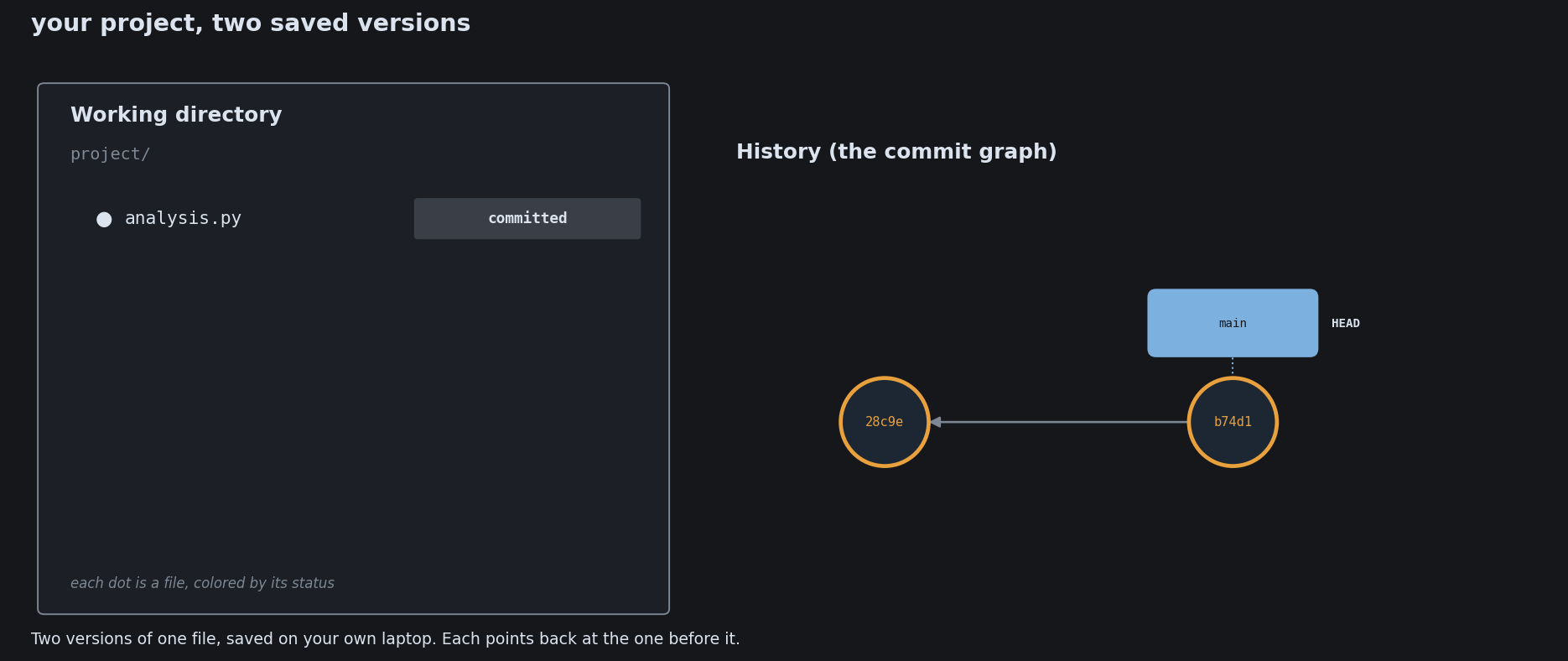
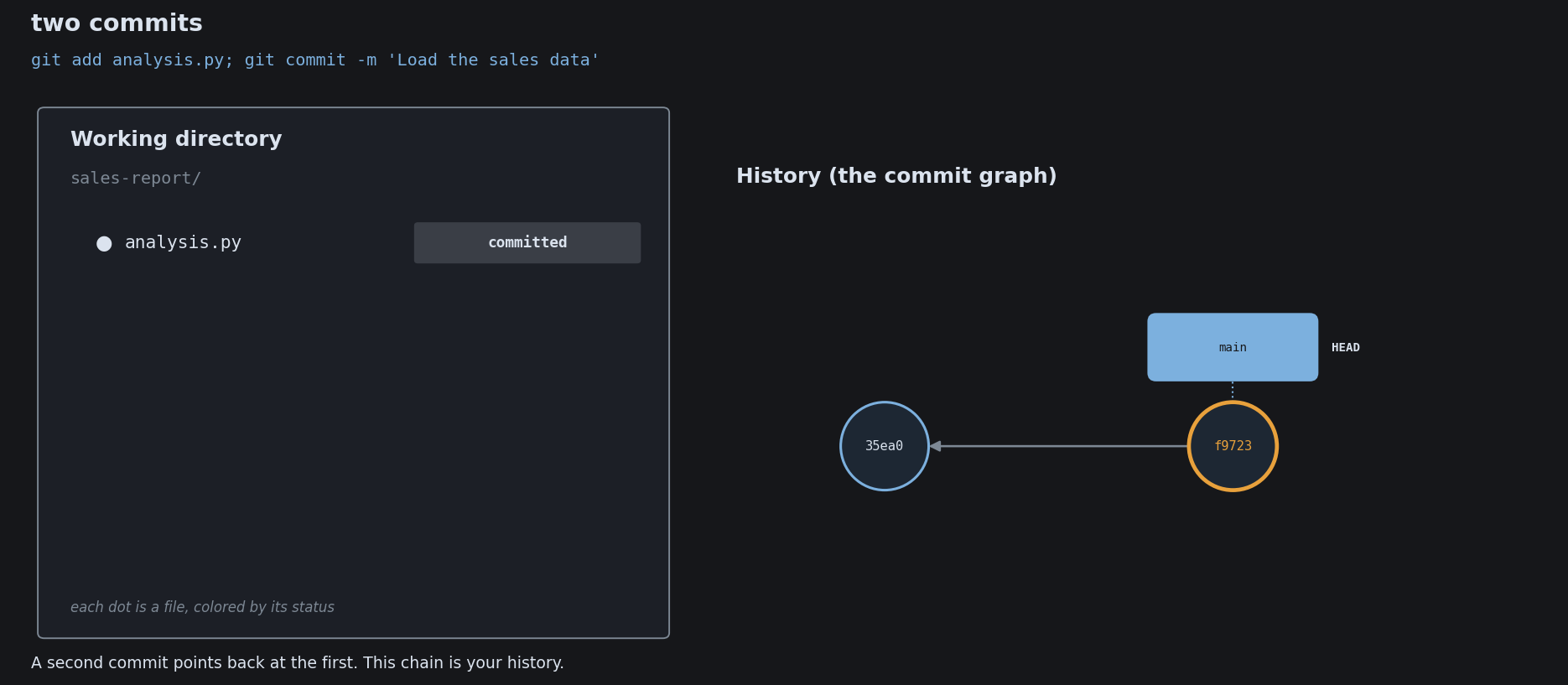
Each commit points back to the one before it. That is the whole history.

init a1b add model 9f2 fix bug c73 latest

The hash is a fingerprint

Each commit’s ID is computed from its contents. Change the past and every ID downstream changes with it.

a1b 9f2 c73 edit this commit... e04 77a b19 ...and every ID after it changes too

That is how git guarantees the history has not been quietly tampered with.

How to read the diagrams that follow

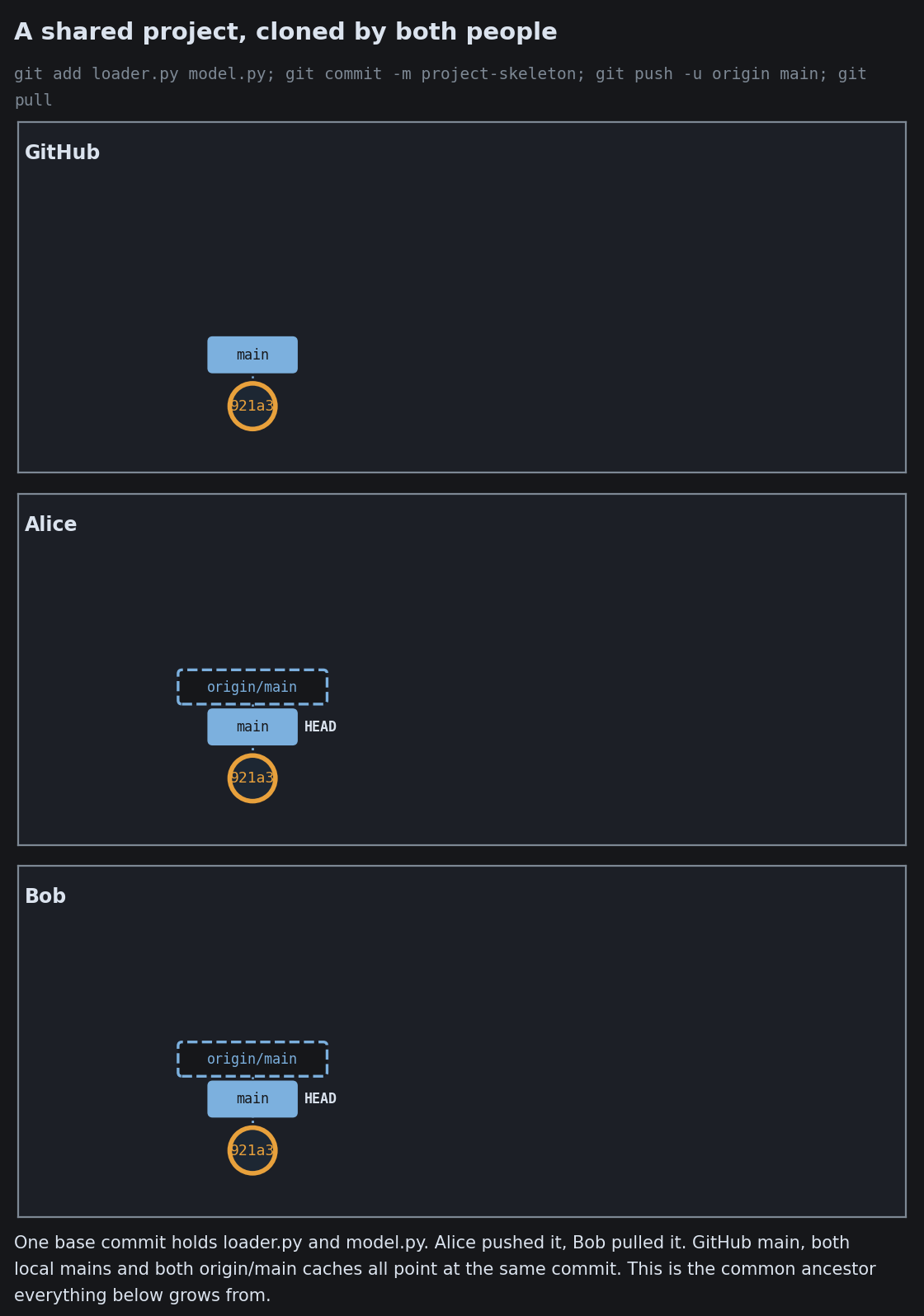
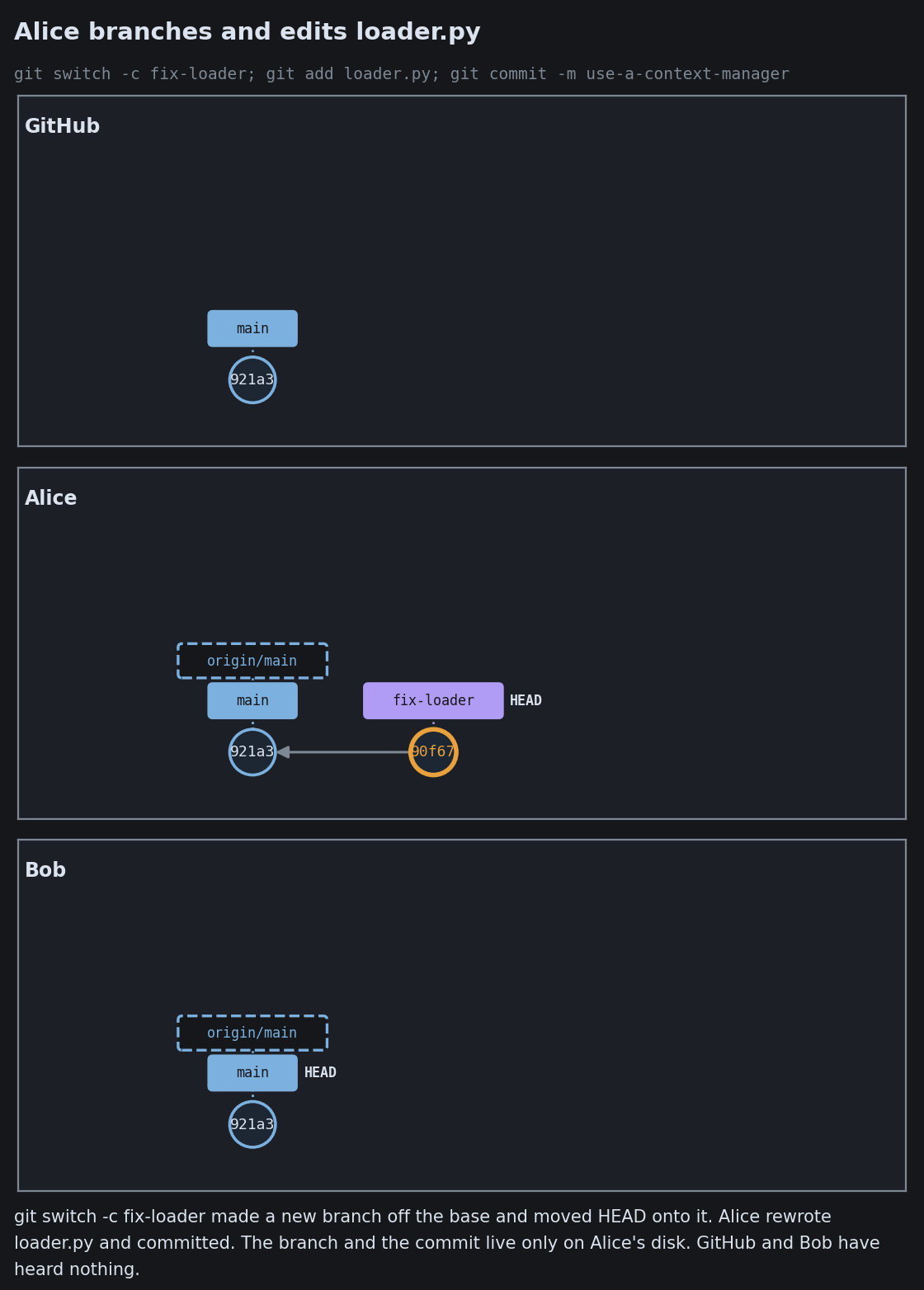
Many of the diagrams from here on are a photograph of a real git repository. A command is run, and git’s actual state is read back and drawn.

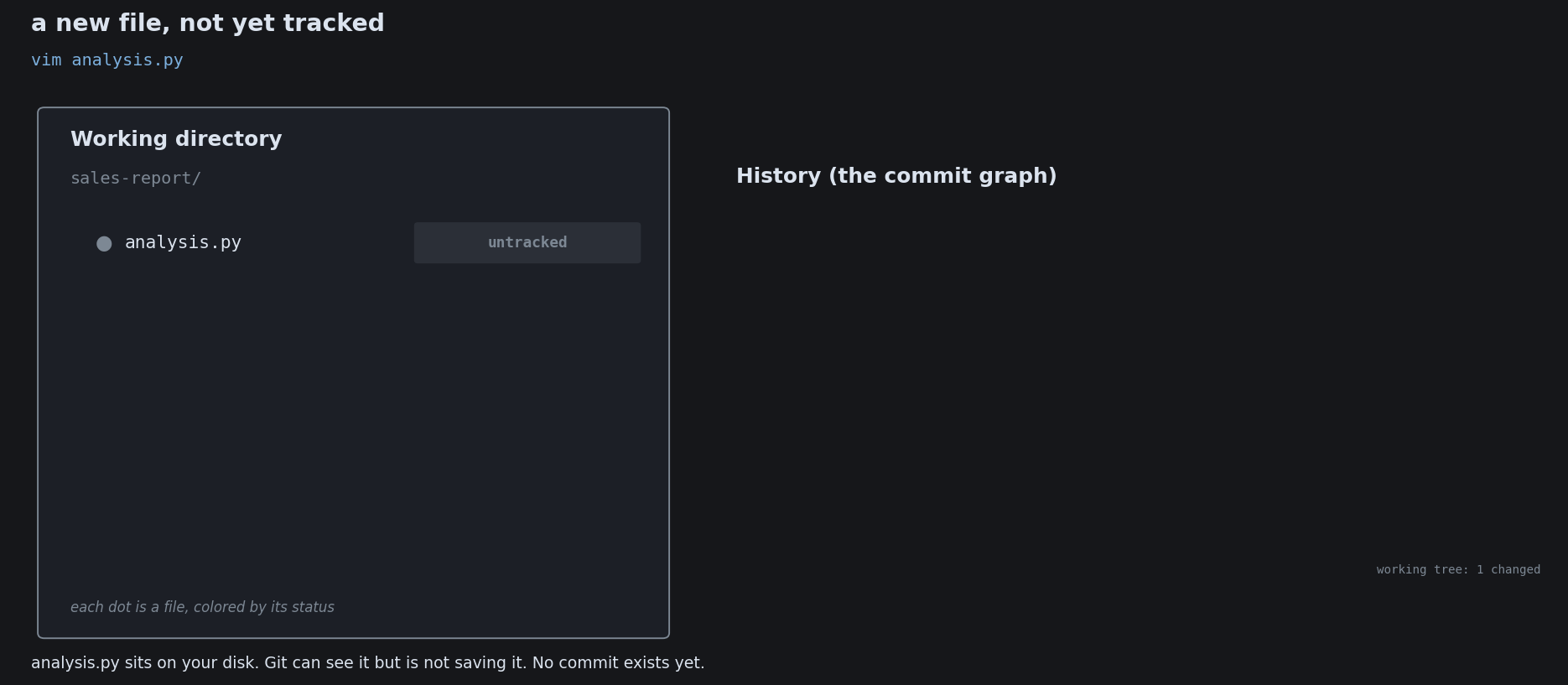
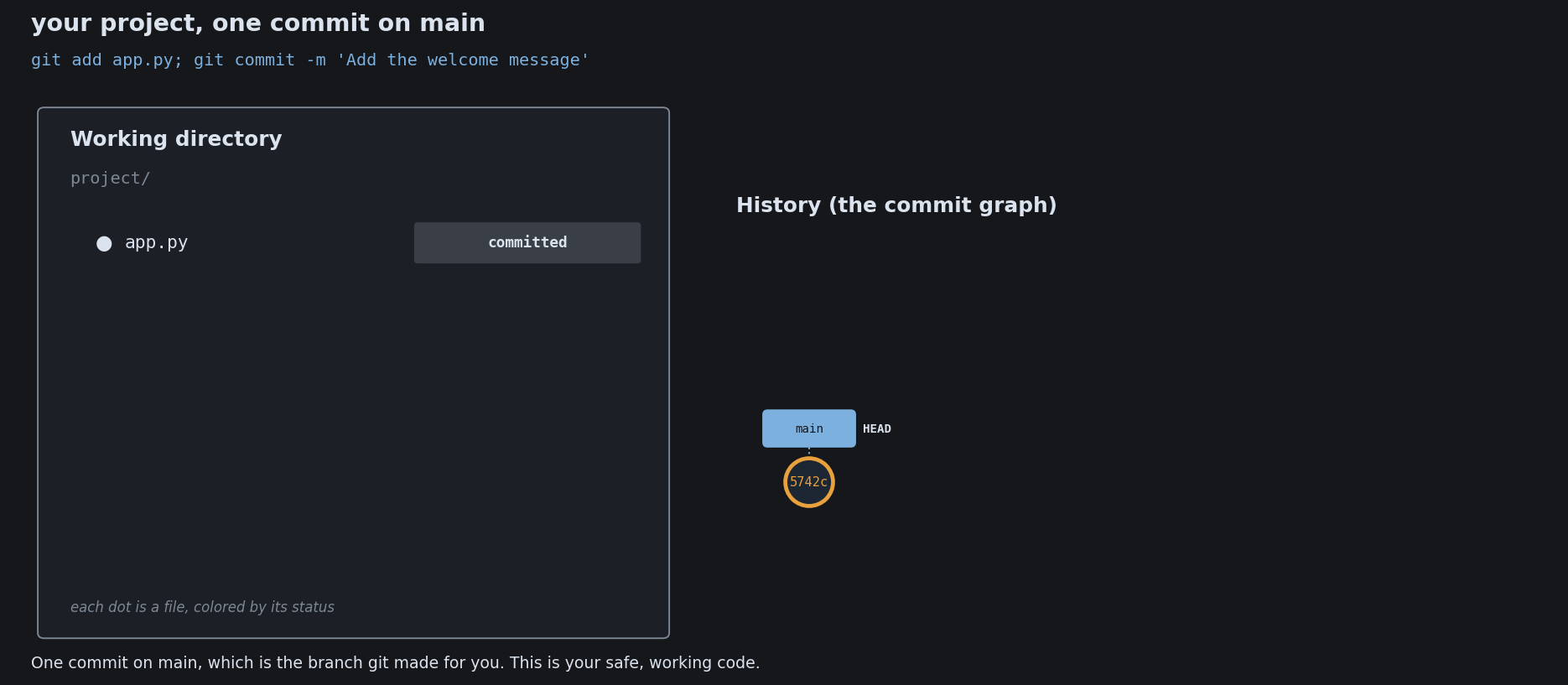
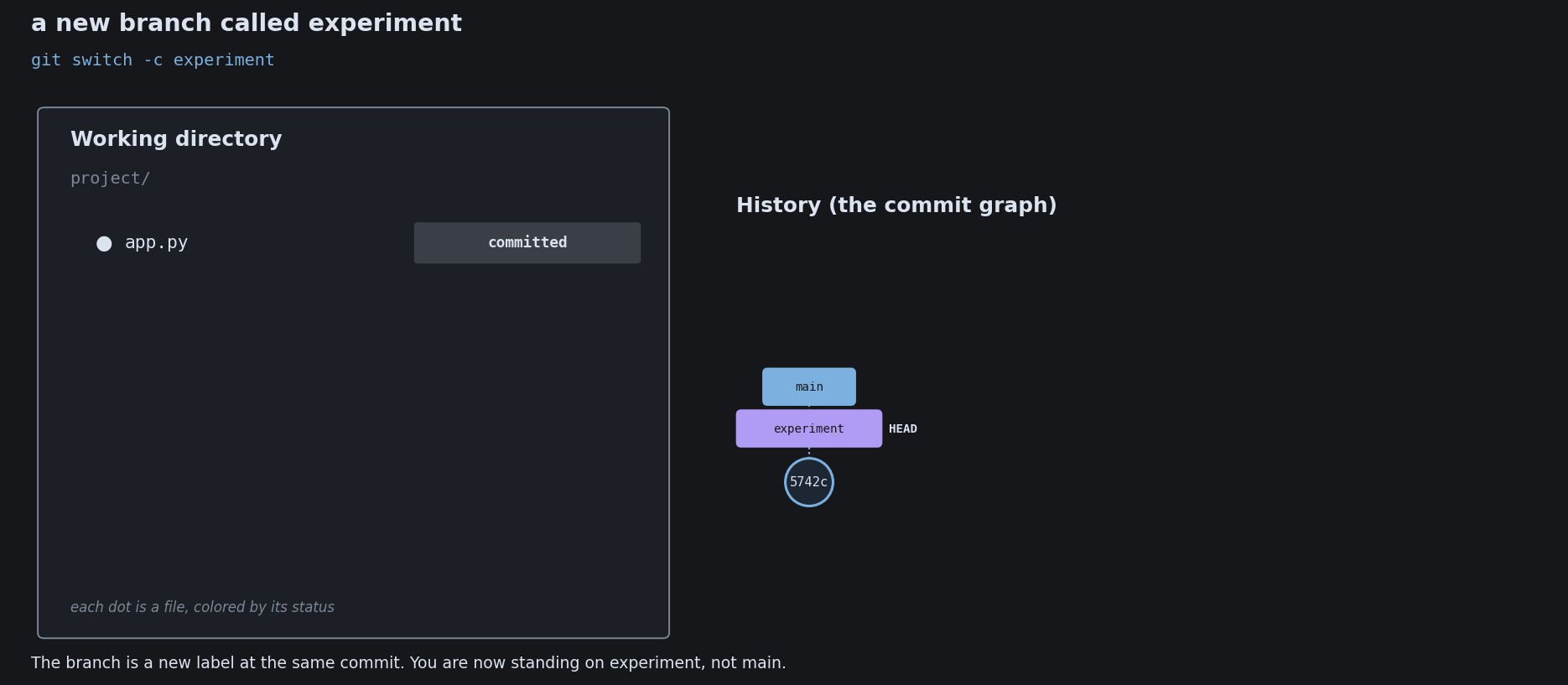
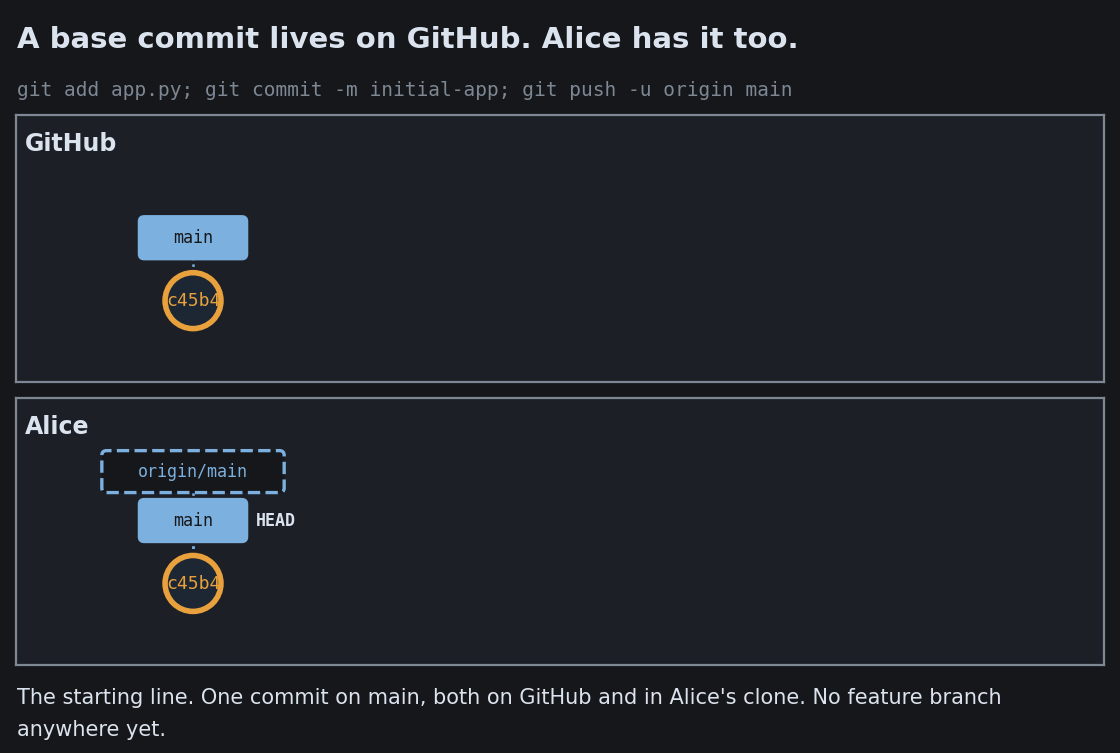
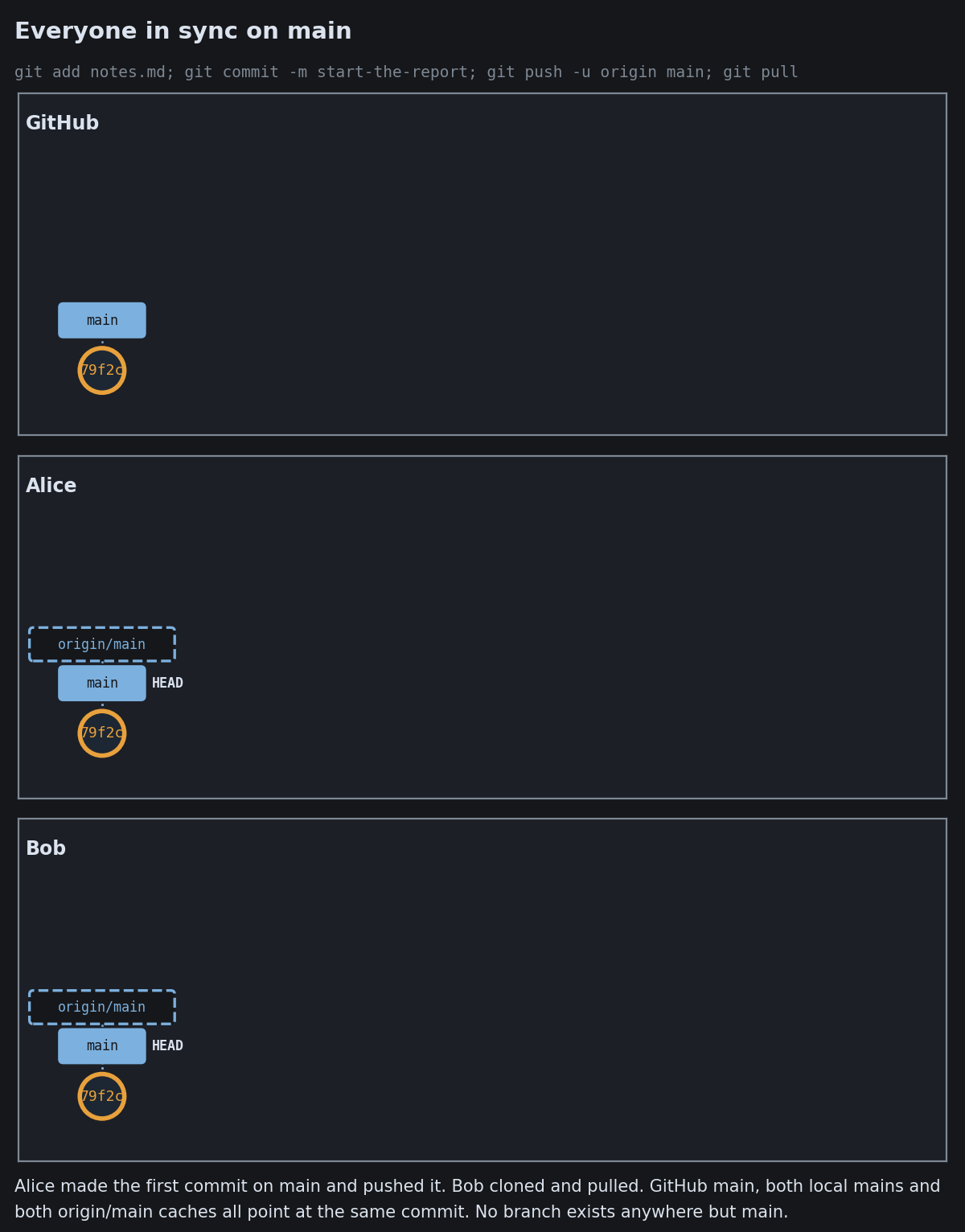
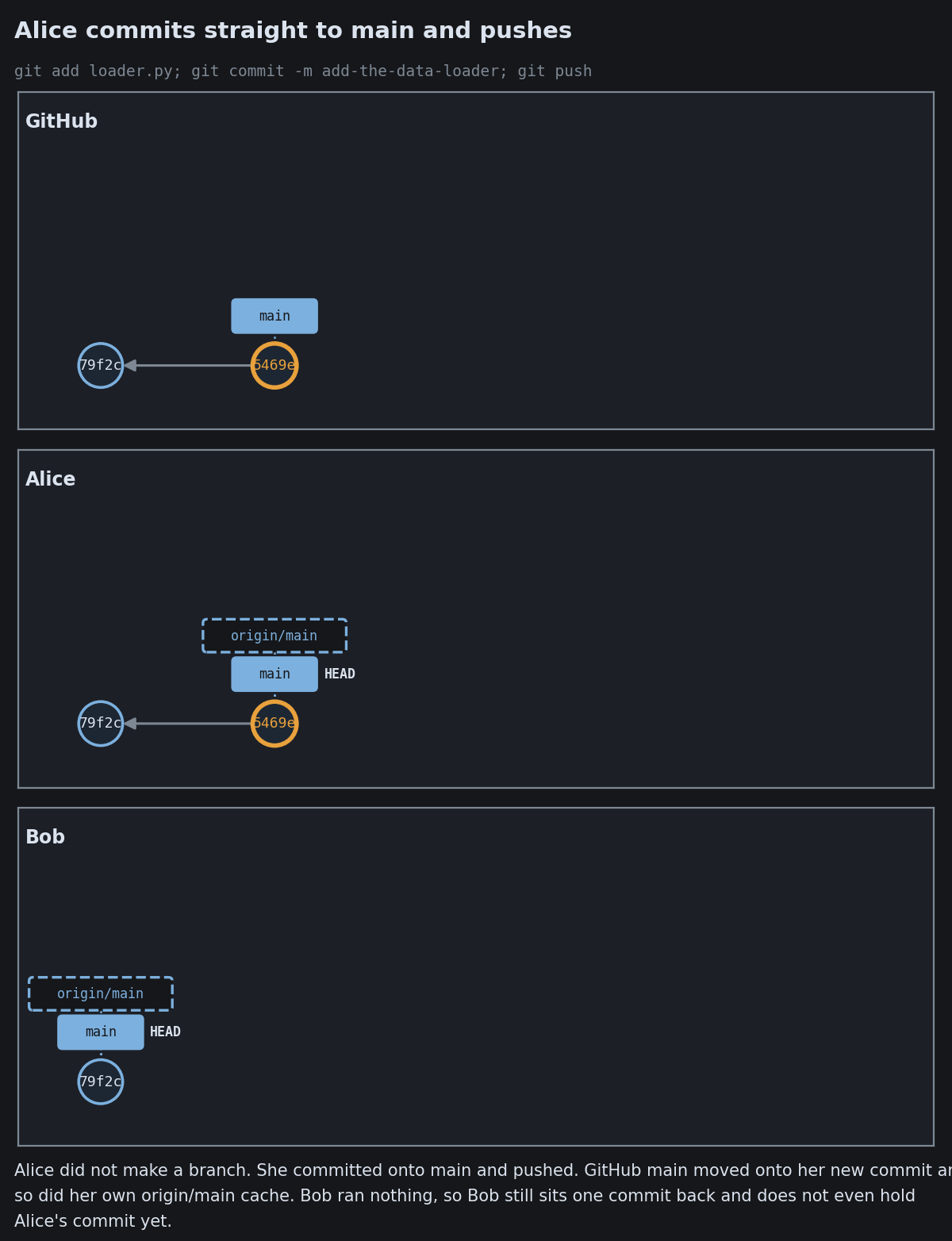
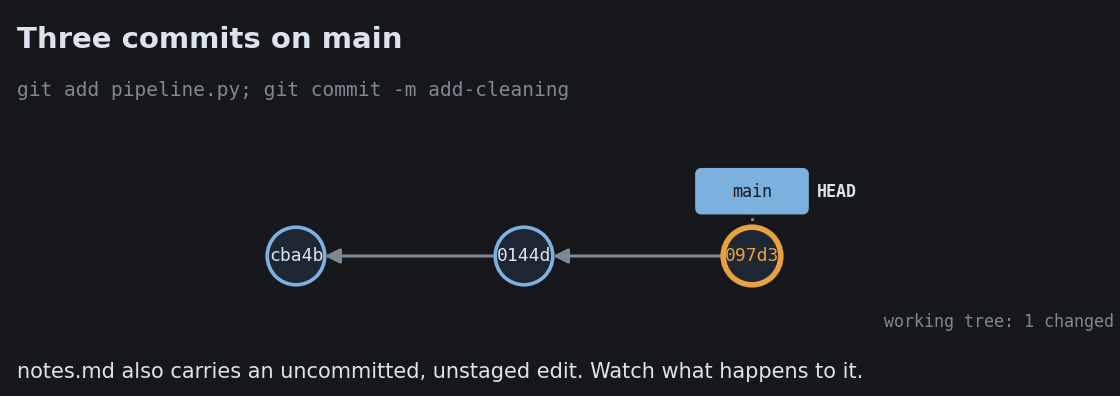
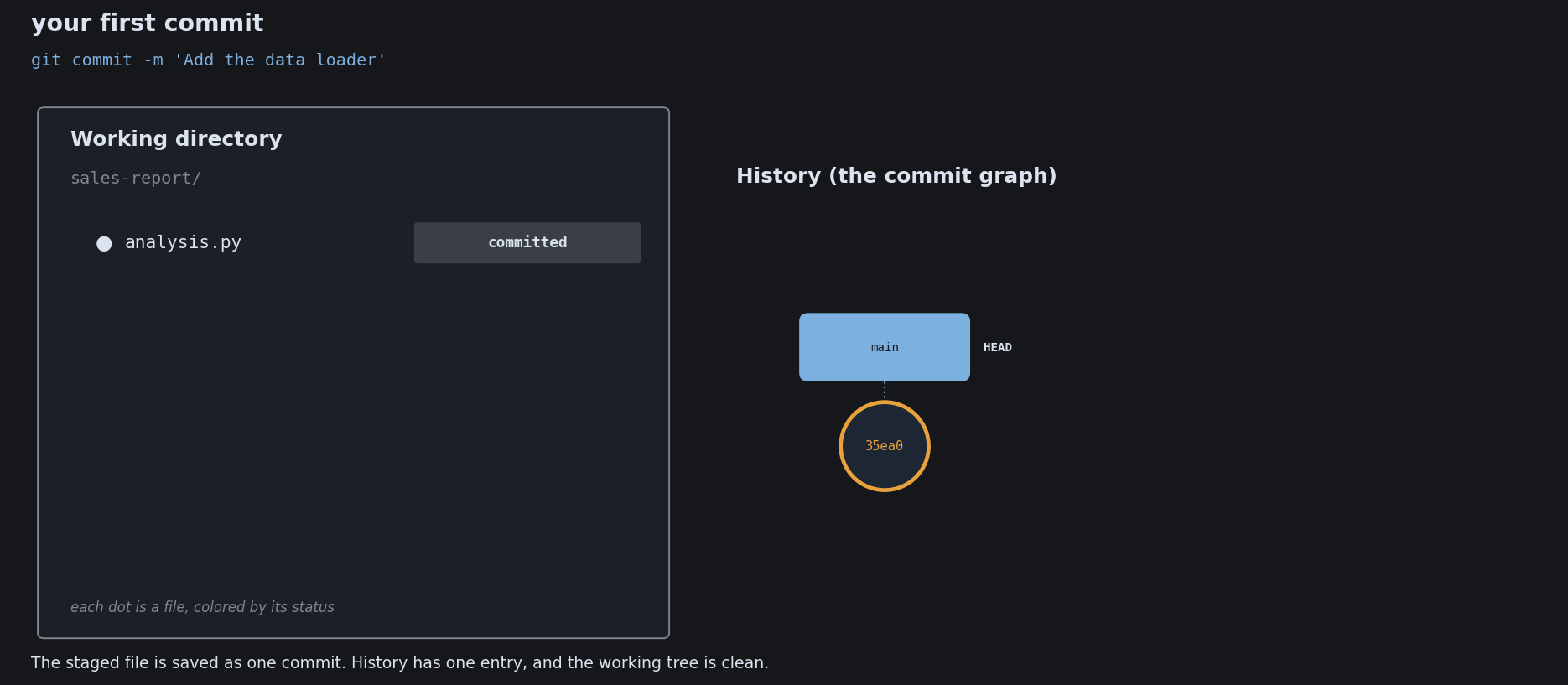
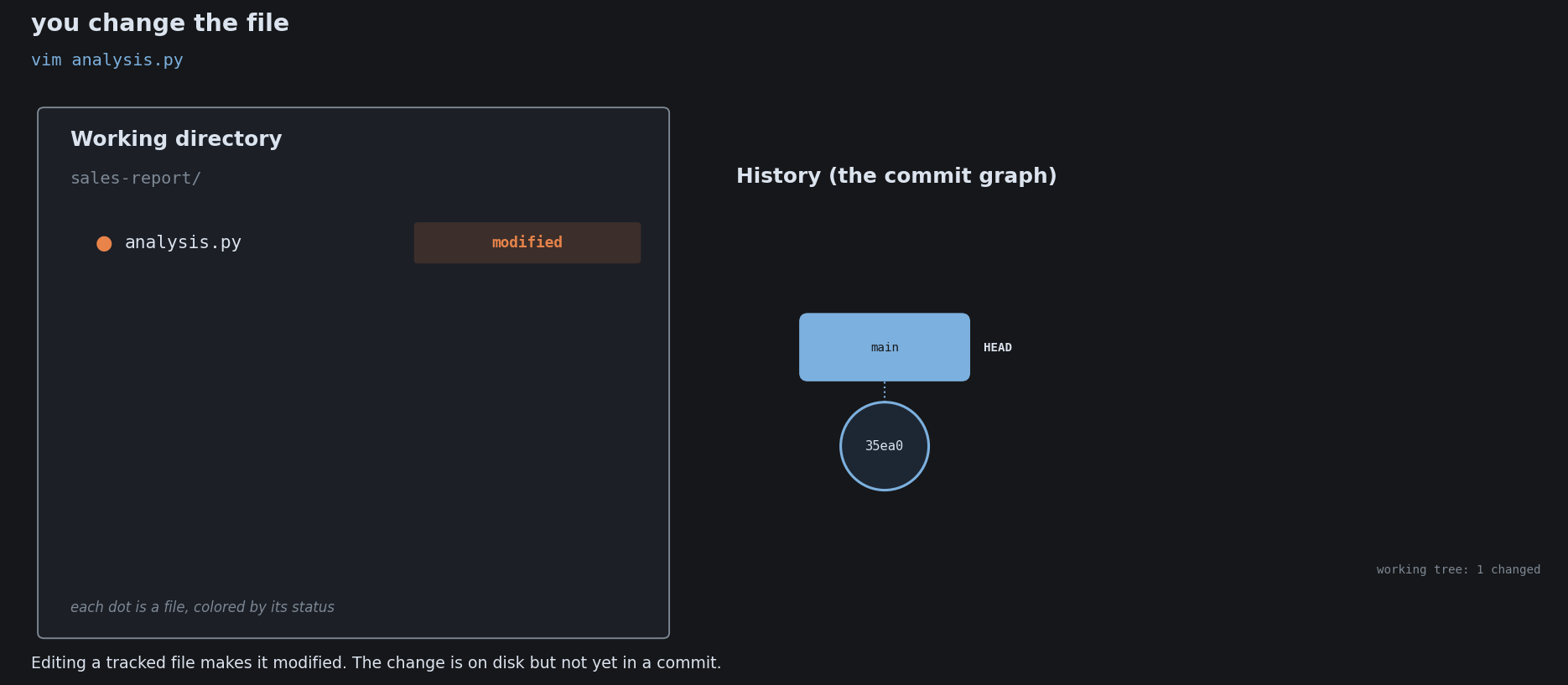
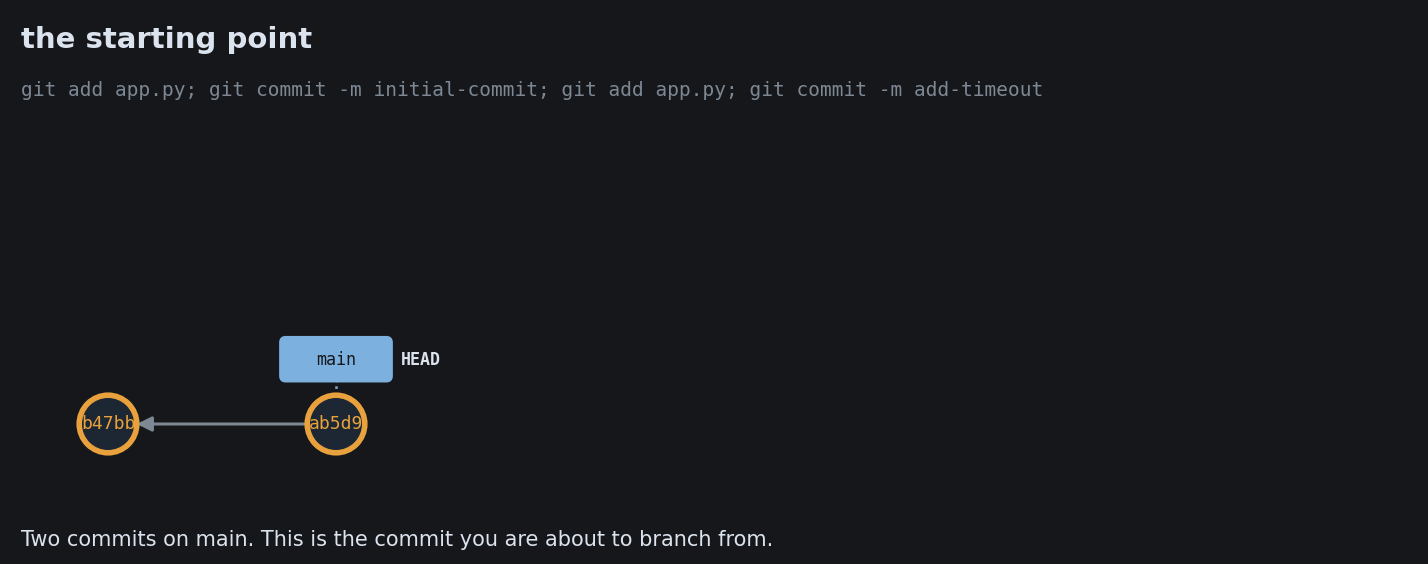
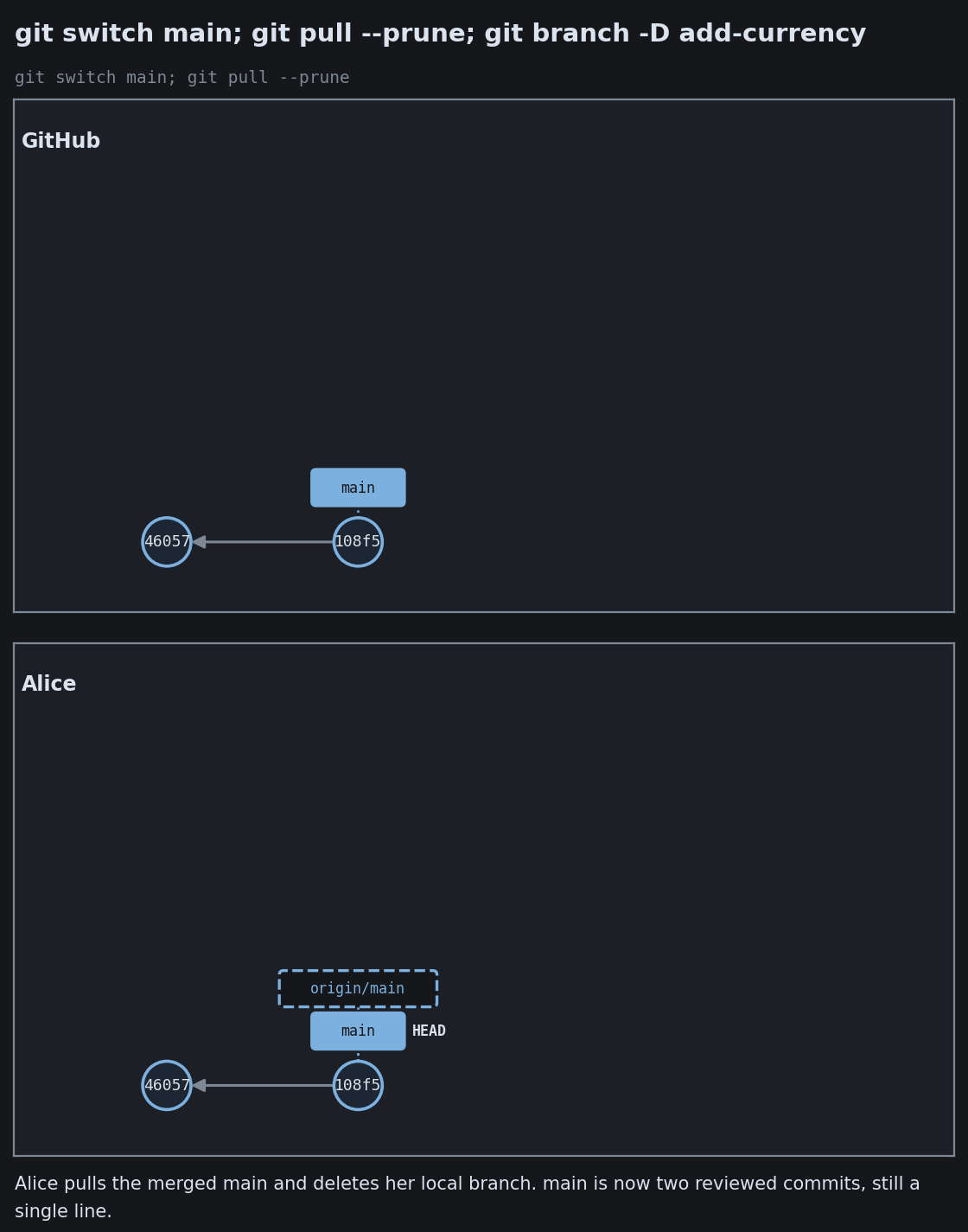
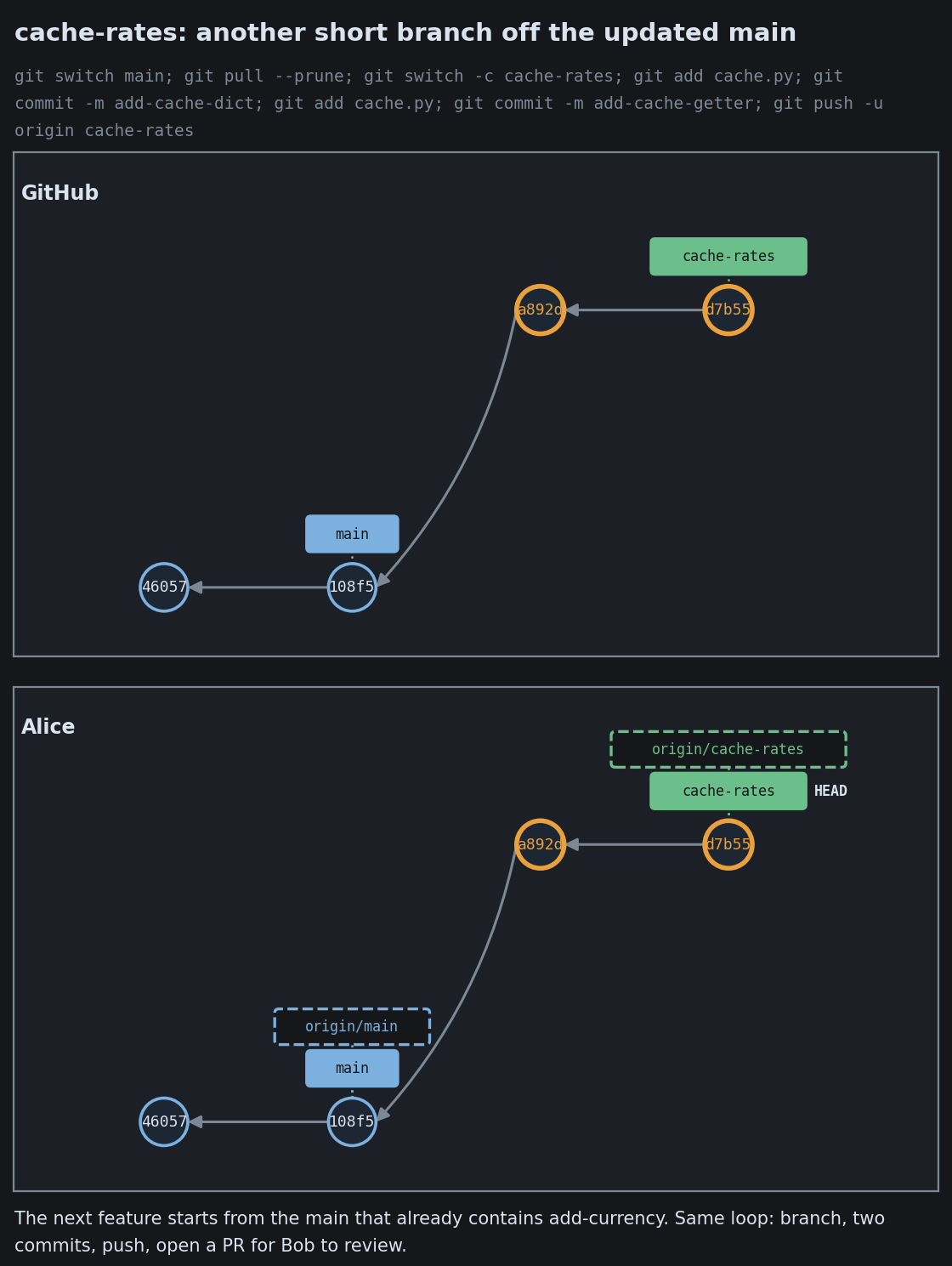
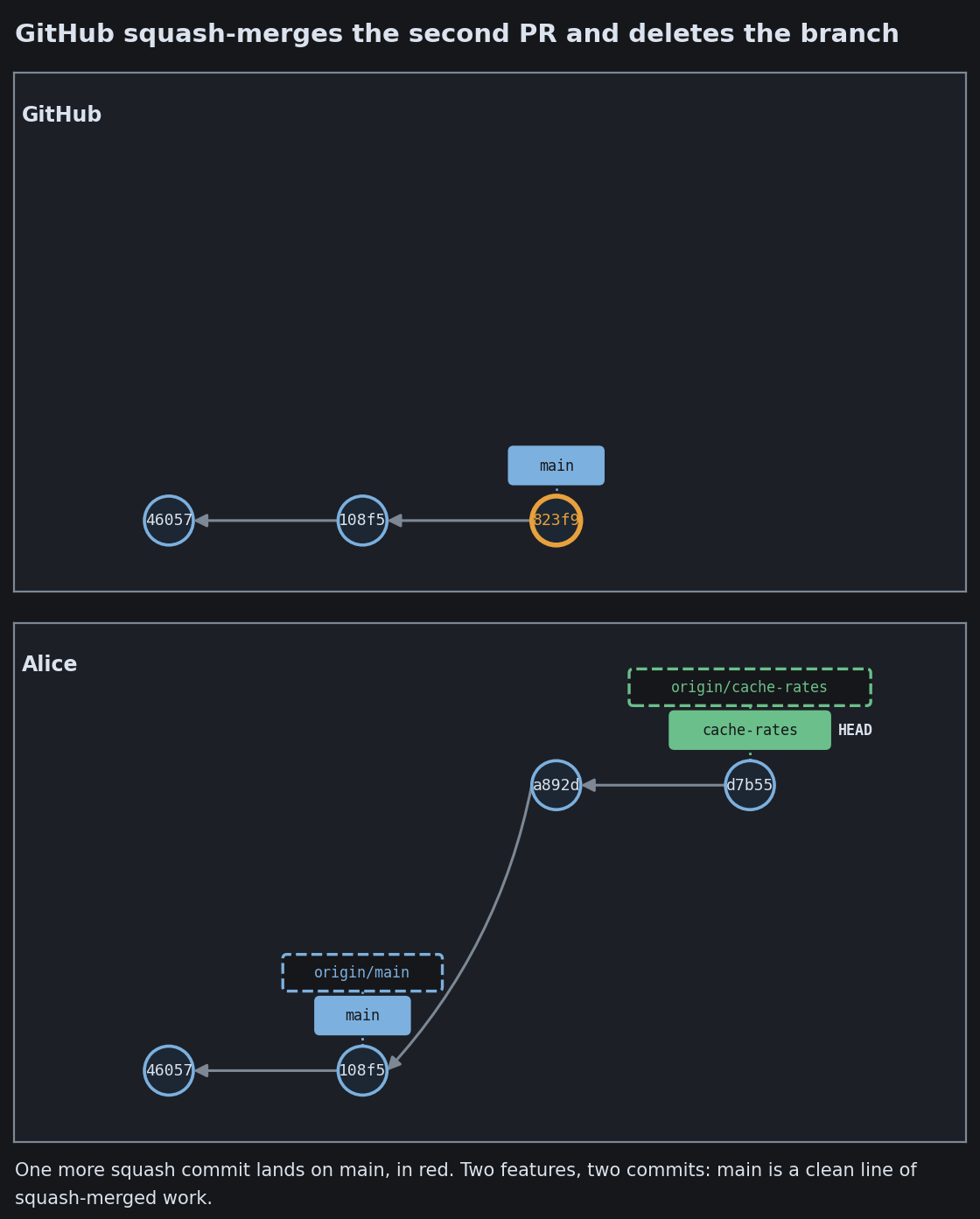
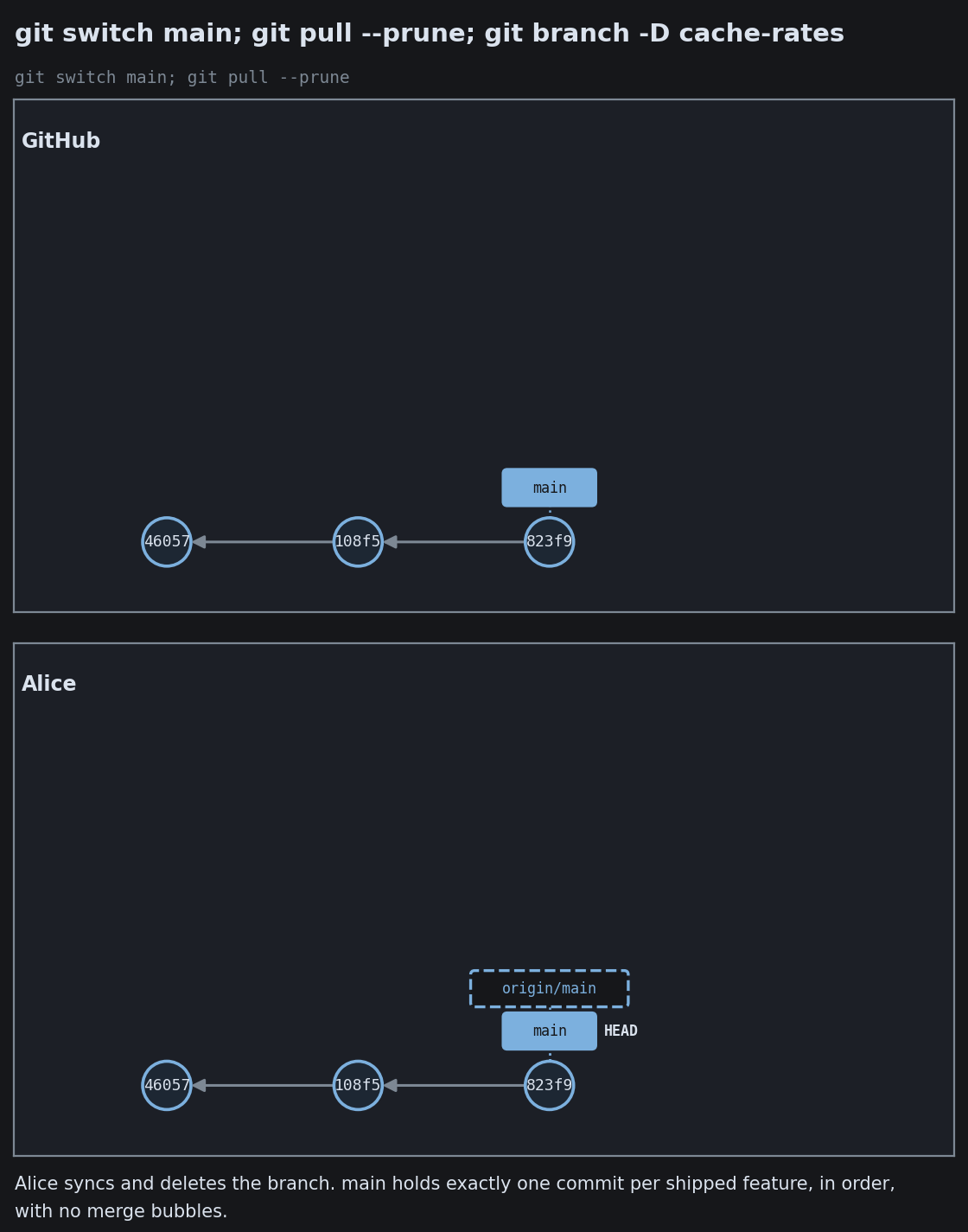
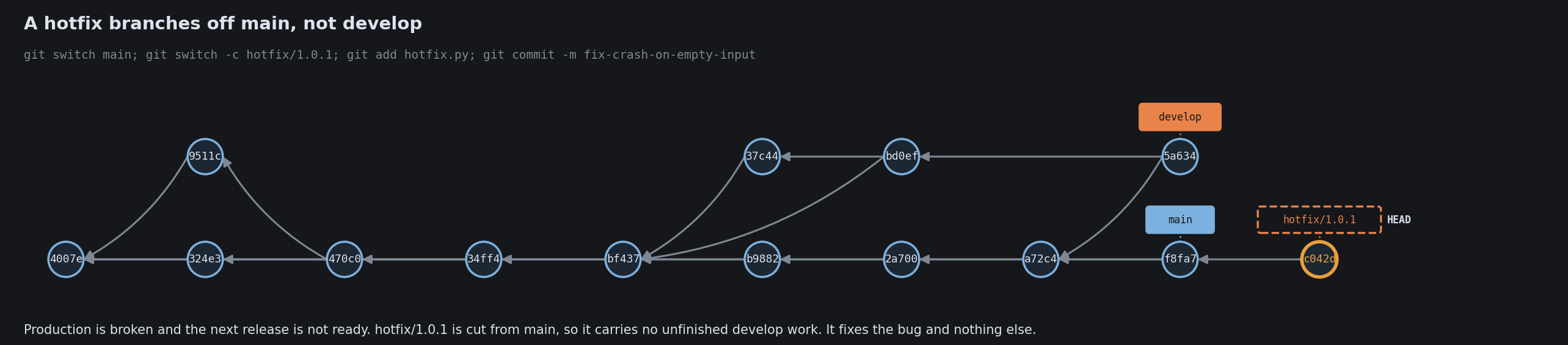
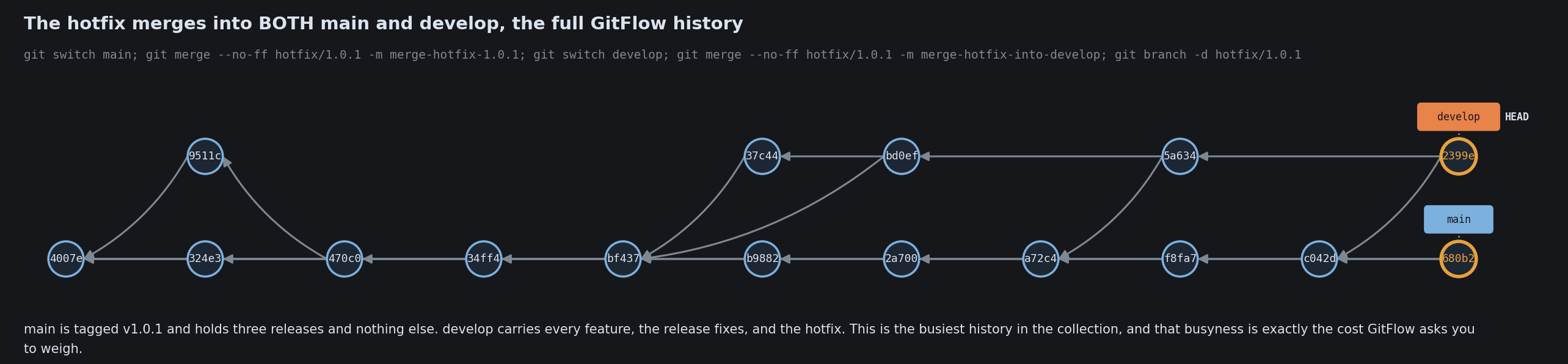
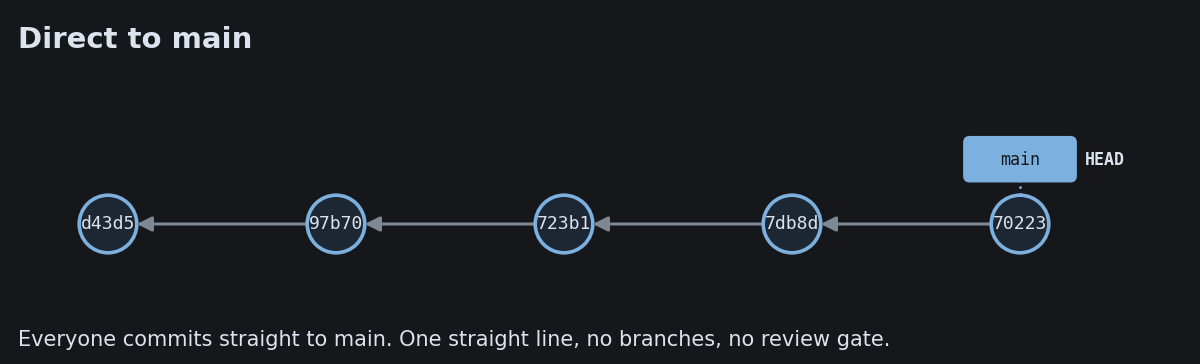
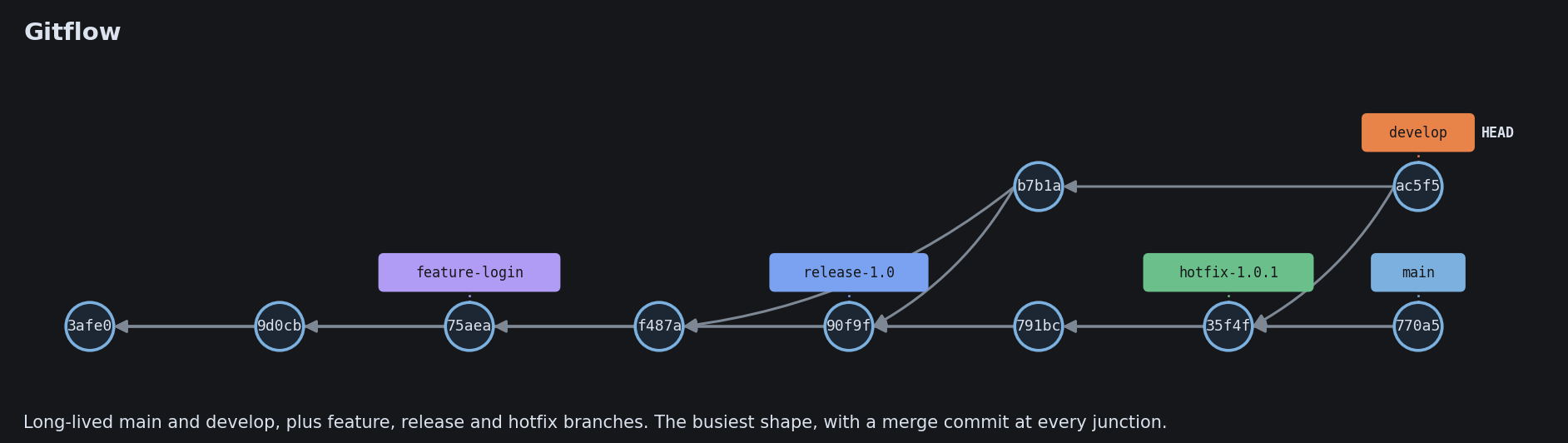
A commit is a circle. An arrow runs to its parent. A colored box is a branch (just a pointer). HEAD marks where you stand. An amber ring is the commit the last command just made.

Use the arrow keys. Each step is one command, and the graph grows as you go.

What Git Is

What Git Is

Your First Commit

Your First Commit
Your First Commit
Your First Commit
Your First Commit
Your First Commit
Your First Commit

Seeing Your History
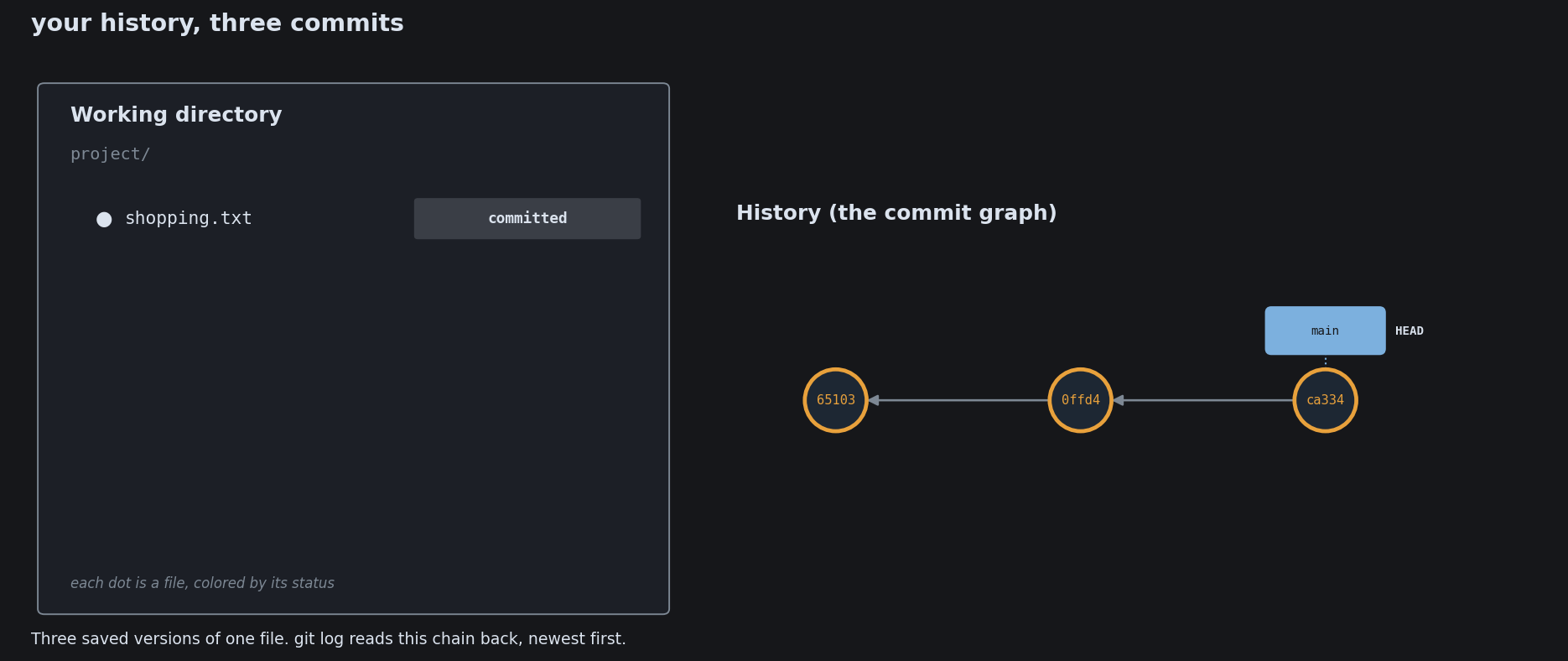
Seeing Your History
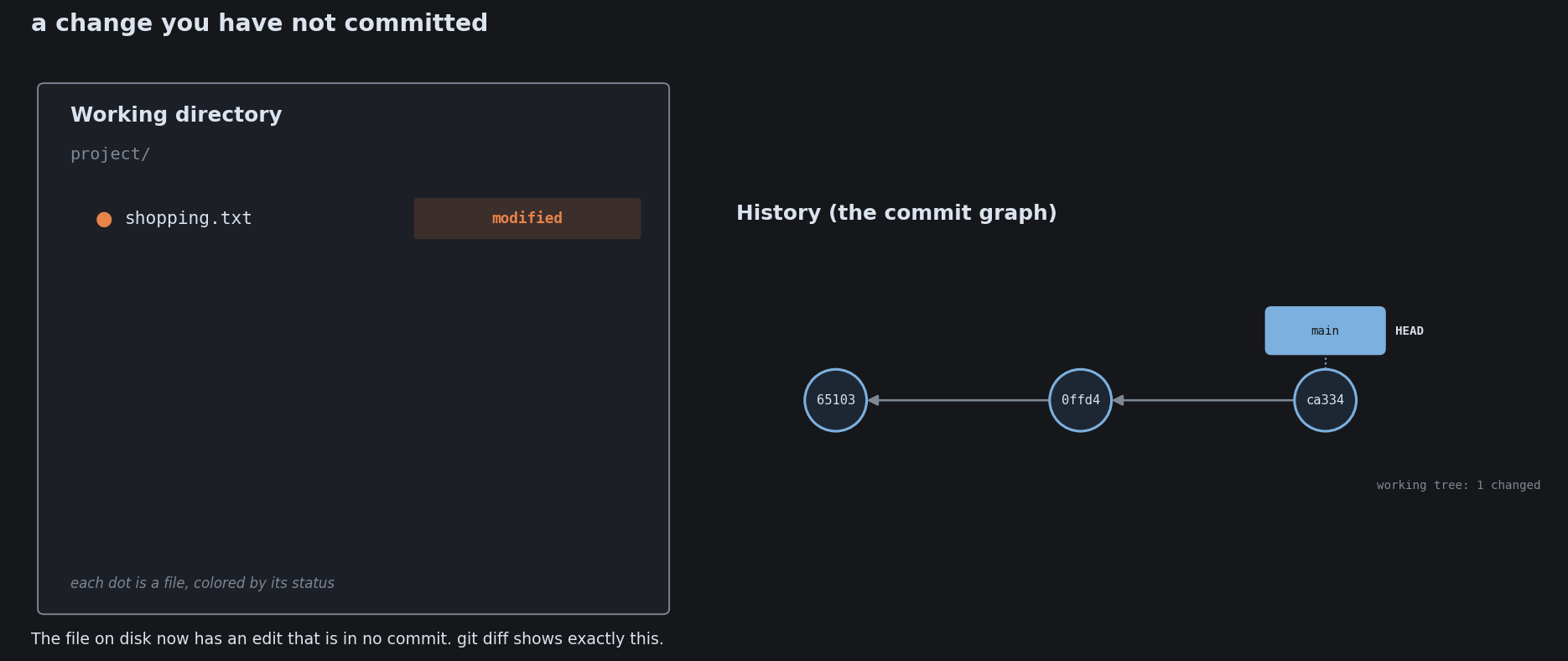
Seeing Your History

Ignoring Files with .gitignore
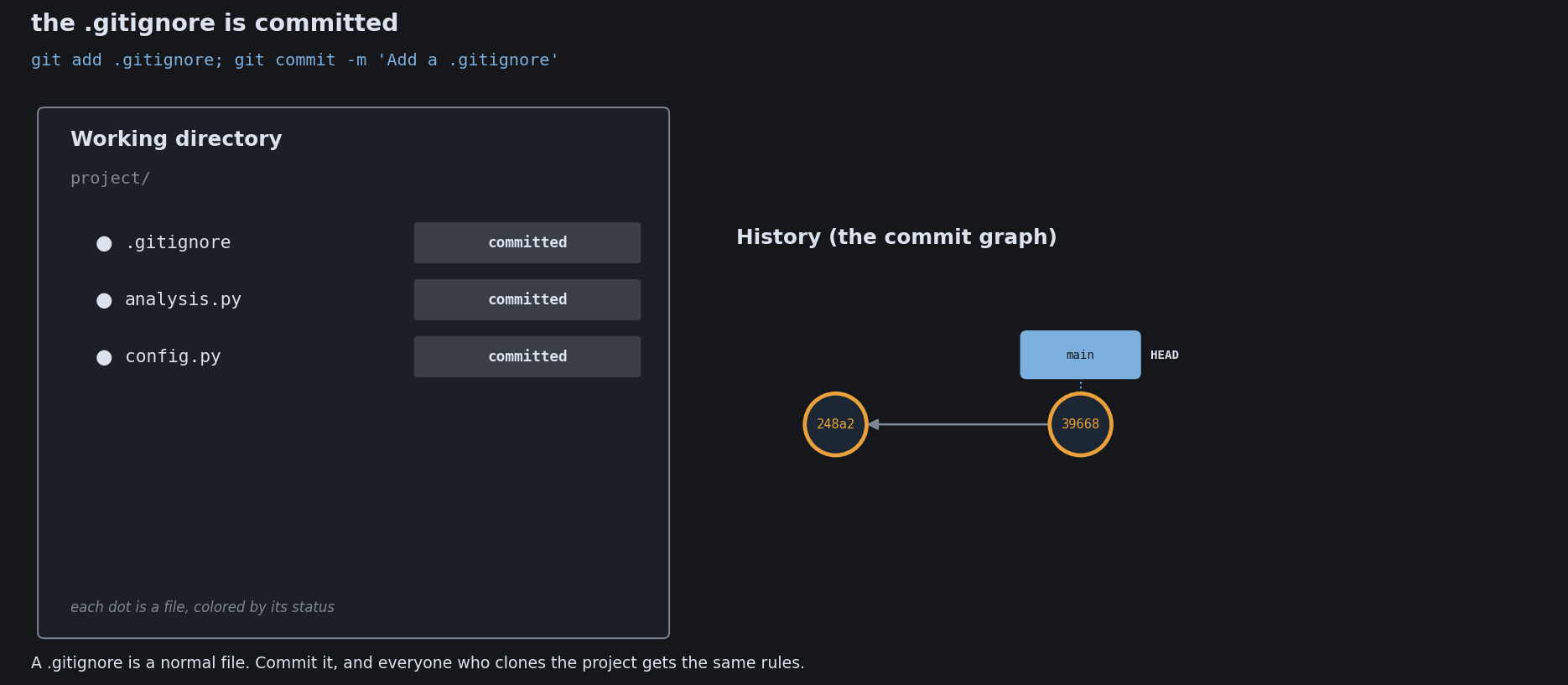
Ignoring Files with .gitignore
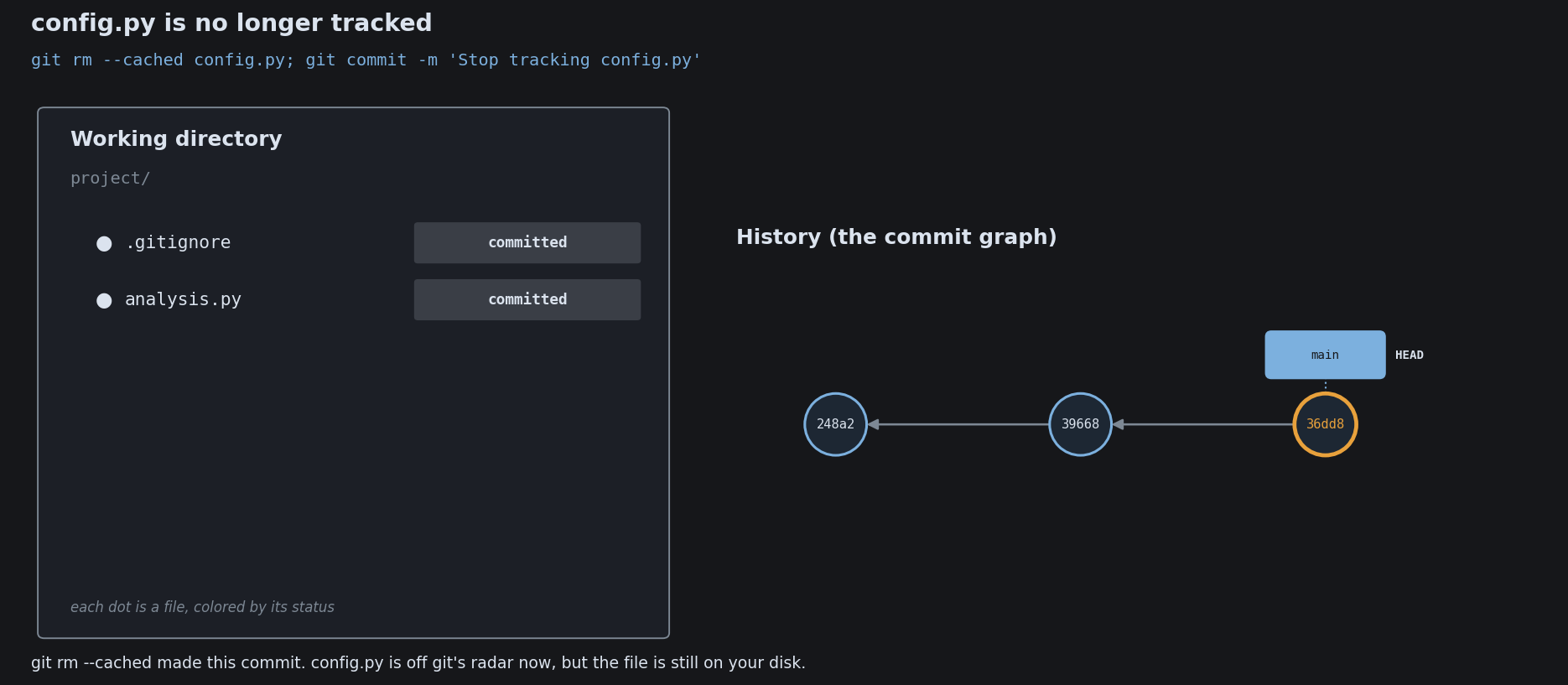
Ignoring Files with .gitignore

What a Commit Is
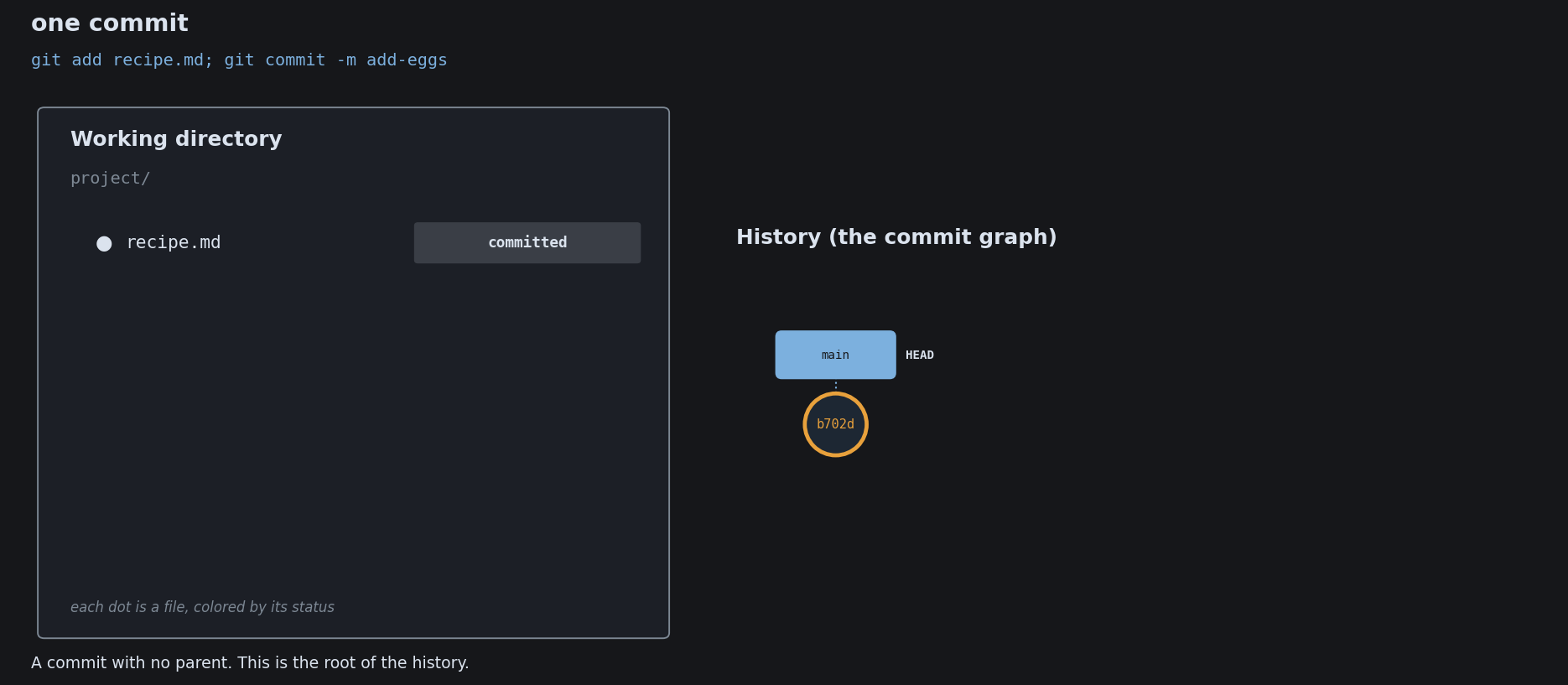
What a Commit Is
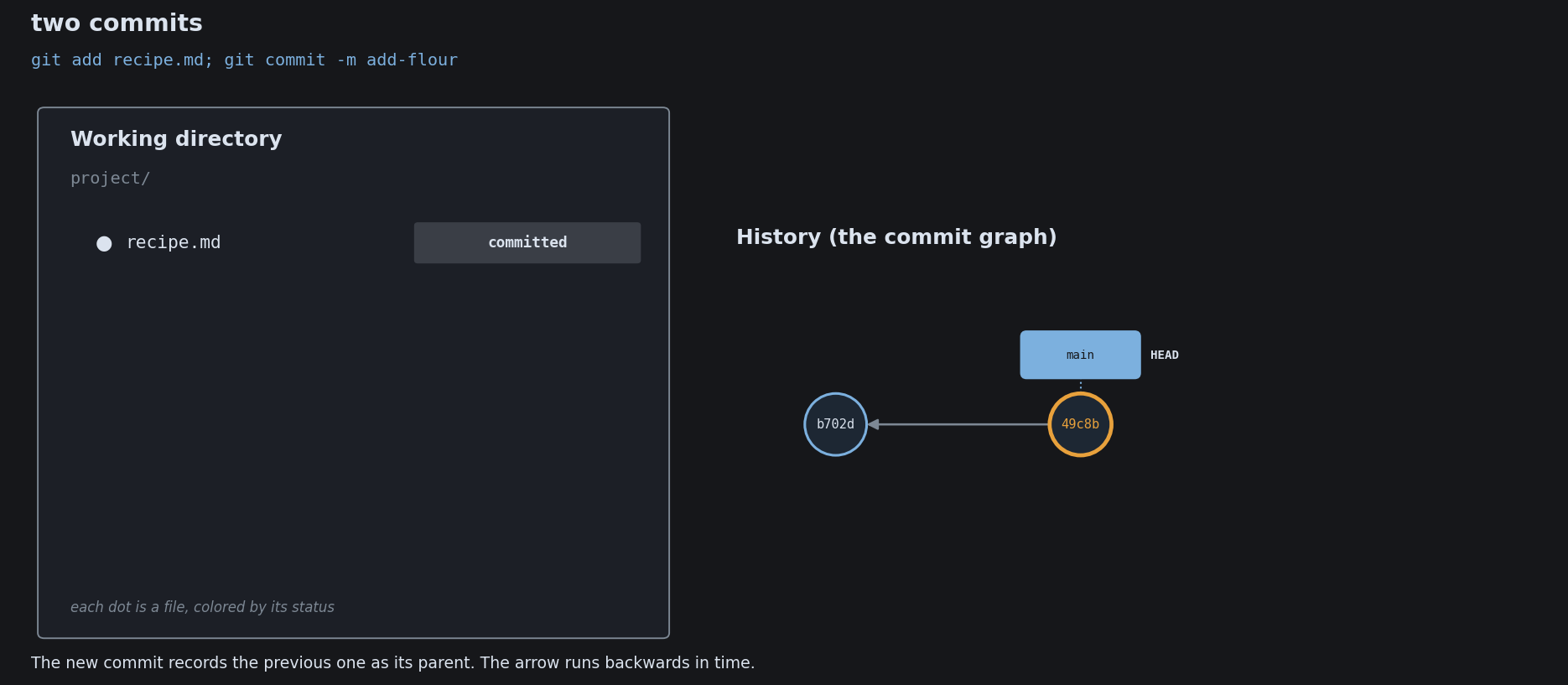
What a Commit Is
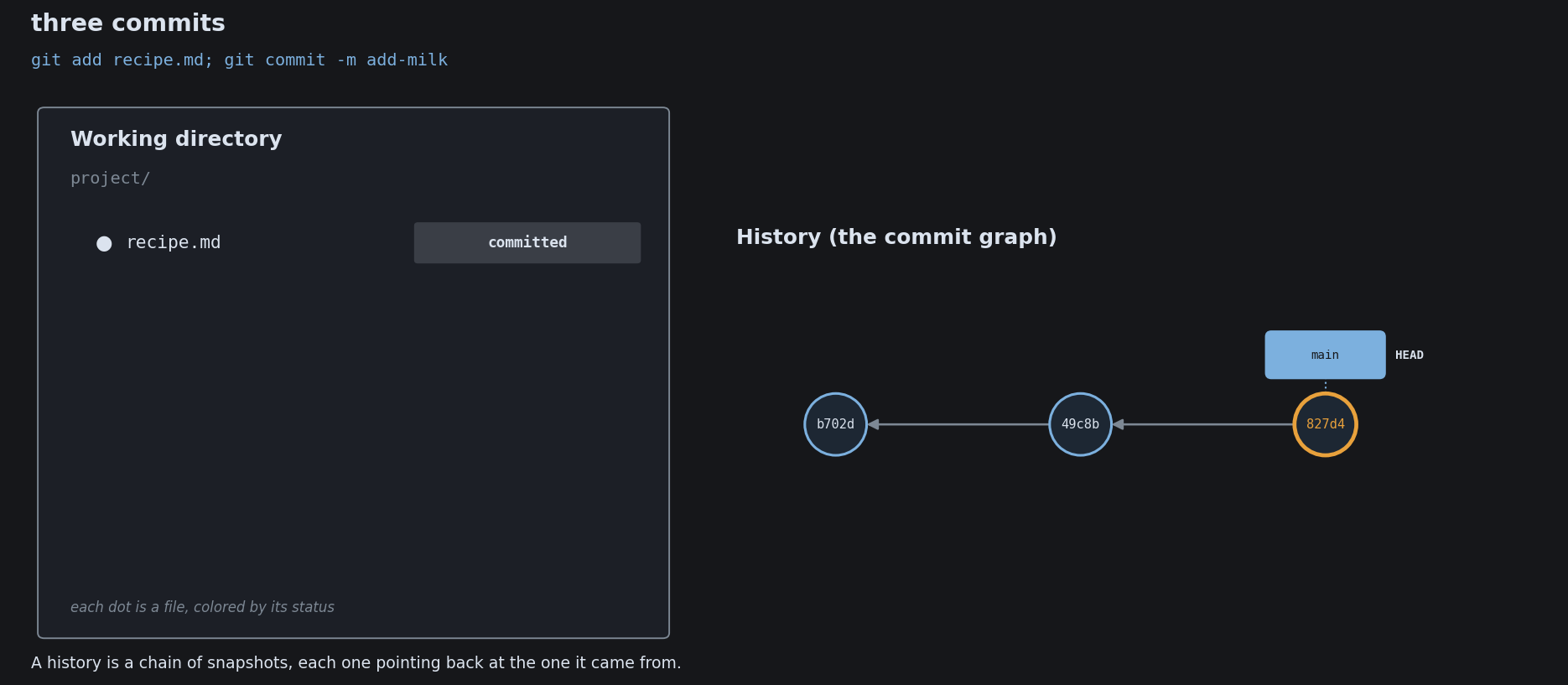
What a Commit Is

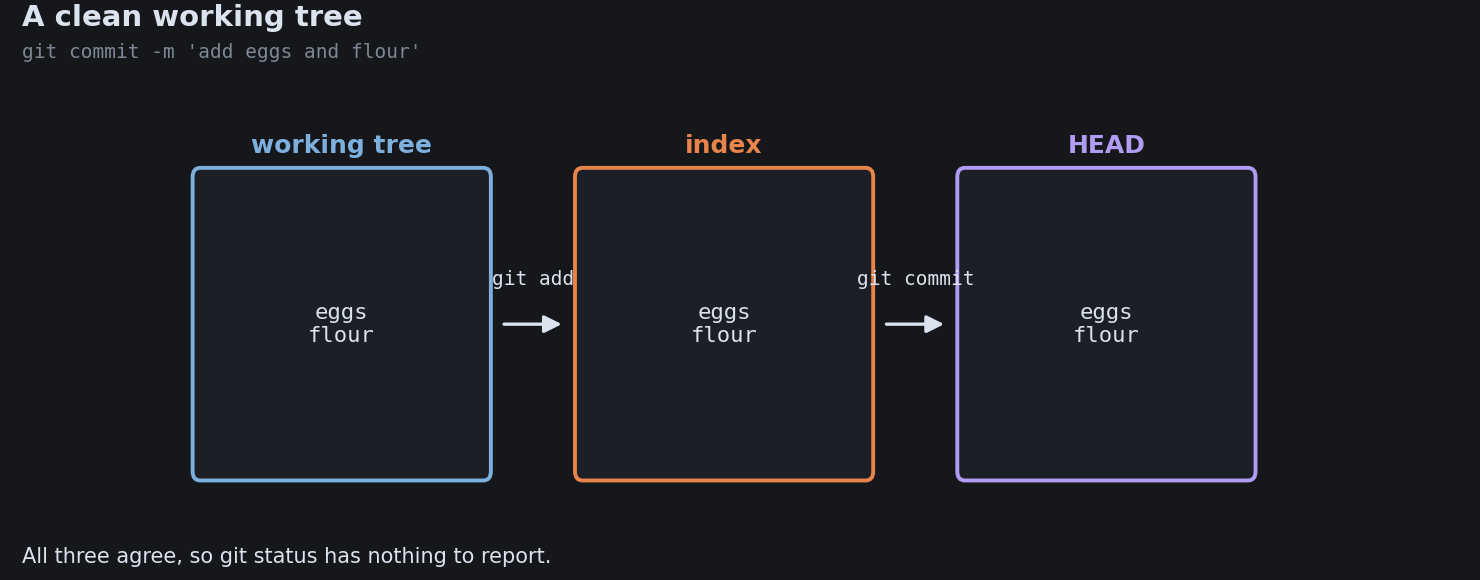
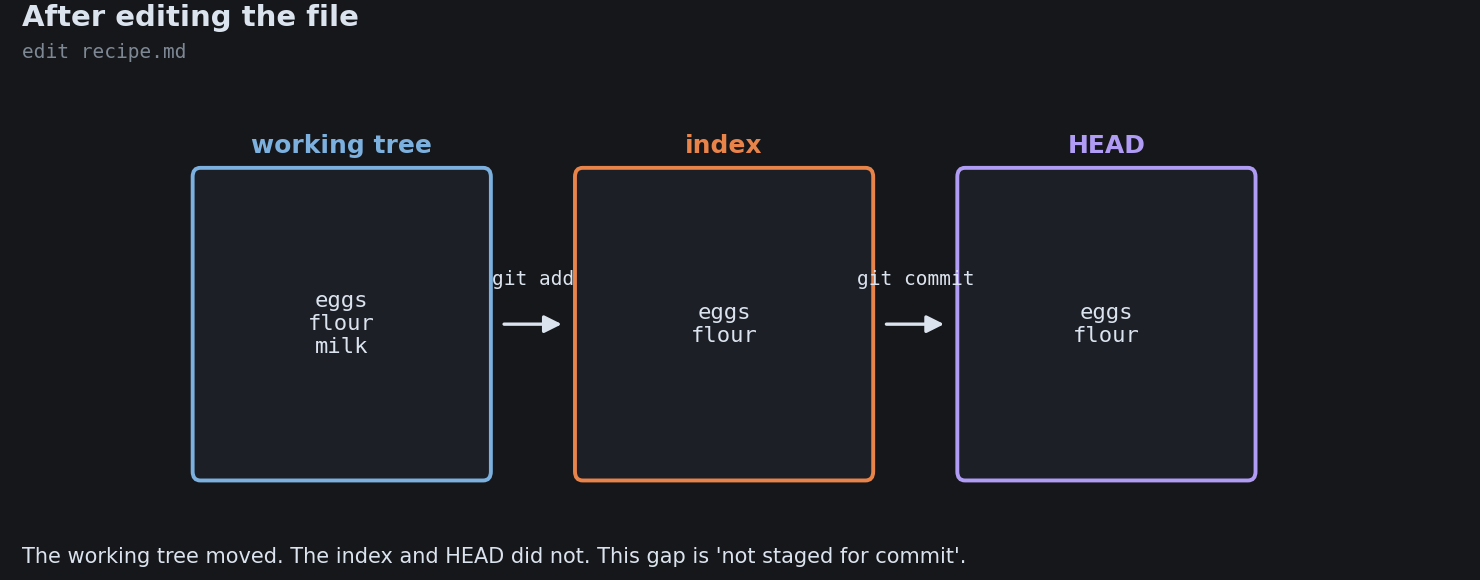
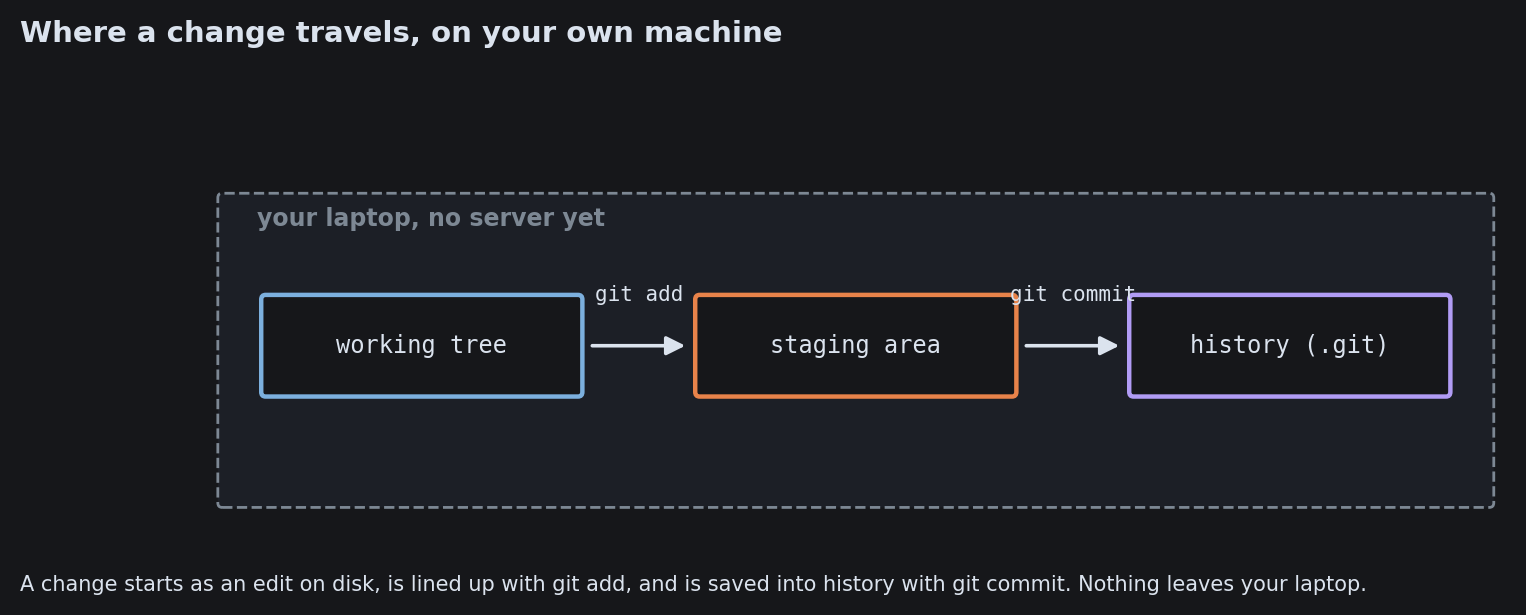
A change moves through three places

You edit, you choose what to record, then you record it.

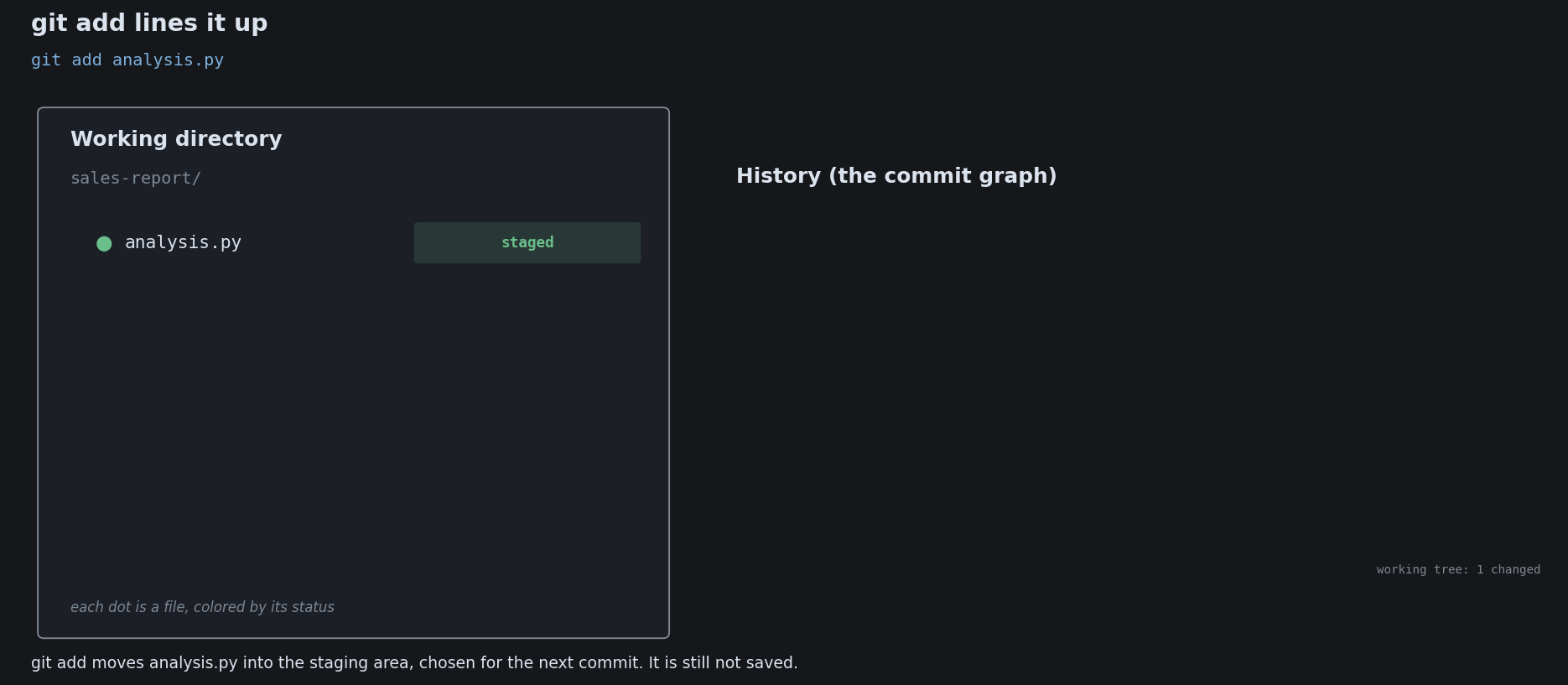
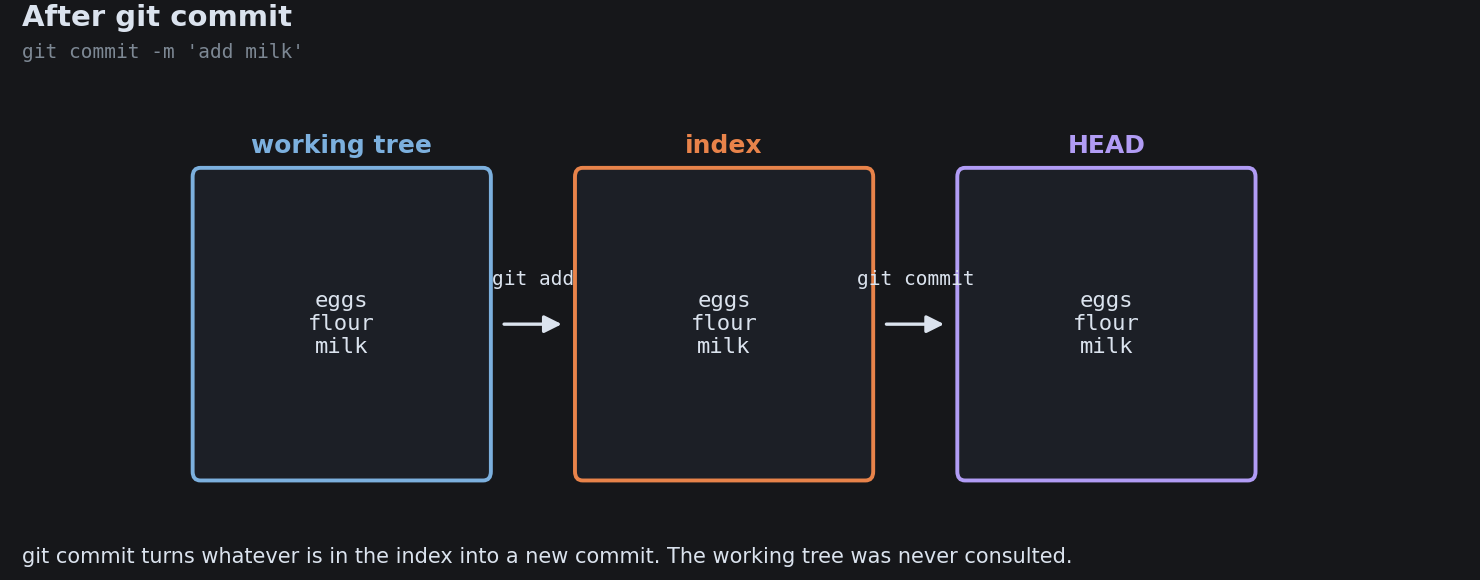
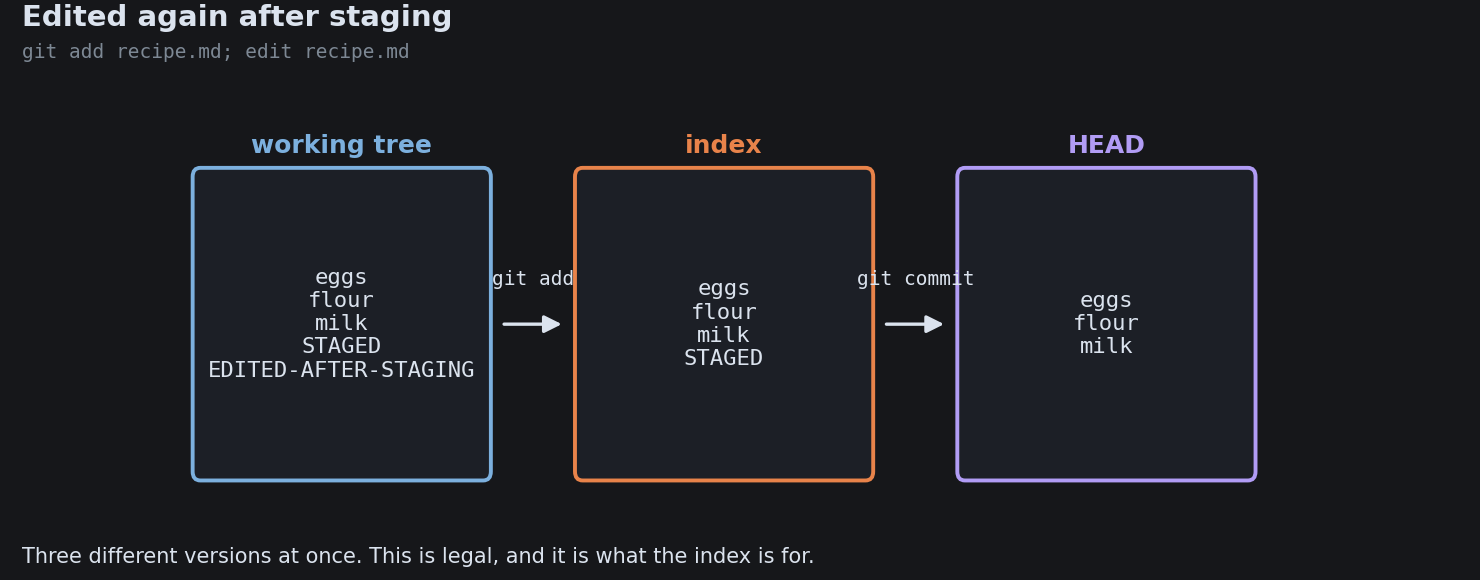
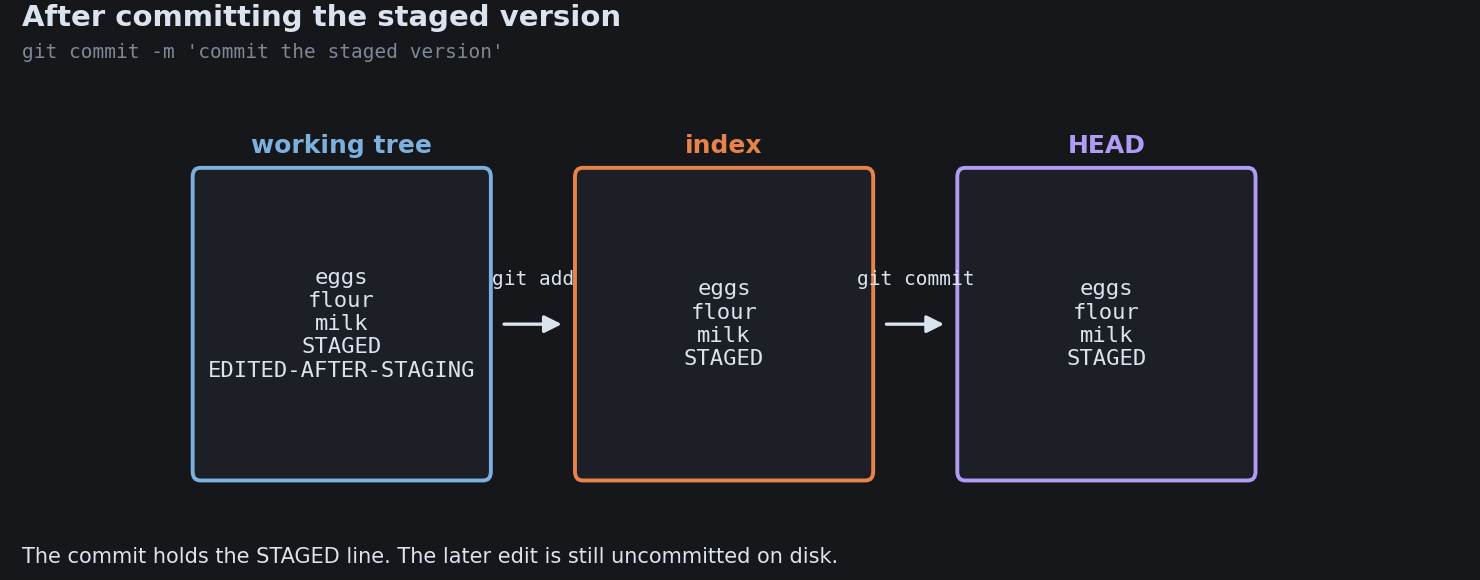
WORKING DIRECTORY STAGING AREA HISTORY model.py (edited) add model.py commit a1b Staging lets you record one clean, logical change even when the working directory is messy.

Distributed: every copy holds it all

Clone a project and you copy the entire history to your machine, not just the latest files.

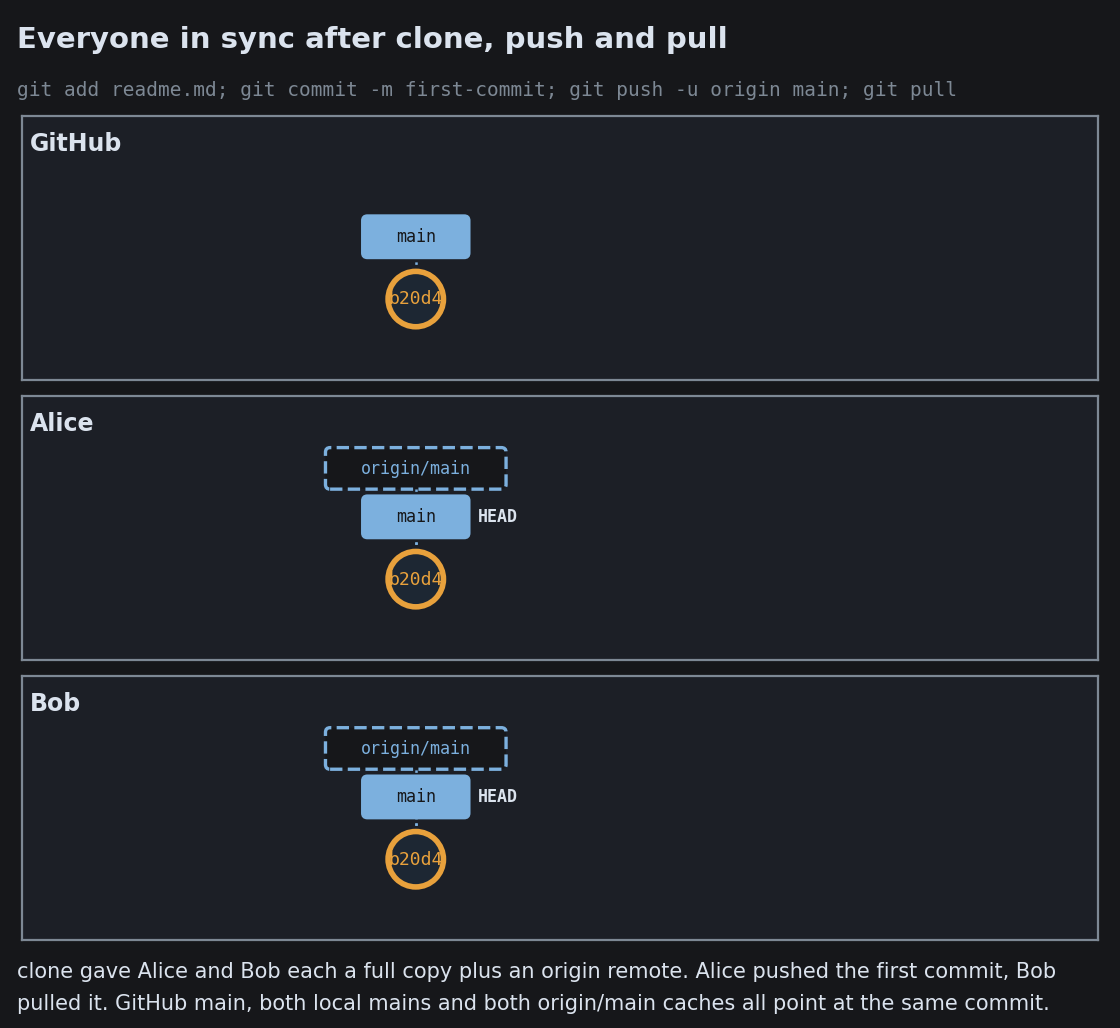
YOUR CLONE · LOCAL a1b 9f2 c73 full history, works offline REMOTE · GITHUB a1b 9f2 c73 push pull The remote is just another full copy. It is special only because everyone agrees to sync there.

git is not GitHub

git the tool commits, branches, full history on your machine, works offline GitHub, GitLab, Bitbucket a service built on top web UI, access control, review the automation in the next cards You can use git with no service at all. The real history lives in every clone.

The Three Trees

The Three Trees

The Three Trees
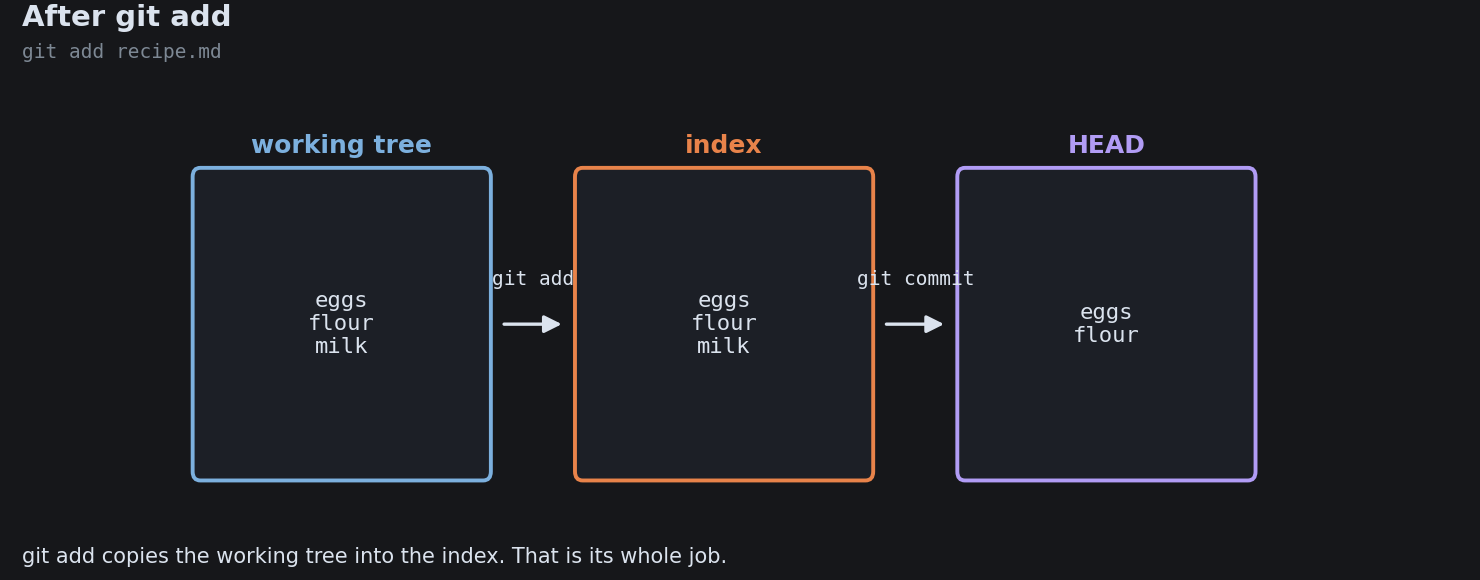
The Three Trees
The Three Trees
The Three Trees
The Three Trees

Clone, Fetch, Push, Pull and the Three Mains
Clone, Fetch, Push, Pull and the Three Mains
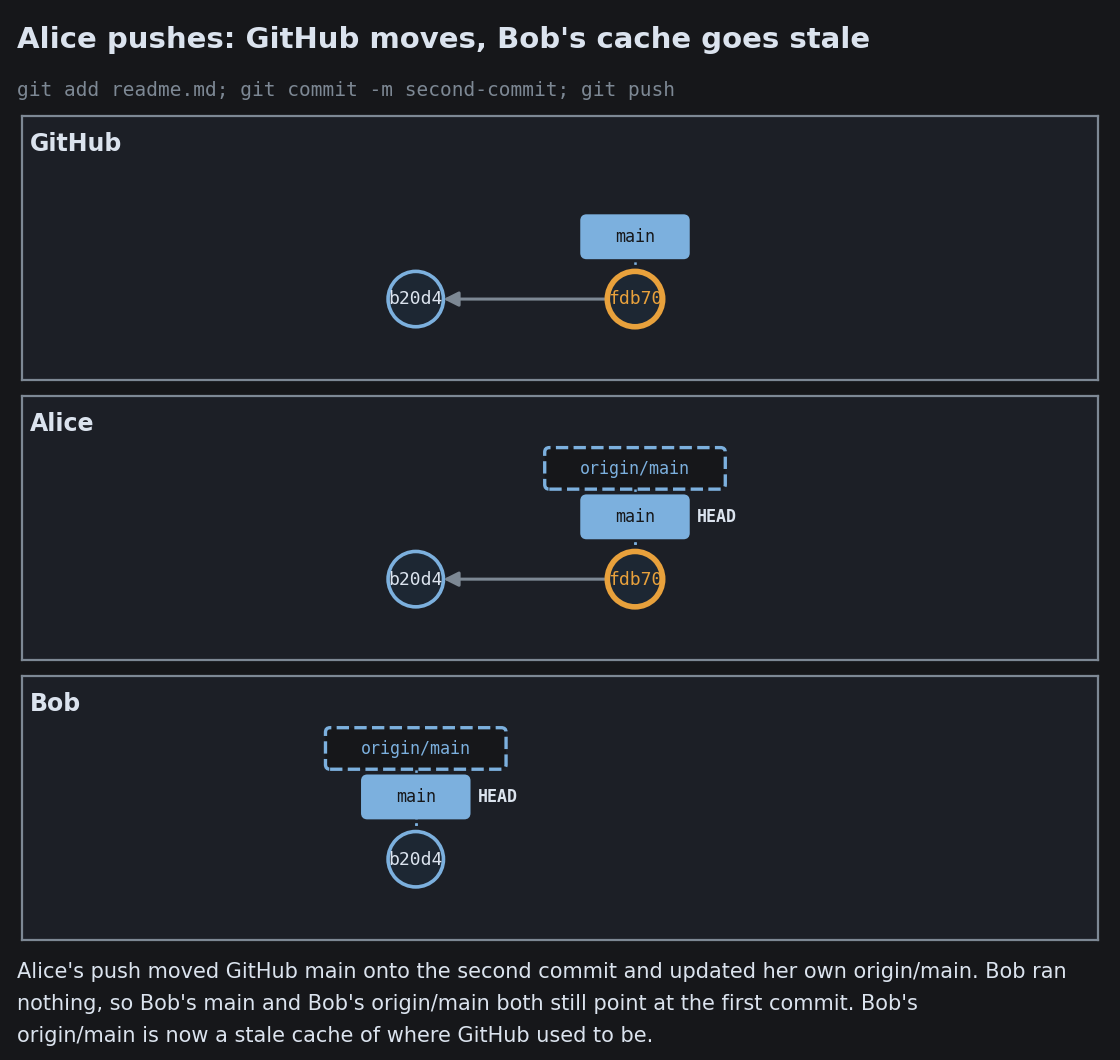
Clone, Fetch, Push, Pull and the Three Mains
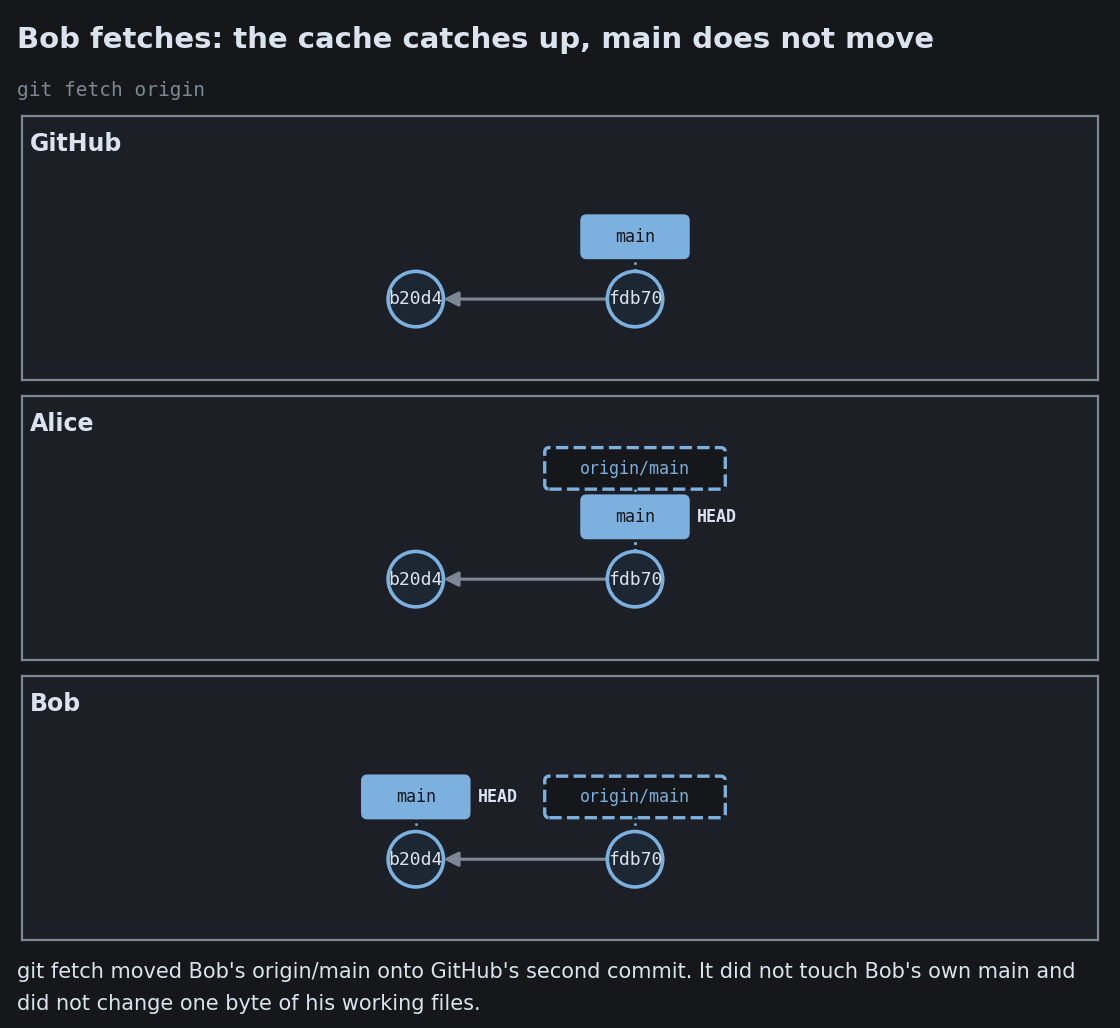
Clone, Fetch, Push, Pull and the Three Mains
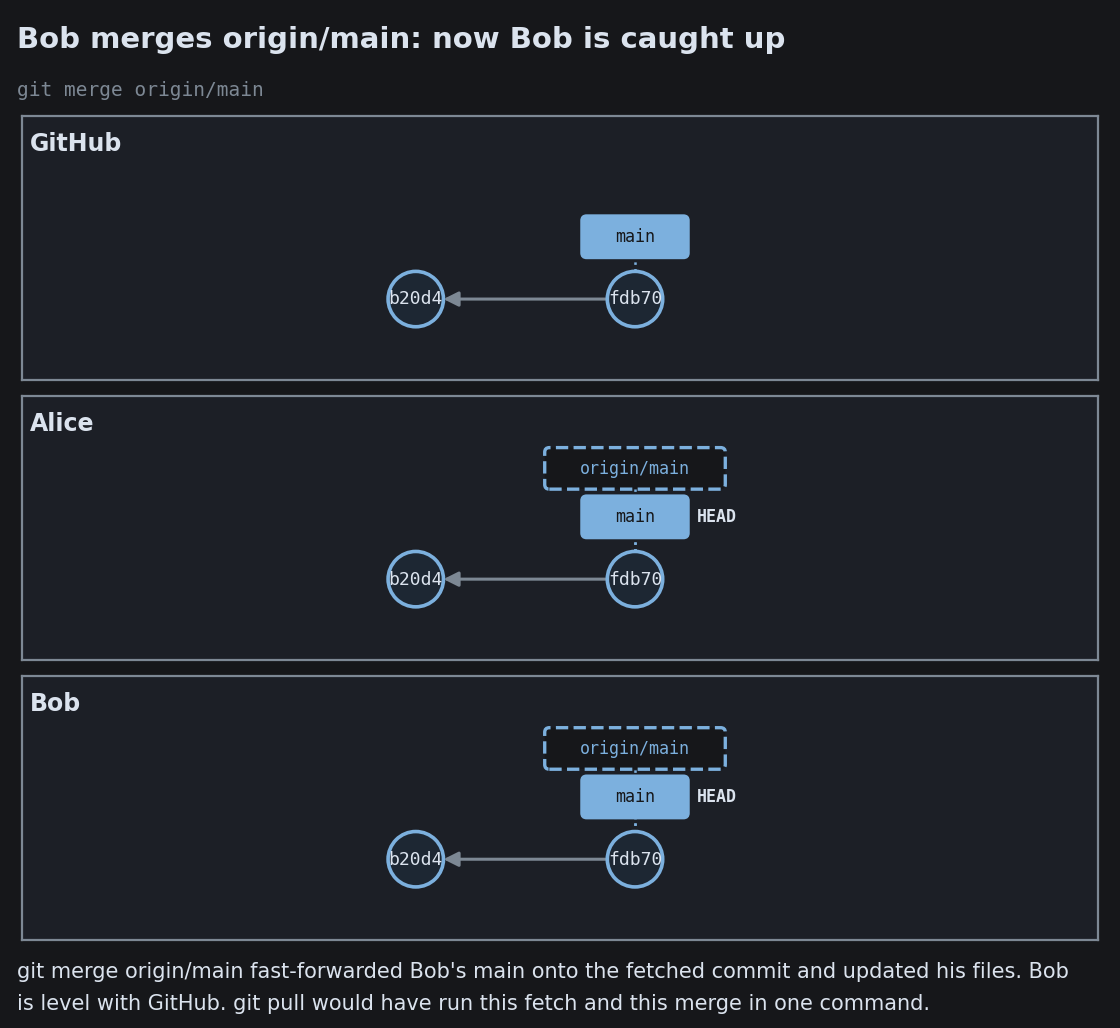
Clone, Fetch, Push, Pull and the Three Mains

Branches, and how they rejoin

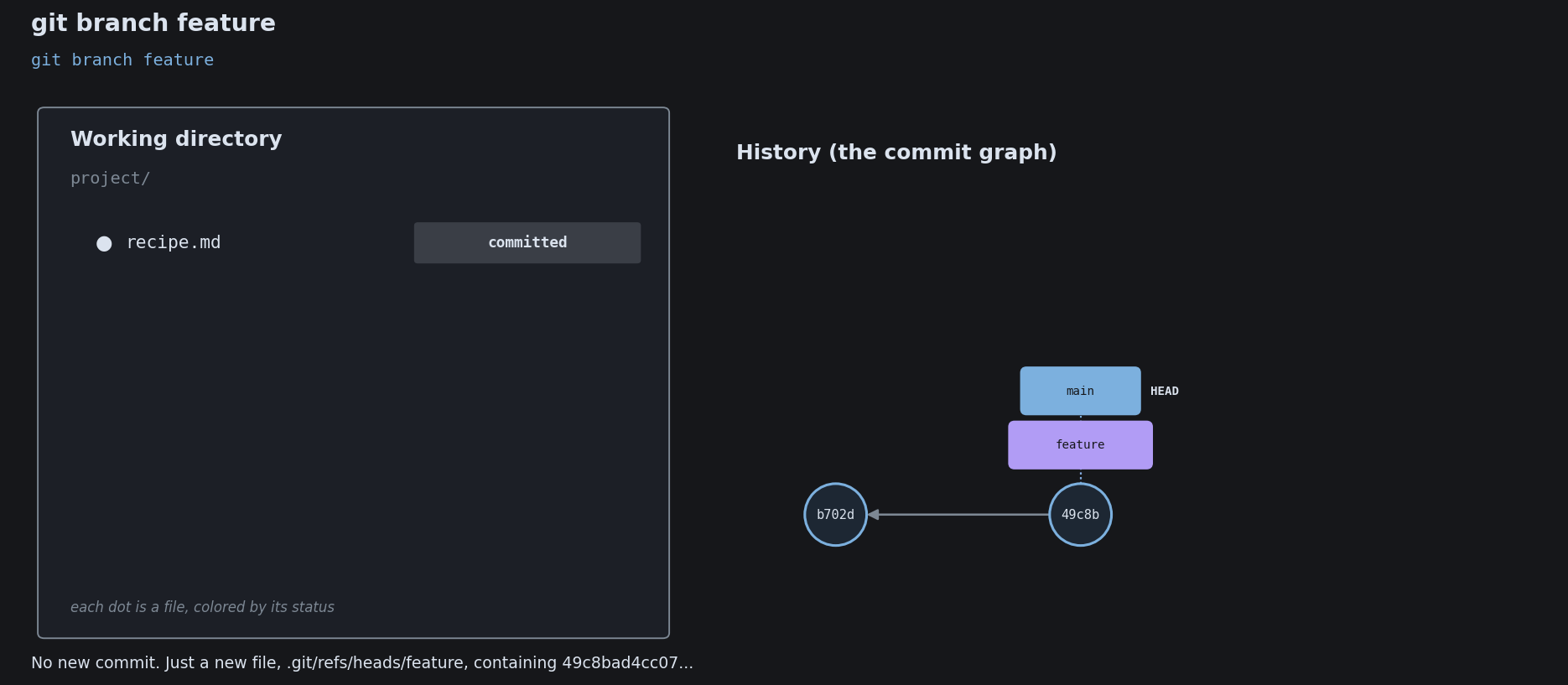
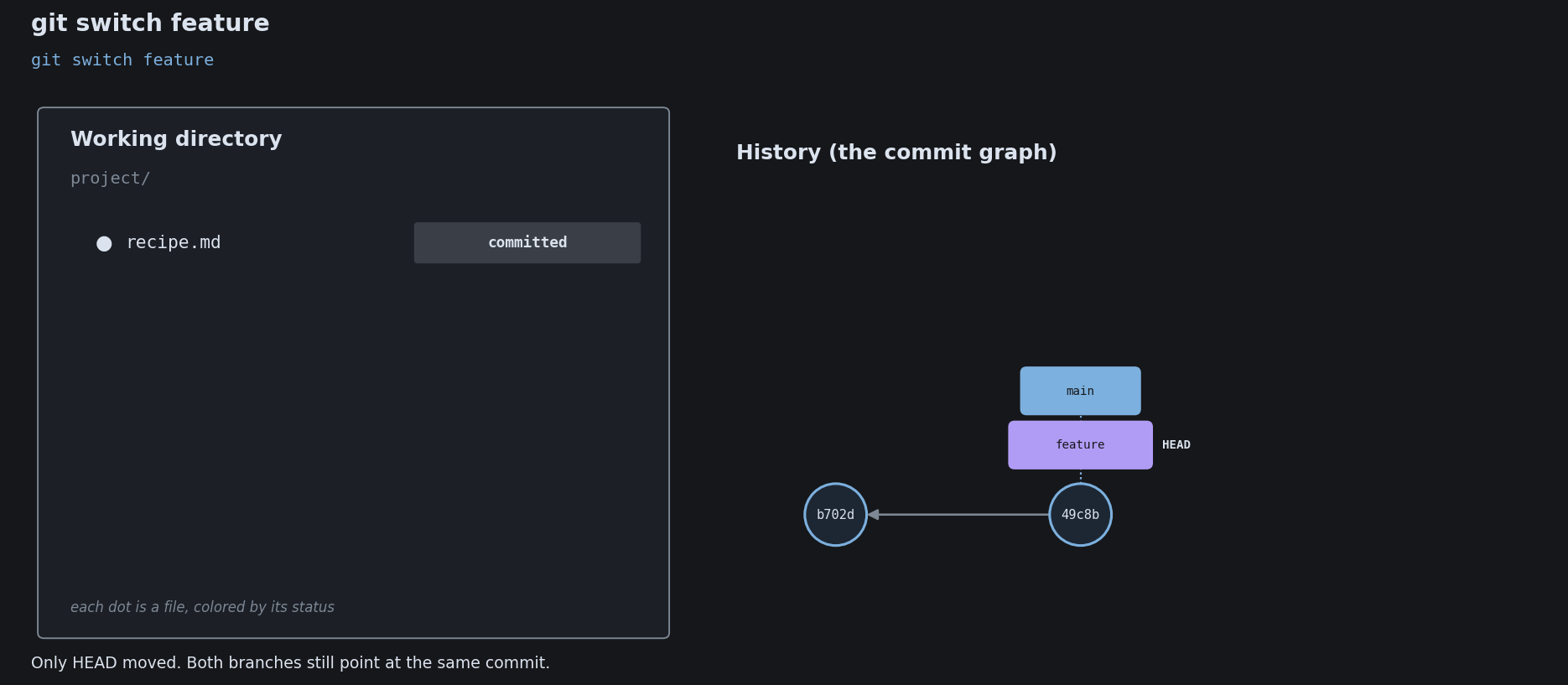
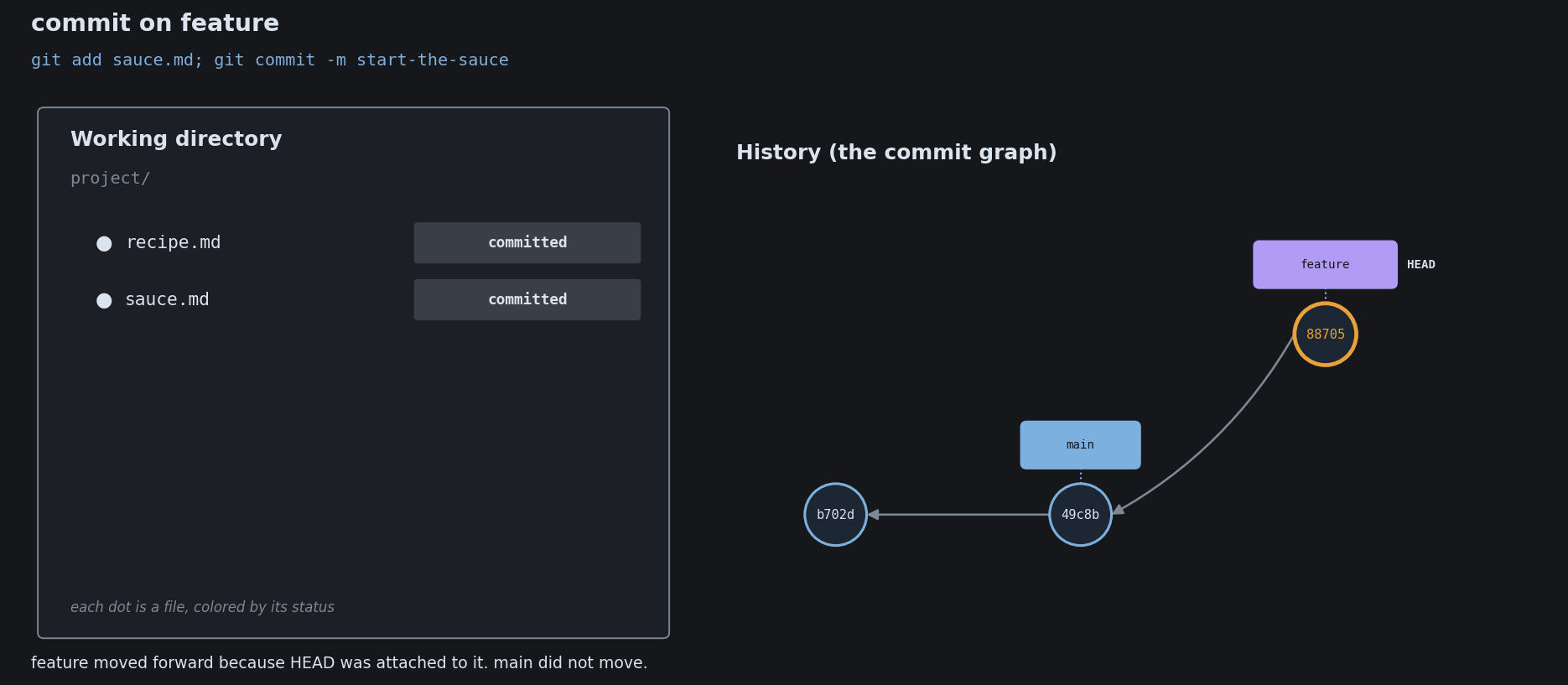
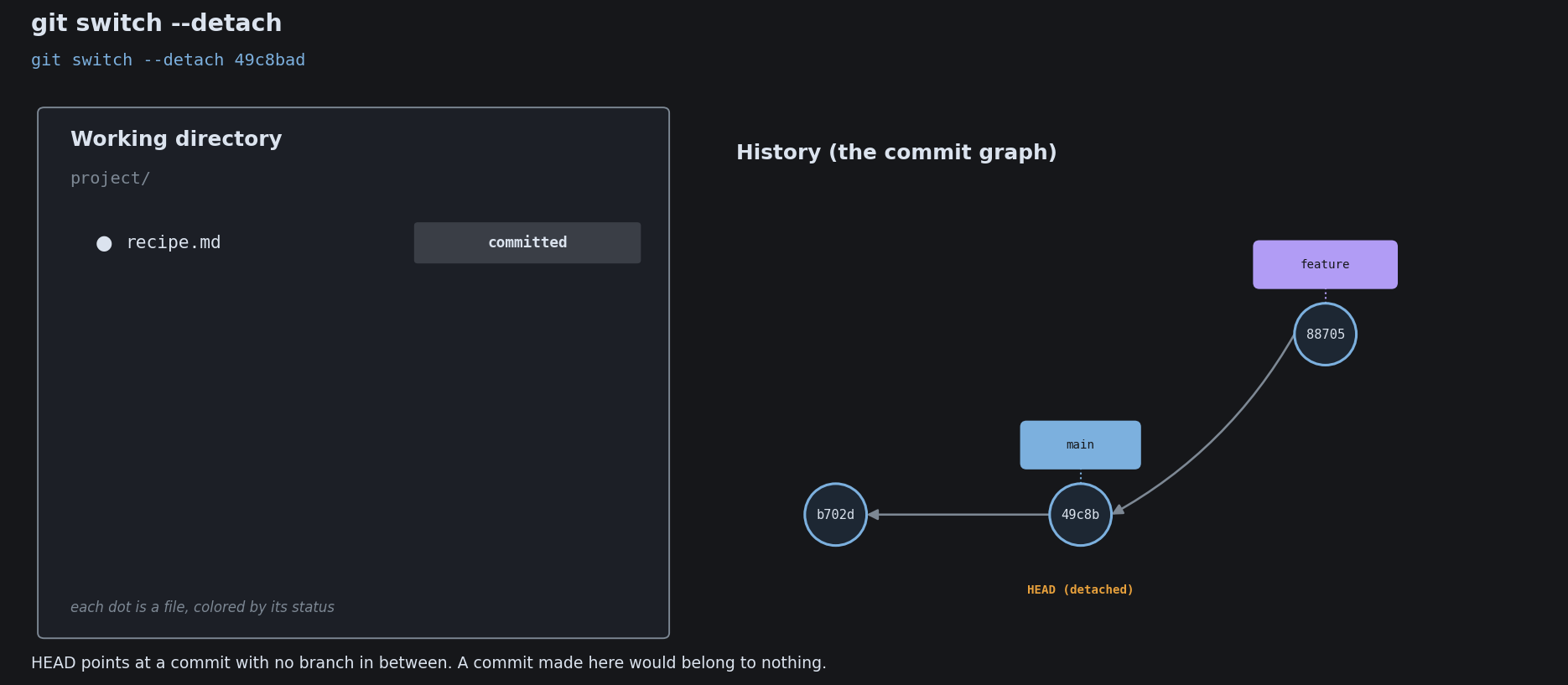
A branch is a separate line of work: a movable pointer that lets you build without disturbing the main line.

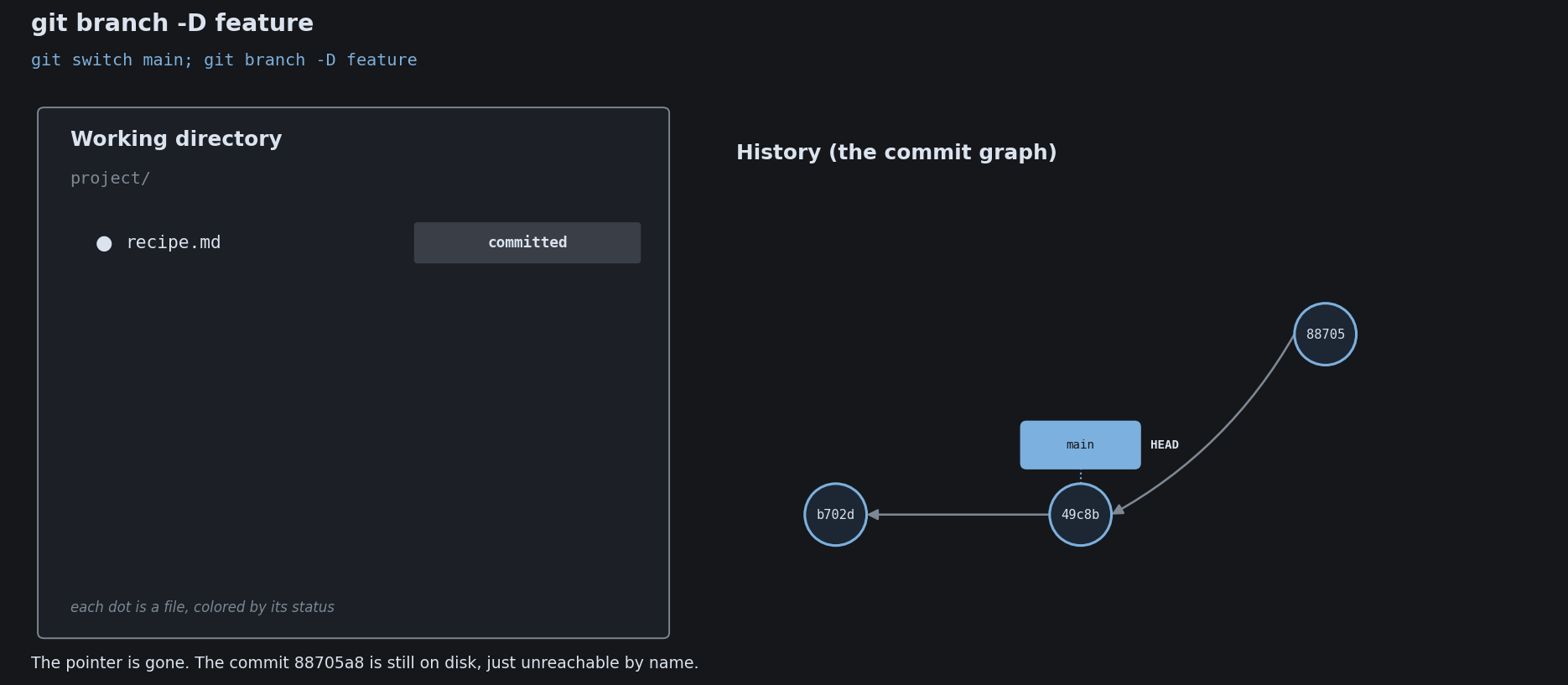
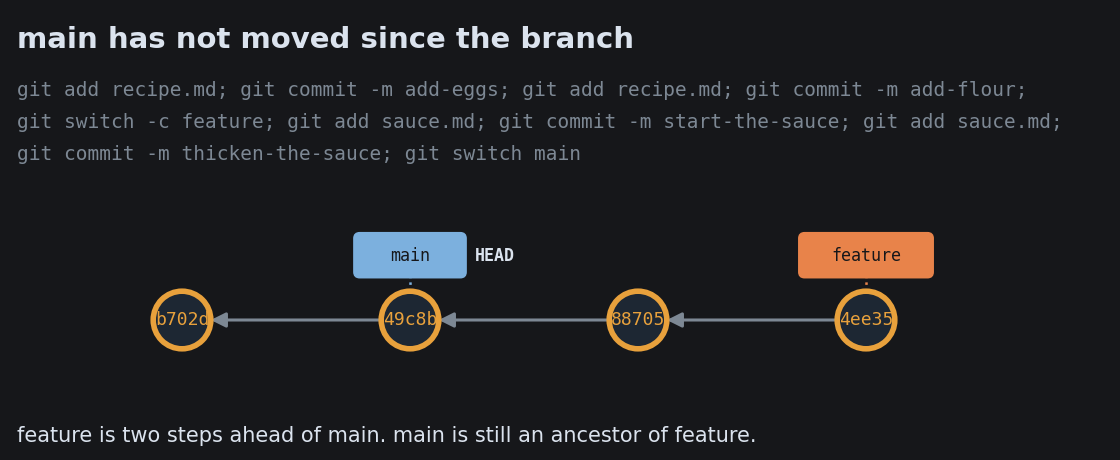
A branch is just a movable label

main a1b 9f2 main c73 main commit again, the label moves forward Creating a branch just writes down one more pointer. That is why branching is nearly free.

The fork: work in isolation

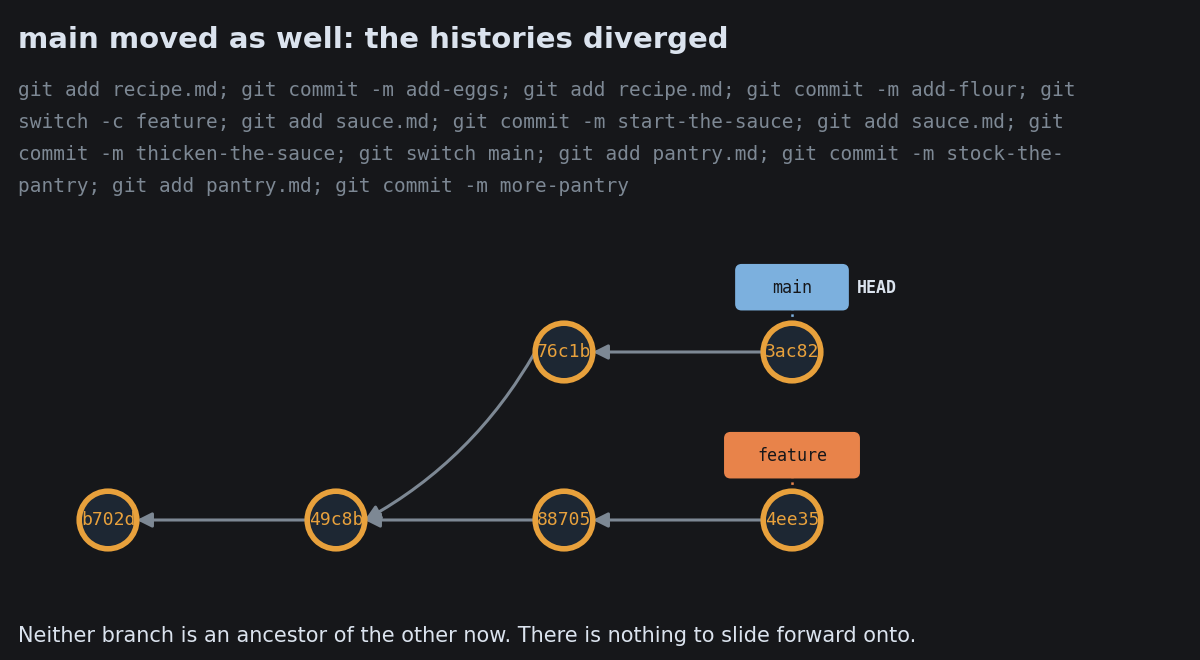
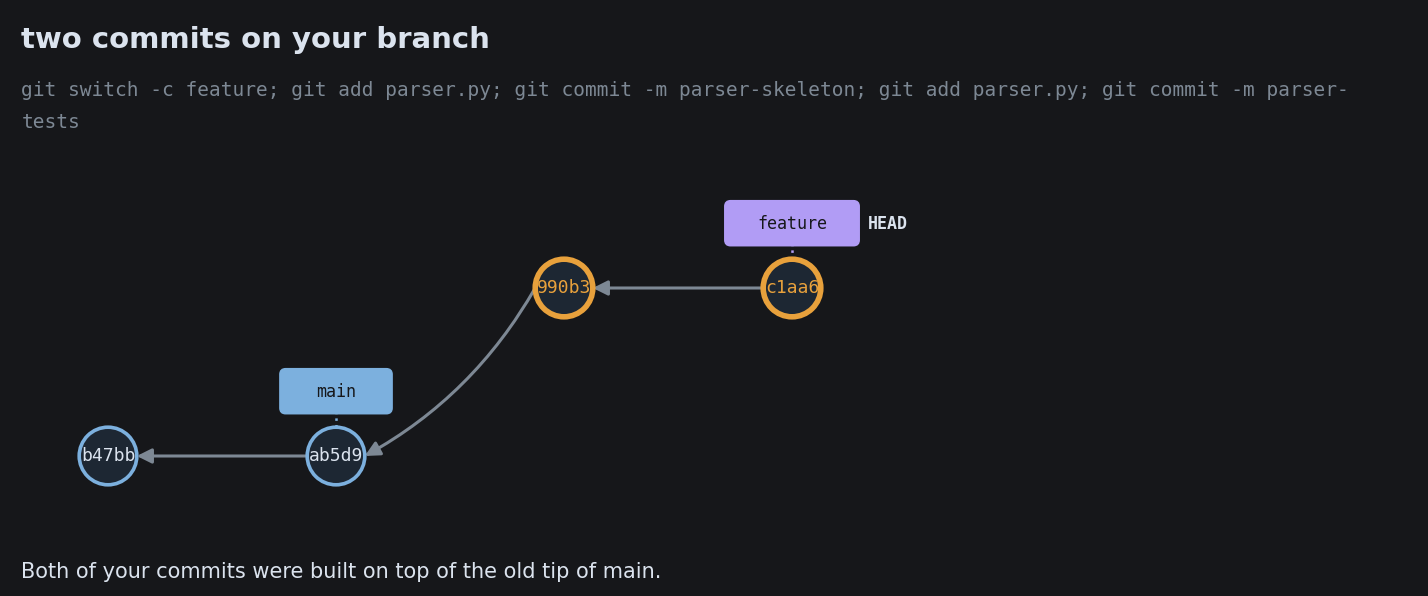
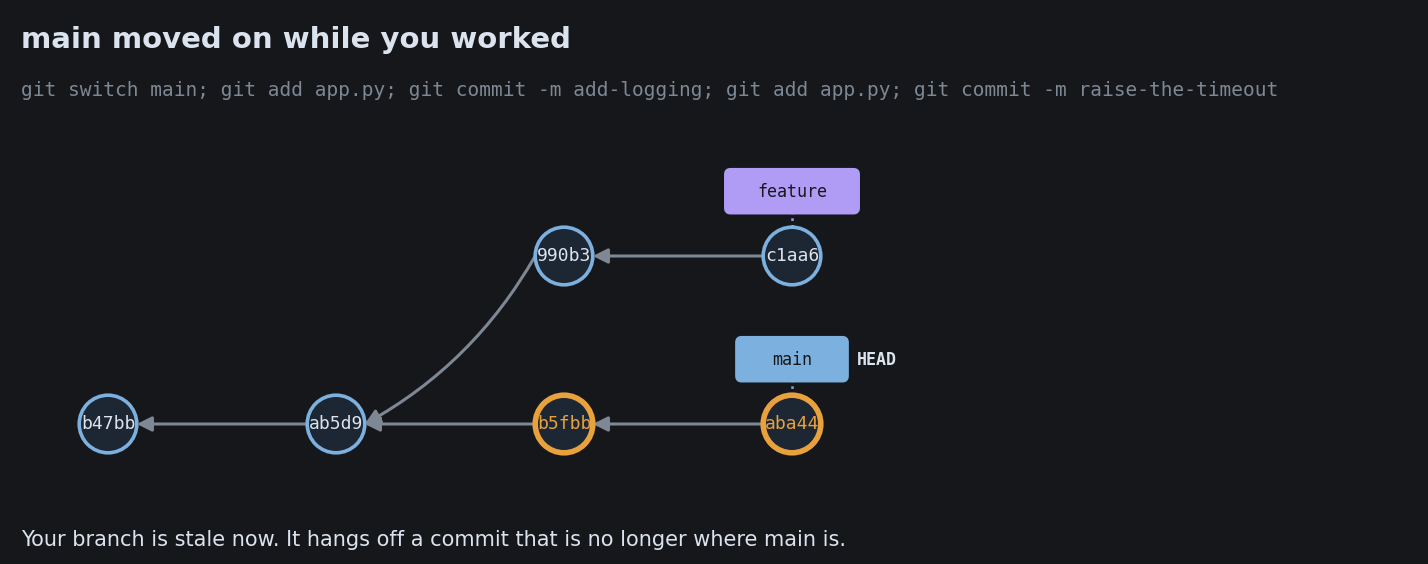
main a1b 9f2 c73 feature d4e b81 You split off a private line. main keeps moving without you.

Merge: tie the lines together

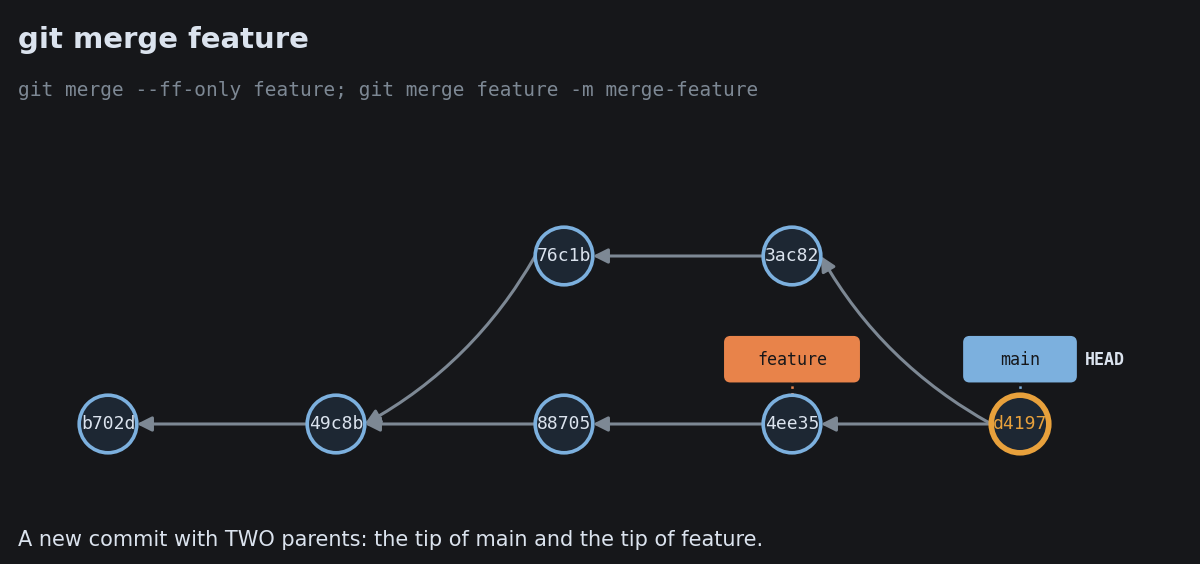
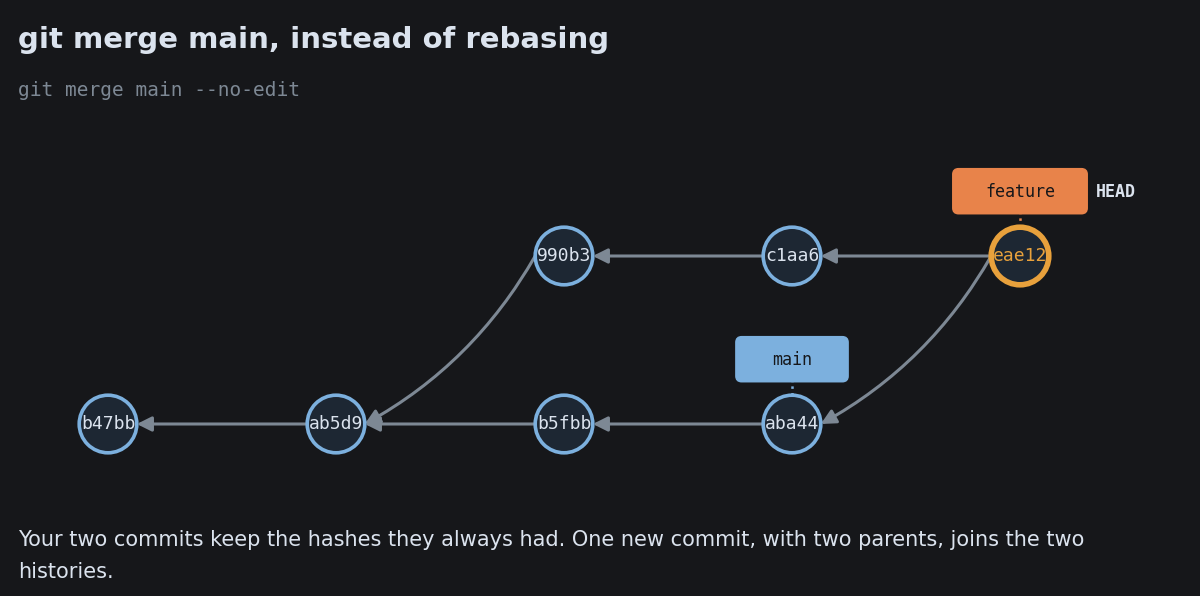
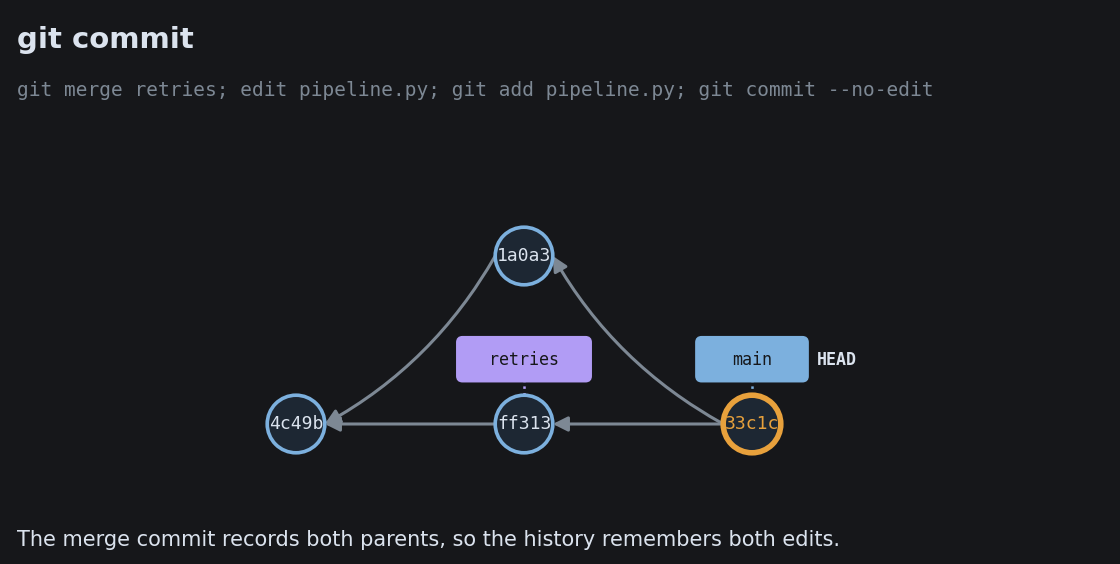
main feature a1b 9f2 c73 d4e b81 M merge commit M has two parents. The history honestly records the split and the rejoin.

Rebase: replay onto a straight line

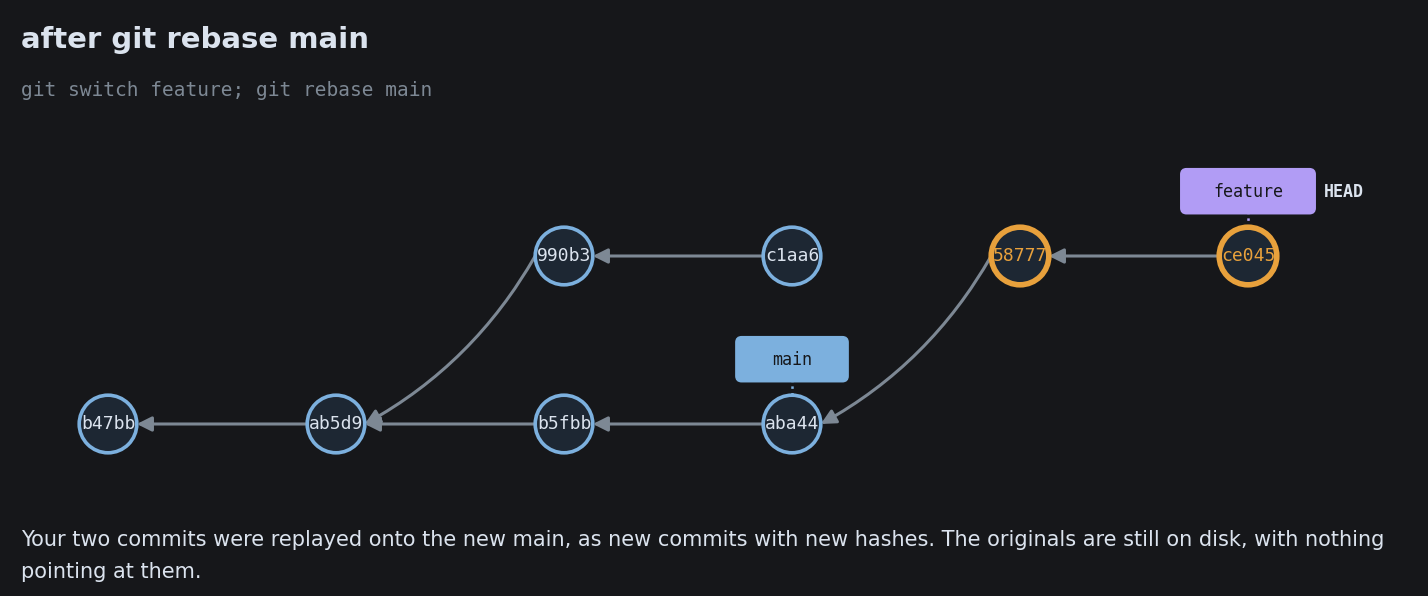
before a1b 9f2 c73 d4e b81 git rebase after a1b 9f2 c73 d4e' b81' Linear and tidy, but the replayed commits are rewritten (new IDs). Rebase only work you have not shared.

A merge conflict is not an error

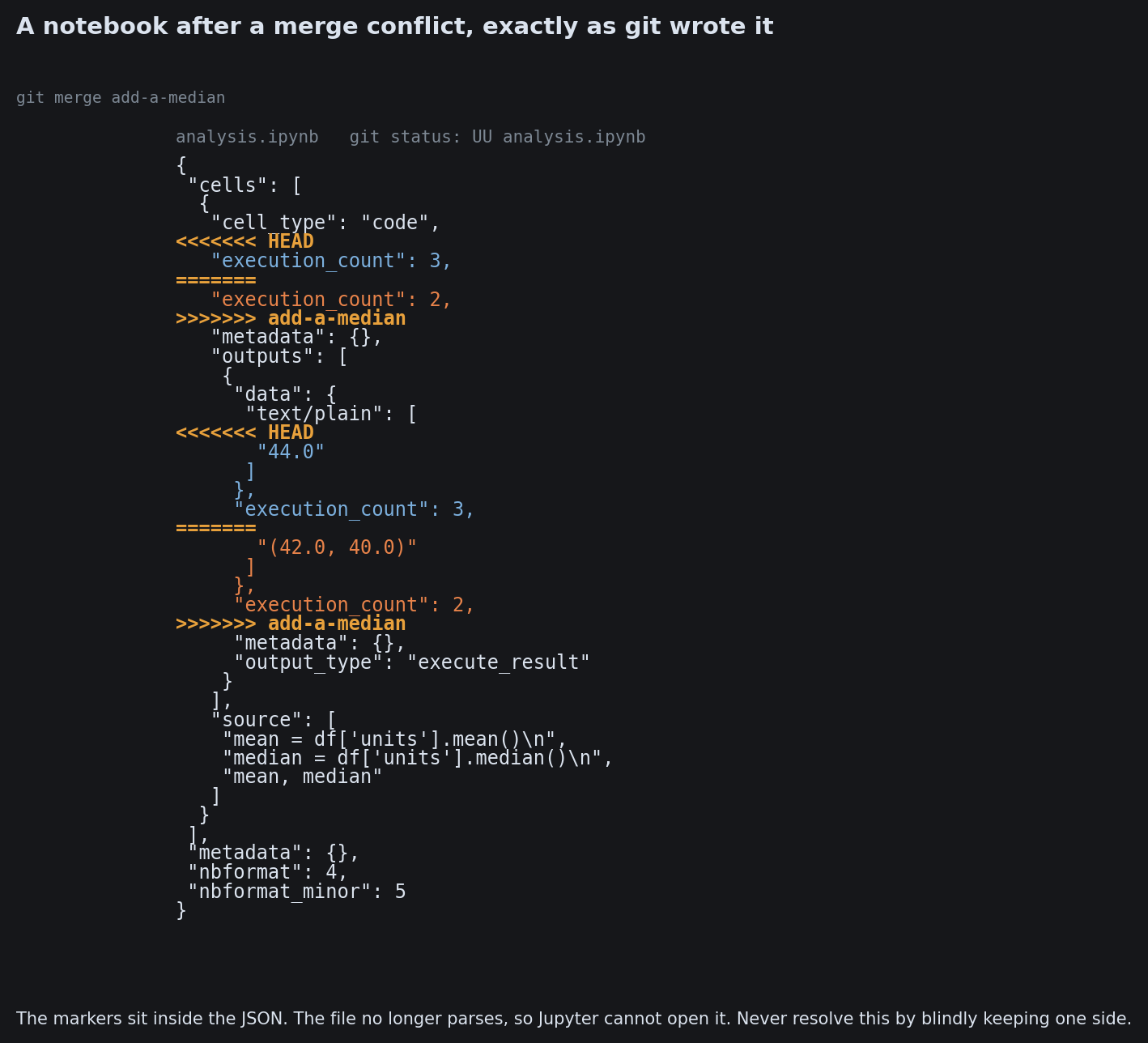
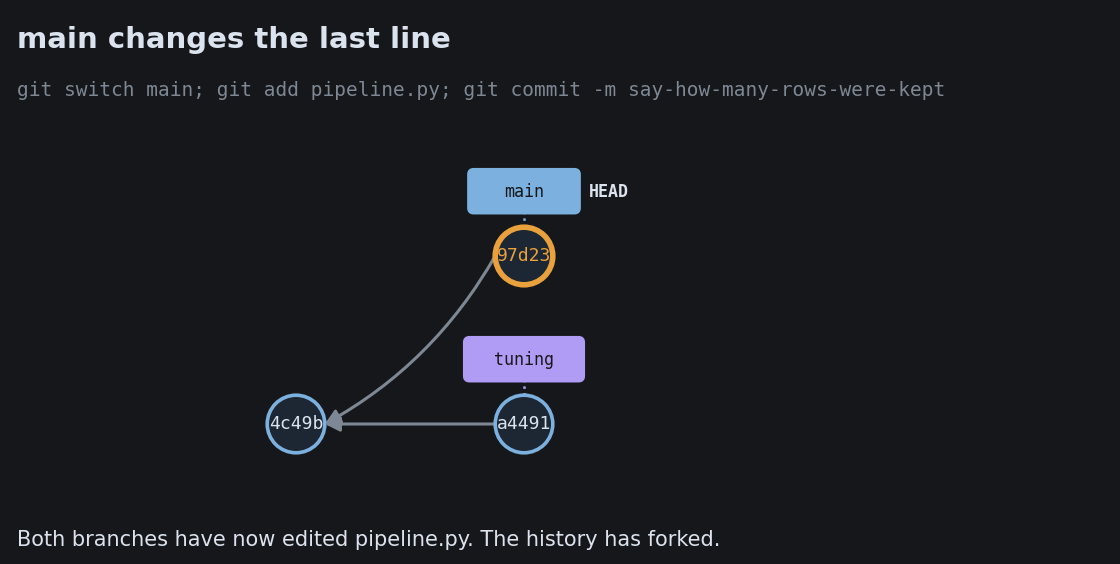
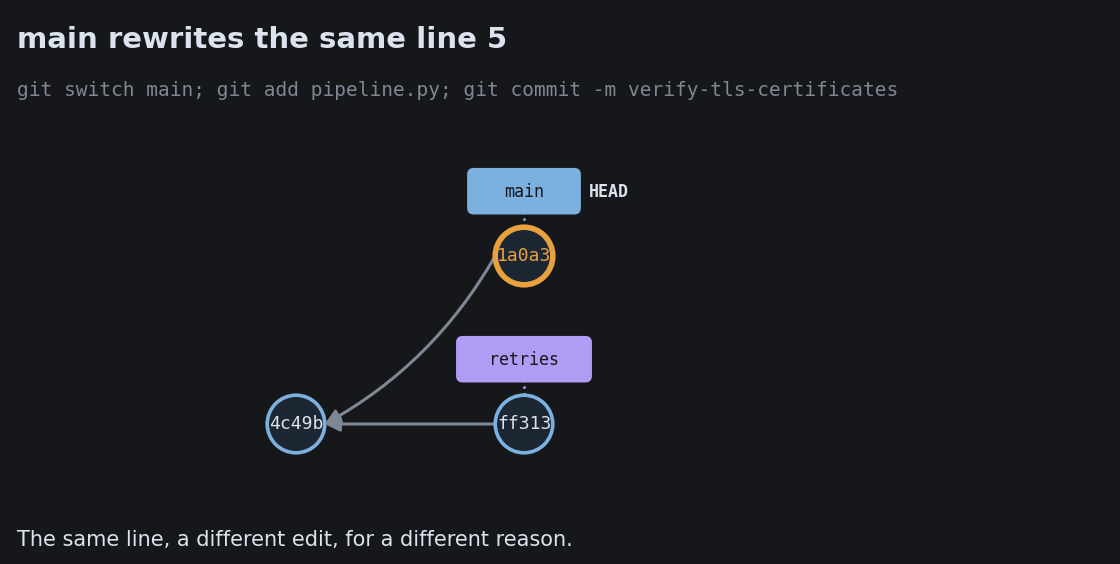
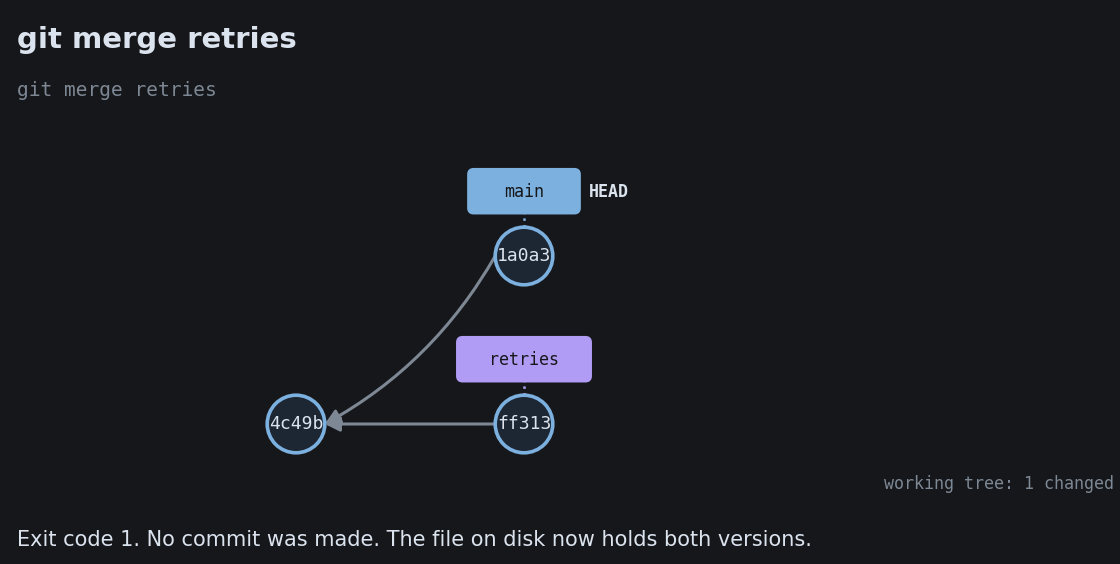
FEATURE BRANCH line 12: rate = 0.05 MAIN BRANCH line 12: rate = 0.08 CONFLICT on line 12 git stops and marks the spot The same line changed two ways. Git refuses to guess which wins, so a human decides.

Your First Branch

Your First Branch

Your First Branch
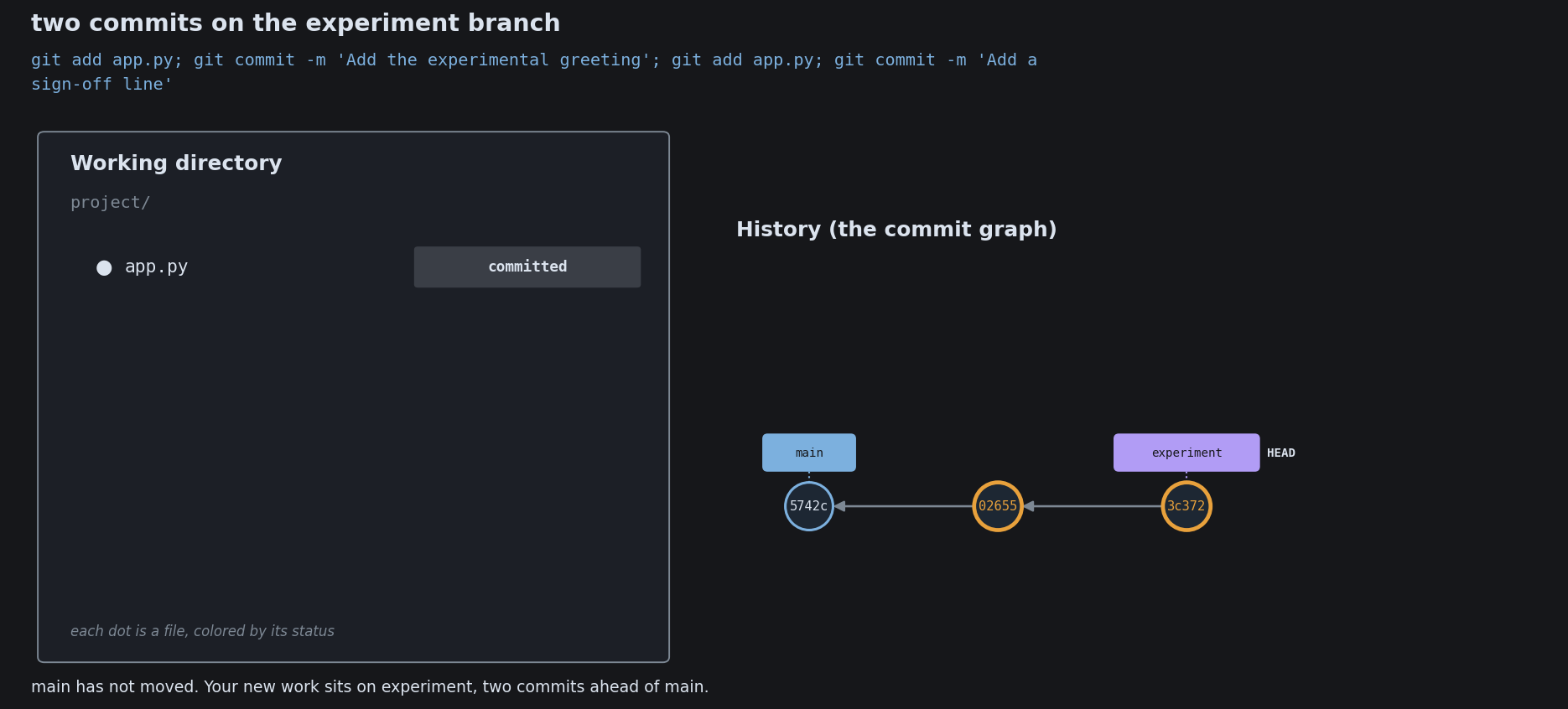
Your First Branch
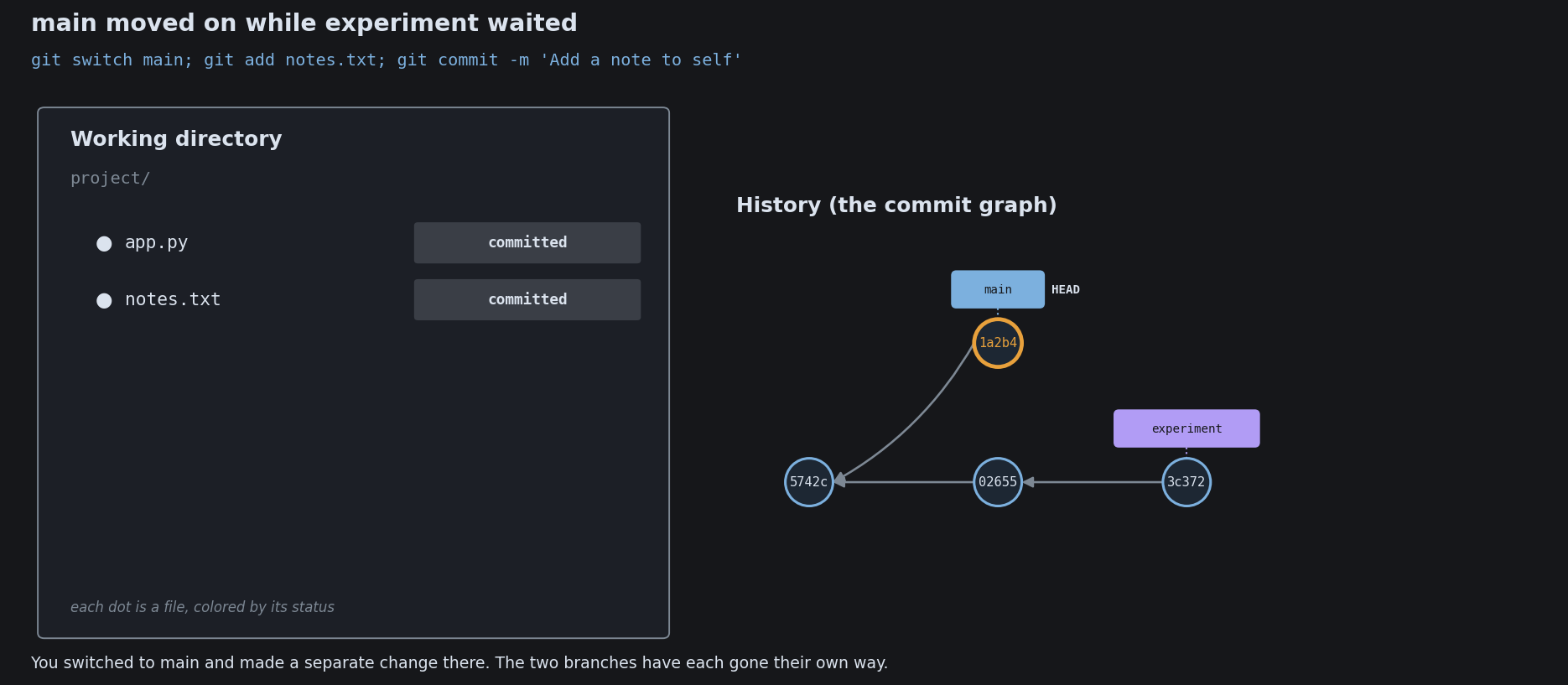
Your First Branch
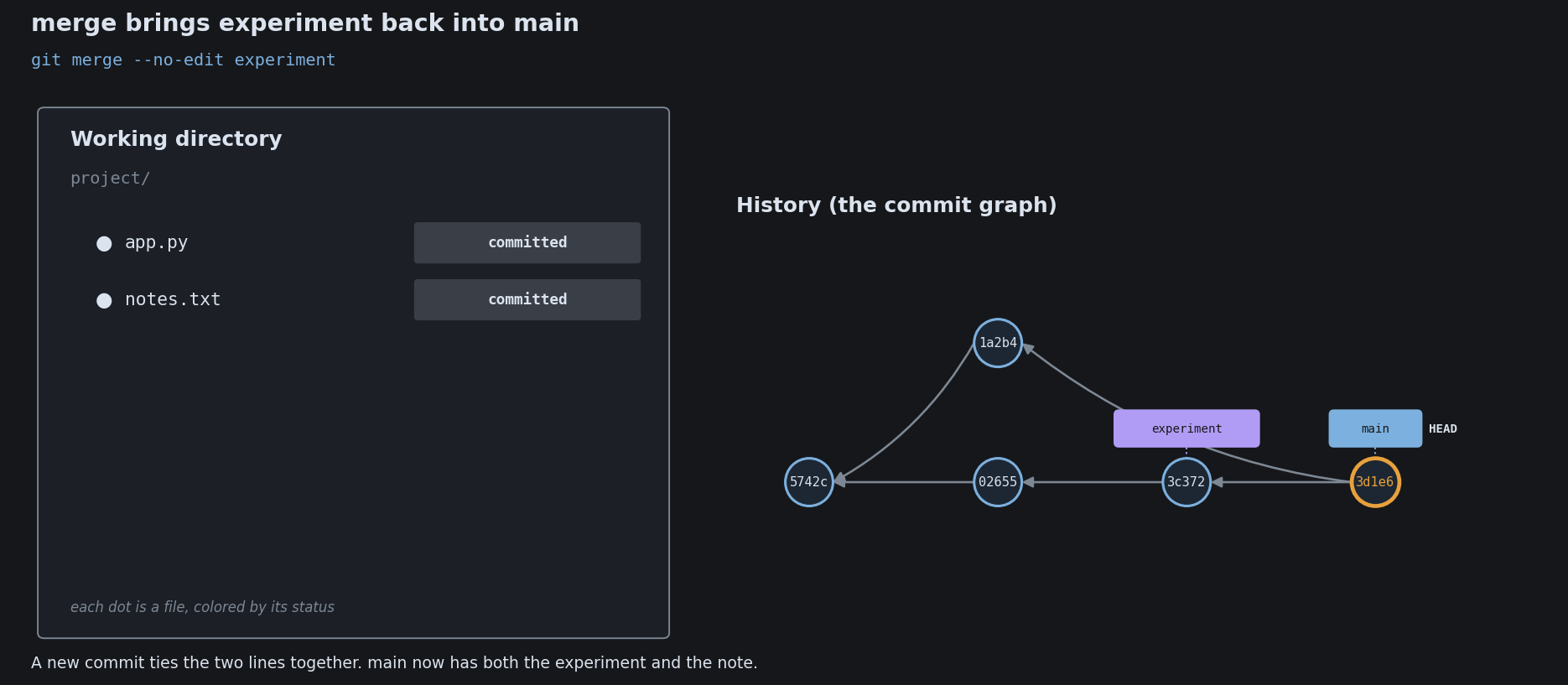
Your First Branch
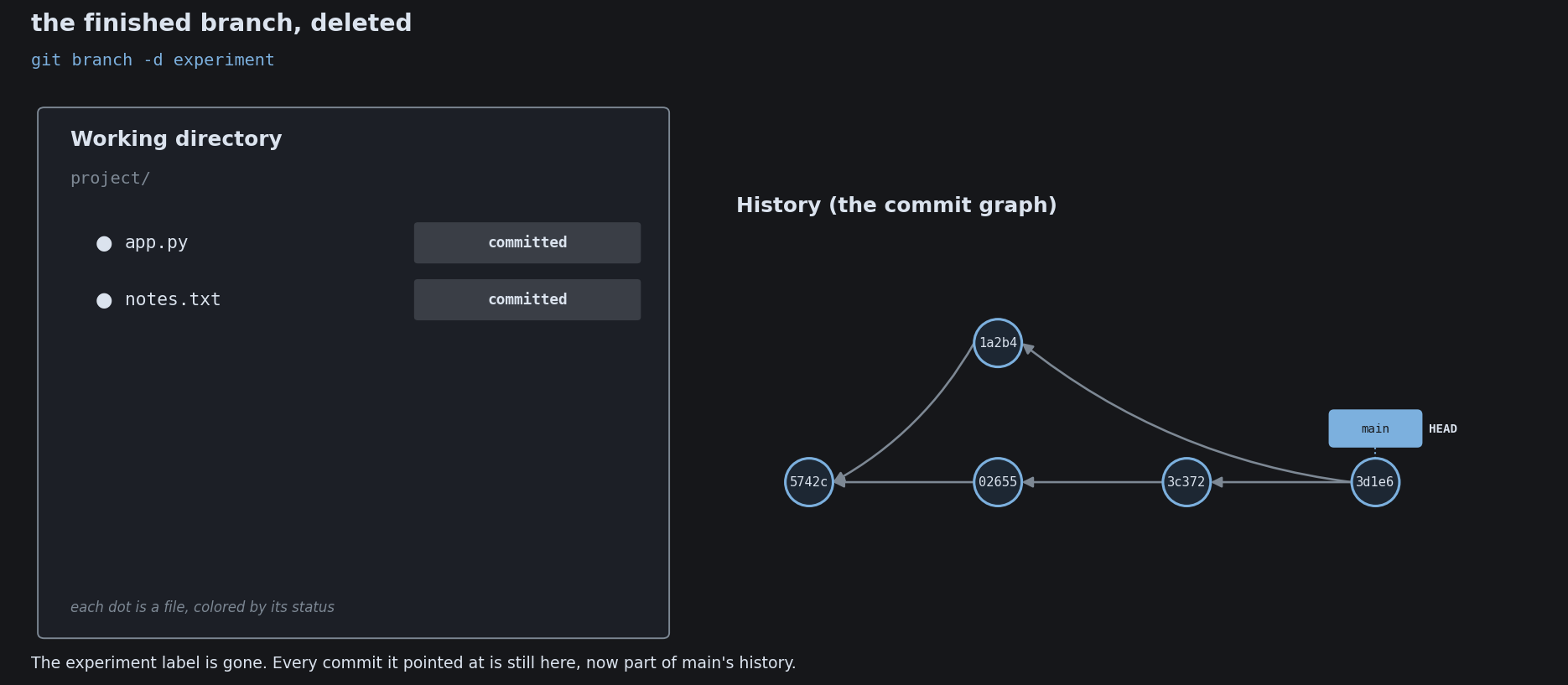
Your First Branch

A Branch Is a Pointer
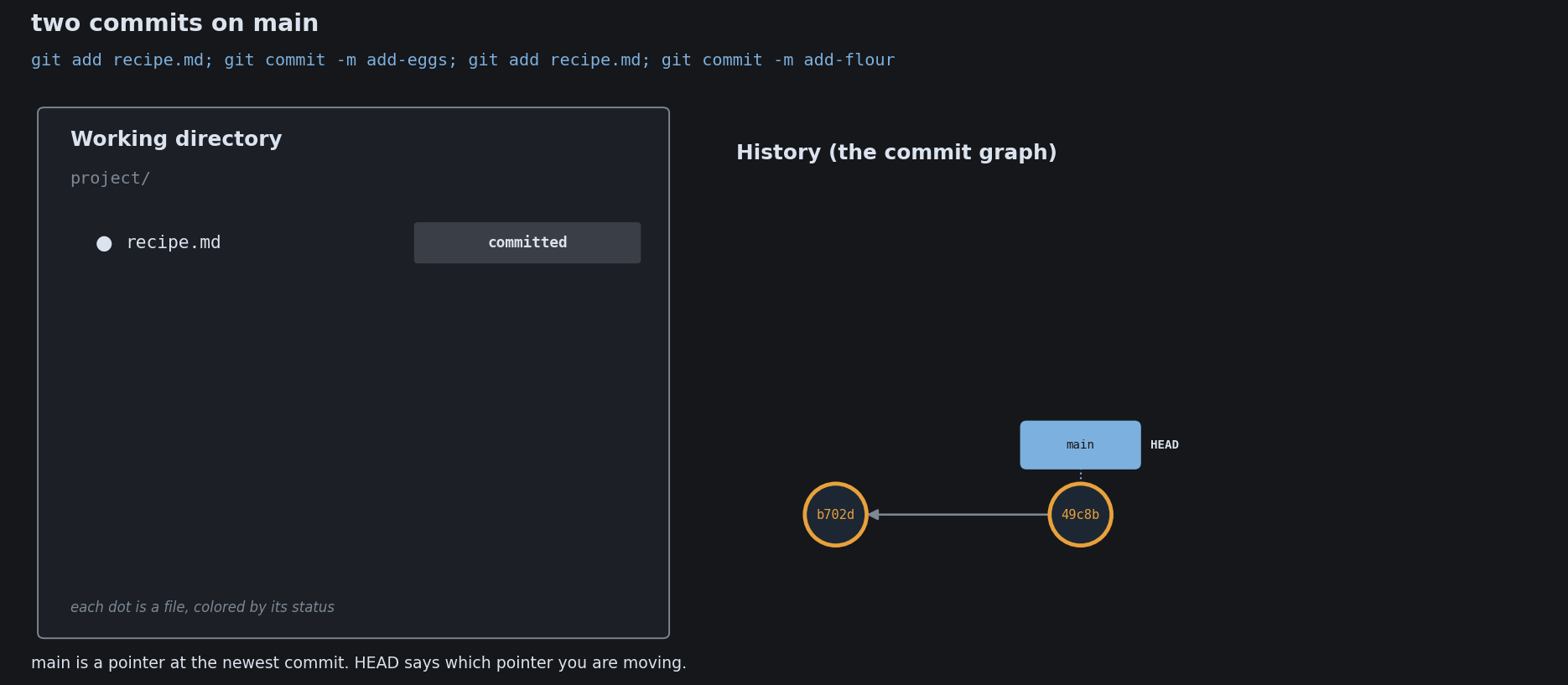
A Branch Is a Pointer
A Branch Is a Pointer
A Branch Is a Pointer
A Branch Is a Pointer
A Branch Is a Pointer
A Branch Is a Pointer

Fast-Forward Versus a Merge Commit
Fast-Forward Versus a Merge Commit
Fast-Forward Versus a Merge Commit
Fast-Forward Versus a Merge Commit
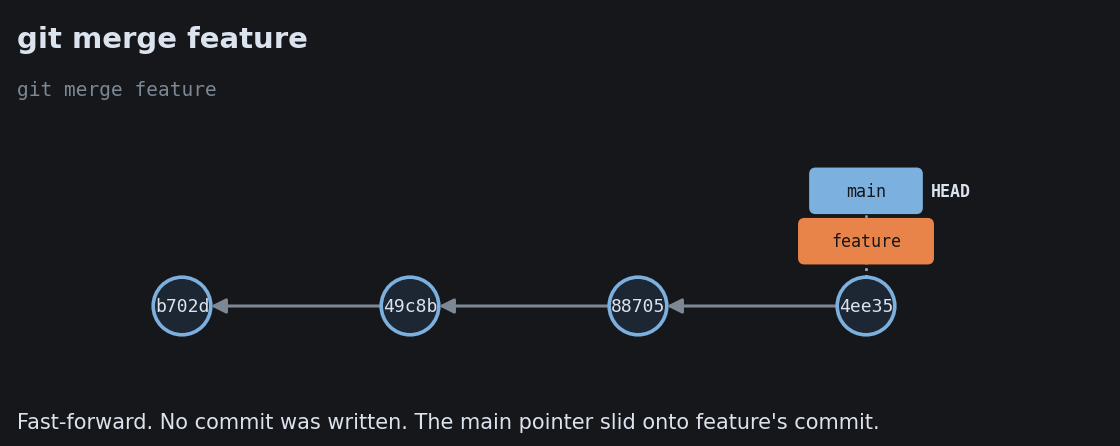
Fast-Forward Versus a Merge Commit
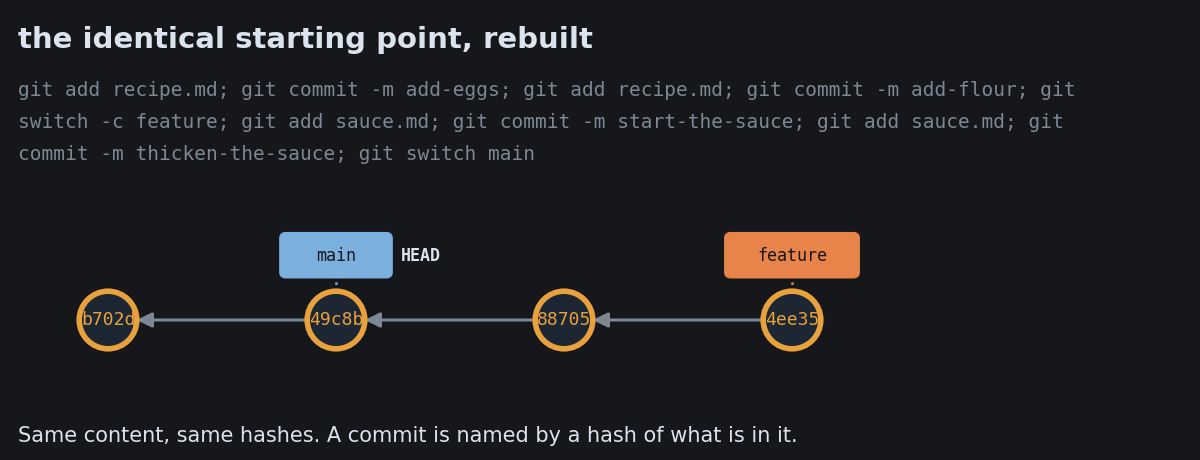
Fast-Forward Versus a Merge Commit
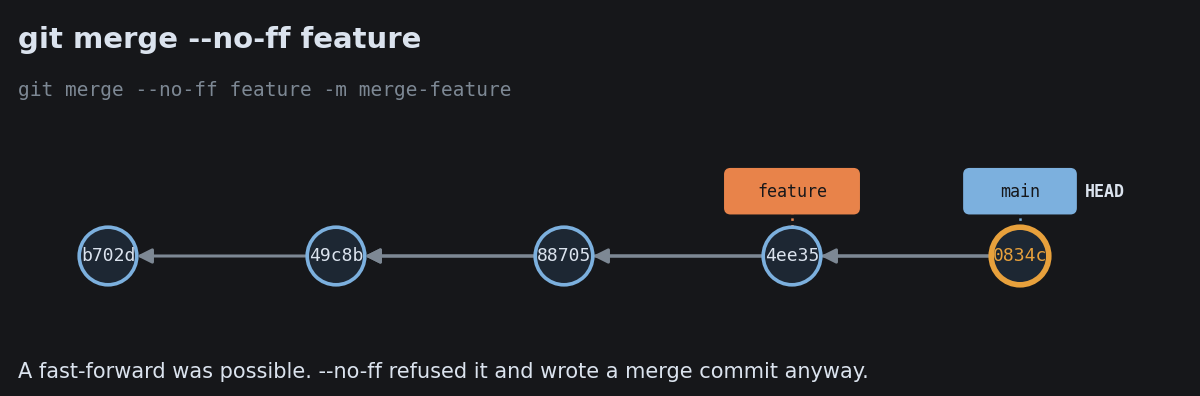
Fast-Forward Versus a Merge Commit

Rebase and What It Rewrites
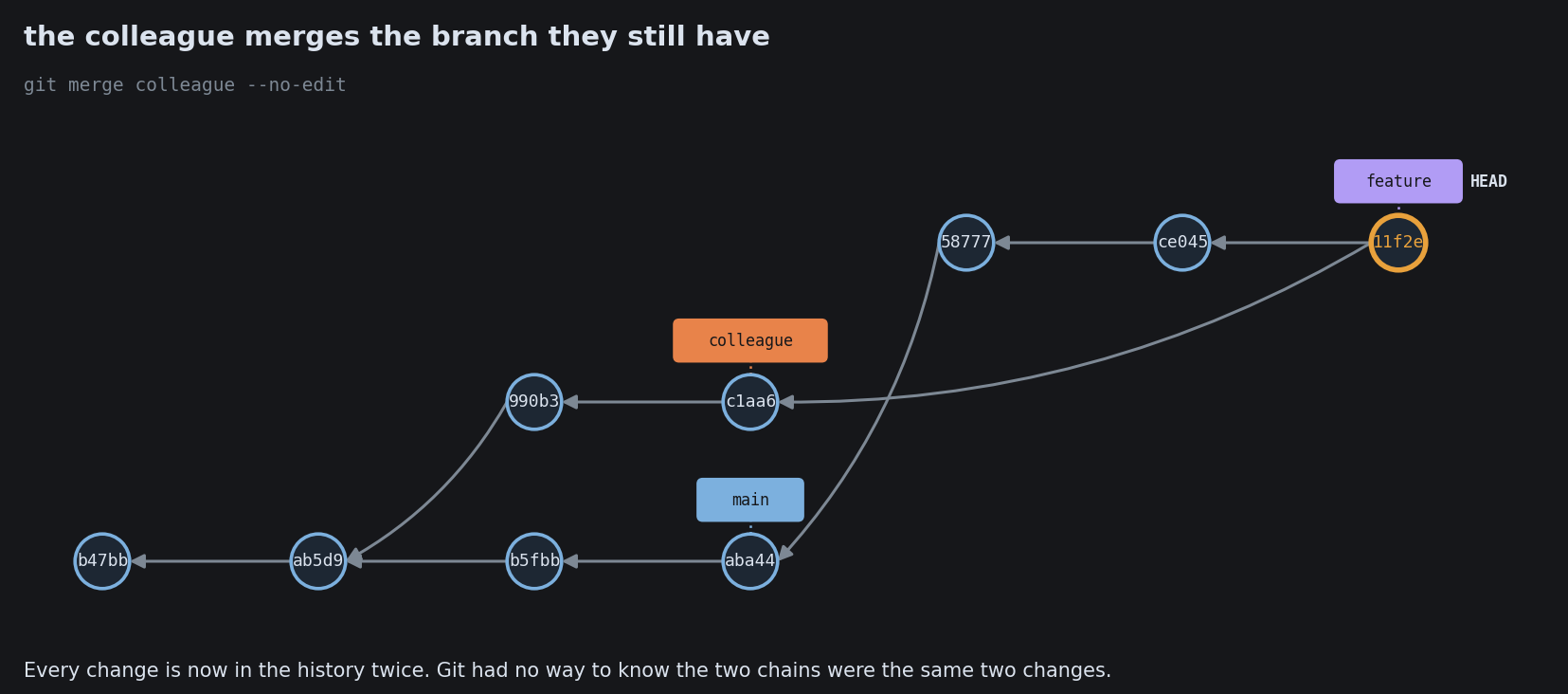
Rebase and What It Rewrites
Rebase and What It Rewrites
Rebase and What It Rewrites
Rebase and What It Rewrites
Rebase and What It Rewrites
Rebase and What It Rewrites

Anatomy of a Conflict
Anatomy of a Conflict
Anatomy of a Conflict
Anatomy of a Conflict
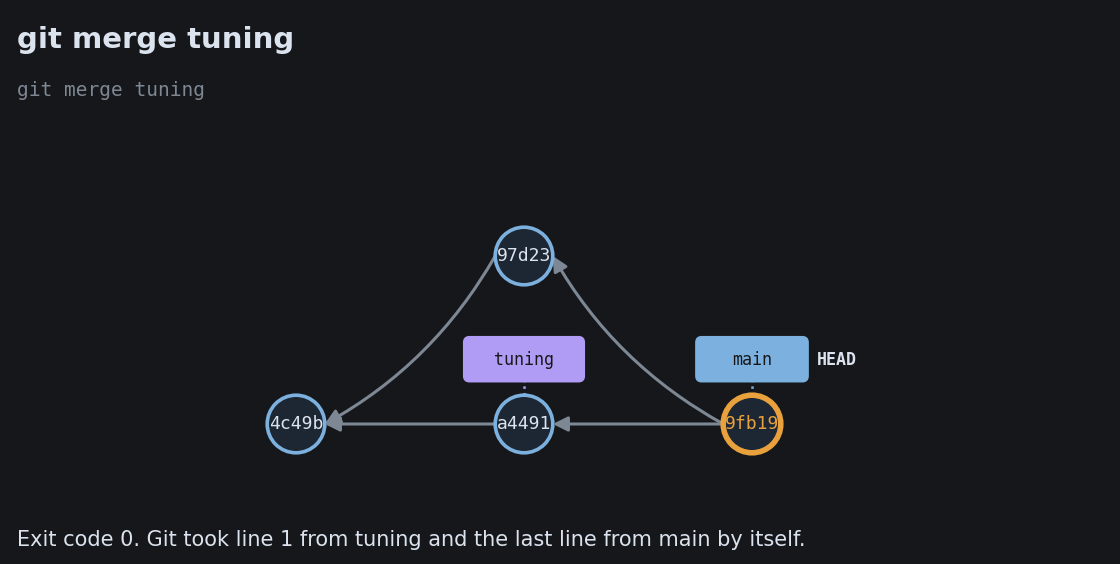
Anatomy of a Conflict
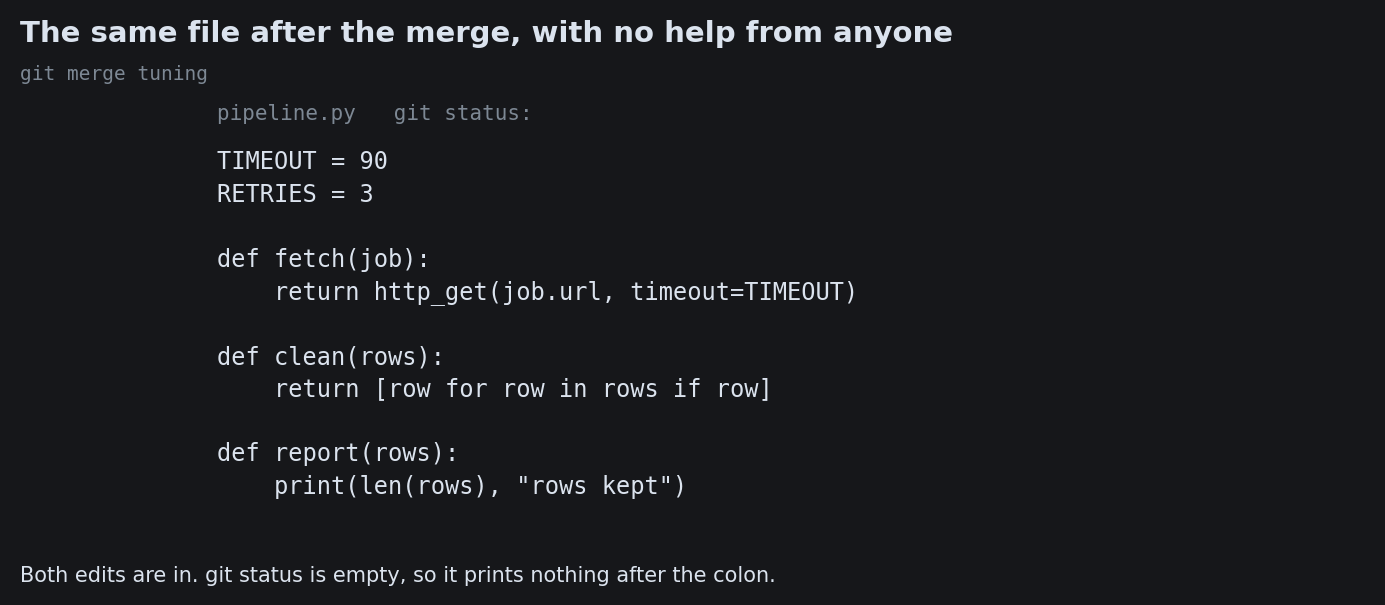
Anatomy of a Conflict
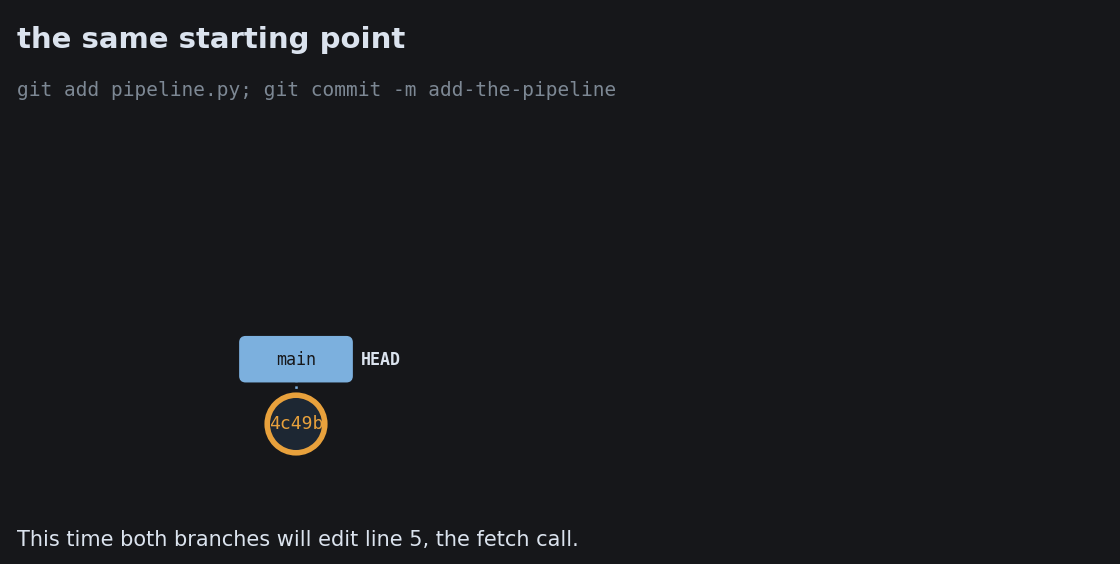
Anatomy of a Conflict
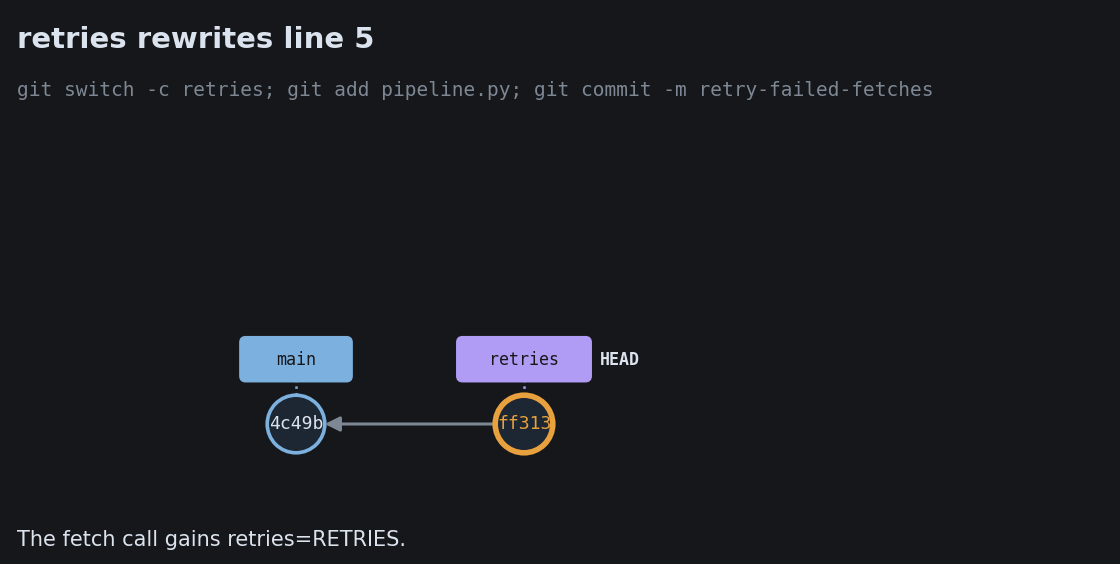
Anatomy of a Conflict
Anatomy of a Conflict
Anatomy of a Conflict
Anatomy of a Conflict
Anatomy of a Conflict
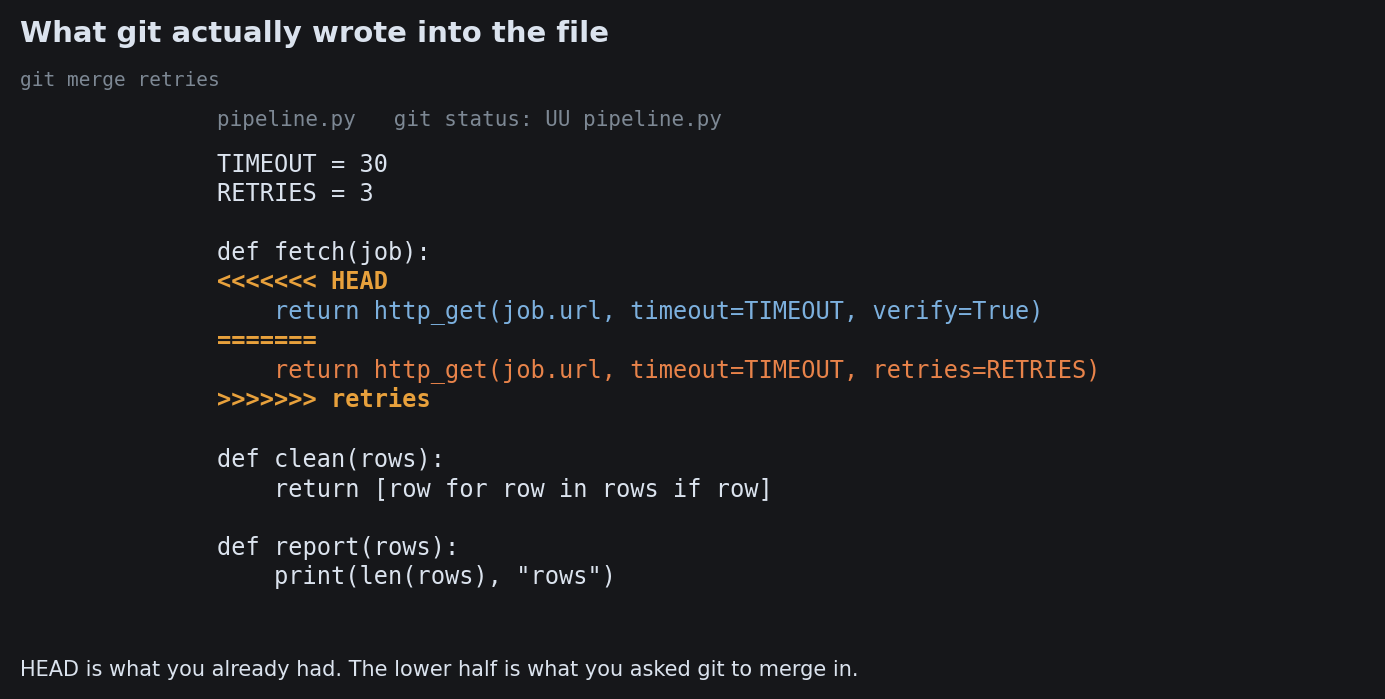
Anatomy of a Conflict
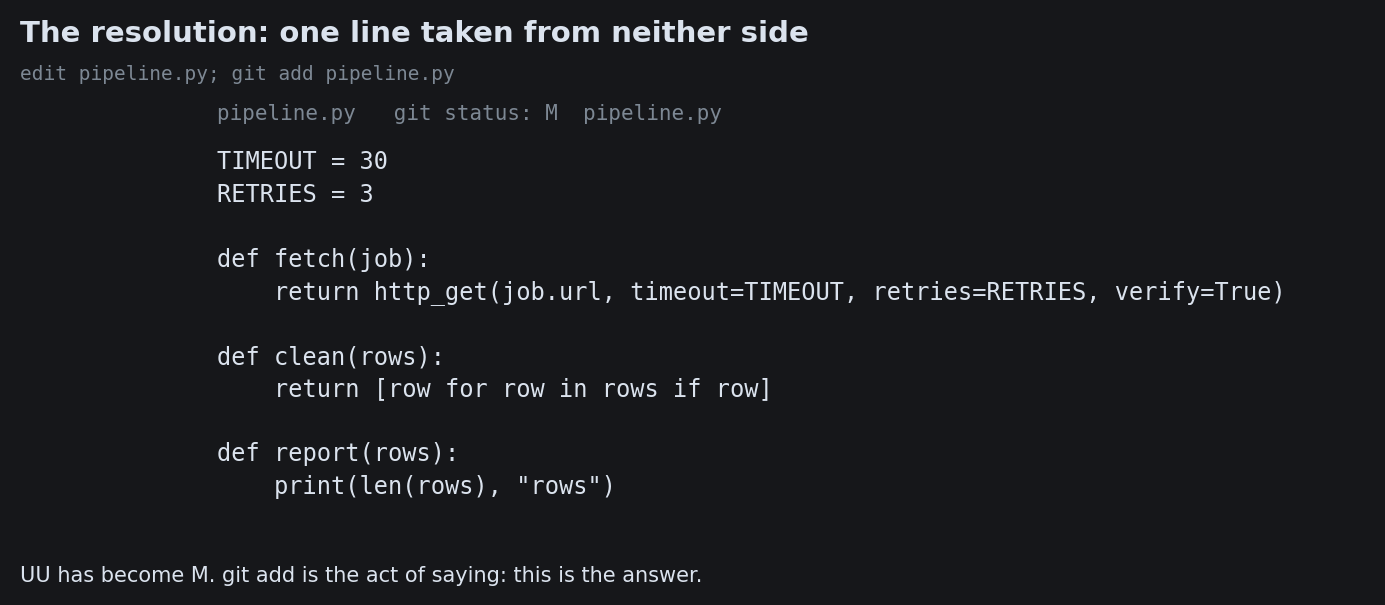
Anatomy of a Conflict

Working as a team

The mechanics of branching are settled. What teams argue about is the workflow: when to branch, how long a branch lives, when to merge.

Three workflows on one spectrum

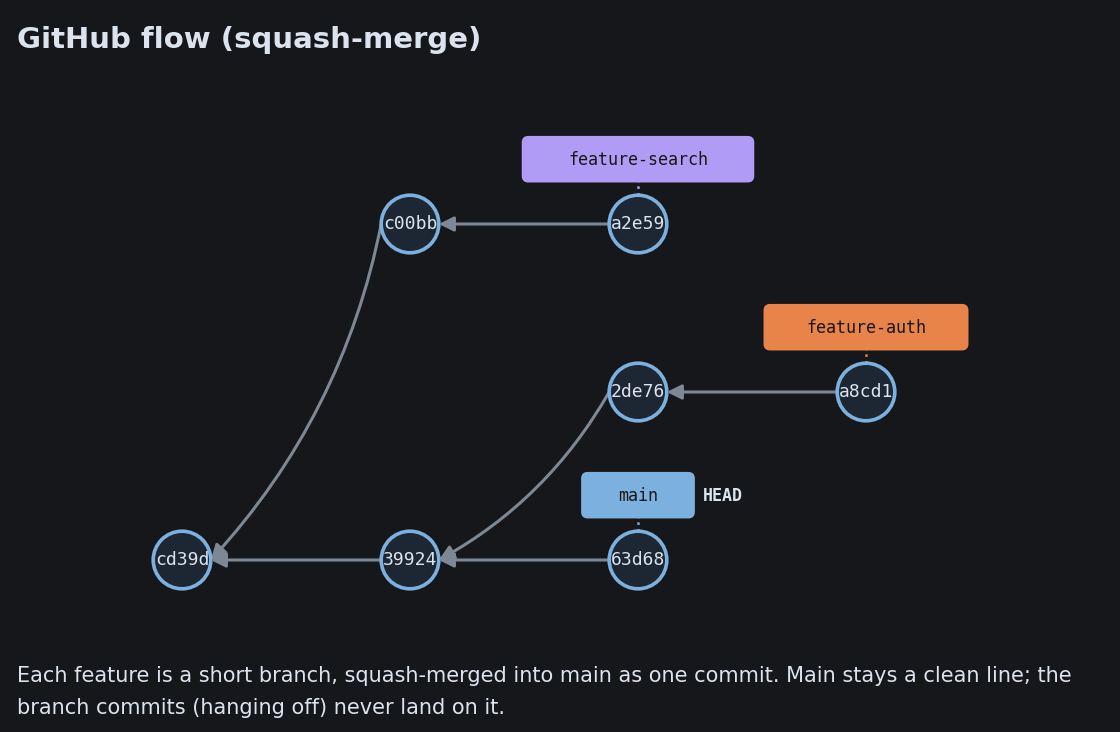
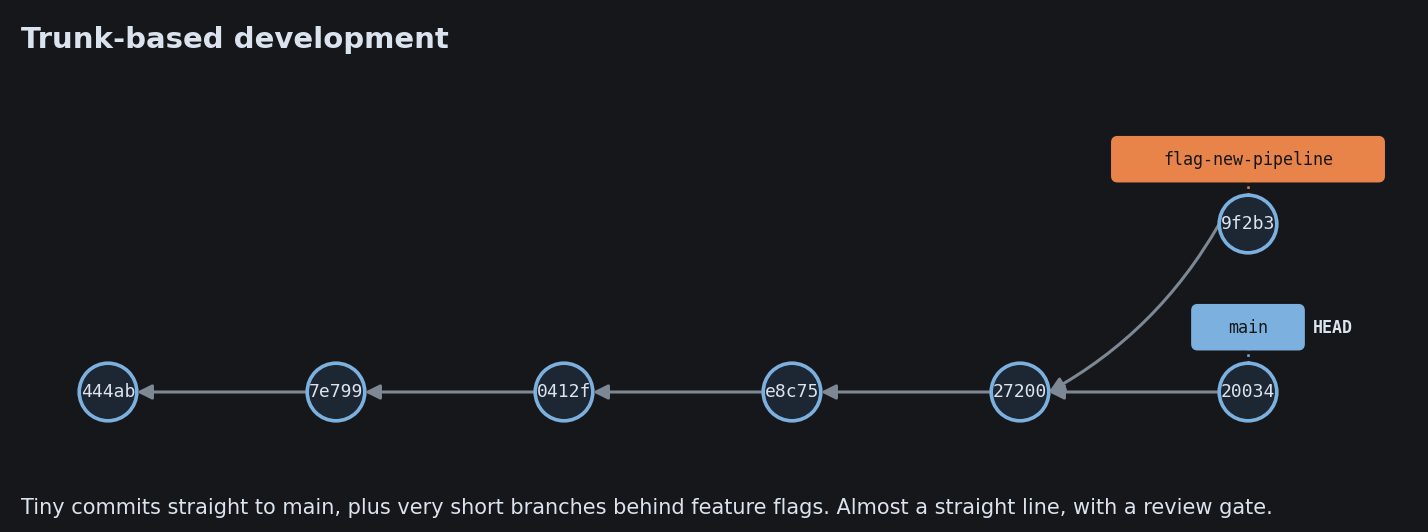
git-flow elaborate: long-lived develop + master, plus feature / release / hotfix trunk-based lean: one shared line, integrated many times a day, branches last hours GitHub flow PR the common default: one main, a short branch, a pull request to merge Match the workflow to how you release, not to fashion. Driessen himself now points continuous-delivery teams to the simpler end.

The pull request

Where a branch is reviewed, tested, and let into main.

feature branch open a pull request review + checks the CI pipeline runs here merge to main Cheap branching is what made this possible: every change proposed, reviewed, and tested before it joins the main line.

What a Pull Request Actually Is

What a Pull Request Actually Is
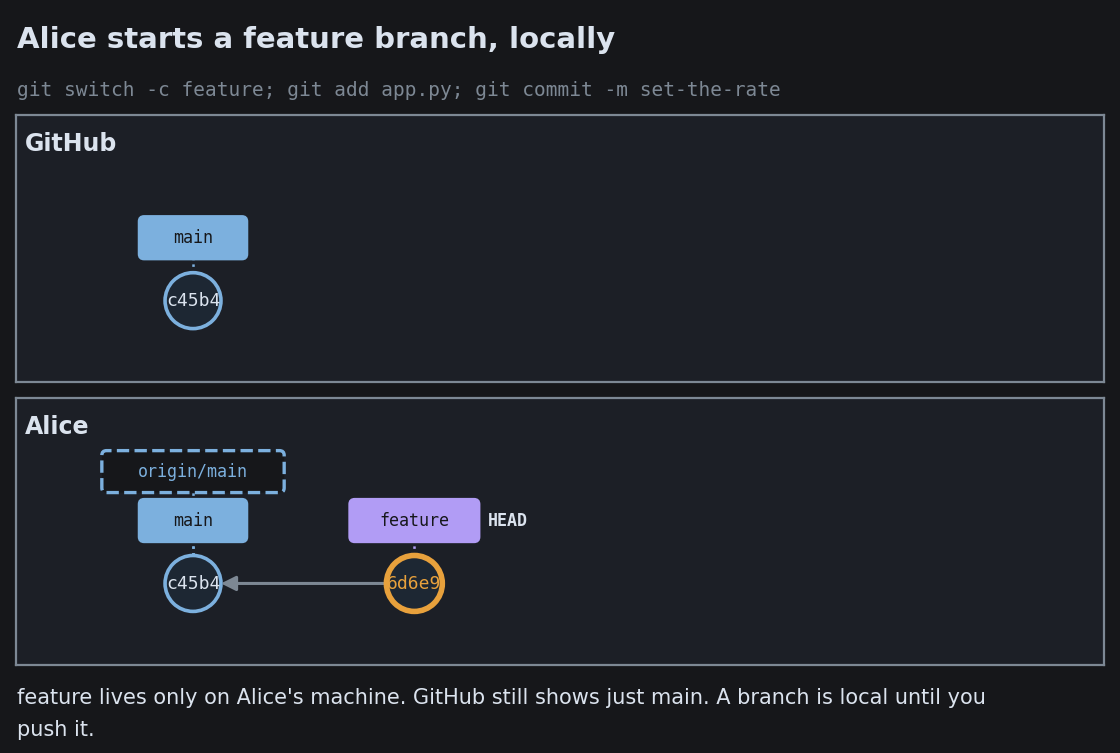
What a Pull Request Actually Is
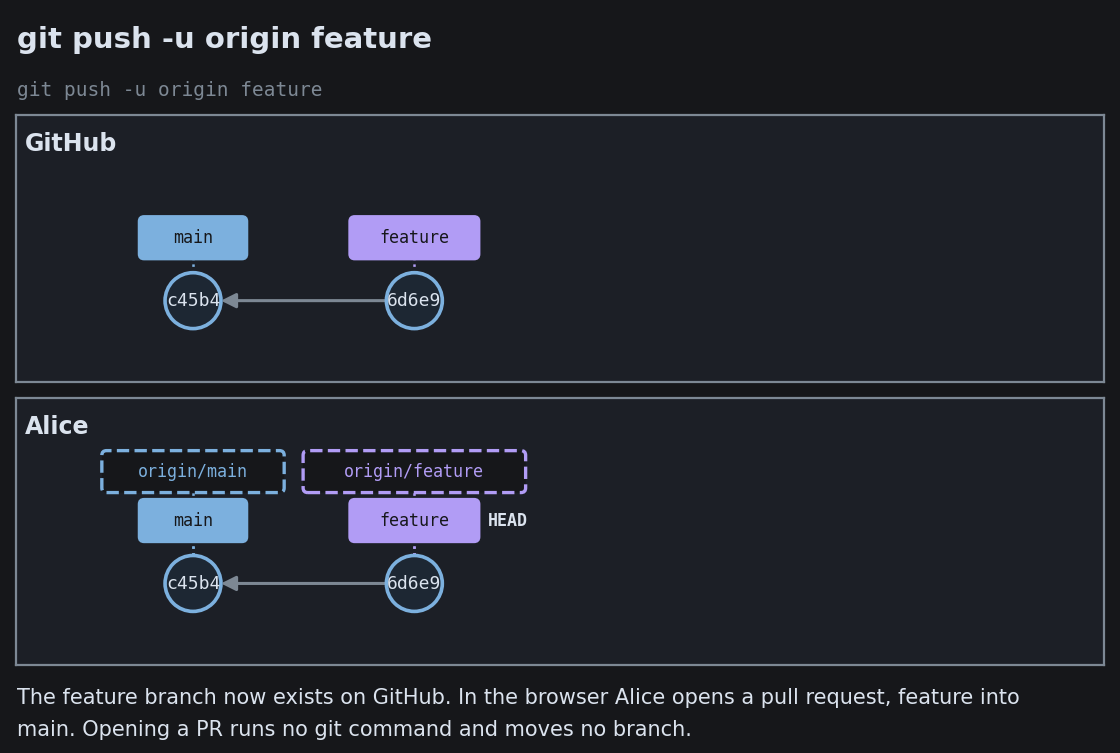
What a Pull Request Actually Is
What a Pull Request Actually Is
What a Pull Request Actually Is
What a Pull Request Actually Is

Contributing With a Fork
Contributing With a Fork
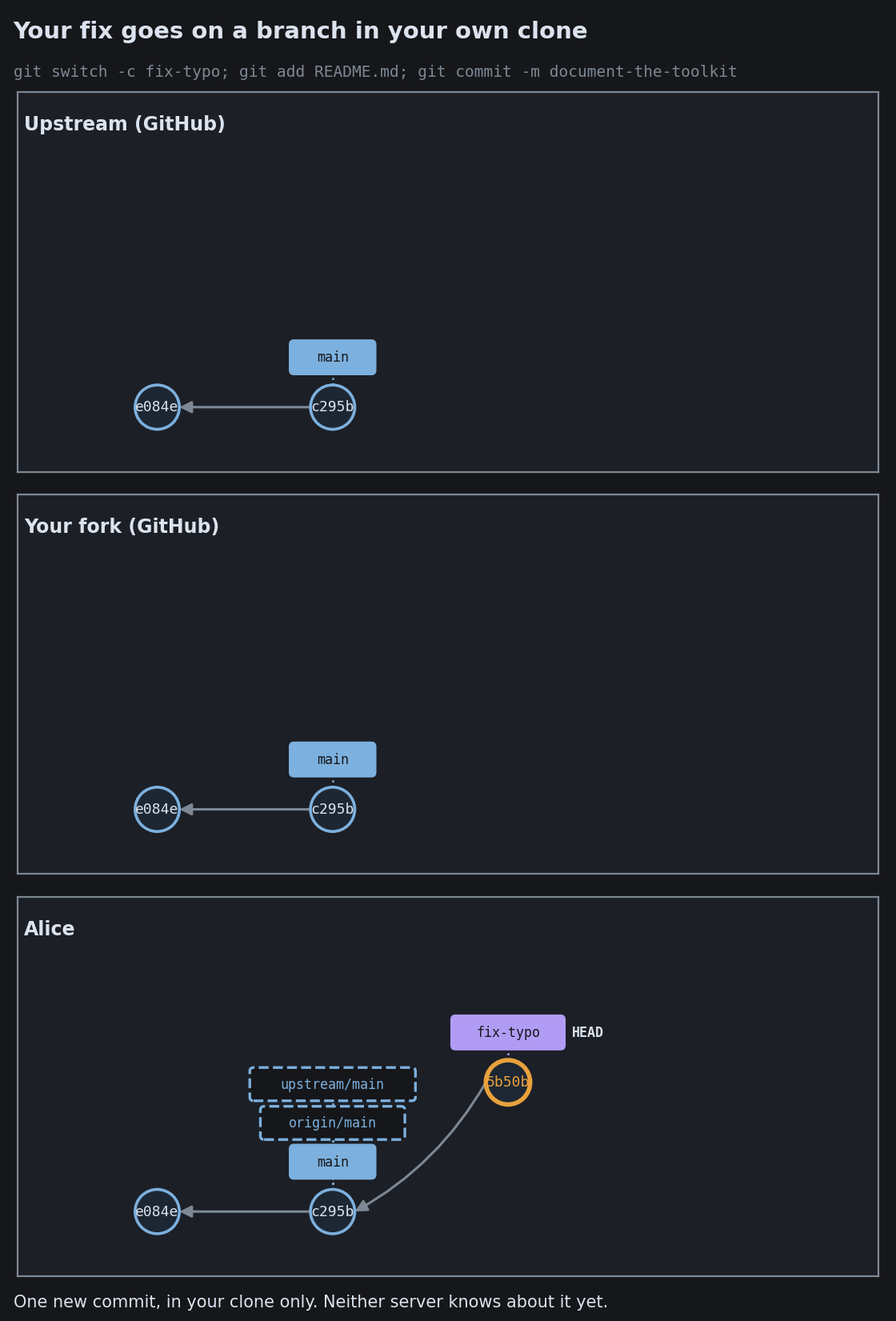
Contributing With a Fork
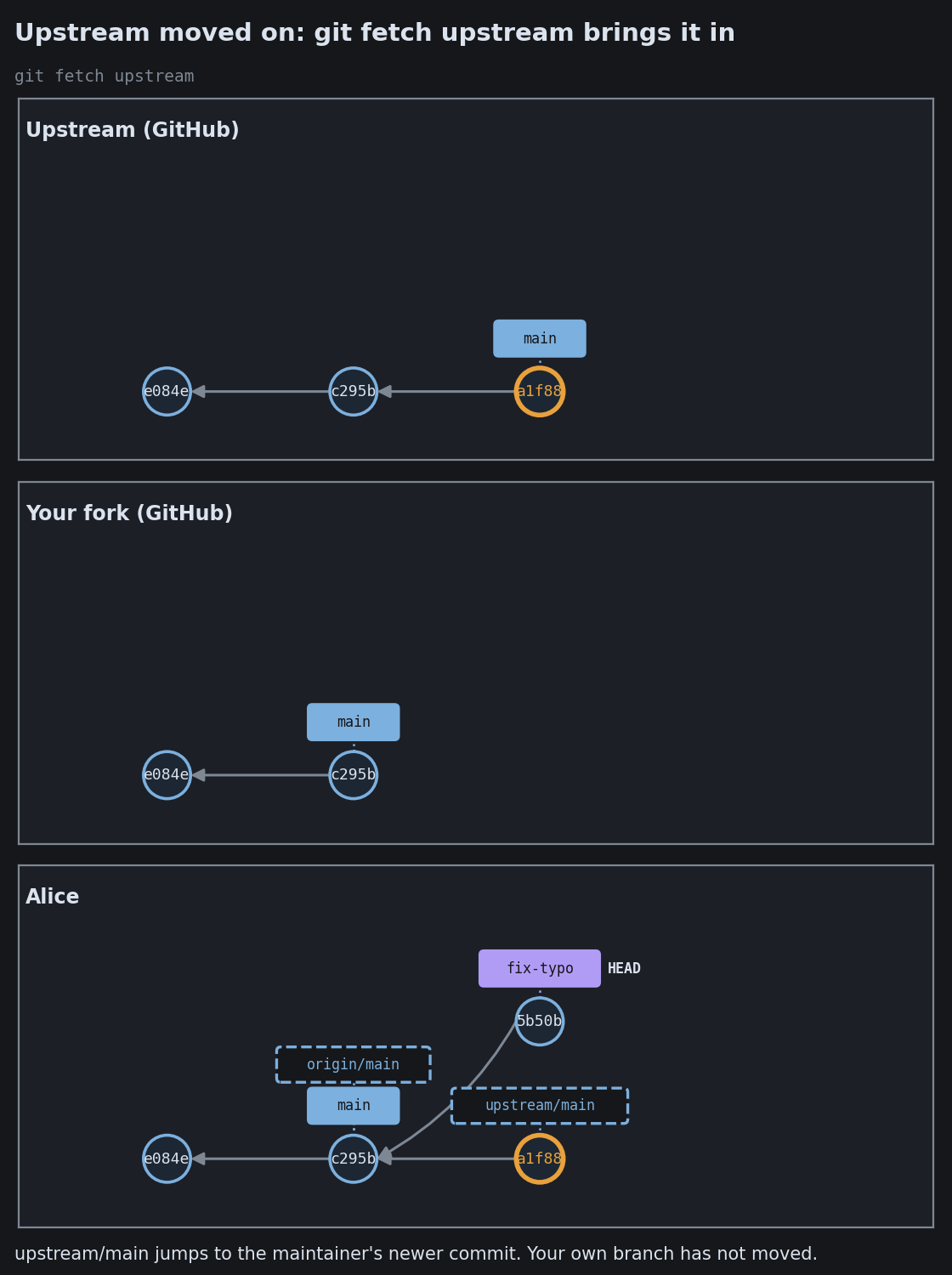
Contributing With a Fork
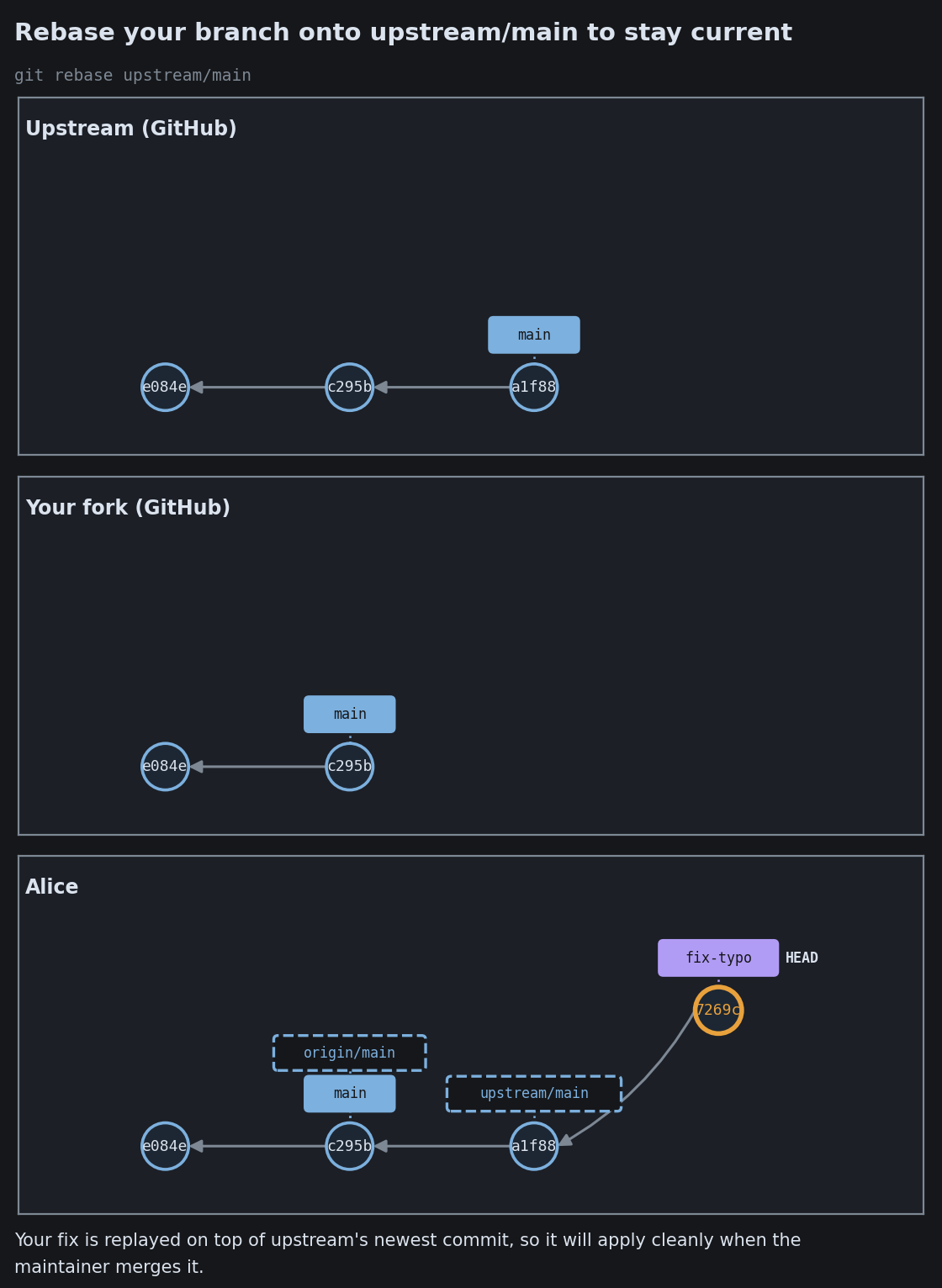
Contributing With a Fork
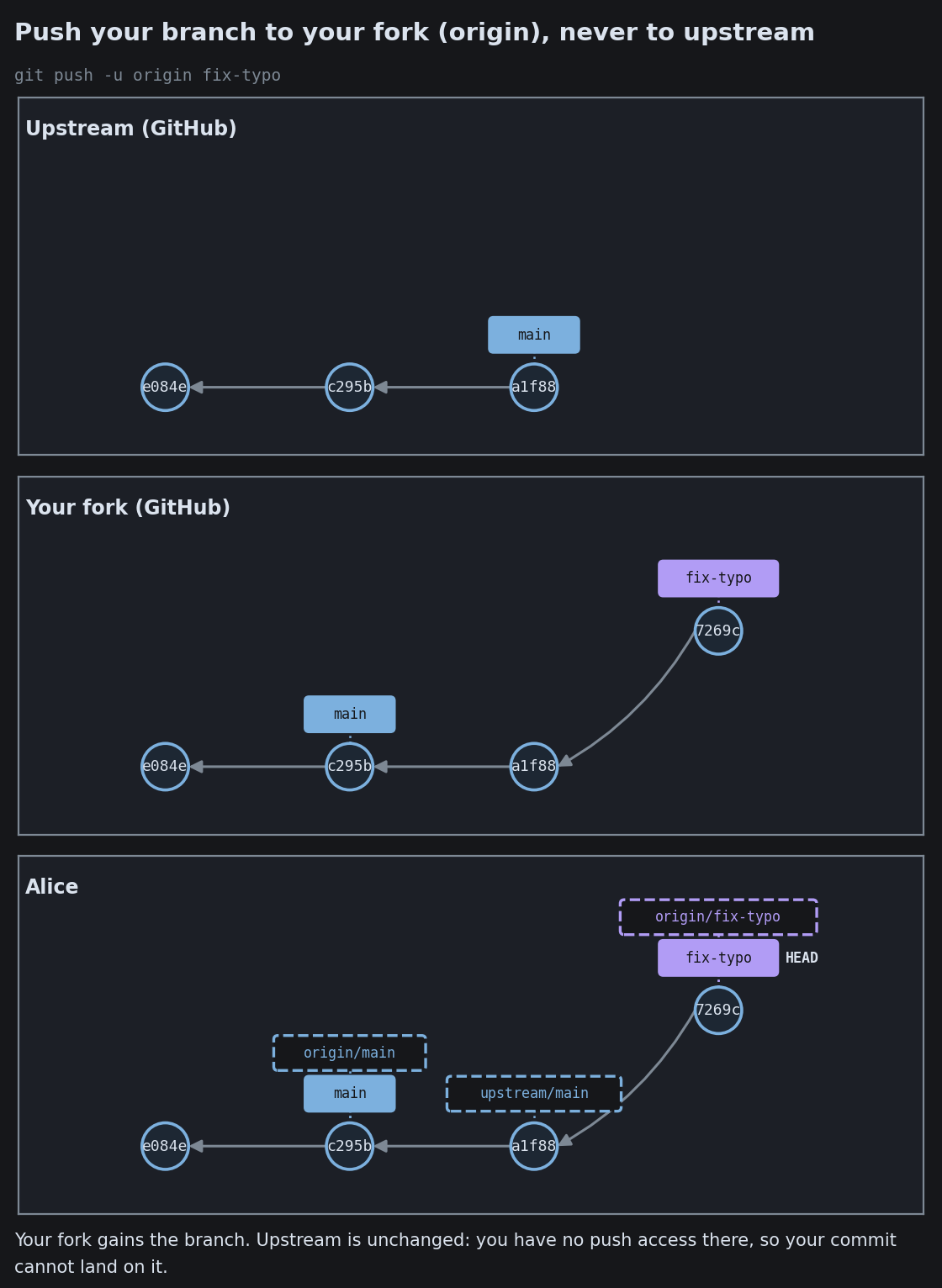
Contributing With a Fork

GitHub’s Three Merge Buttons: Merge, Squash, or Rebase
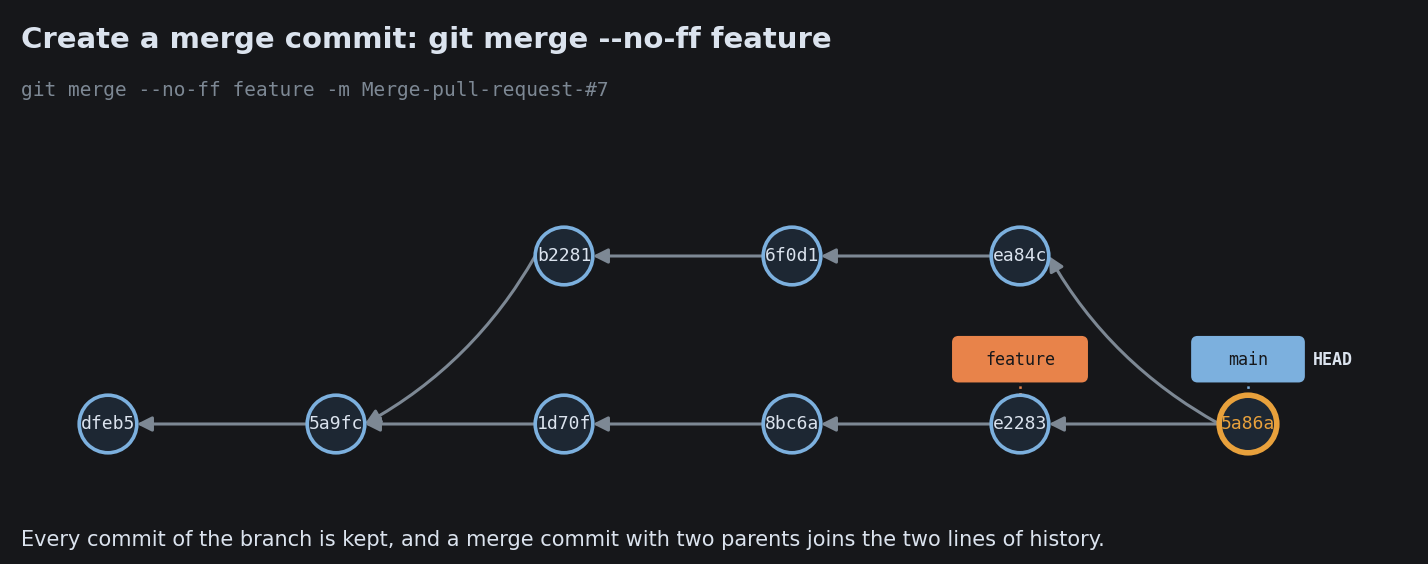
GitHub’s Three Merge Buttons: Merge, Squash, or Rebase
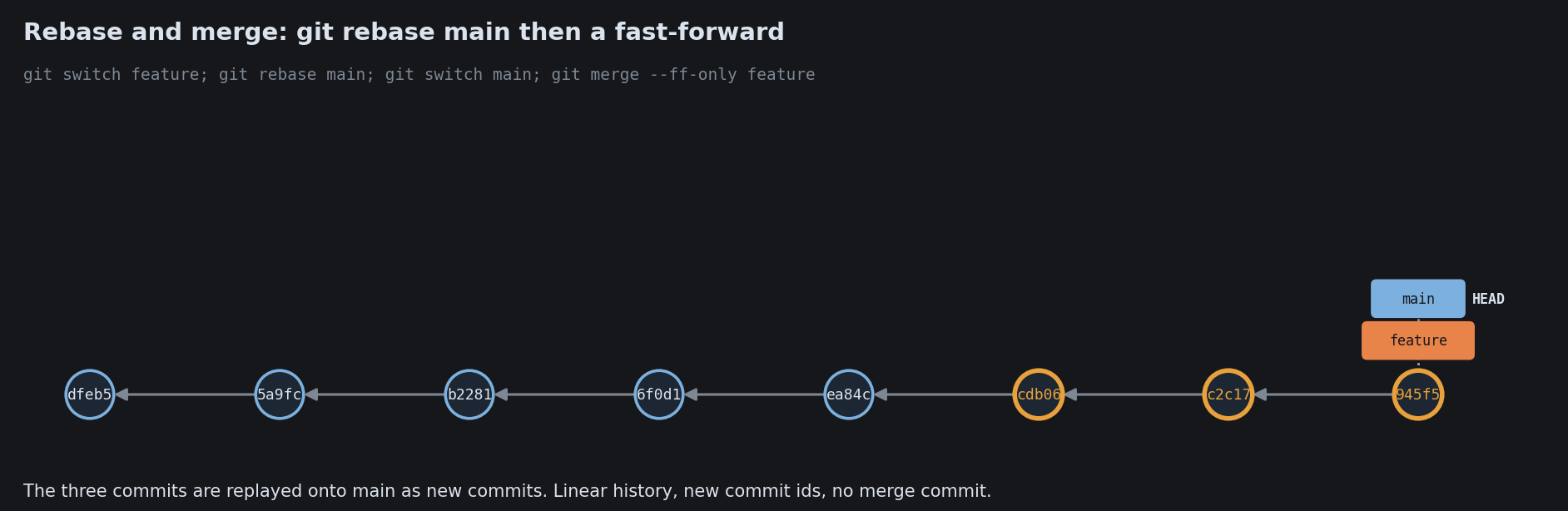
GitHub’s Three Merge Buttons: Merge, Squash, or Rebase
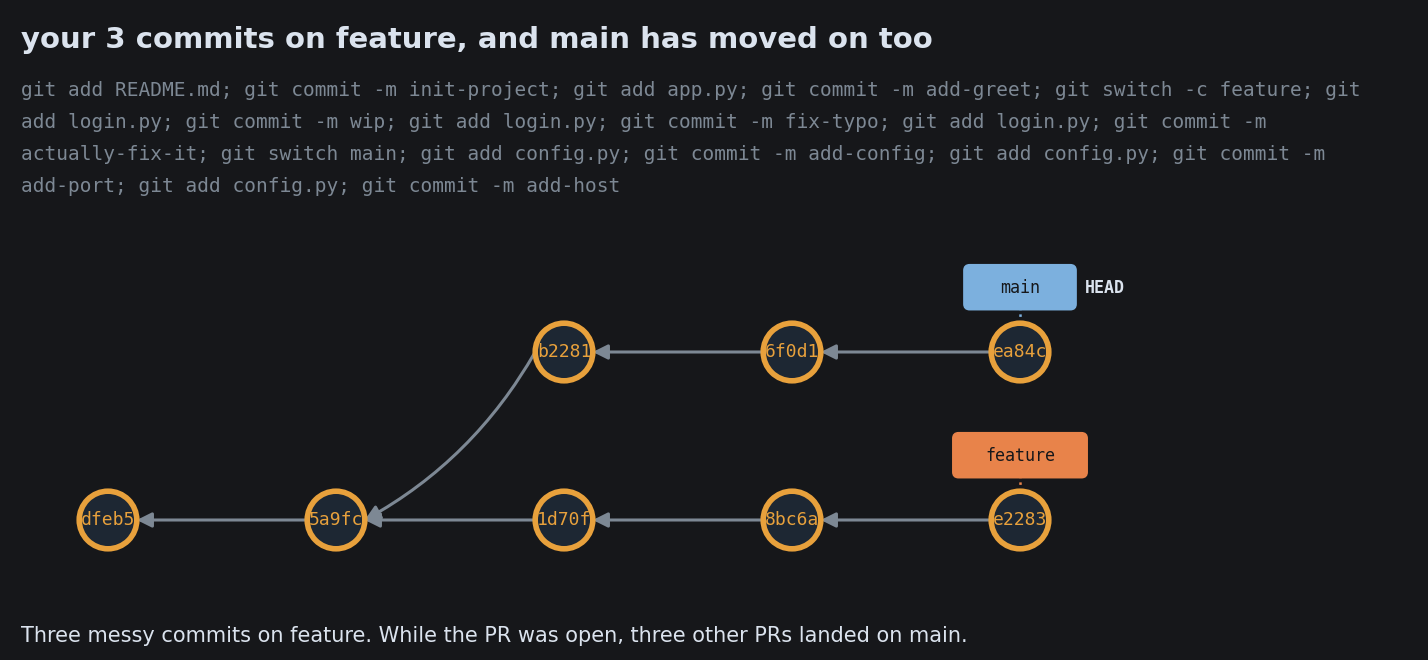
GitHub’s Three Merge Buttons: Merge, Squash, or Rebase
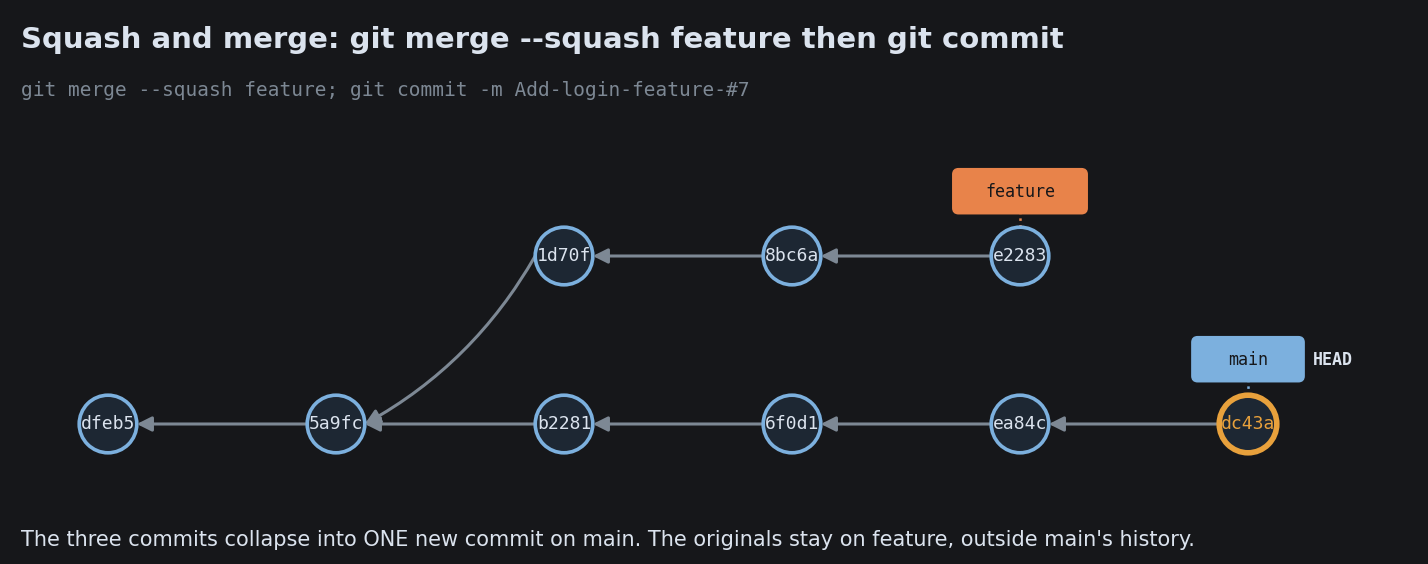
GitHub’s Three Merge Buttons: Merge, Squash, or Rebase

The one tradeoff that runs backwards

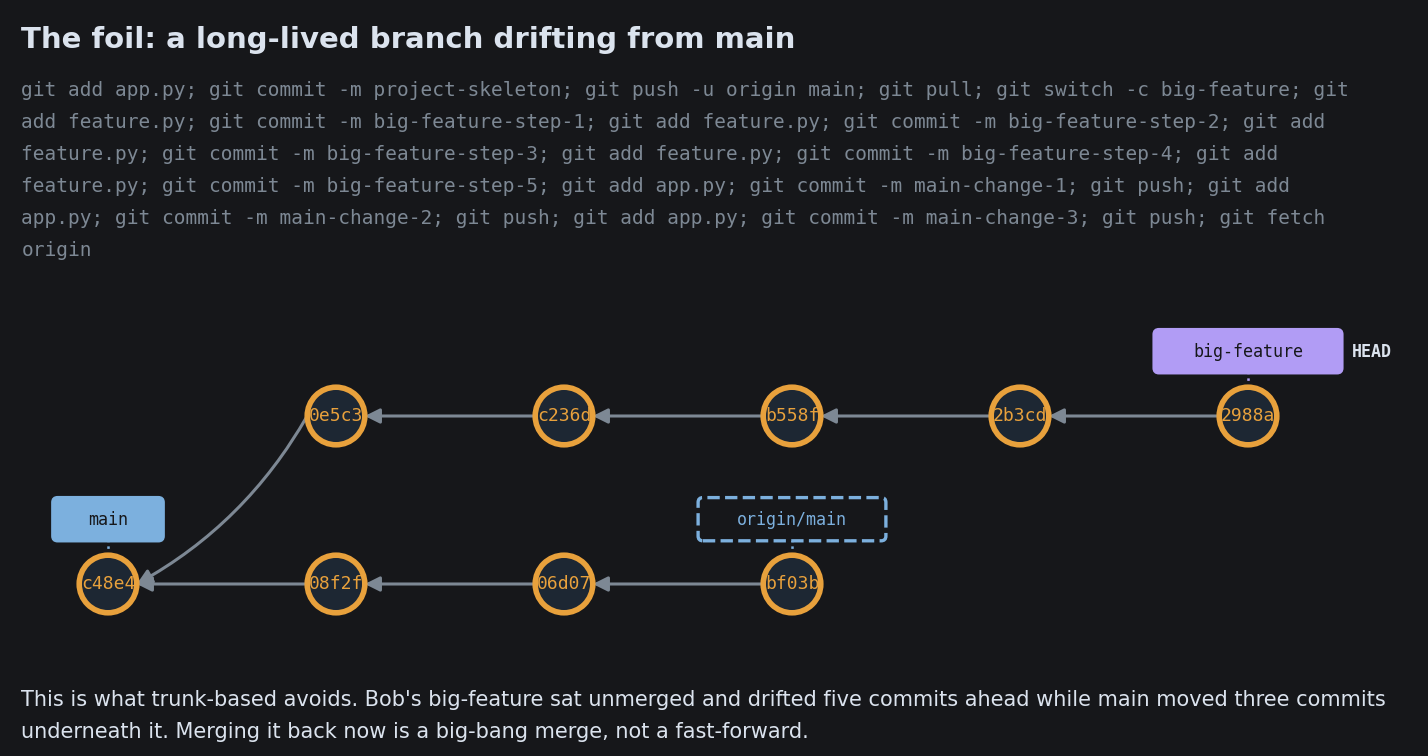
main merge hell long-lived: feels safe, drifts far, ends in a giant painful merge main short-lived: feels risky, but each tiny merge is trivial to resolve

Small, frequent merges beat one big one. This is the logic behind trunk-based development and feature flags.

Four ways teams work, on real repos

The workflow is not the mechanics. It is the set of rules a team agrees on: when to branch, how long a branch lives, when to merge. Four common shapes, each on a real repository.

Direct to Main

Direct to Main

Direct to Main
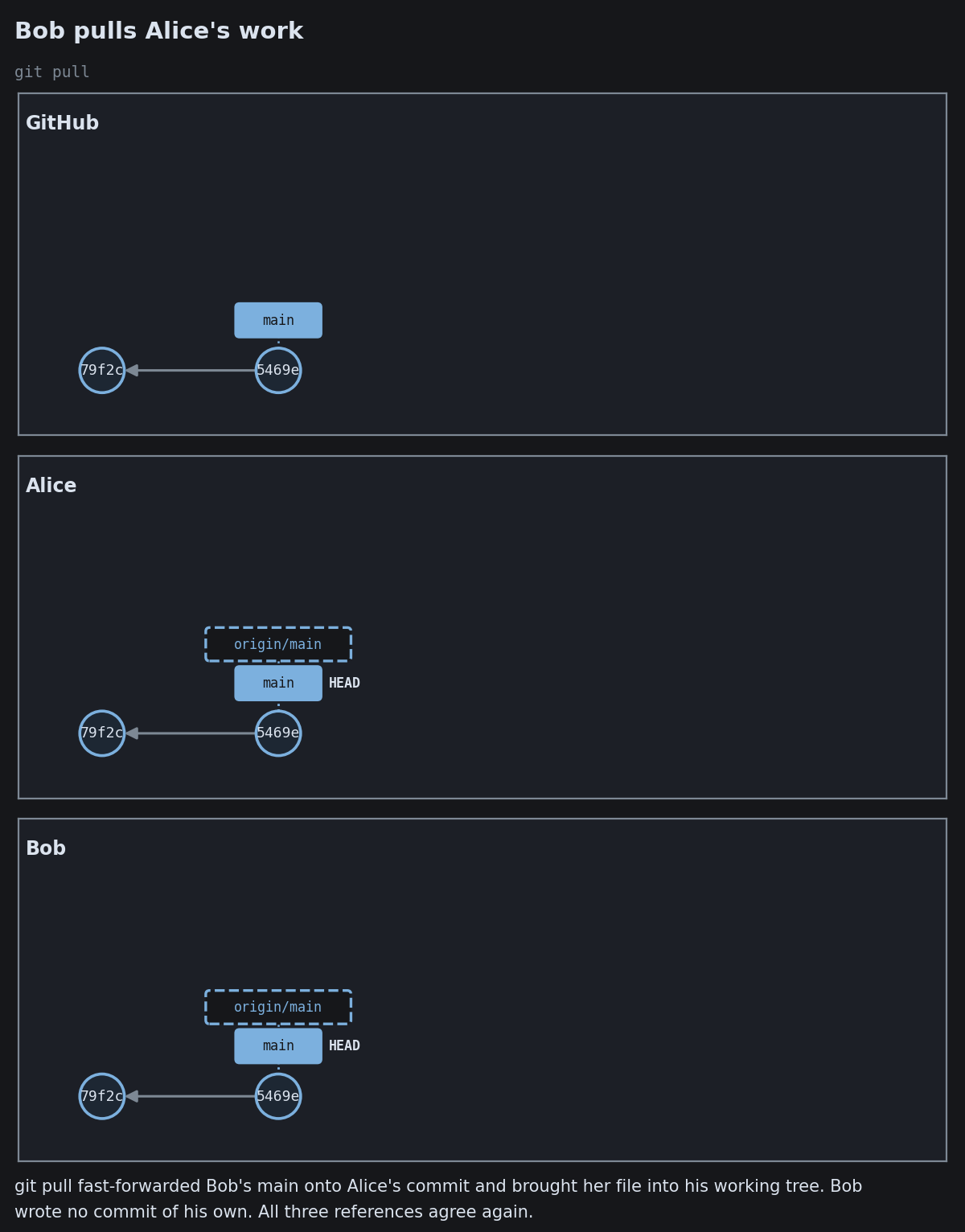
Direct to Main
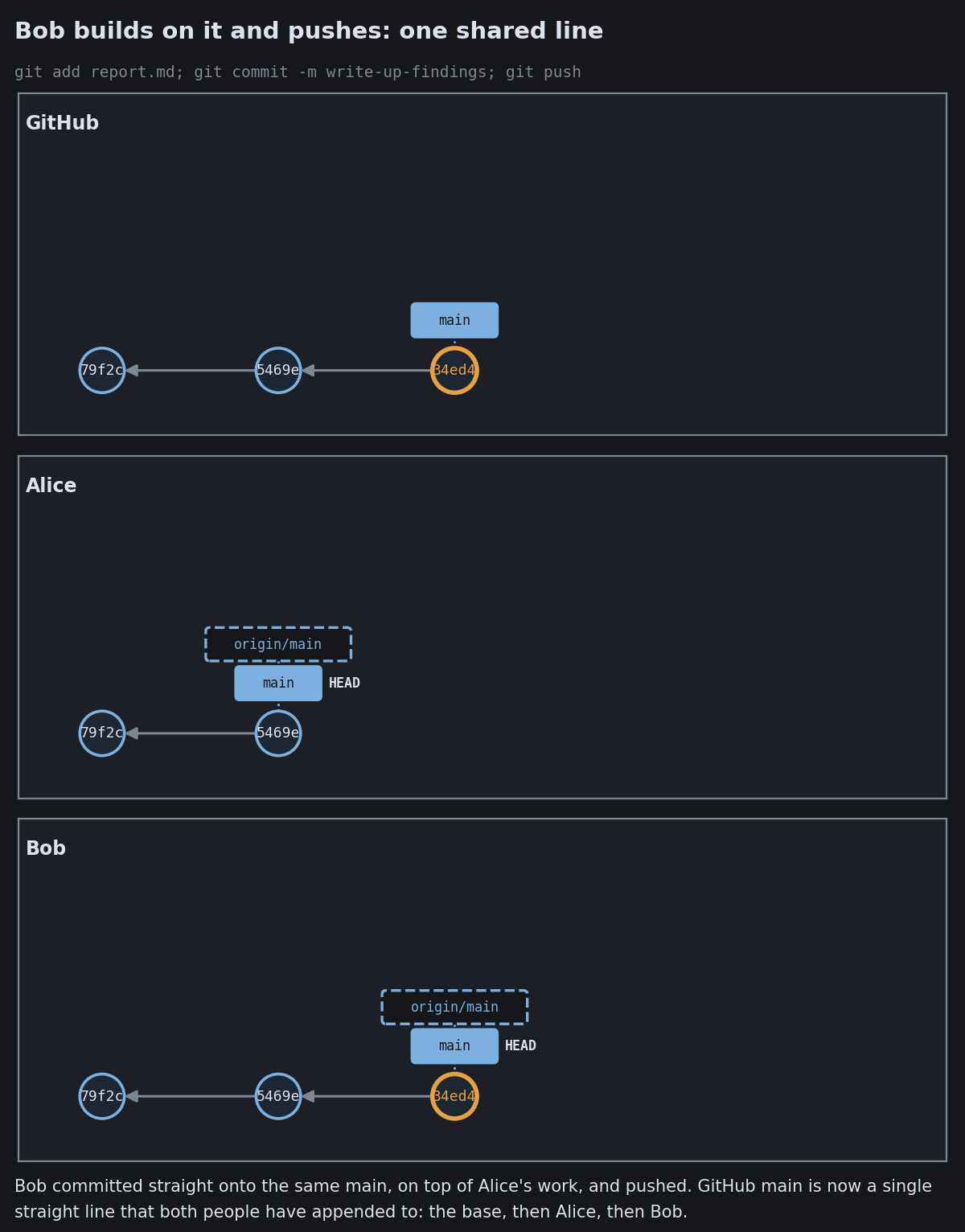
Direct to Main
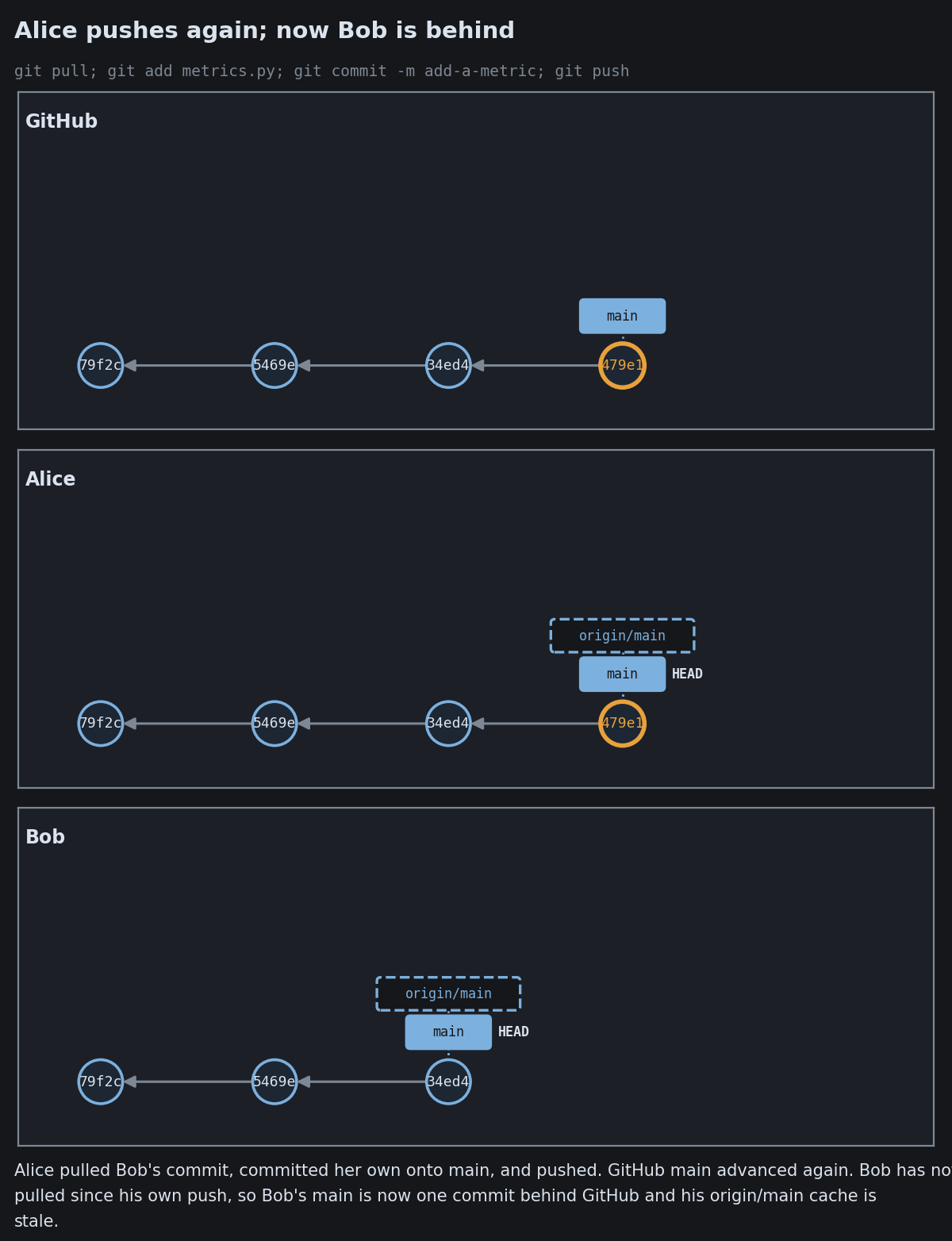
Direct to Main
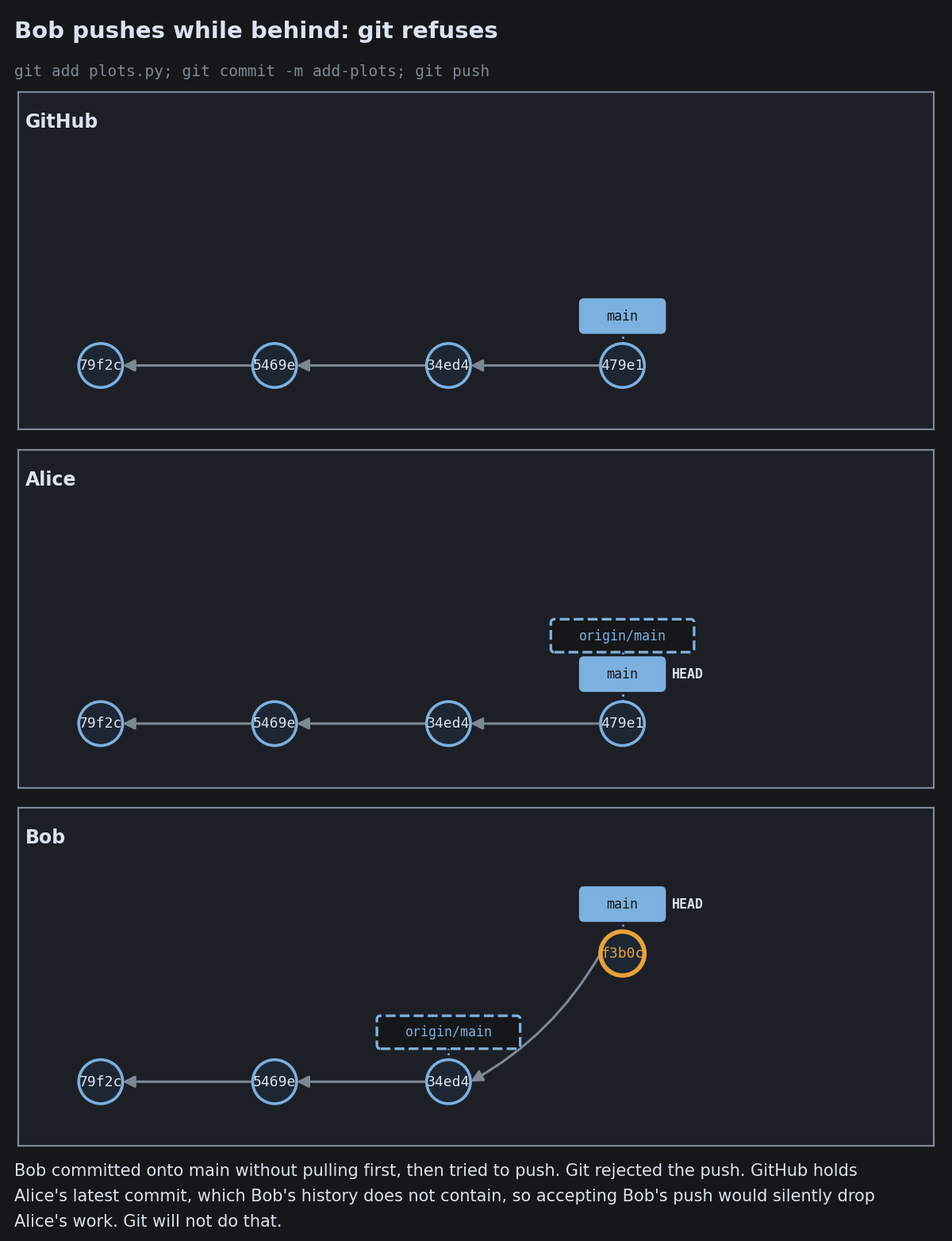
Direct to Main
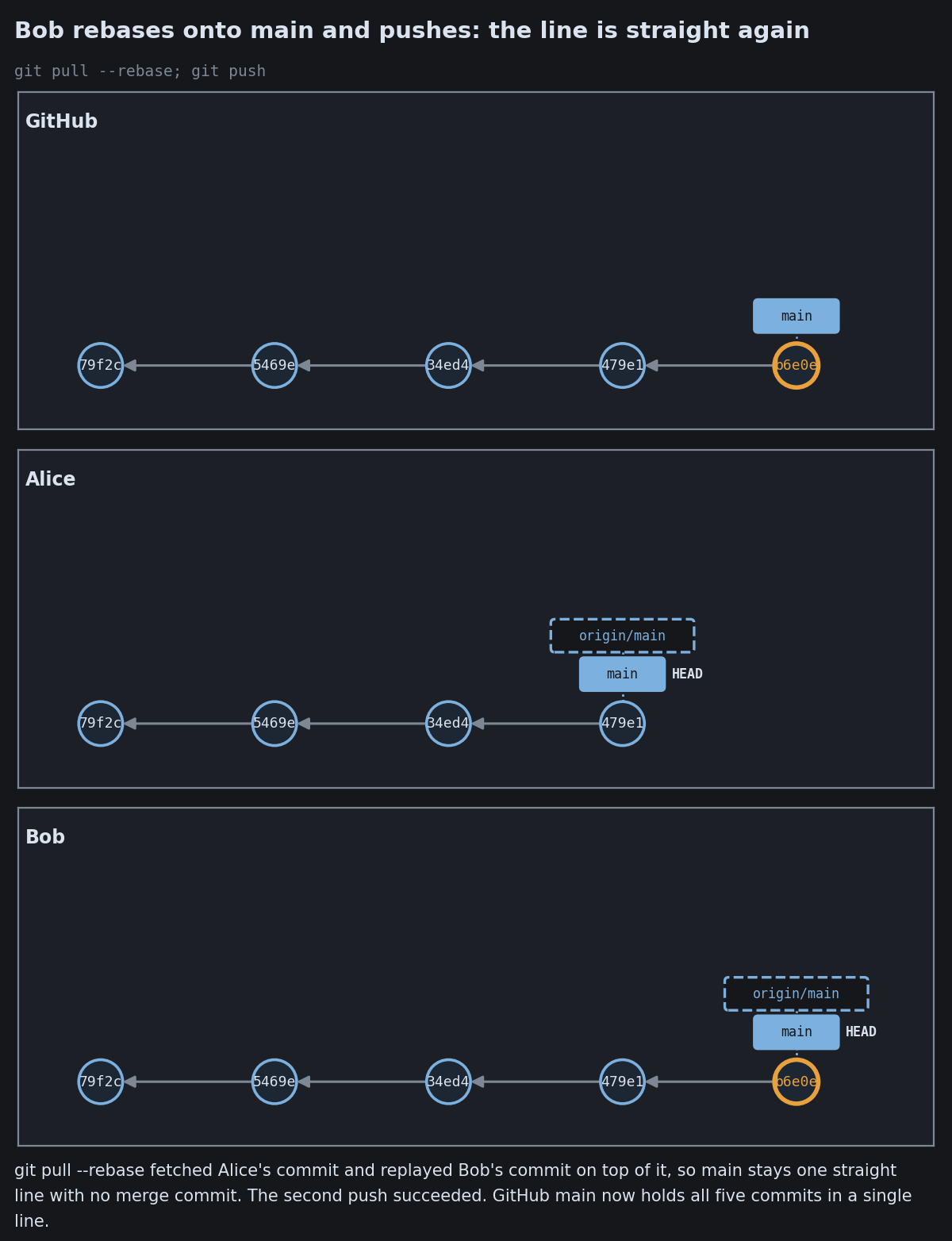
Direct to Main

GitHub Flow: The Everyday Loop
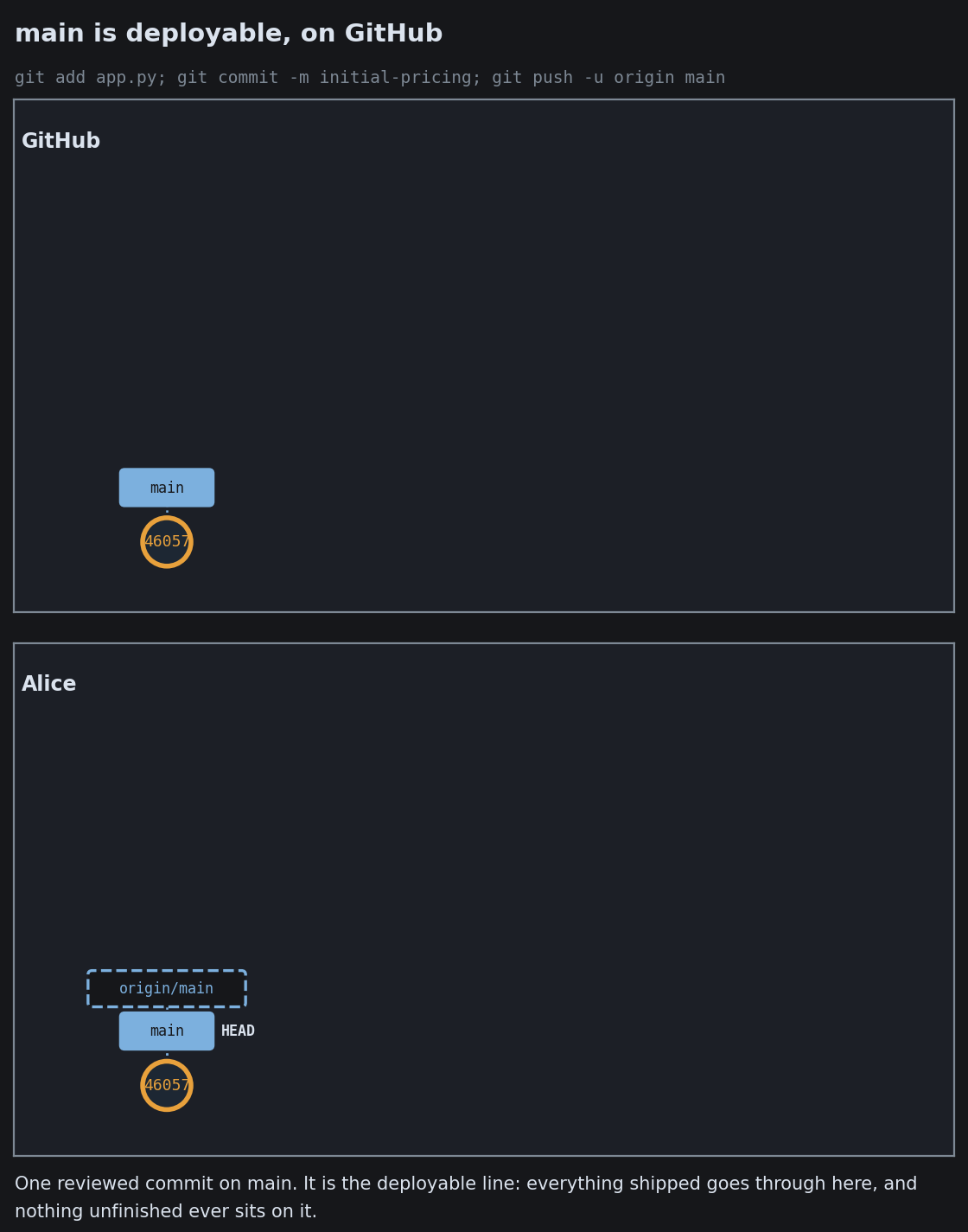
GitHub Flow: The Everyday Loop
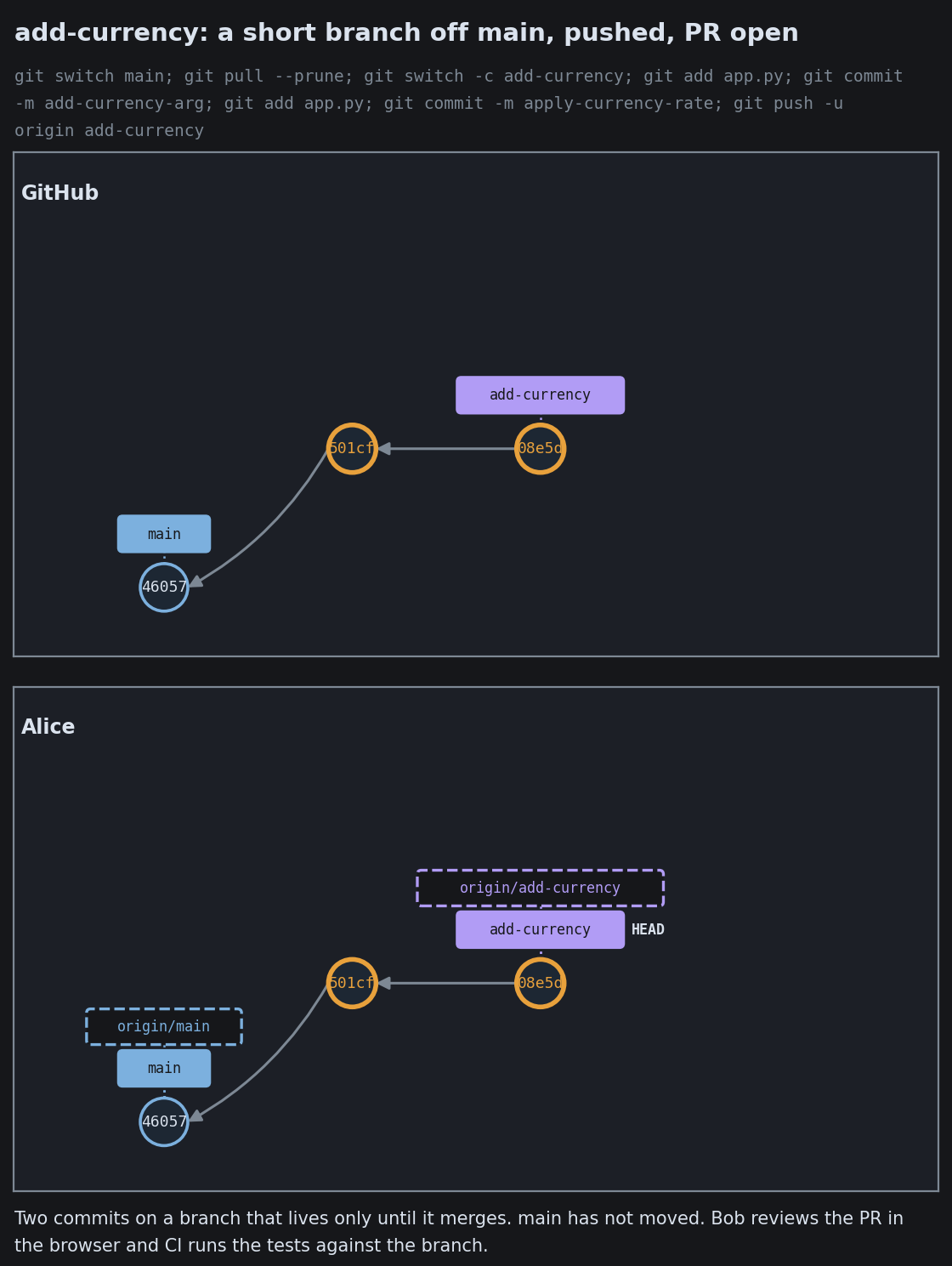
GitHub Flow: The Everyday Loop
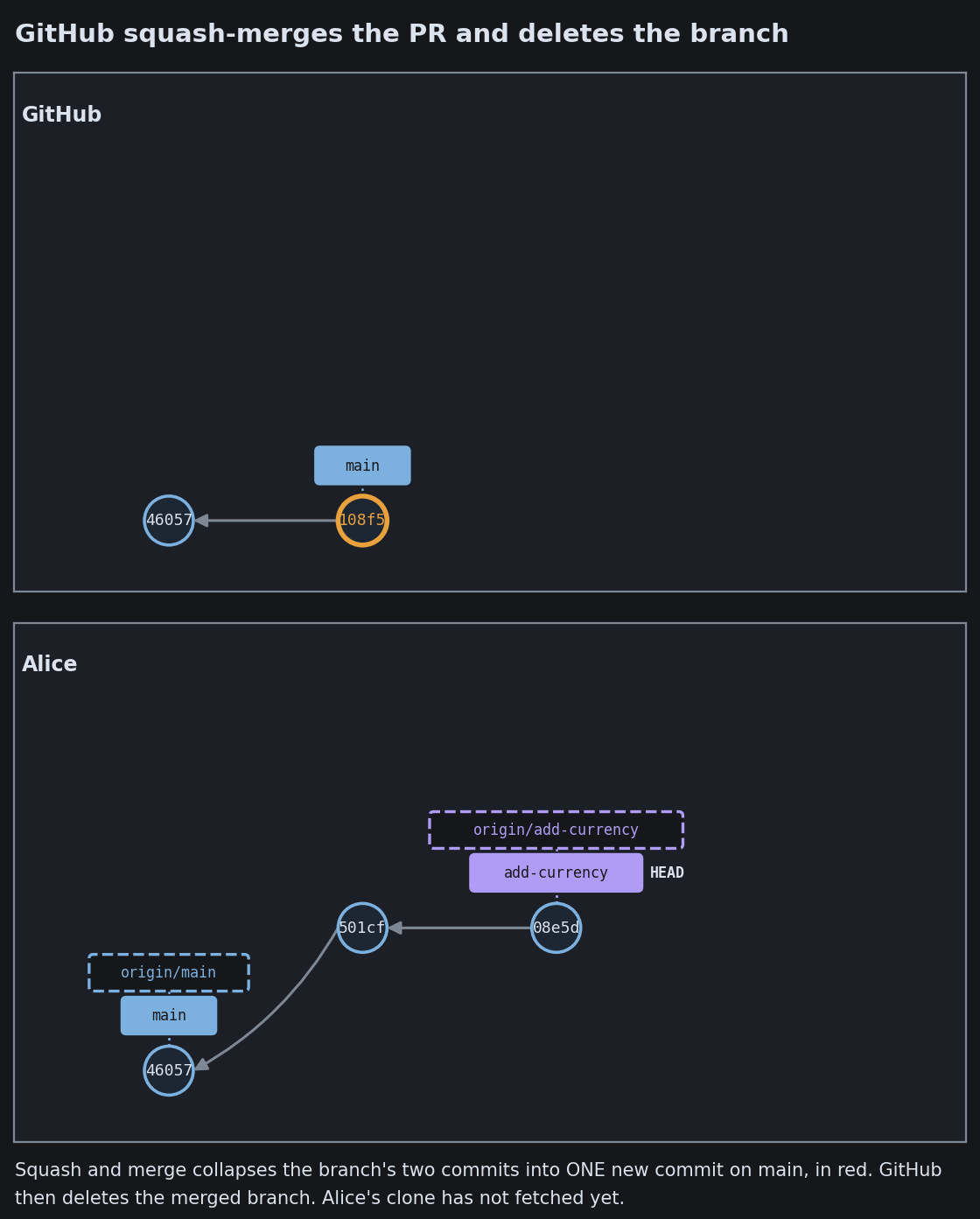
GitHub Flow: The Everyday Loop
GitHub Flow: The Everyday Loop
GitHub Flow: The Everyday Loop
GitHub Flow: The Everyday Loop
GitHub Flow: The Everyday Loop

Trunk-Based Development
Trunk-Based Development
Trunk-Based Development
Trunk-Based Development
Trunk-Based Development
Trunk-Based Development
Trunk-Based Development
Trunk-Based Development

GitFlow
GitFlow
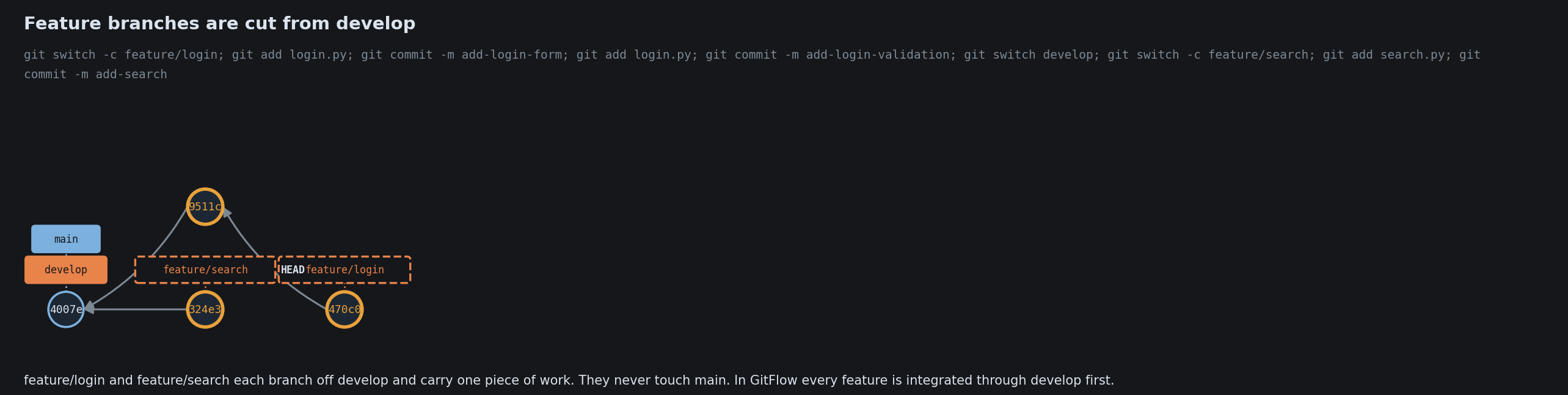
GitFlow
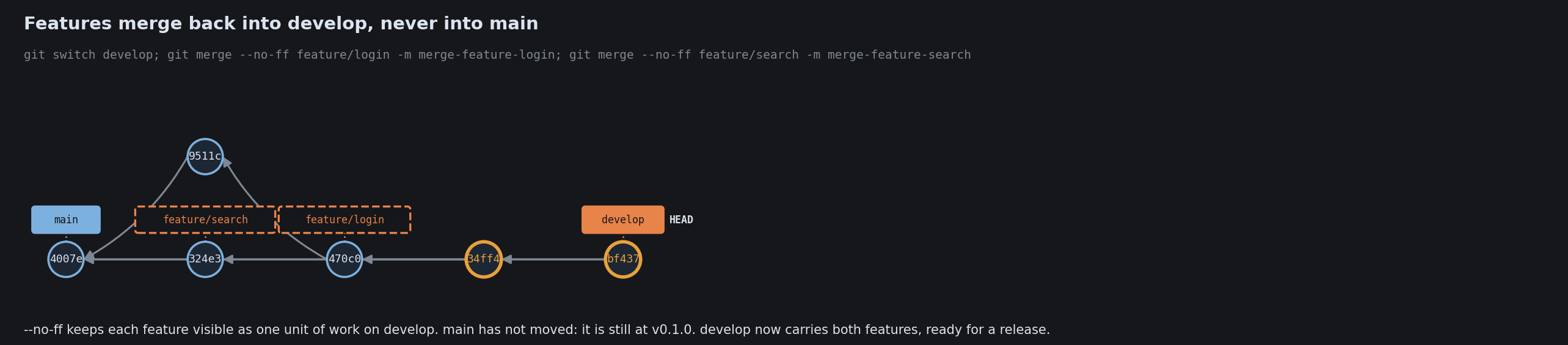
GitFlow
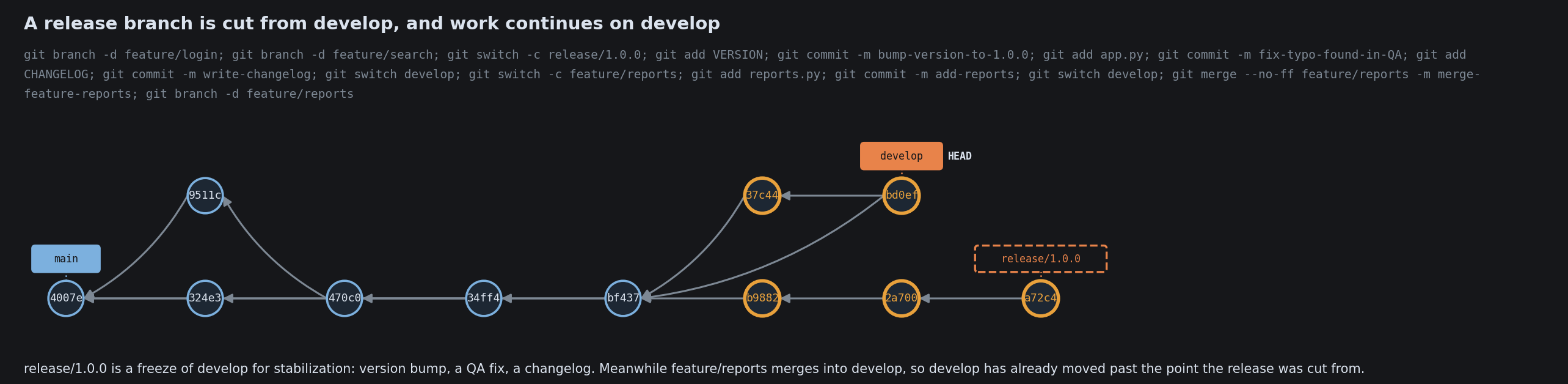
GitFlow
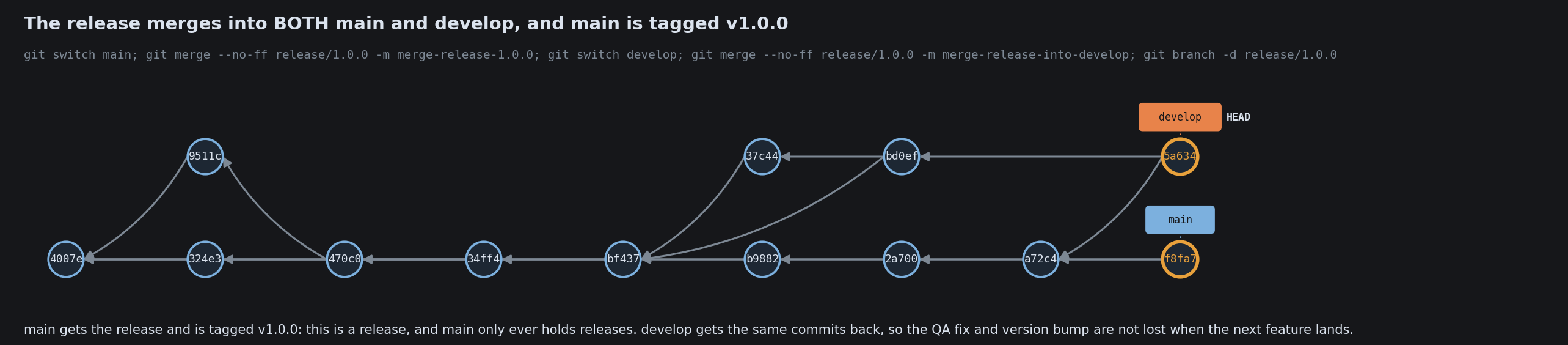
GitFlow
GitFlow
GitFlow

Choosing a Collaboration Style
Choosing a Collaboration Style
Choosing a Collaboration Style
Choosing a Collaboration Style
Choosing a Collaboration Style

Parallel Work Without a Conflict
Parallel Work Without a Conflict
Parallel Work Without a Conflict
Parallel Work Without a Conflict
Parallel Work Without a Conflict
Parallel Work Without a Conflict
Parallel Work Without a Conflict
Parallel Work Without a Conflict

Two People Change the Same Line
Two People Change the Same Line
Two People Change the Same Line
Two People Change the Same Line
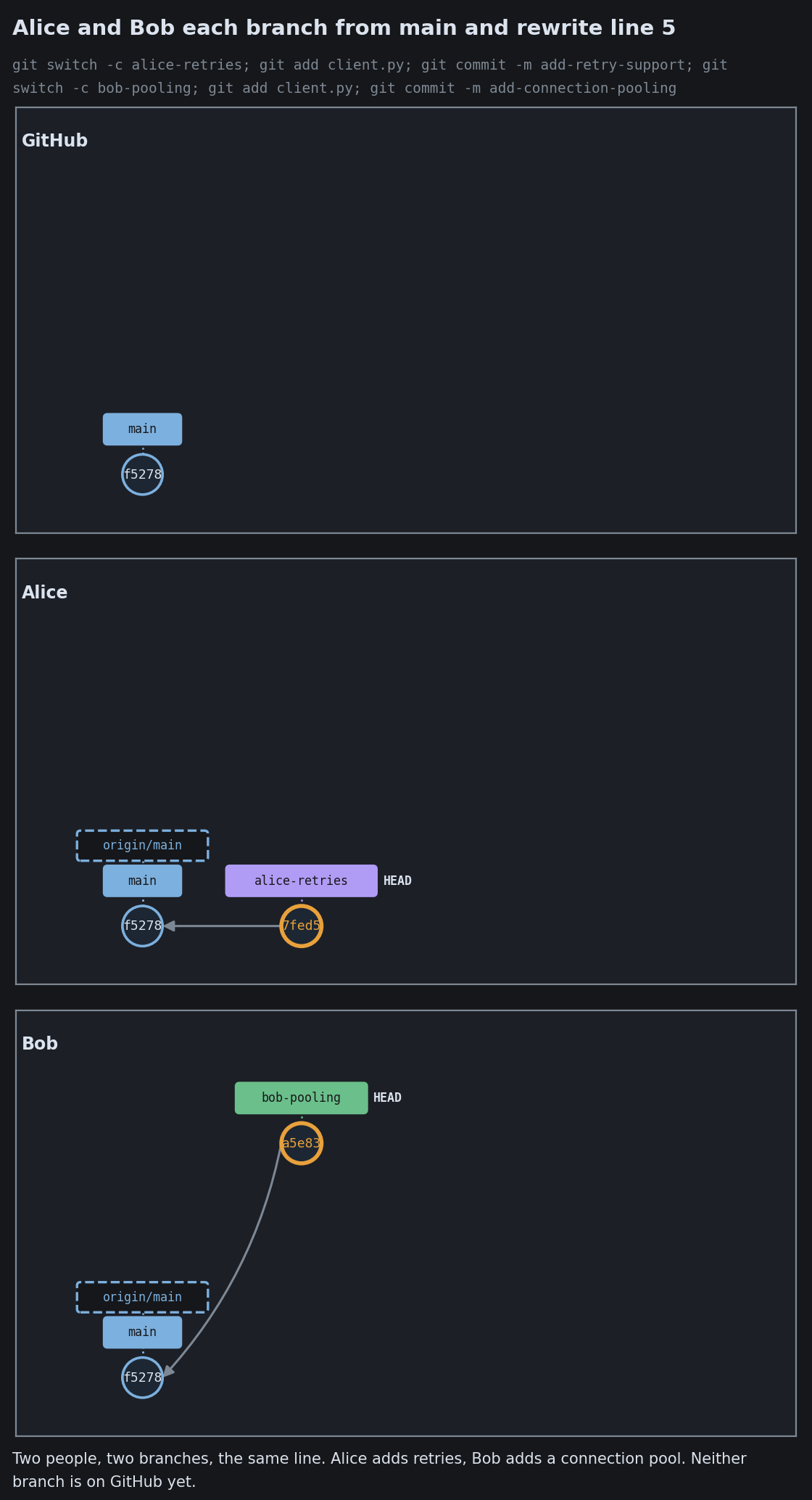
Two People Change the Same Line
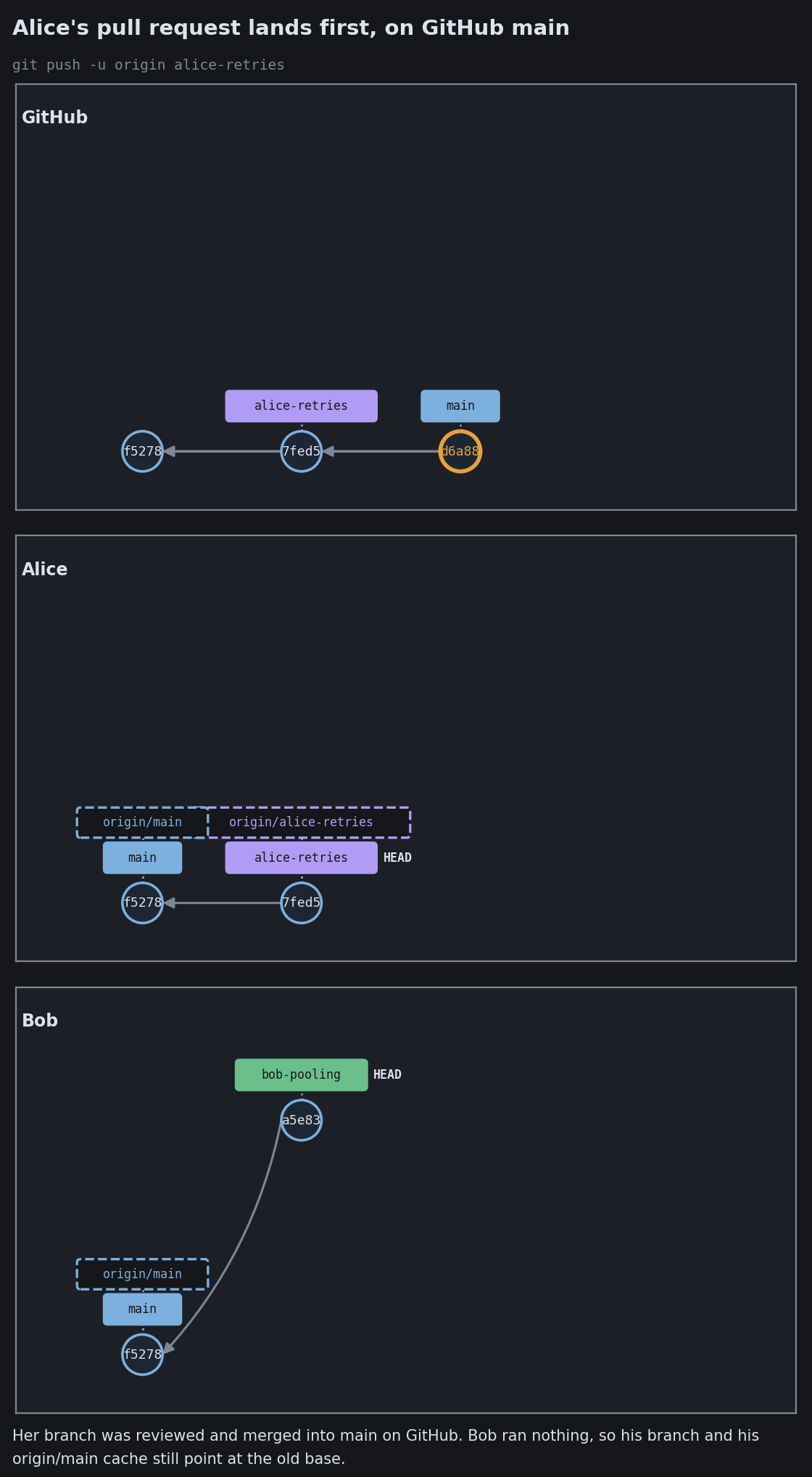
Two People Change the Same Line
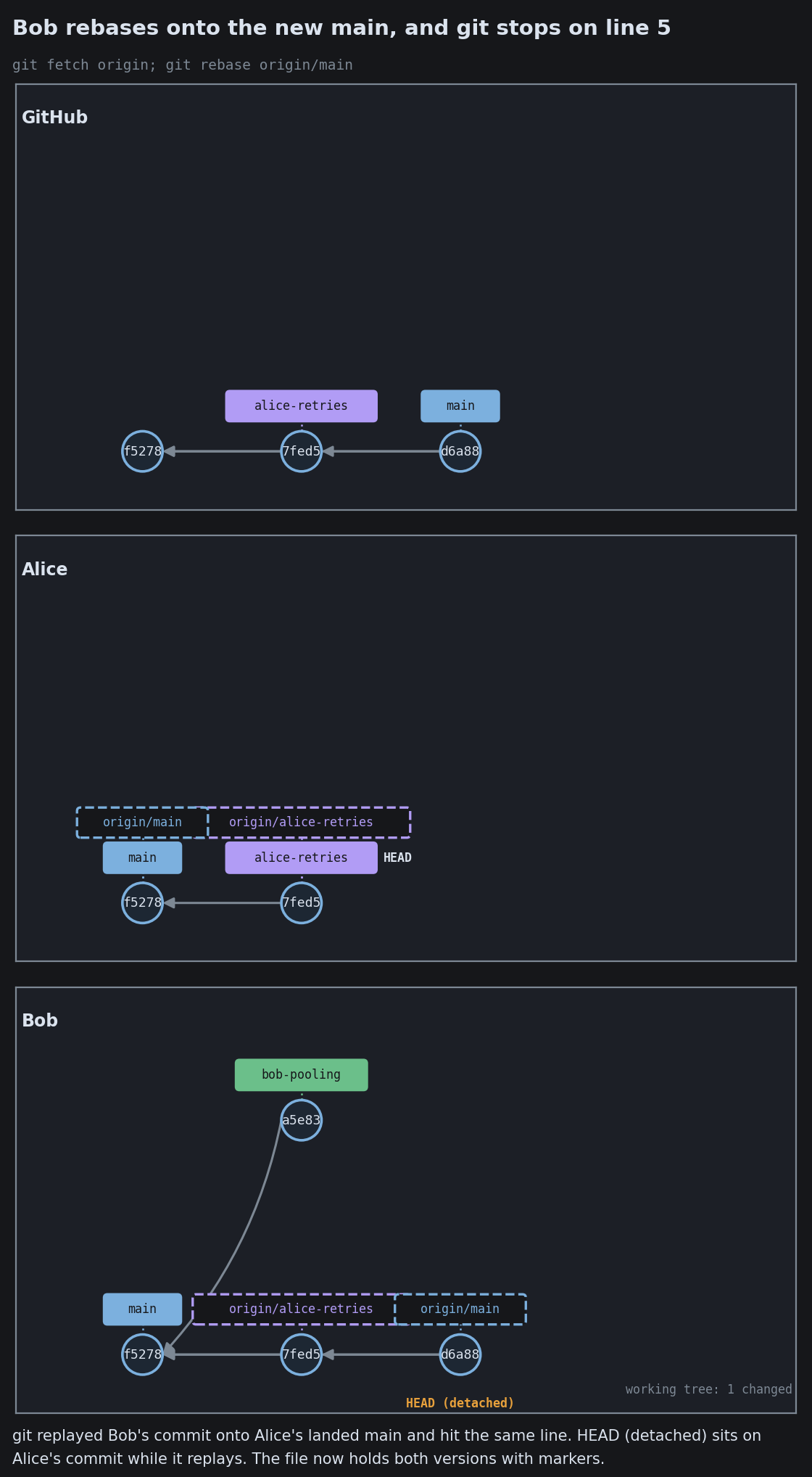
Two People Change the Same Line
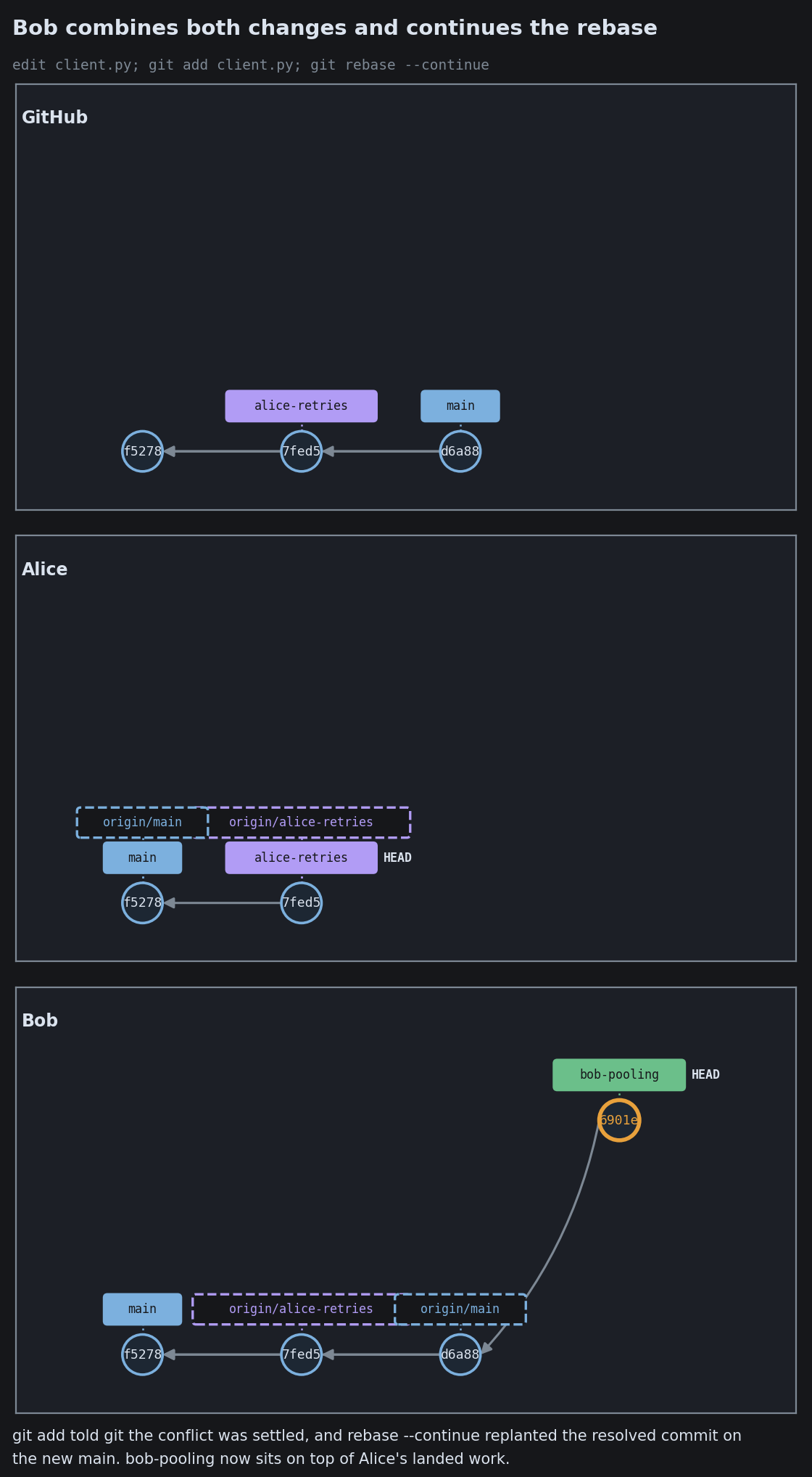
Two People Change the Same Line
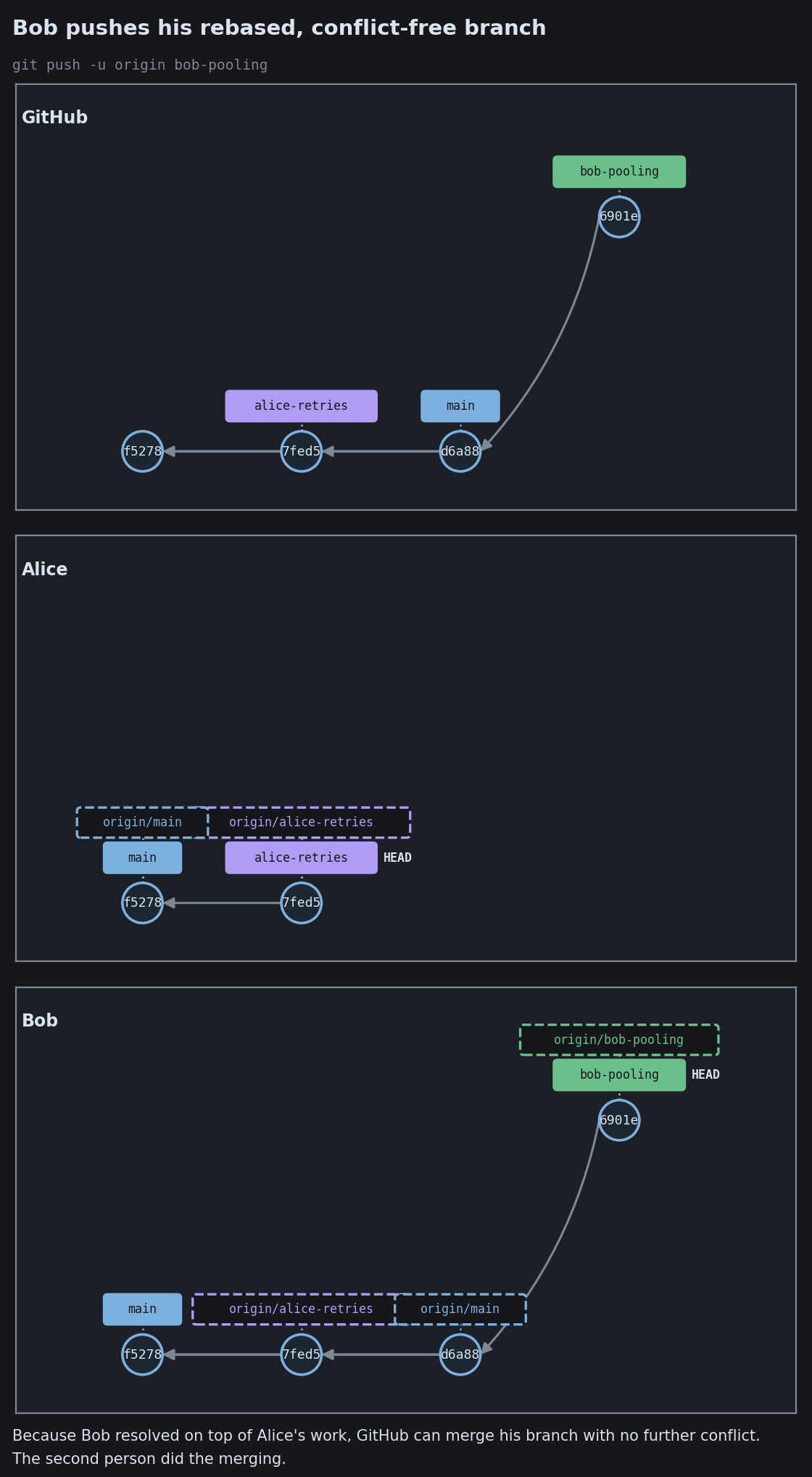
Two People Change the Same Line

Stacked Branches
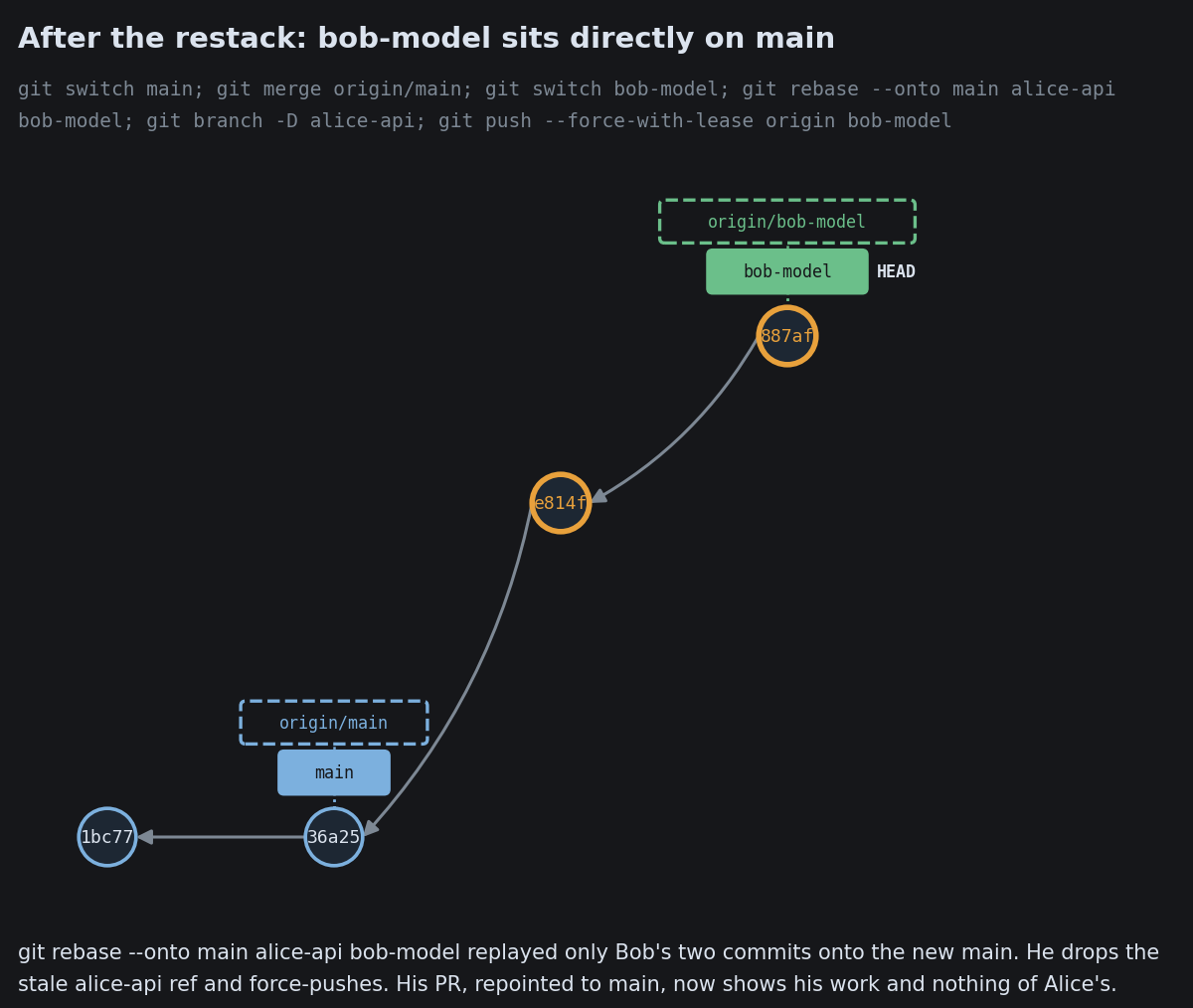
Stacked Branches
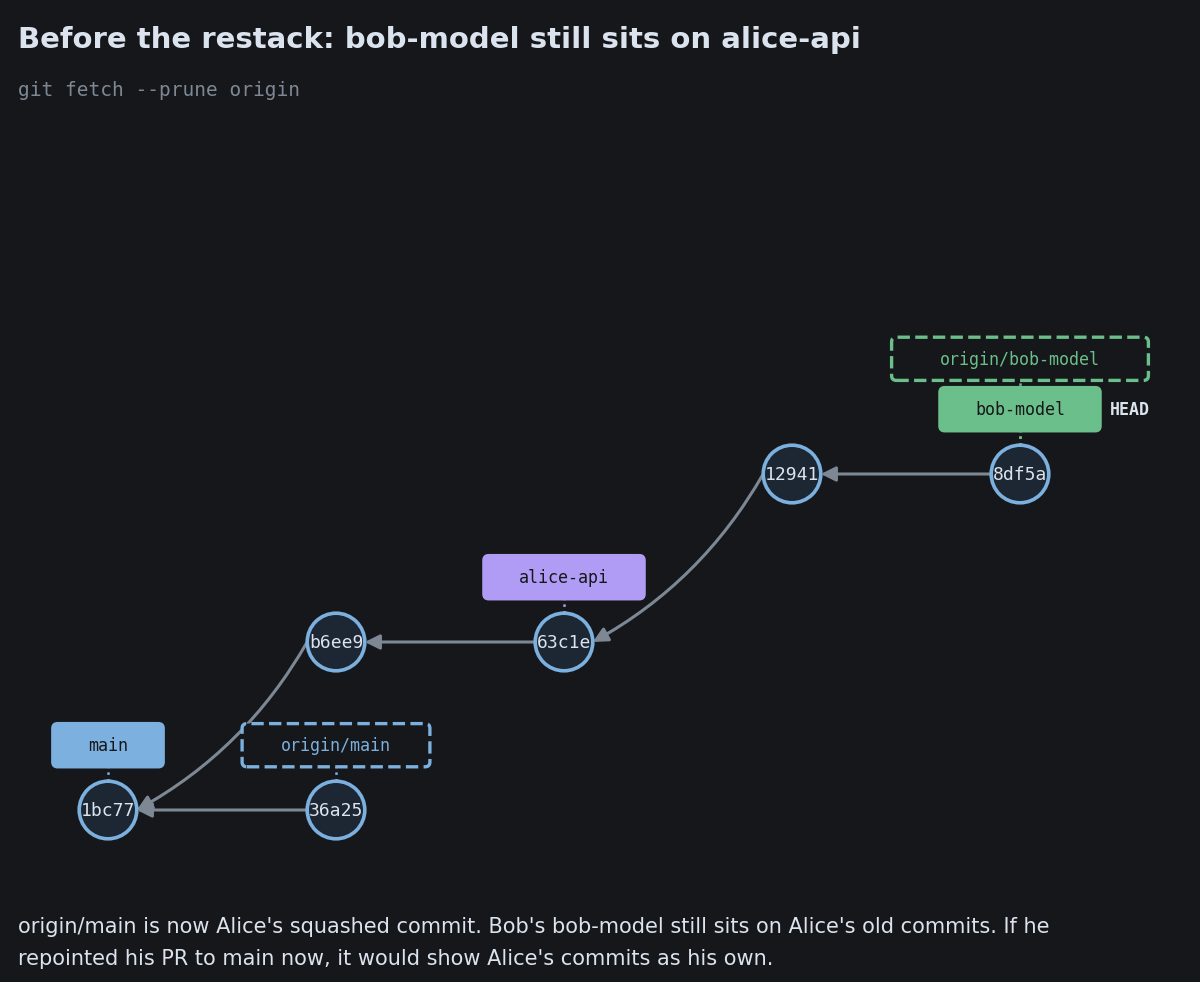
Stacked Branches
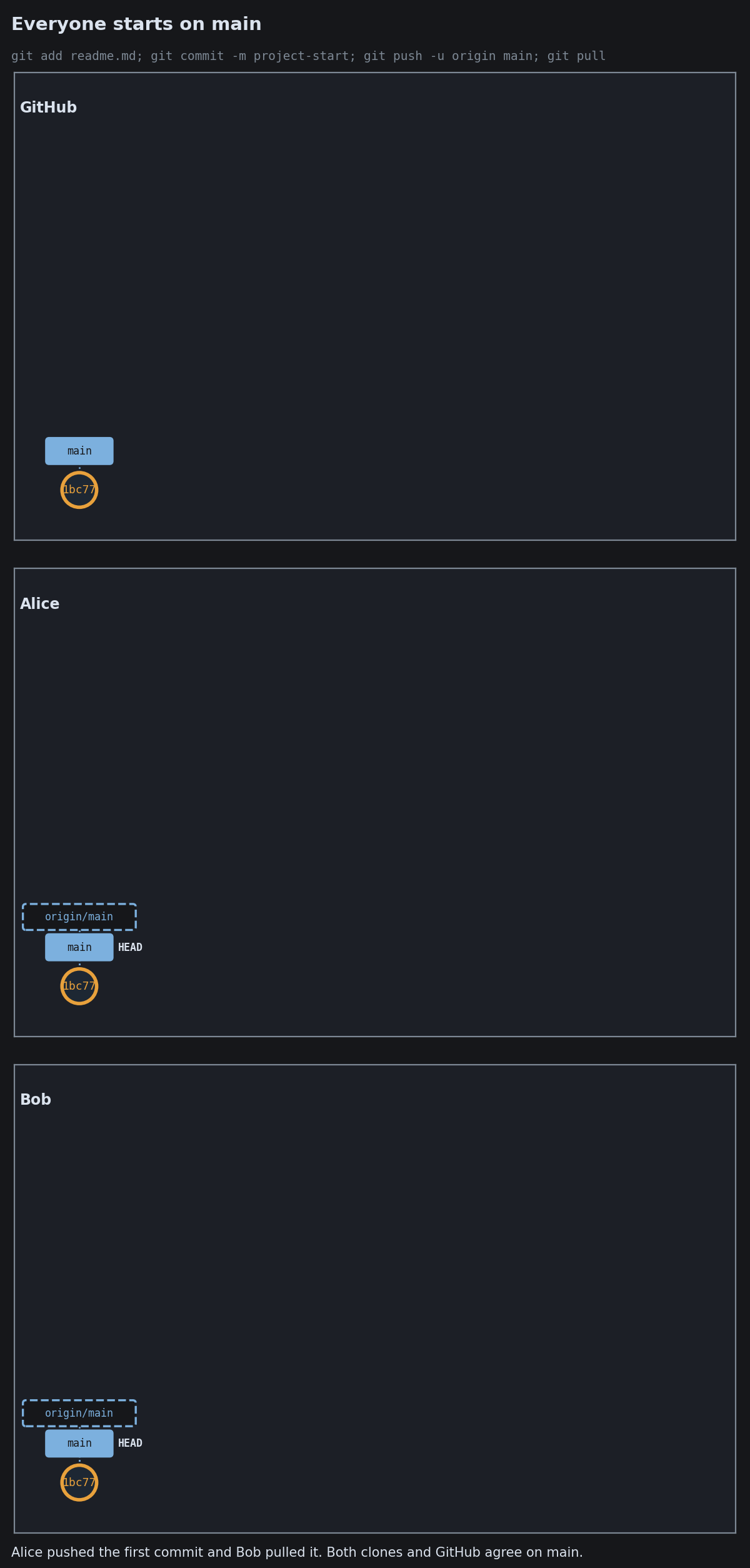
Stacked Branches
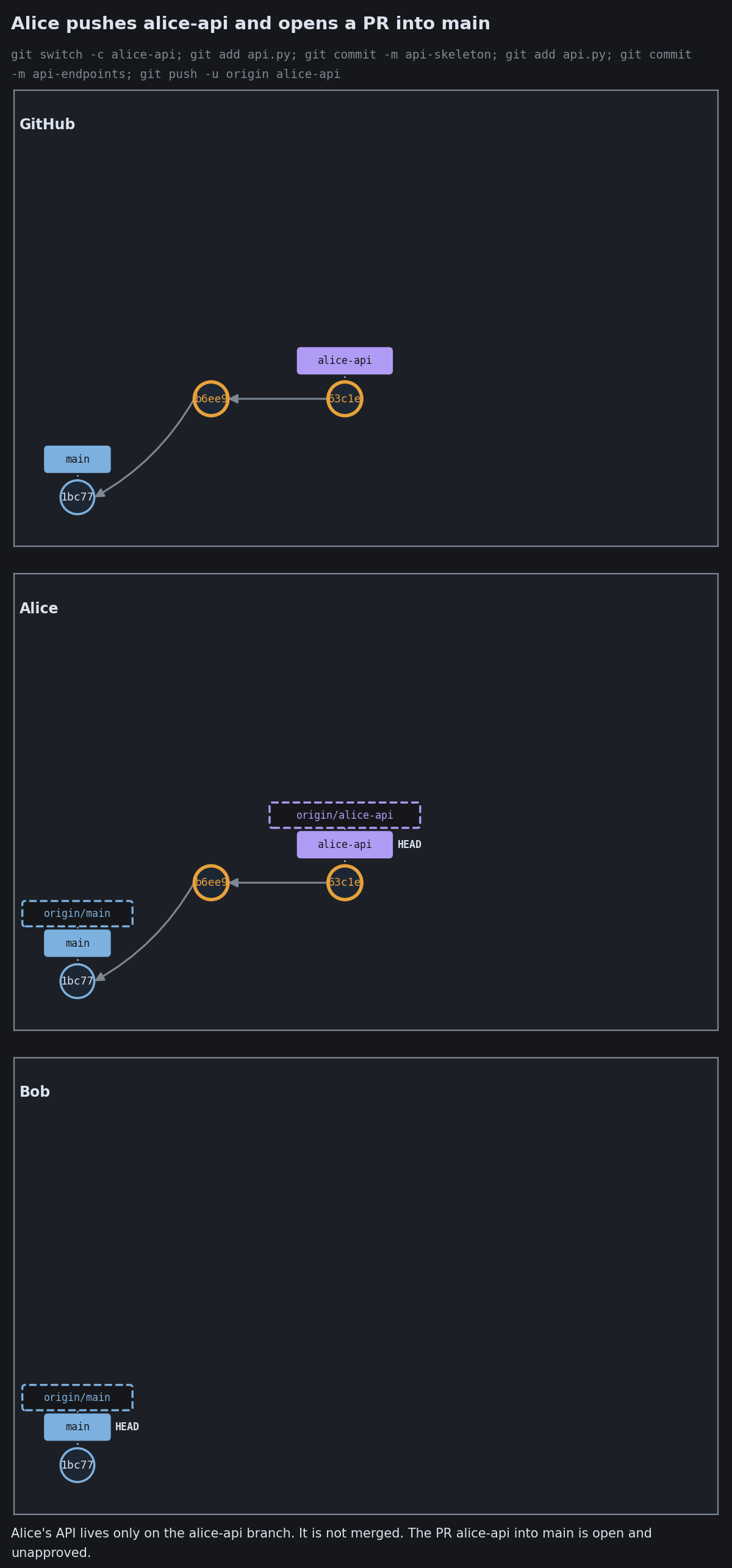
Stacked Branches
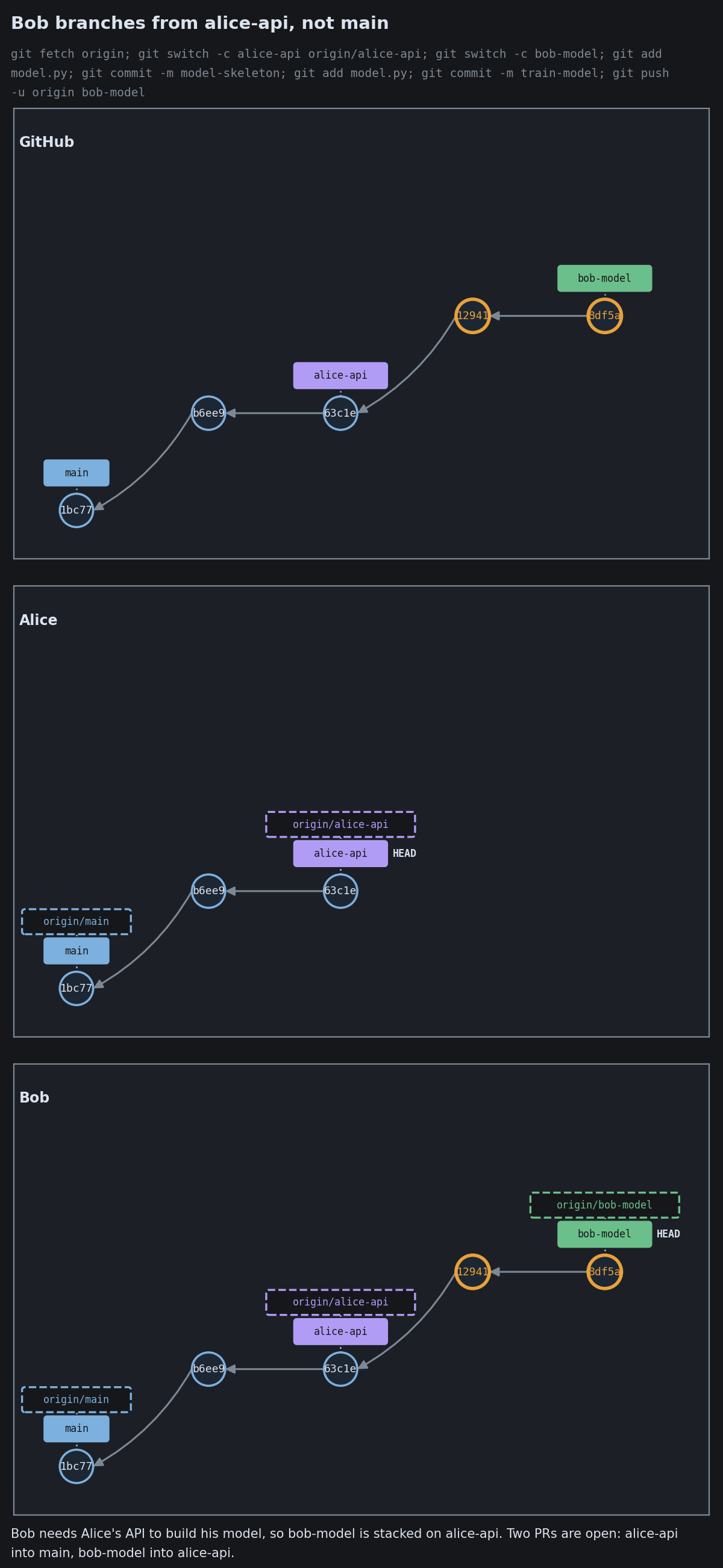
Stacked Branches
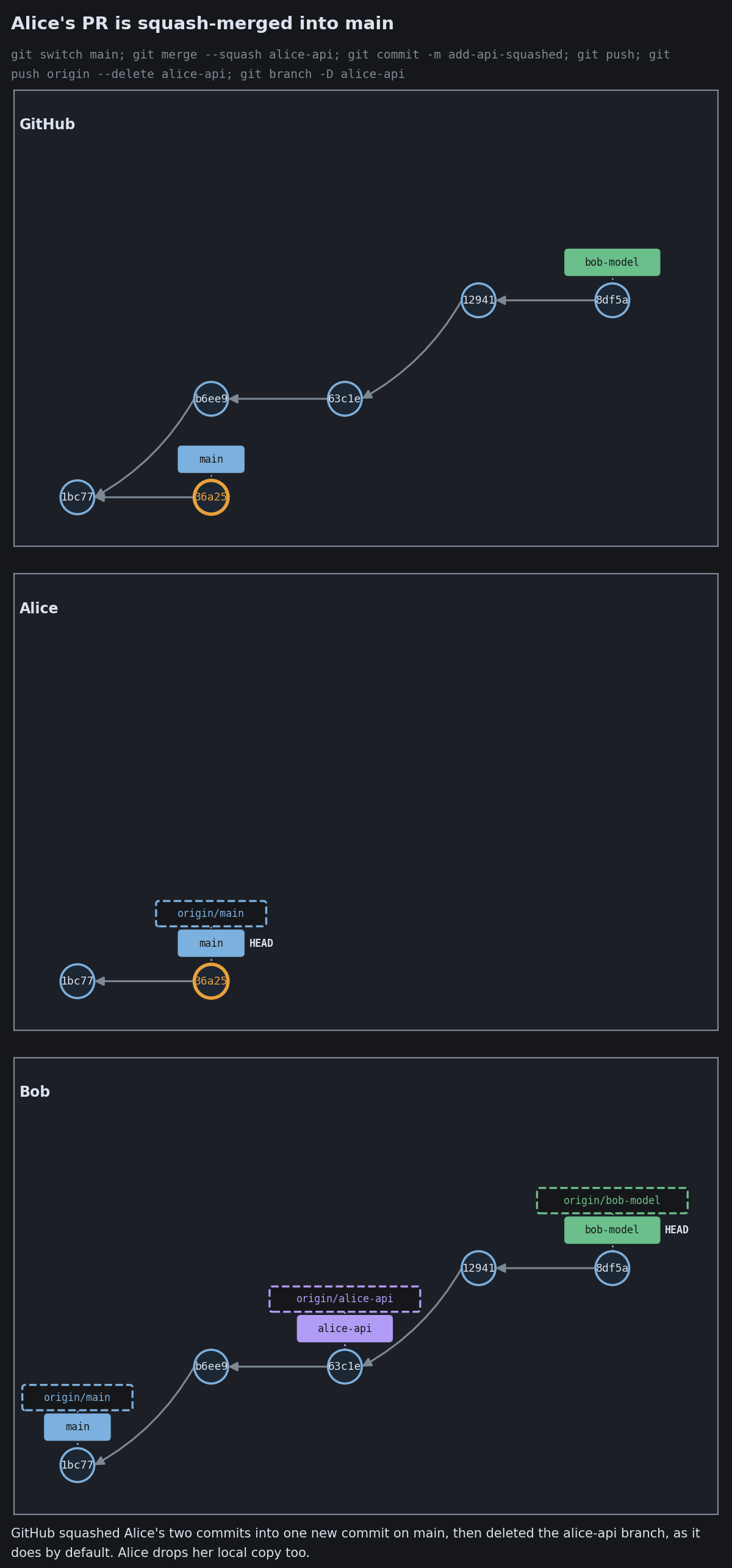
Stacked Branches
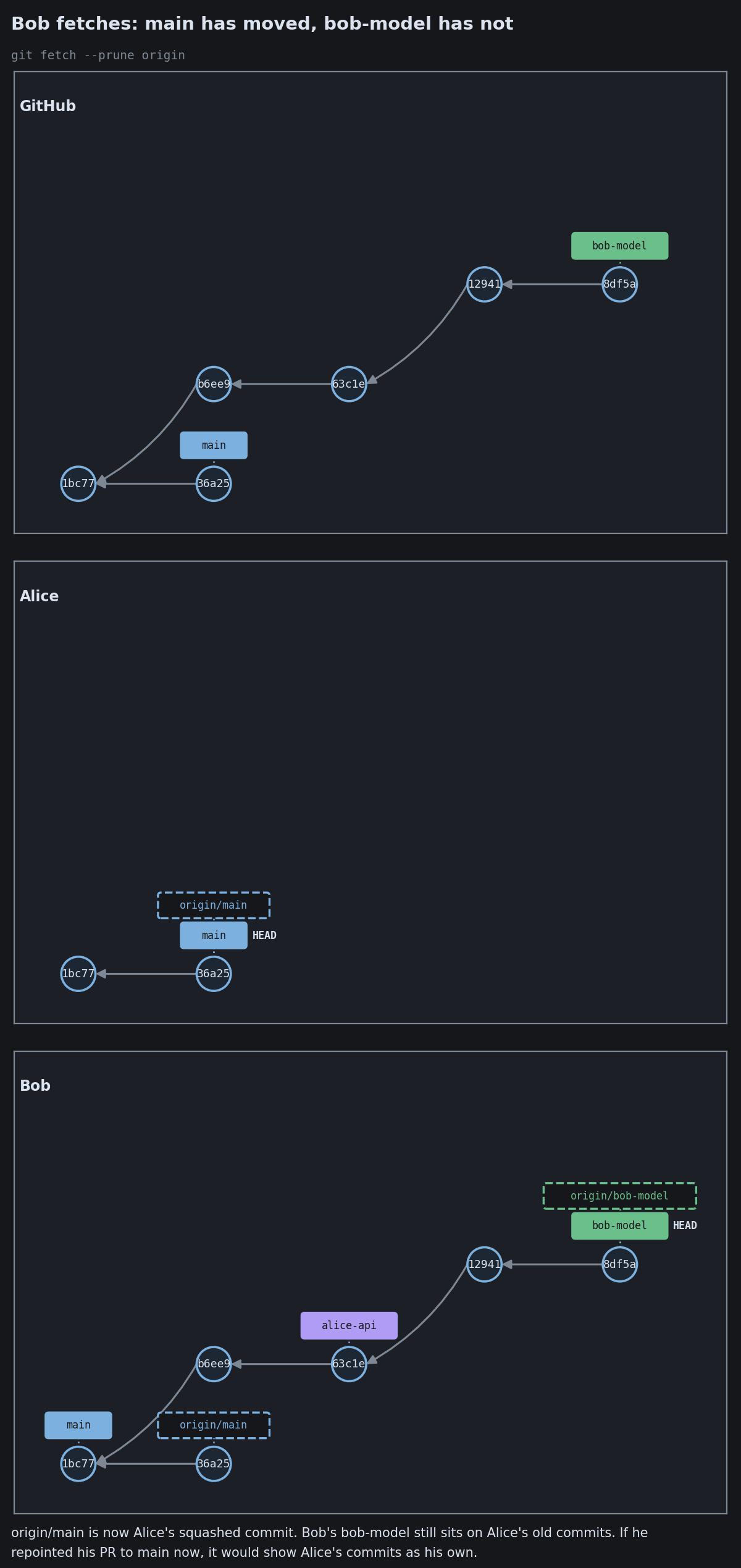
Stacked Branches
Stacked Branches

When Your Branch Goes Stale
When Your Branch Goes Stale
When Your Branch Goes Stale
When Your Branch Goes Stale
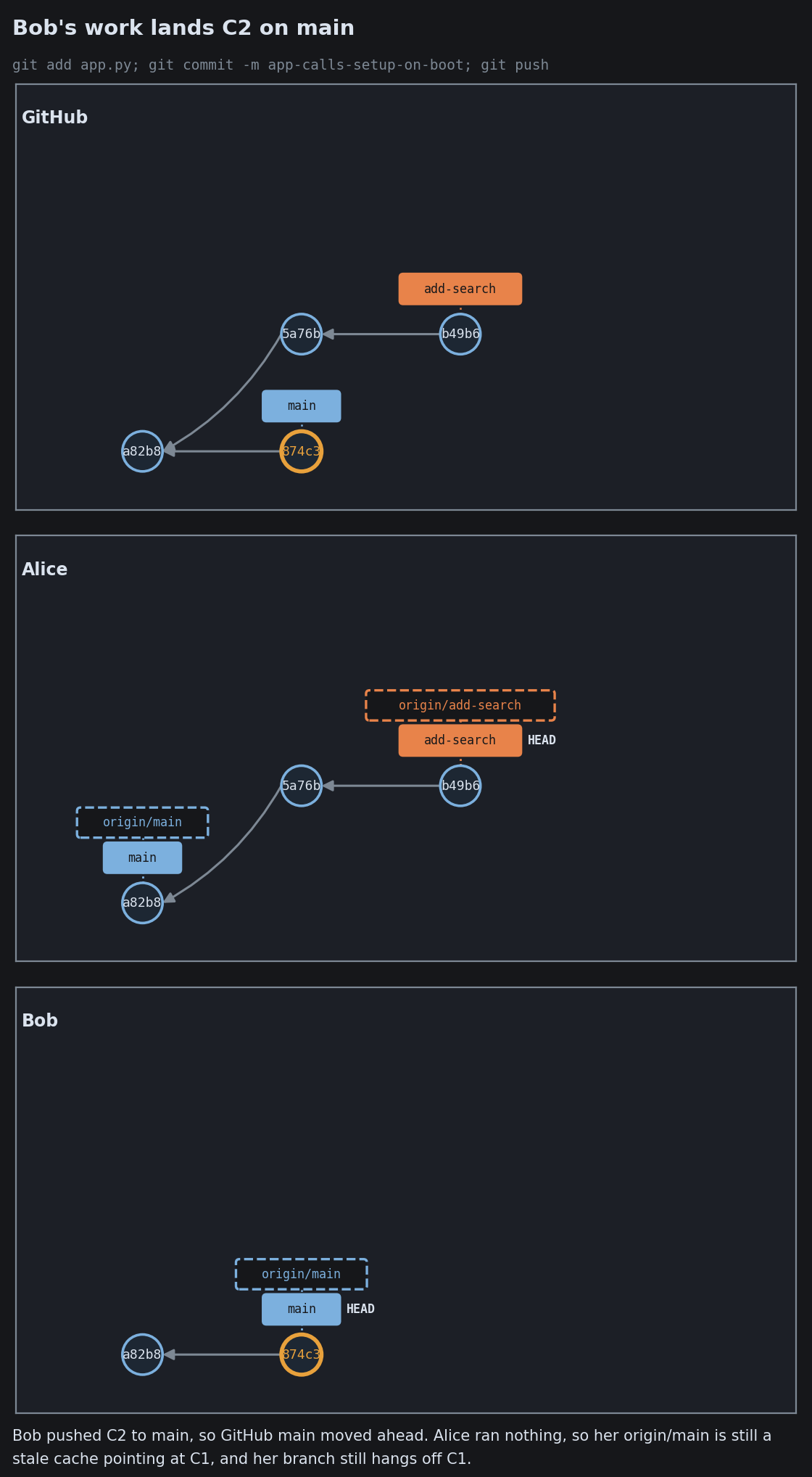
When Your Branch Goes Stale
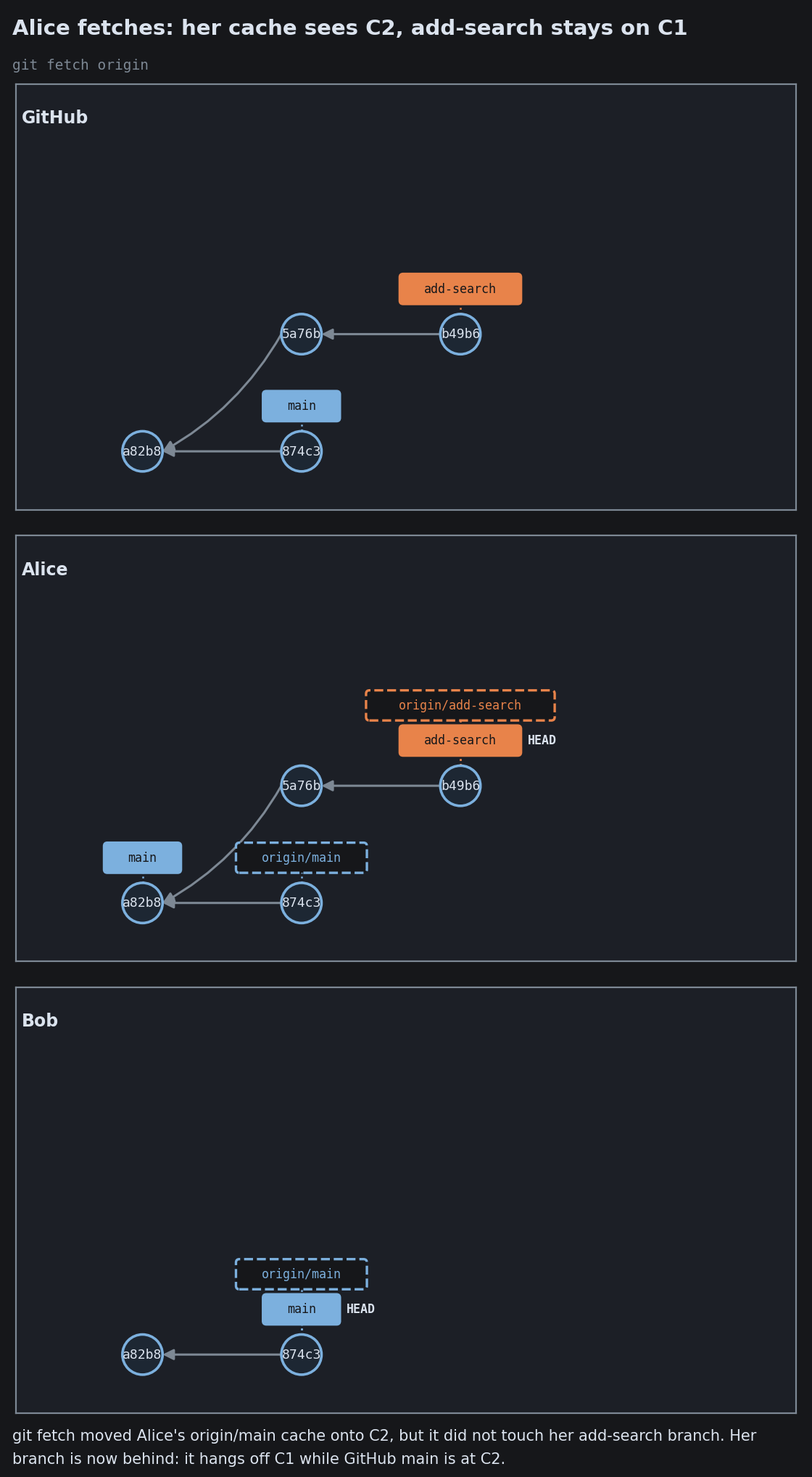
When Your Branch Goes Stale
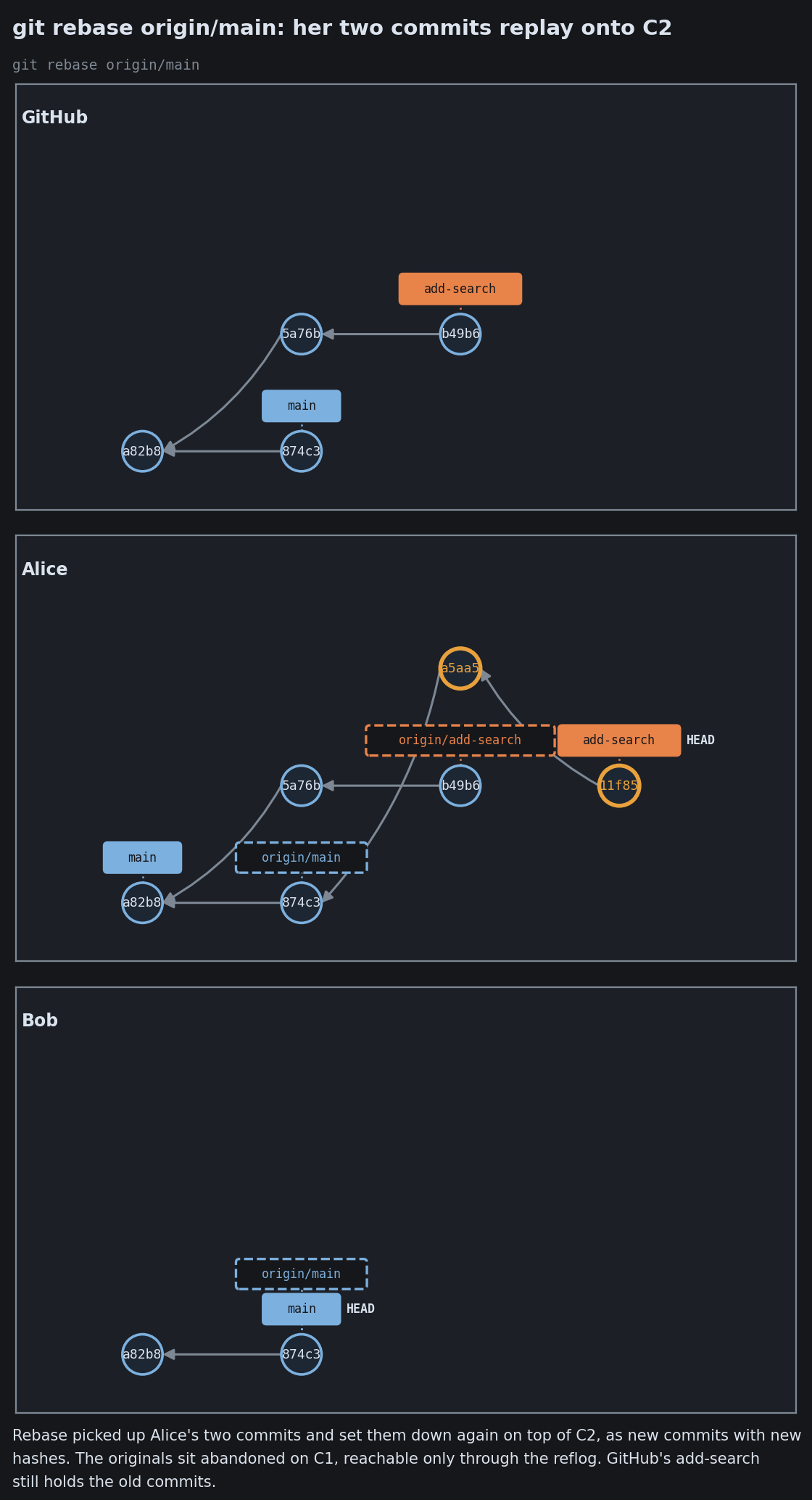
When Your Branch Goes Stale
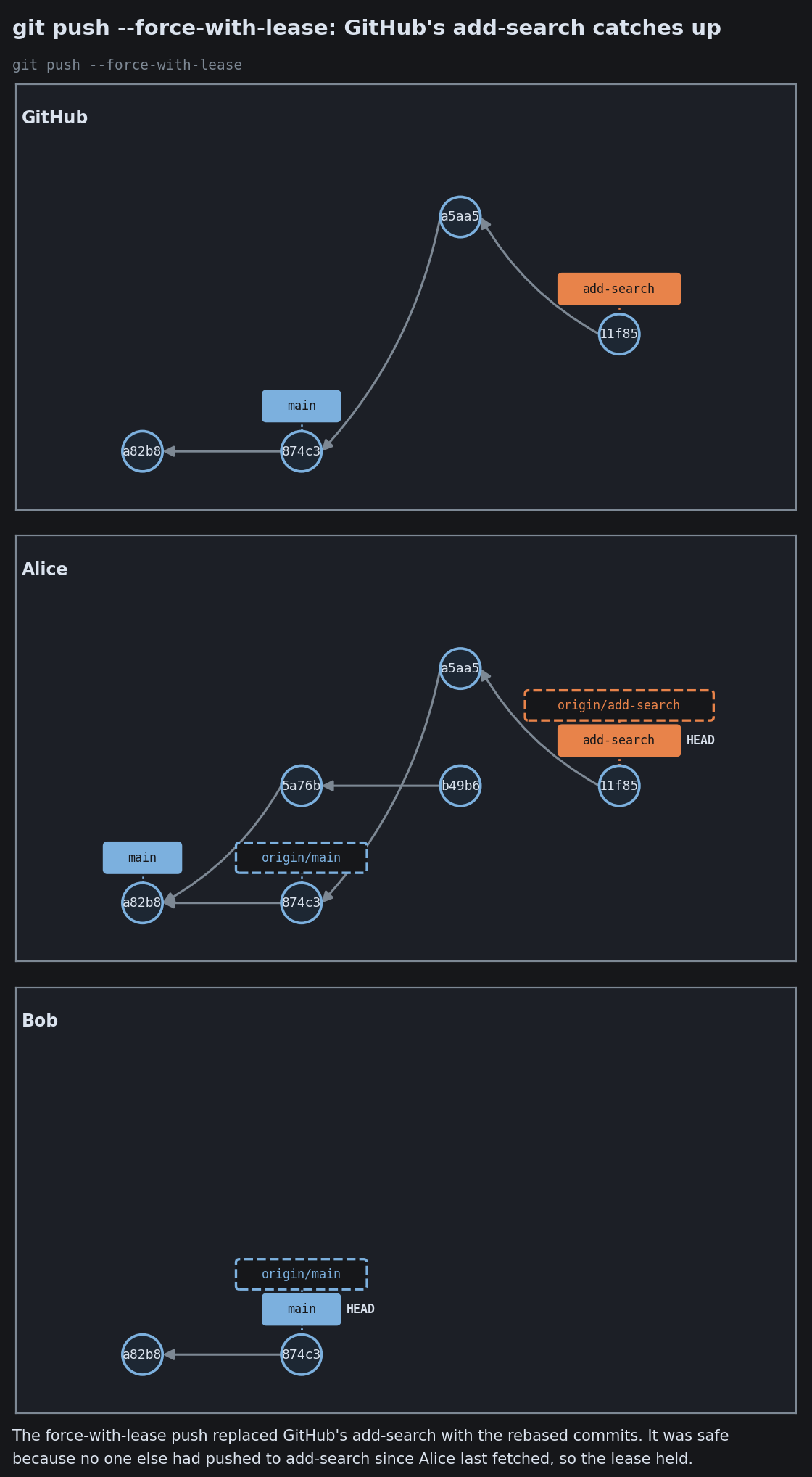
When Your Branch Goes Stale

You can almost always undo

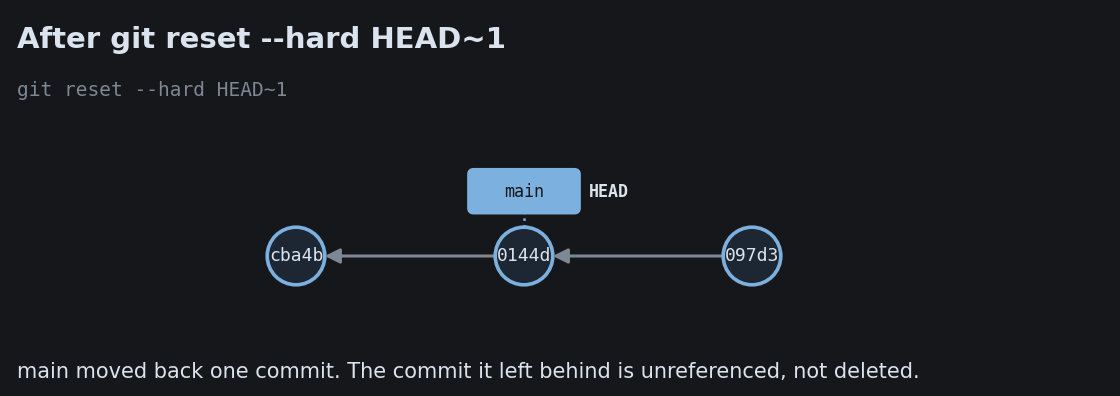
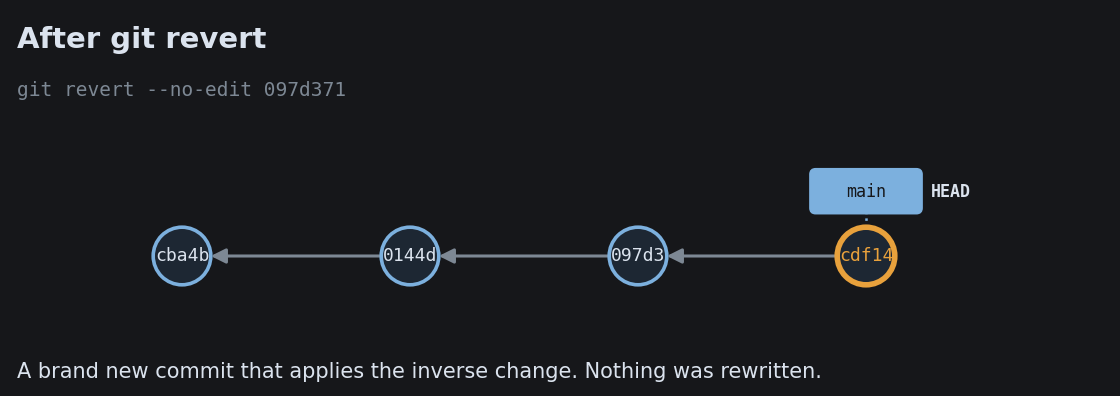
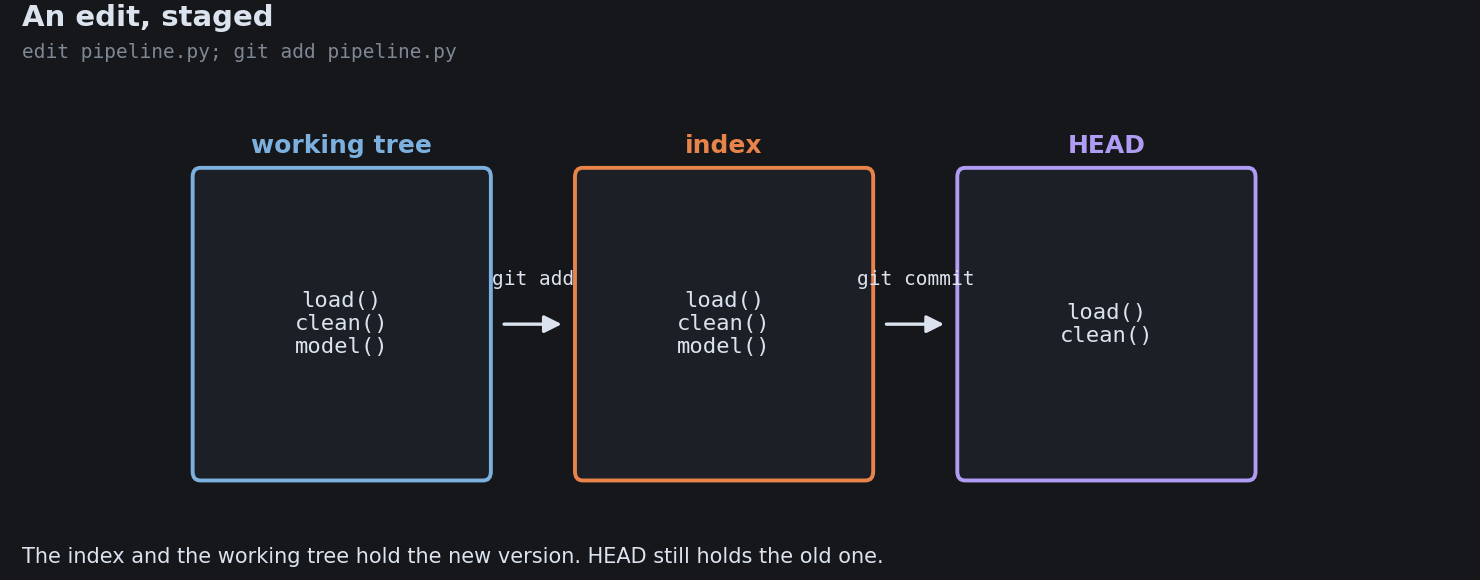
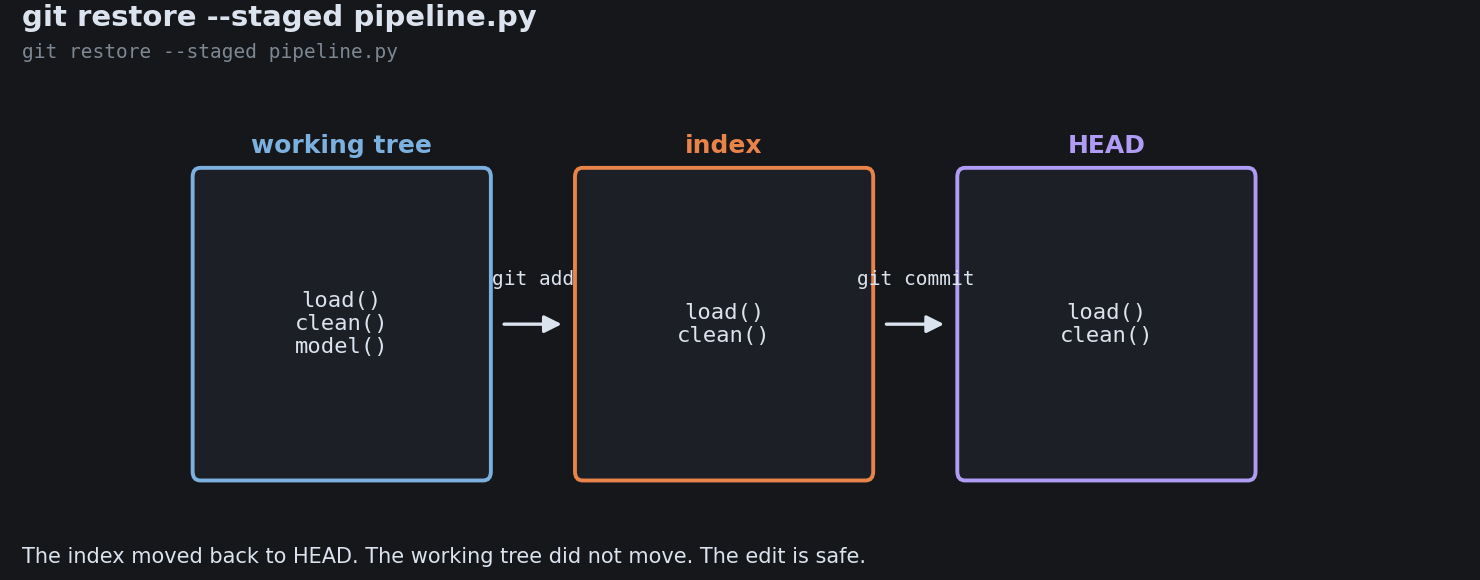
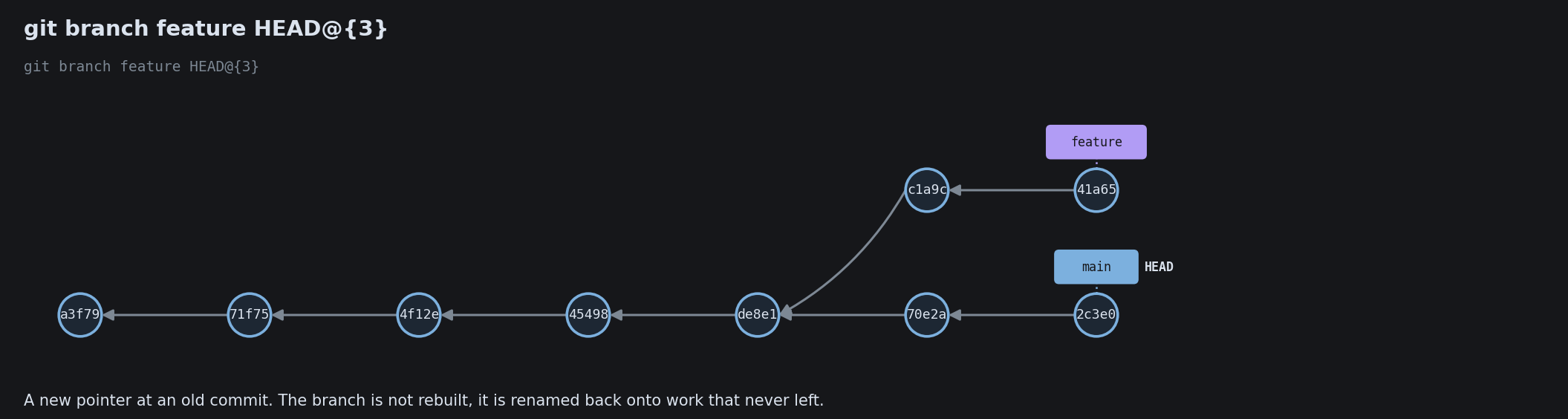
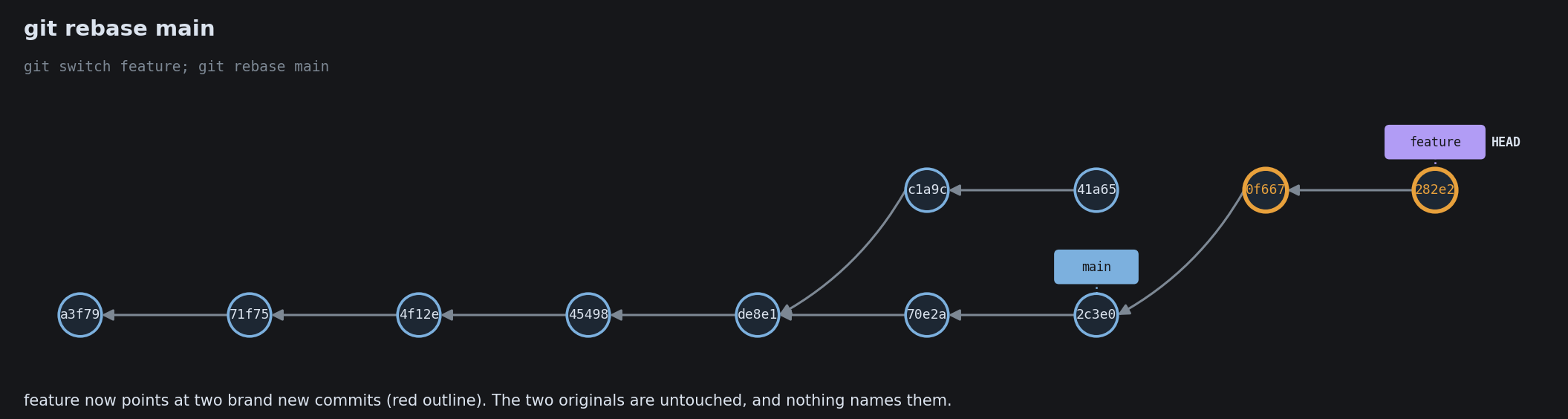
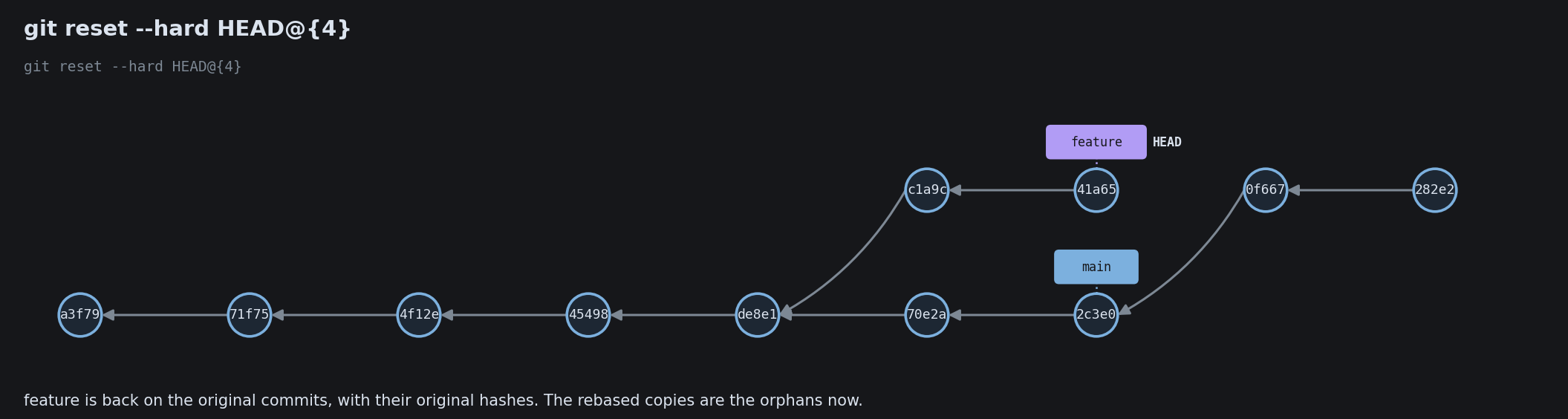
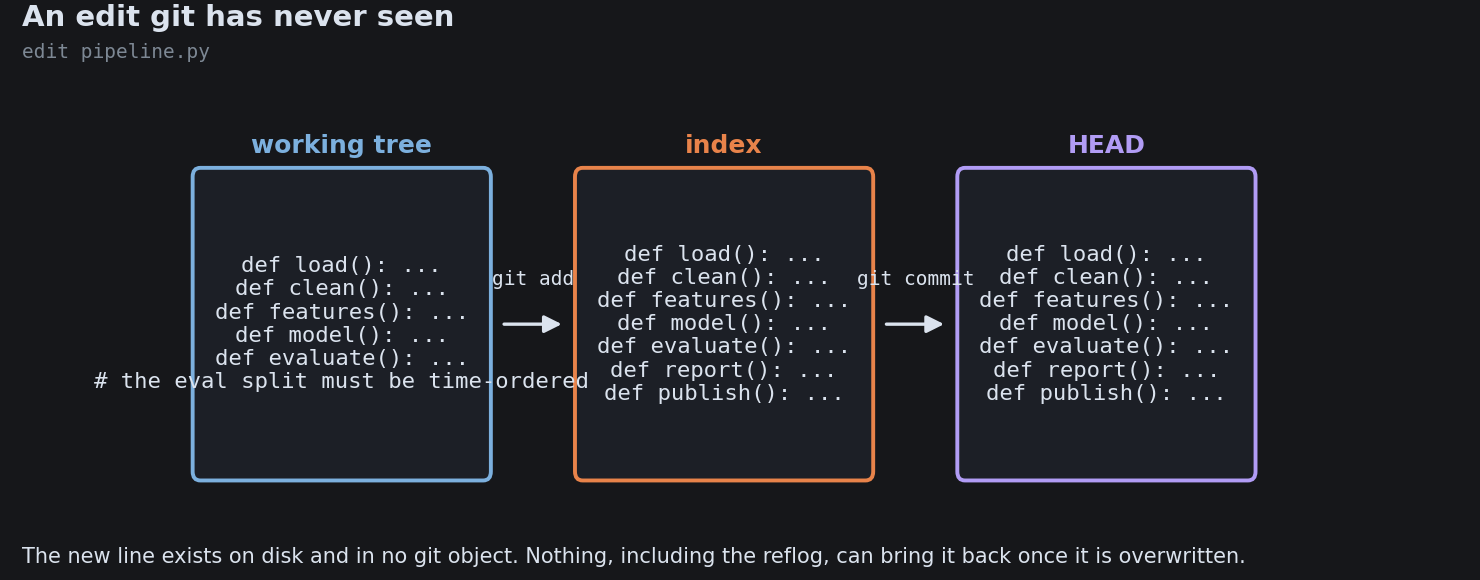
Git rarely loses committed work. A commit that is no longer on any branch still sits in the object store, and the reflog remembers every place HEAD has been. The next diagrams show the real safety net: reset, revert, restore, cherry-pick, and the reflog that recovers a “lost” commit.

Undo: Restore, Reset, Revert

Undo: Restore, Reset, Revert
Undo: Restore, Reset, Revert
Undo: Restore, Reset, Revert
Undo: Restore, Reset, Revert
Undo: Restore, Reset, Revert
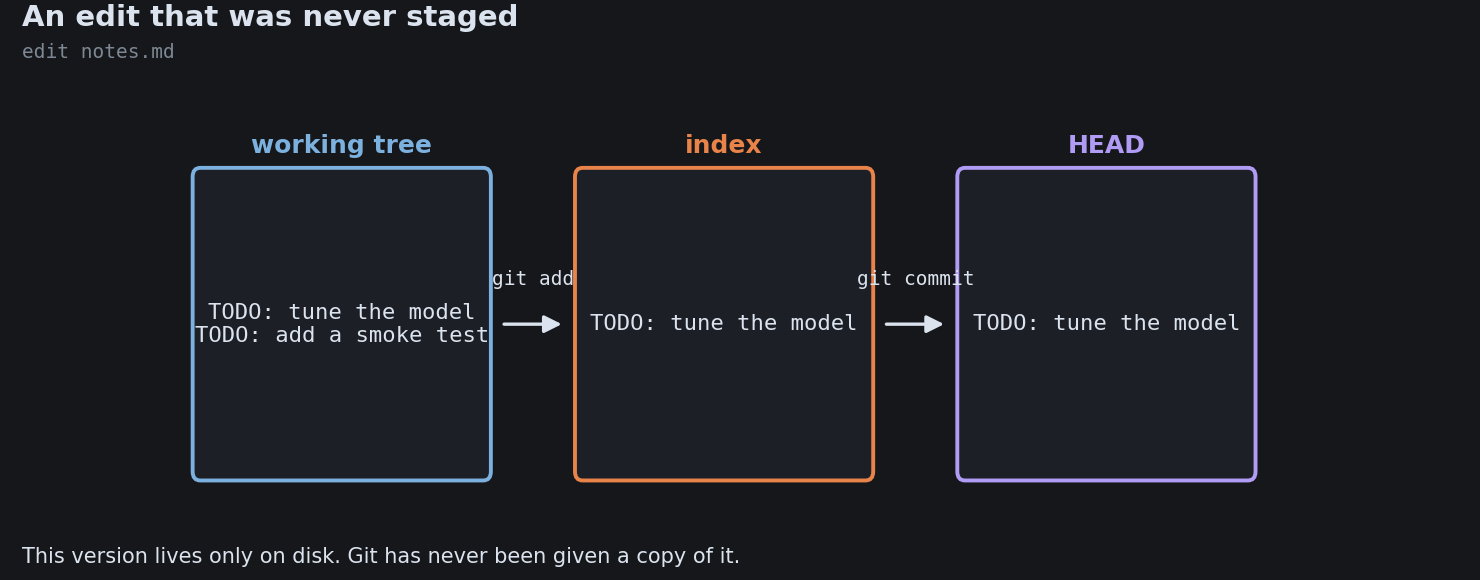
Undo: Restore, Reset, Revert
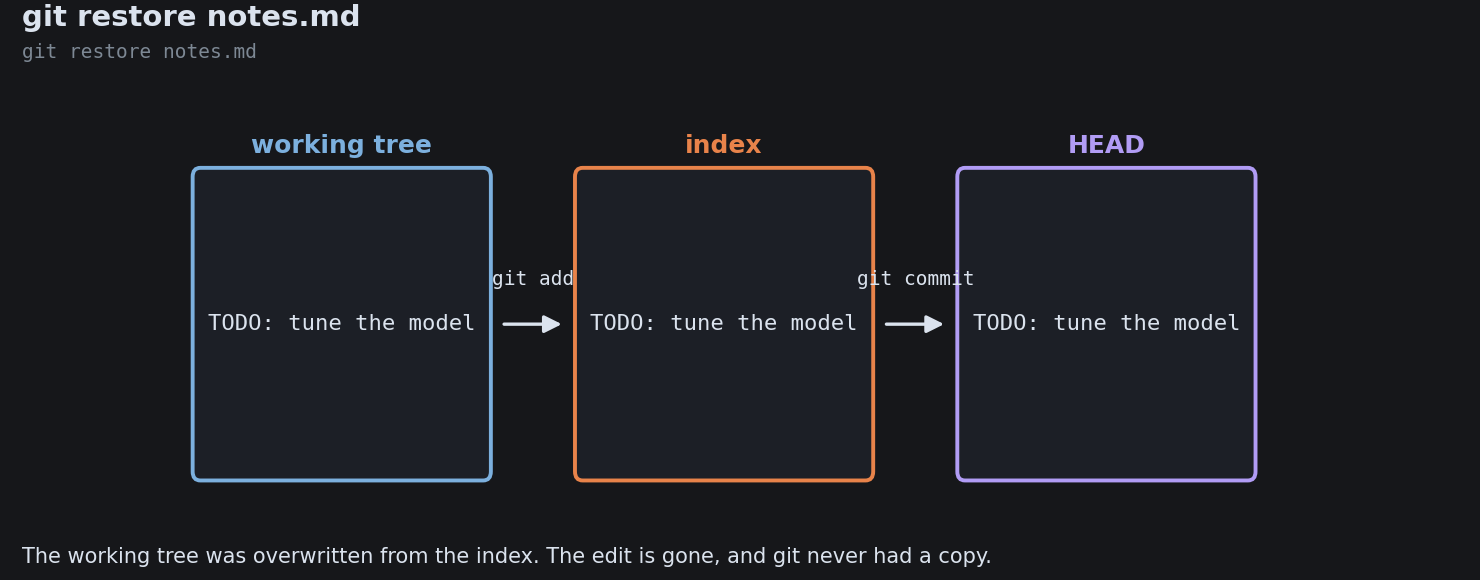
Undo: Restore, Reset, Revert
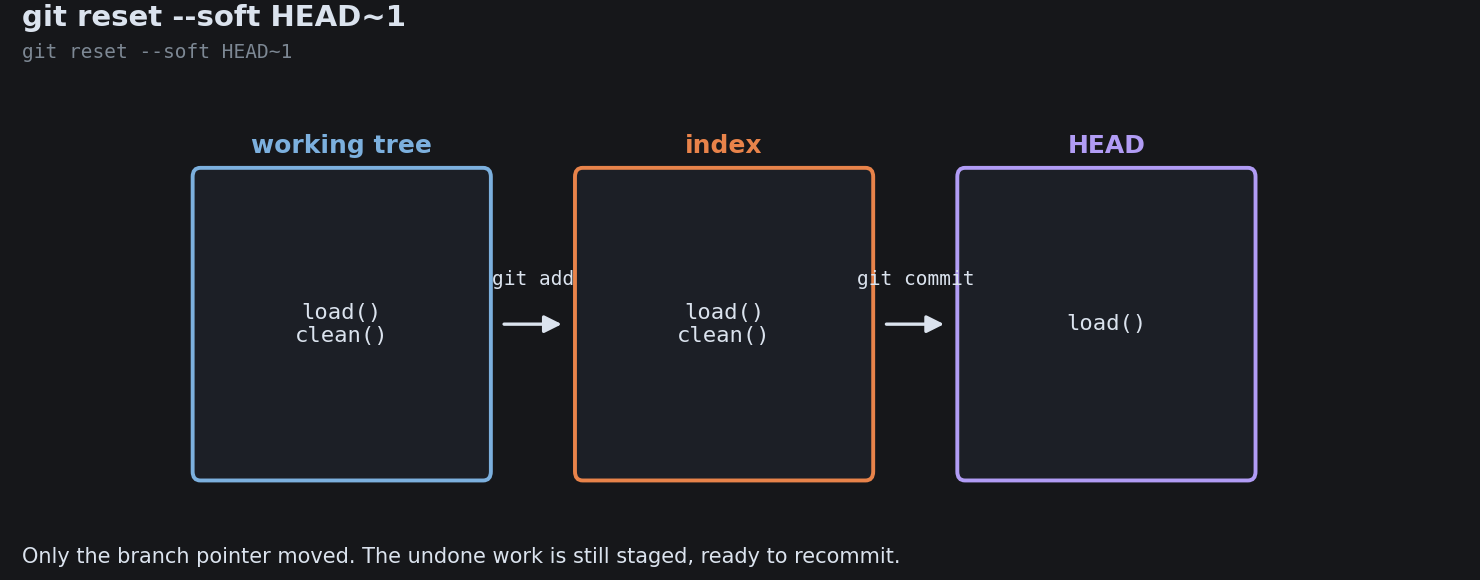
Undo: Restore, Reset, Revert
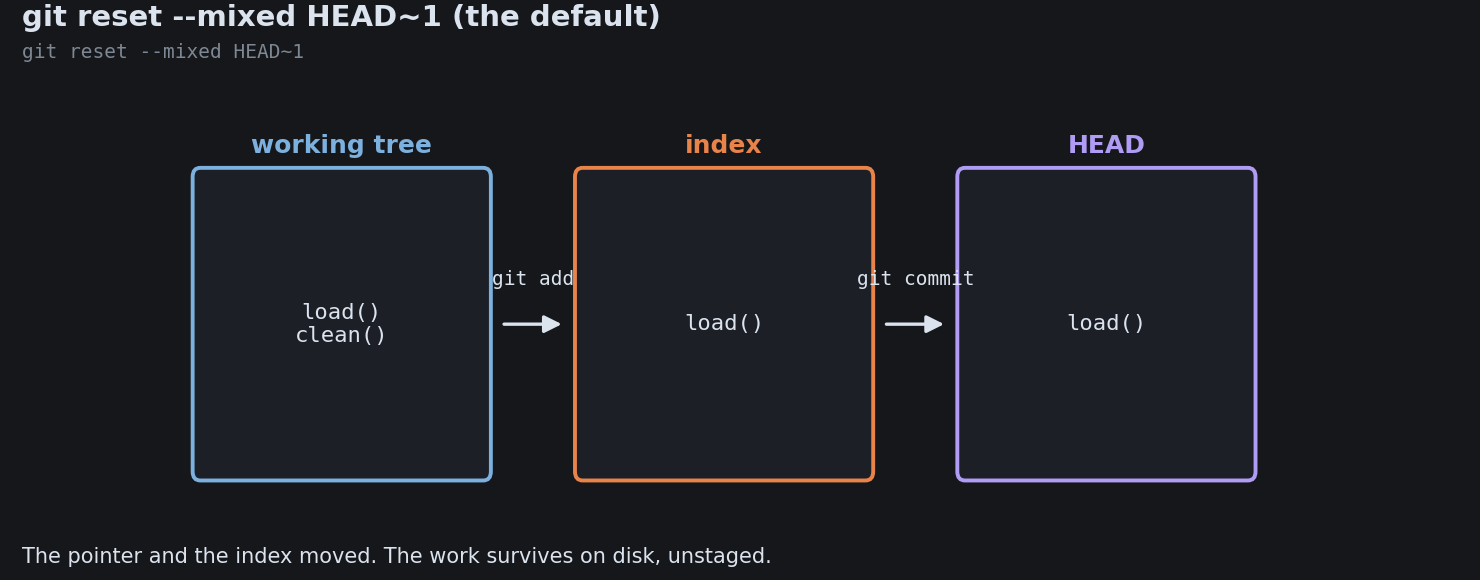
Undo: Restore, Reset, Revert
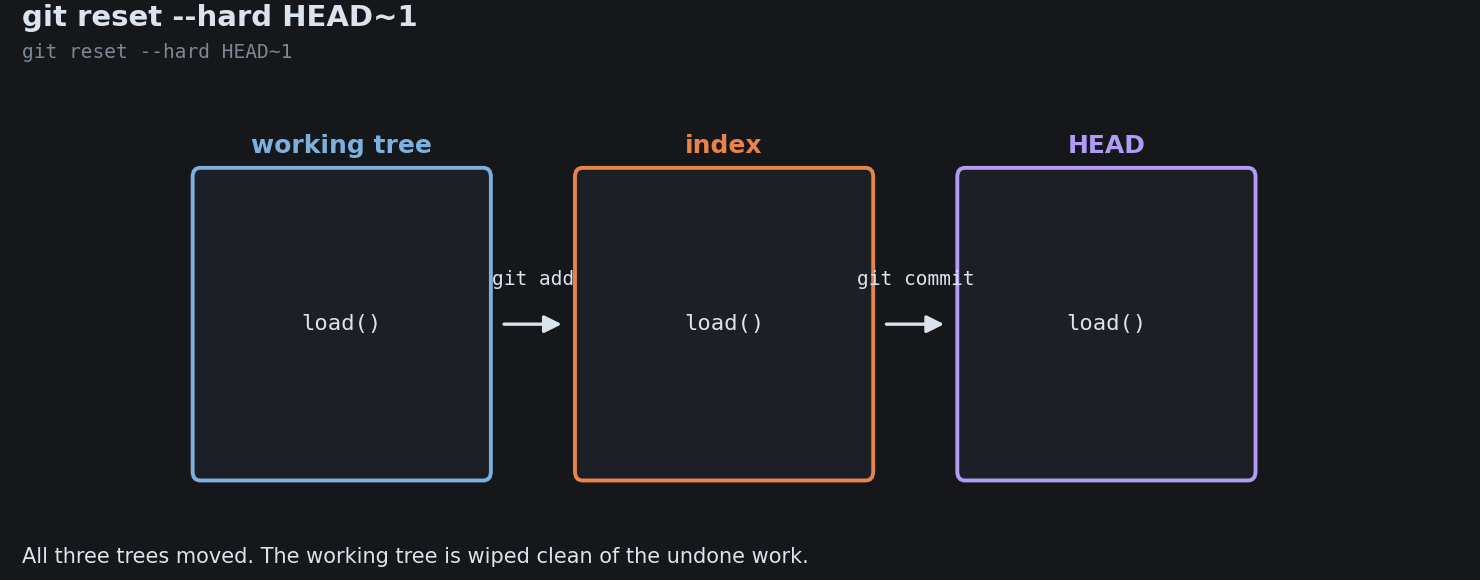
Undo: Restore, Reset, Revert
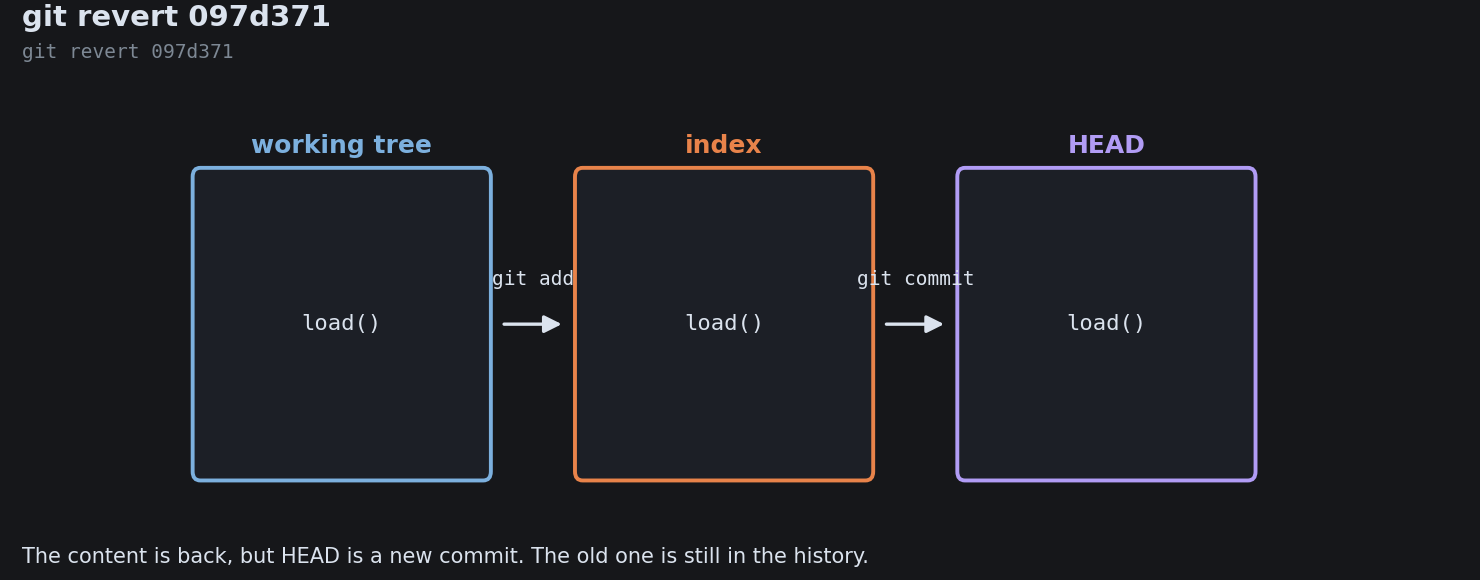
Undo: Restore, Reset, Revert

The Reflog: Git’s Safety Net
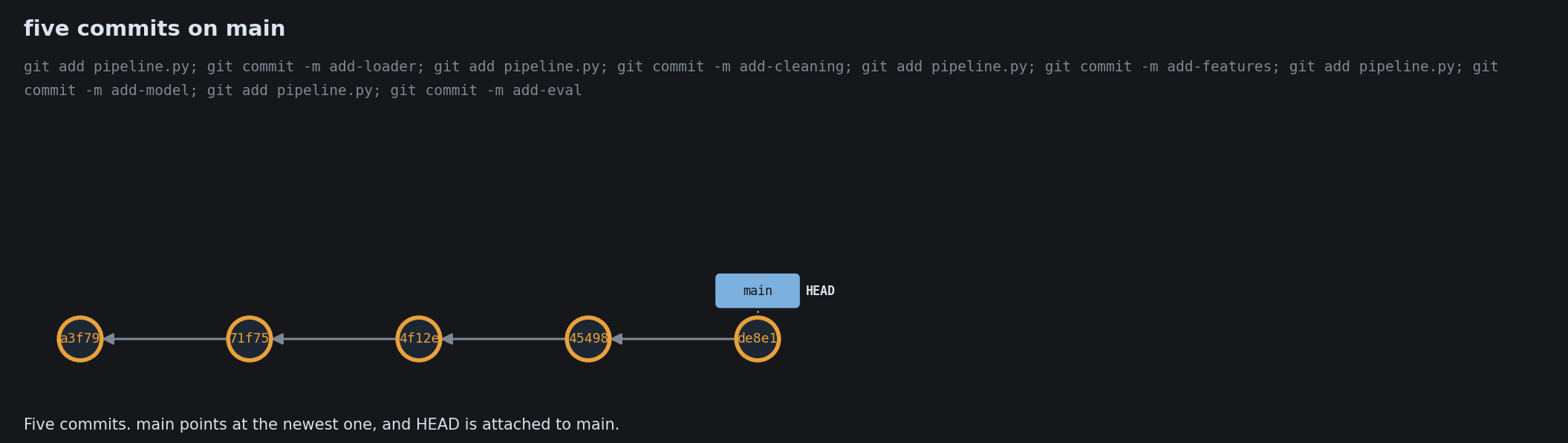
The Reflog: Git’s Safety Net
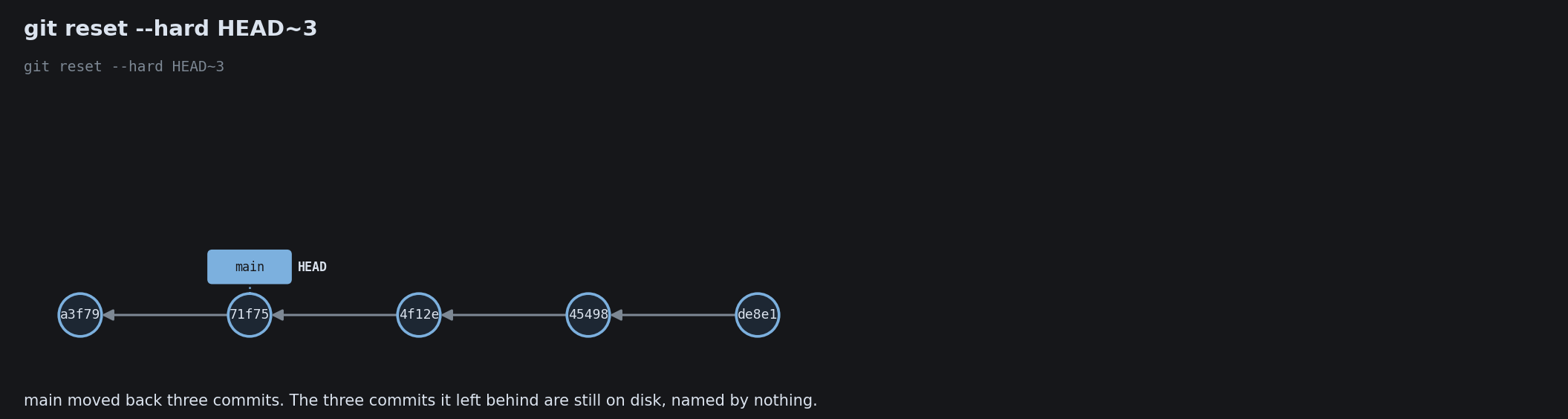
The Reflog: Git’s Safety Net
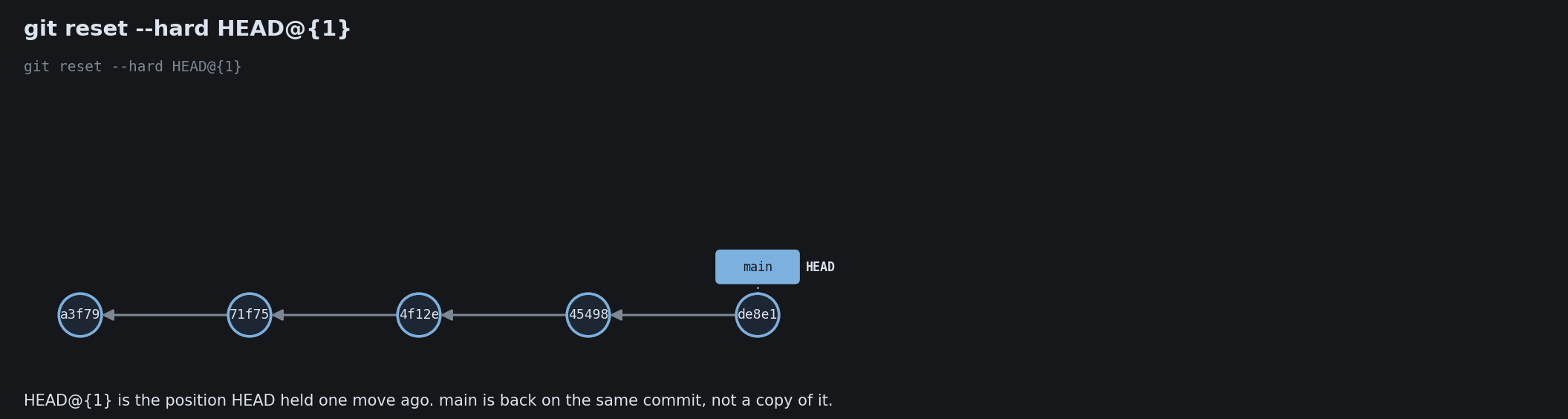
The Reflog: Git’s Safety Net
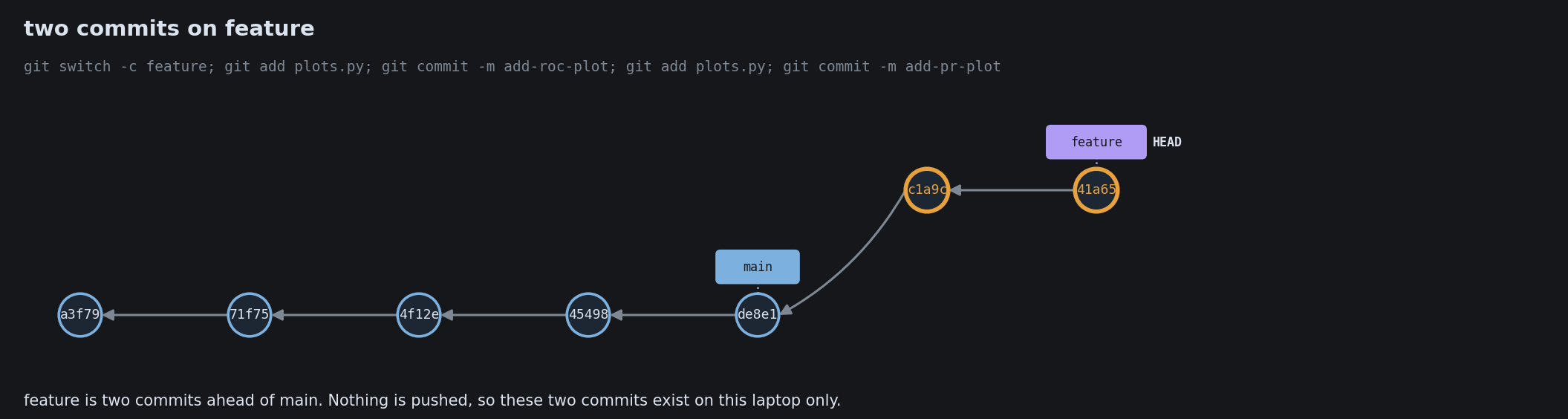
The Reflog: Git’s Safety Net
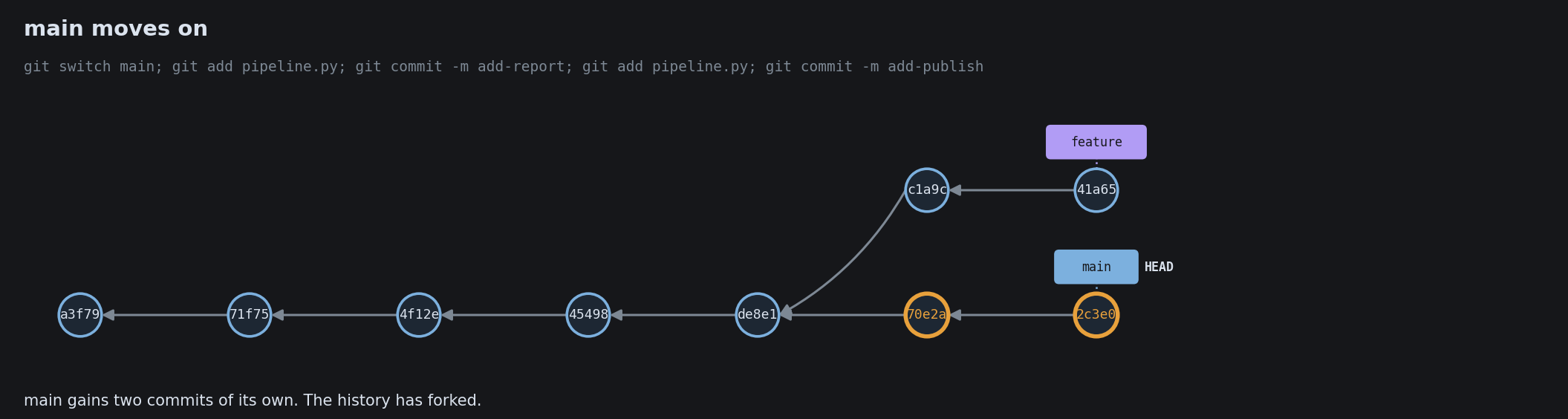
The Reflog: Git’s Safety Net
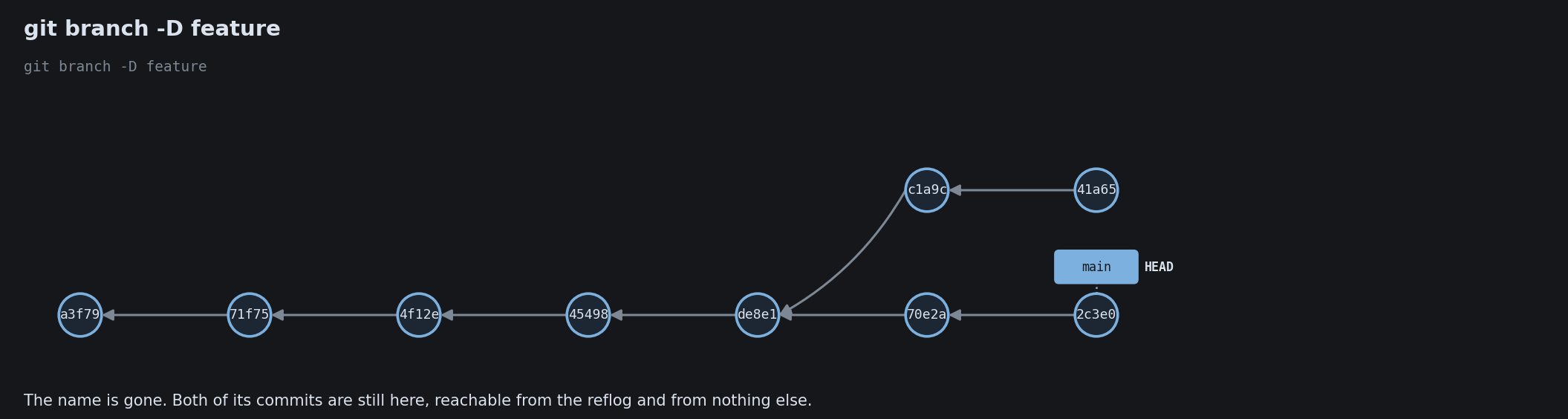
The Reflog: Git’s Safety Net
The Reflog: Git’s Safety Net
The Reflog: Git’s Safety Net
The Reflog: Git’s Safety Net
The Reflog: Git’s Safety Net

Backporting a Fix With Cherry-Pick
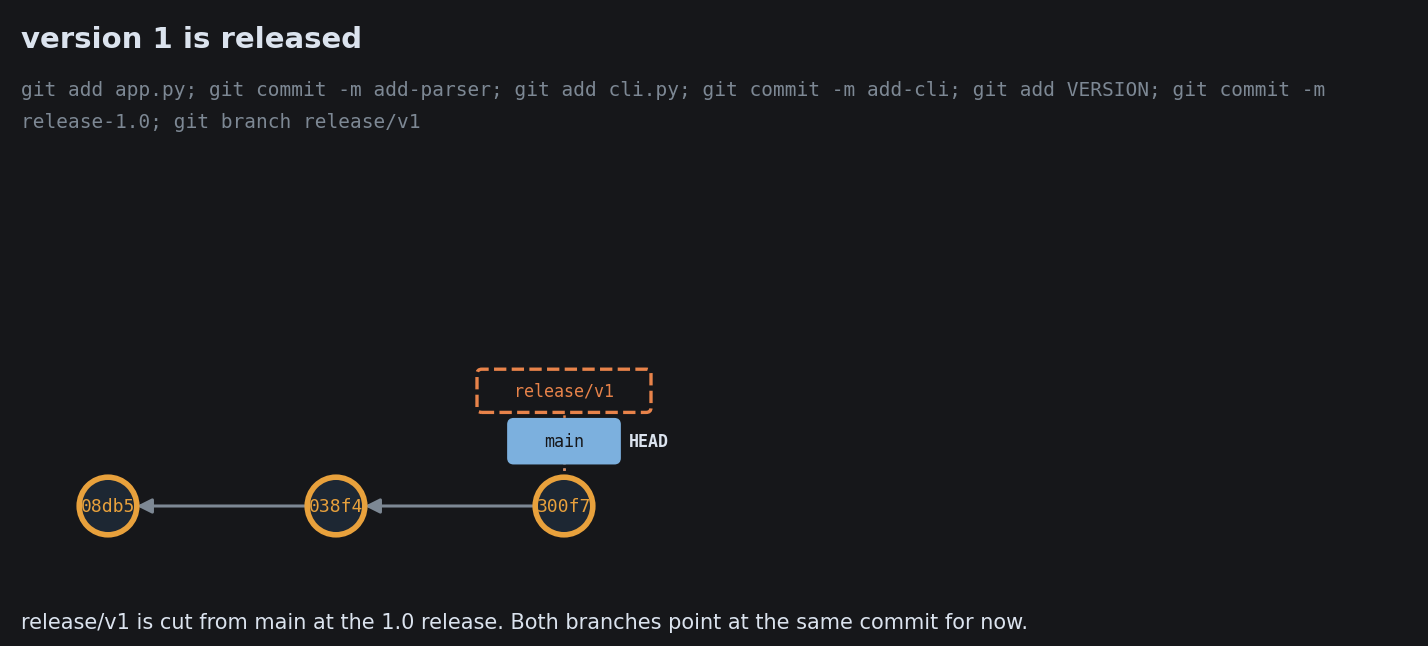
Backporting a Fix With Cherry-Pick
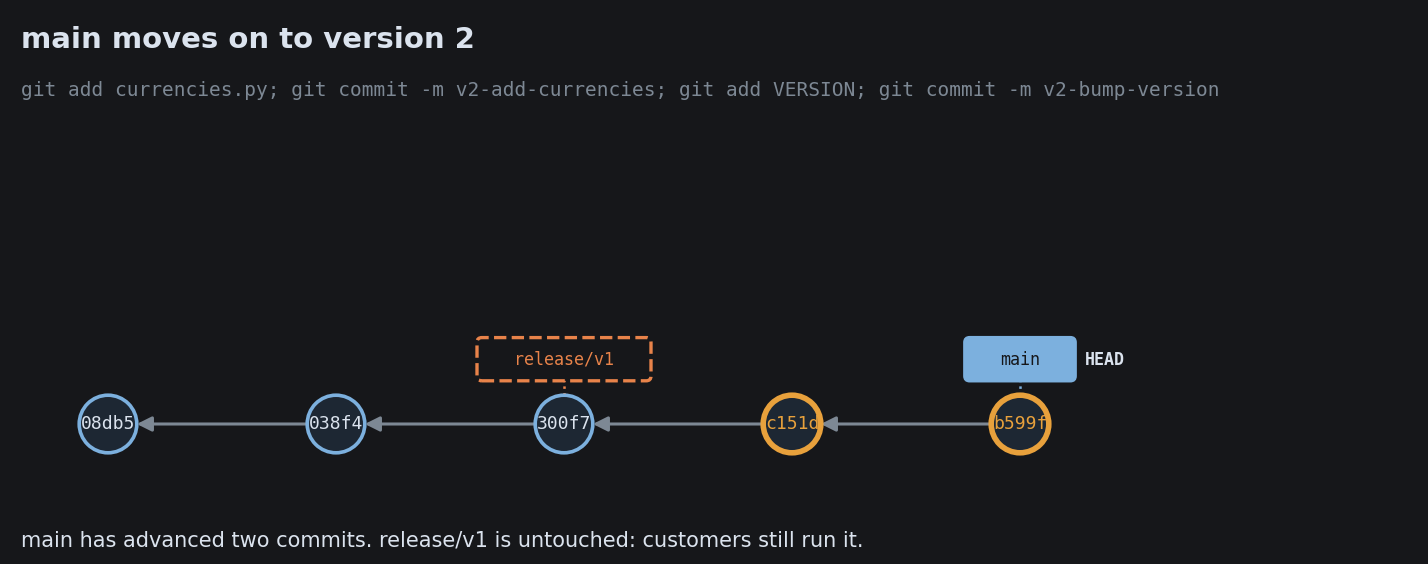
Backporting a Fix With Cherry-Pick
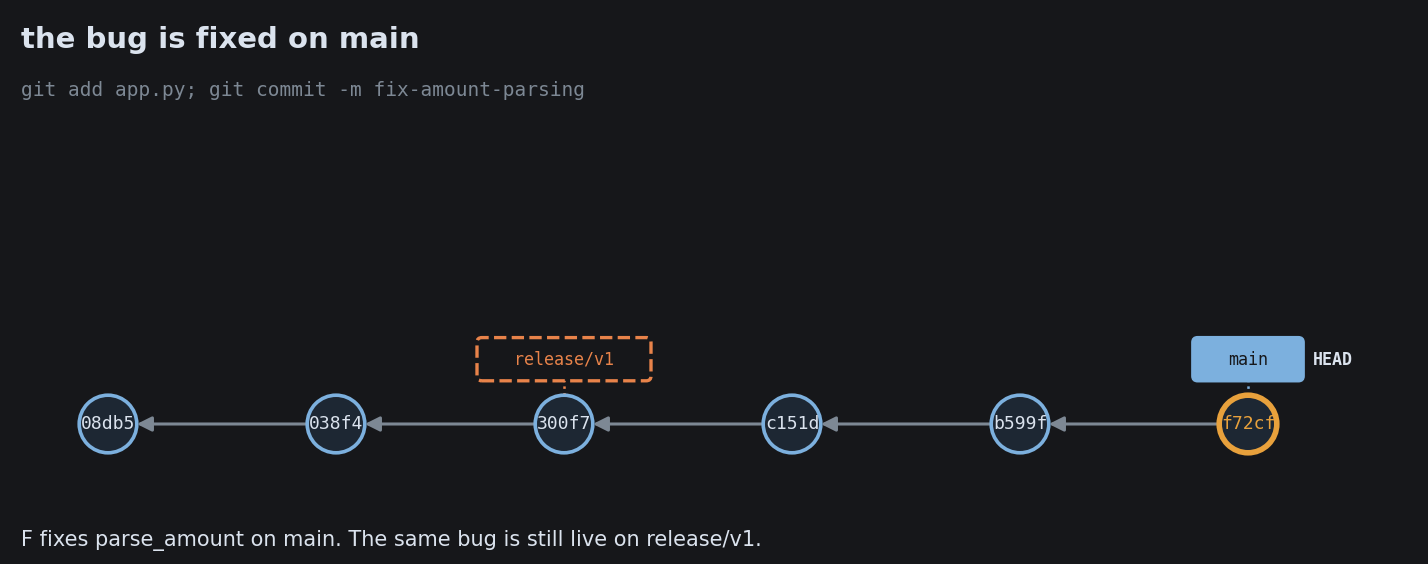
Backporting a Fix With Cherry-Pick
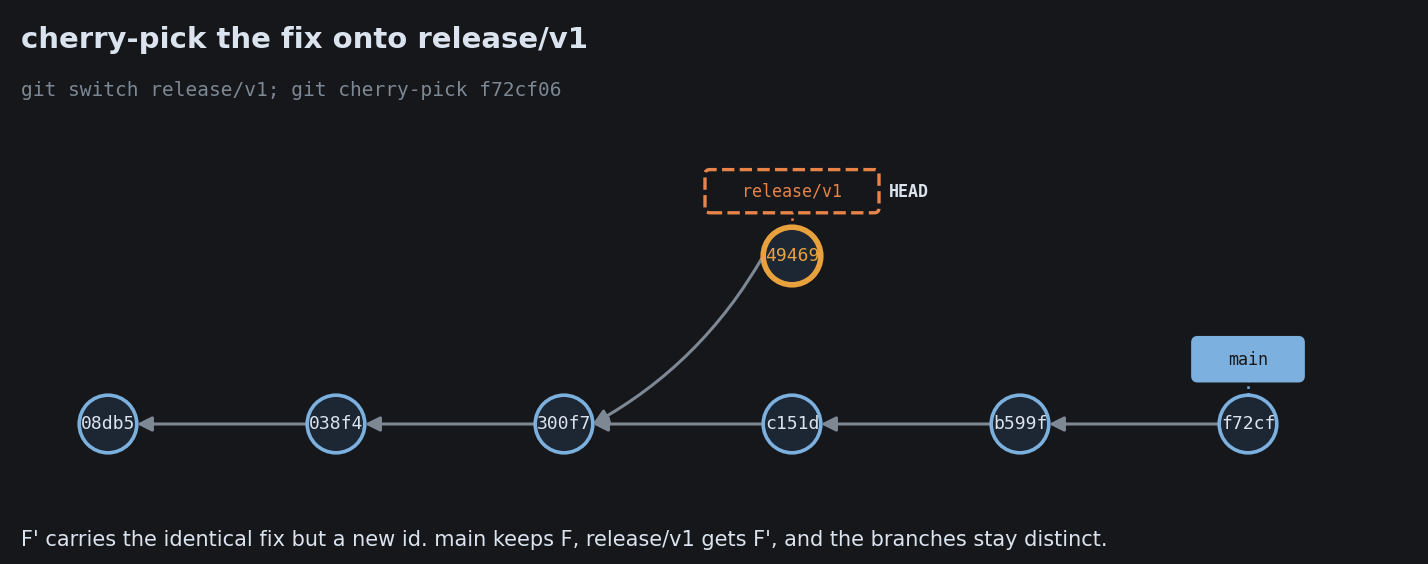
Backporting a Fix With Cherry-Pick

Hotfixes and Reverting on Shared Main
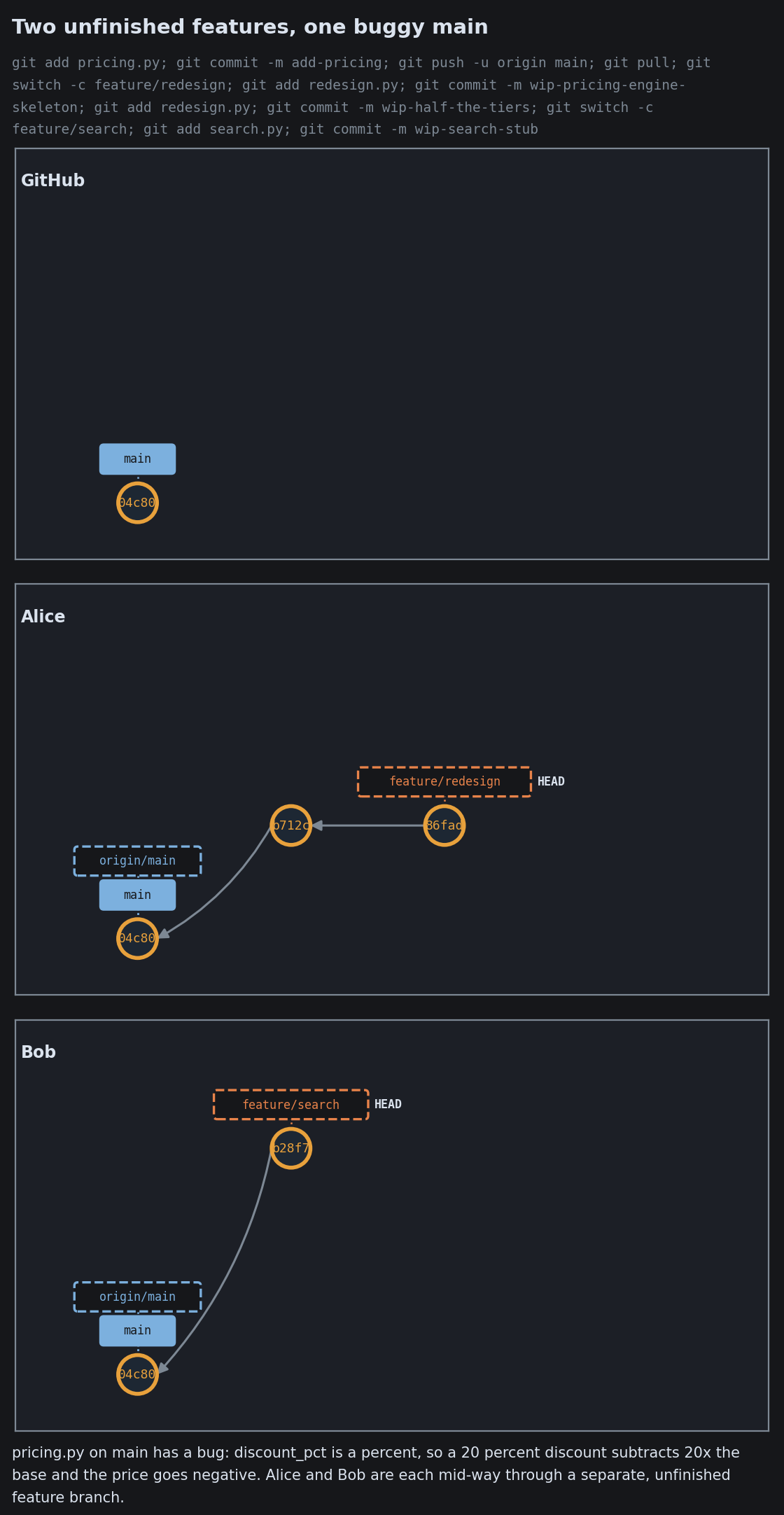
Hotfixes and Reverting on Shared Main
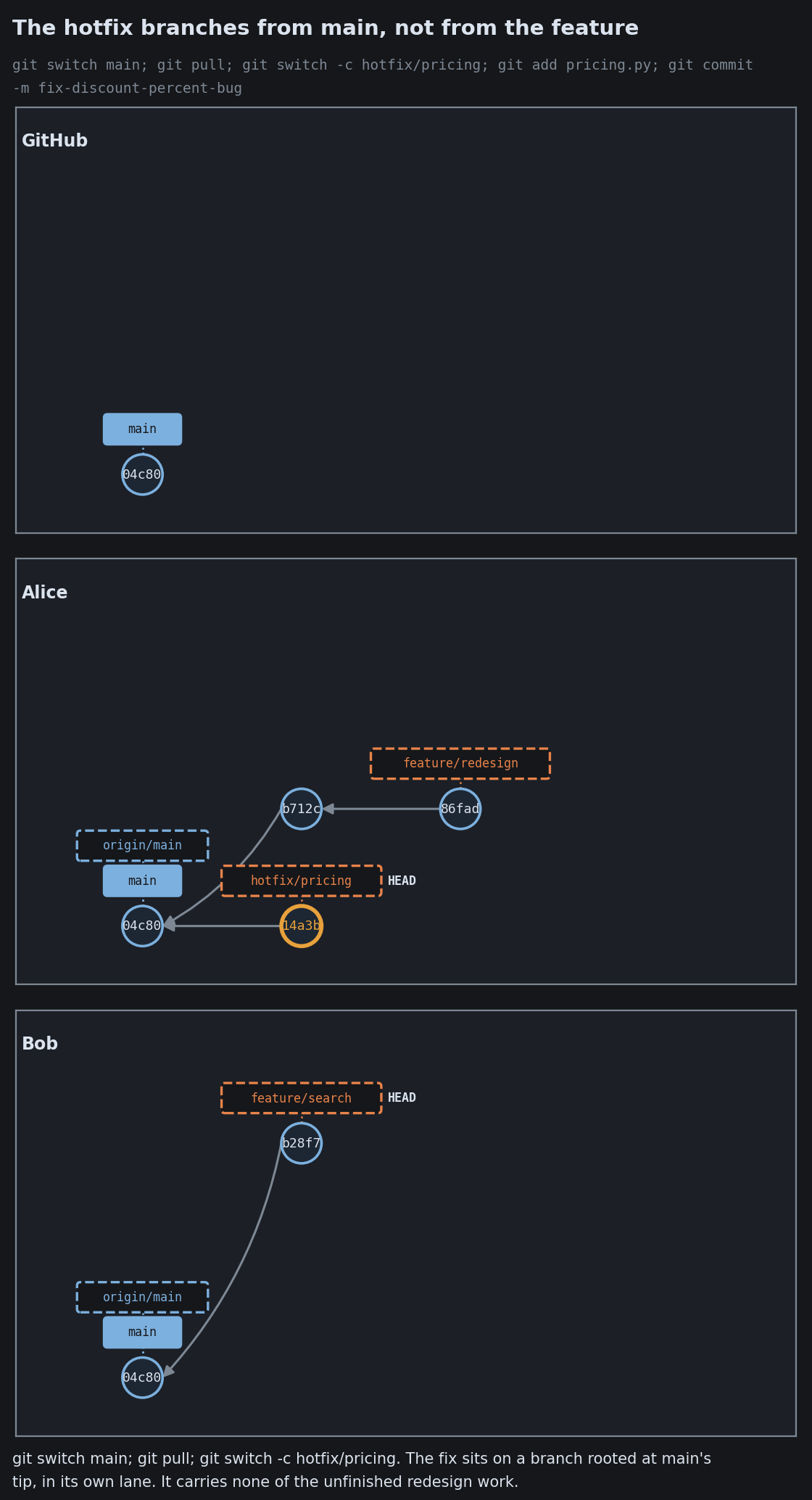
Hotfixes and Reverting on Shared Main
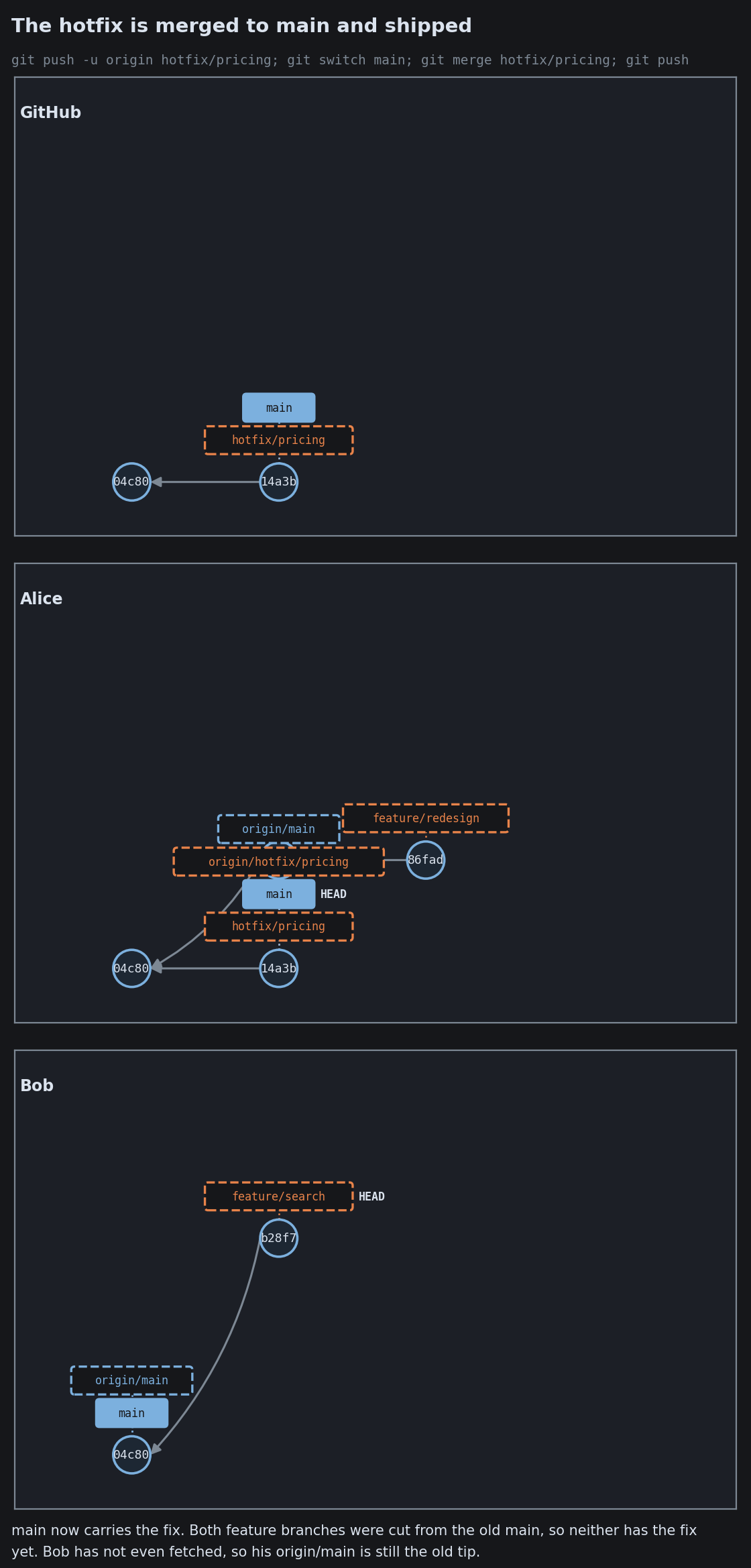
Hotfixes and Reverting on Shared Main
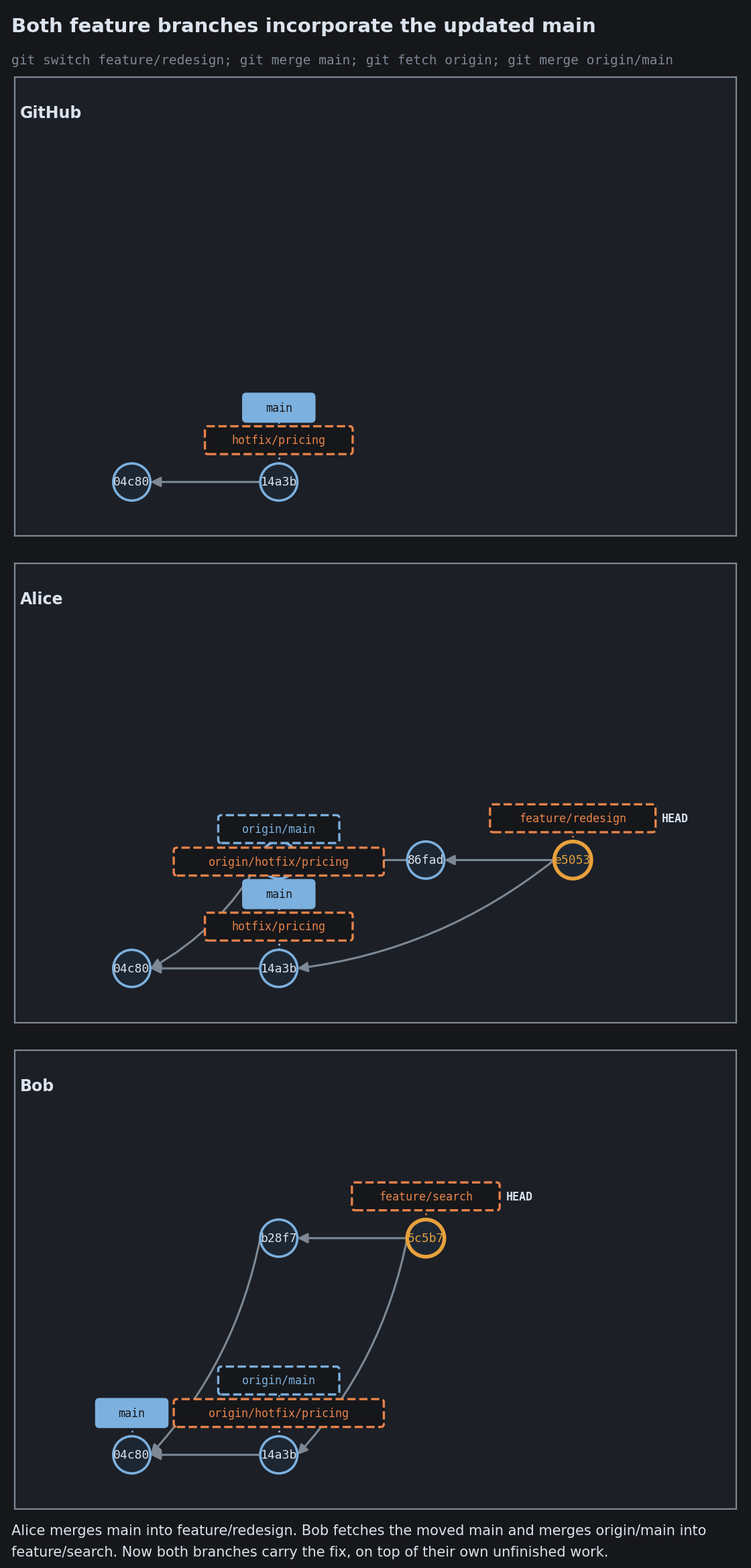
Hotfixes and Reverting on Shared Main
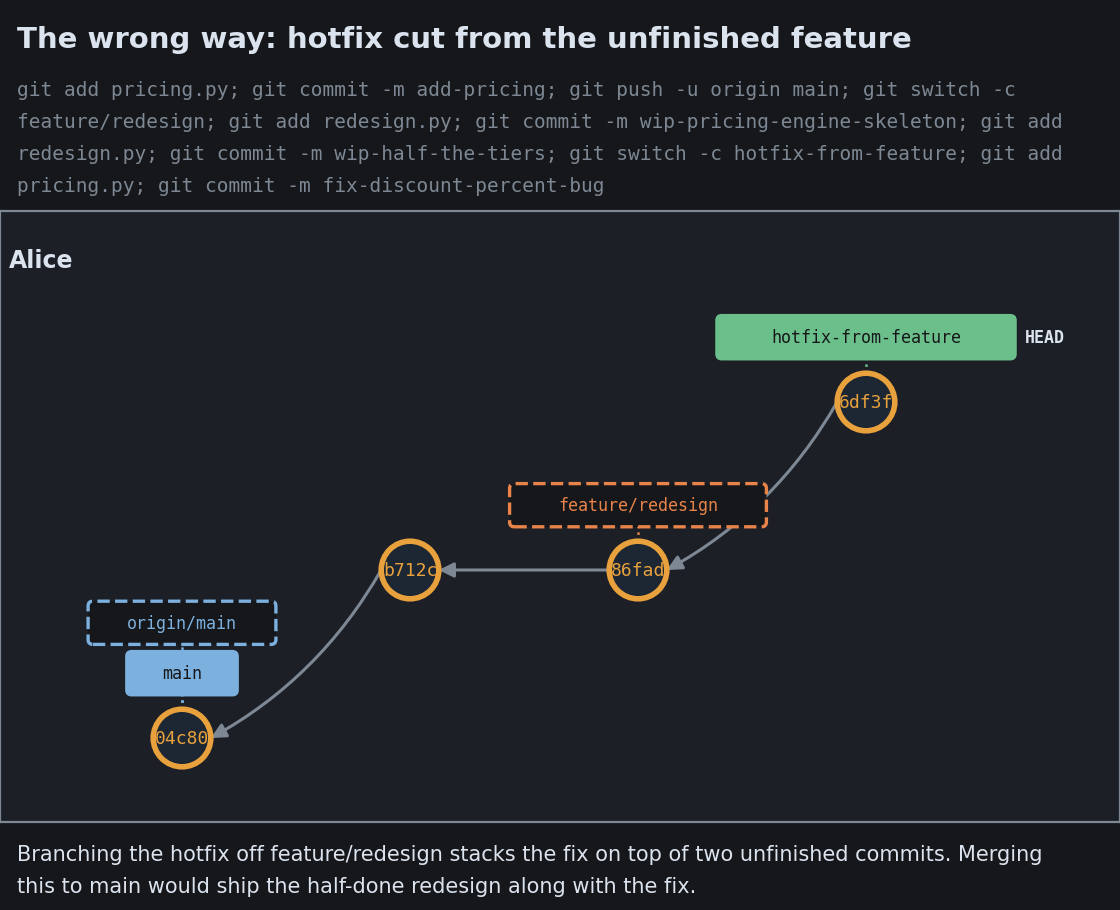
Hotfixes and Reverting on Shared Main
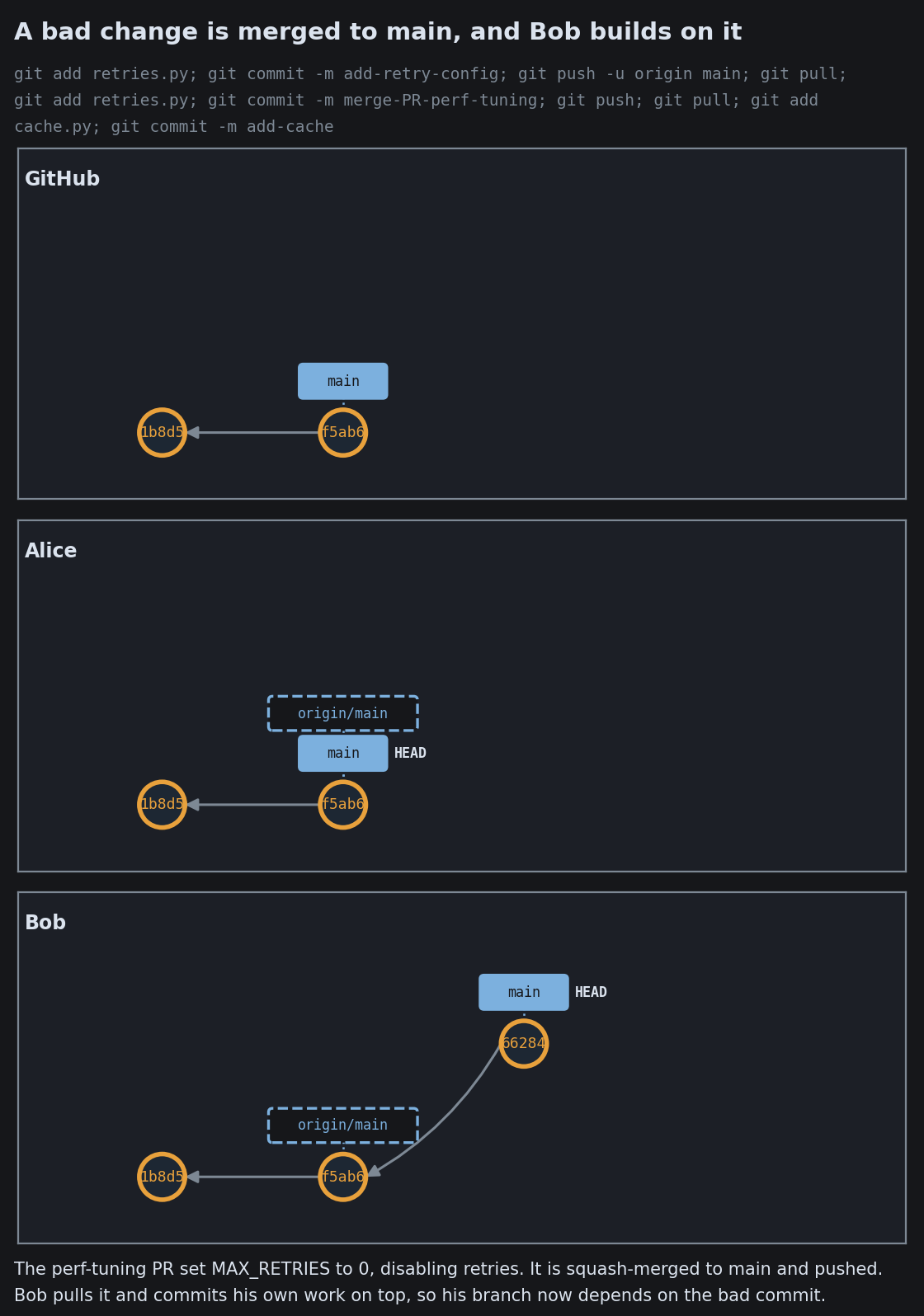
Hotfixes and Reverting on Shared Main
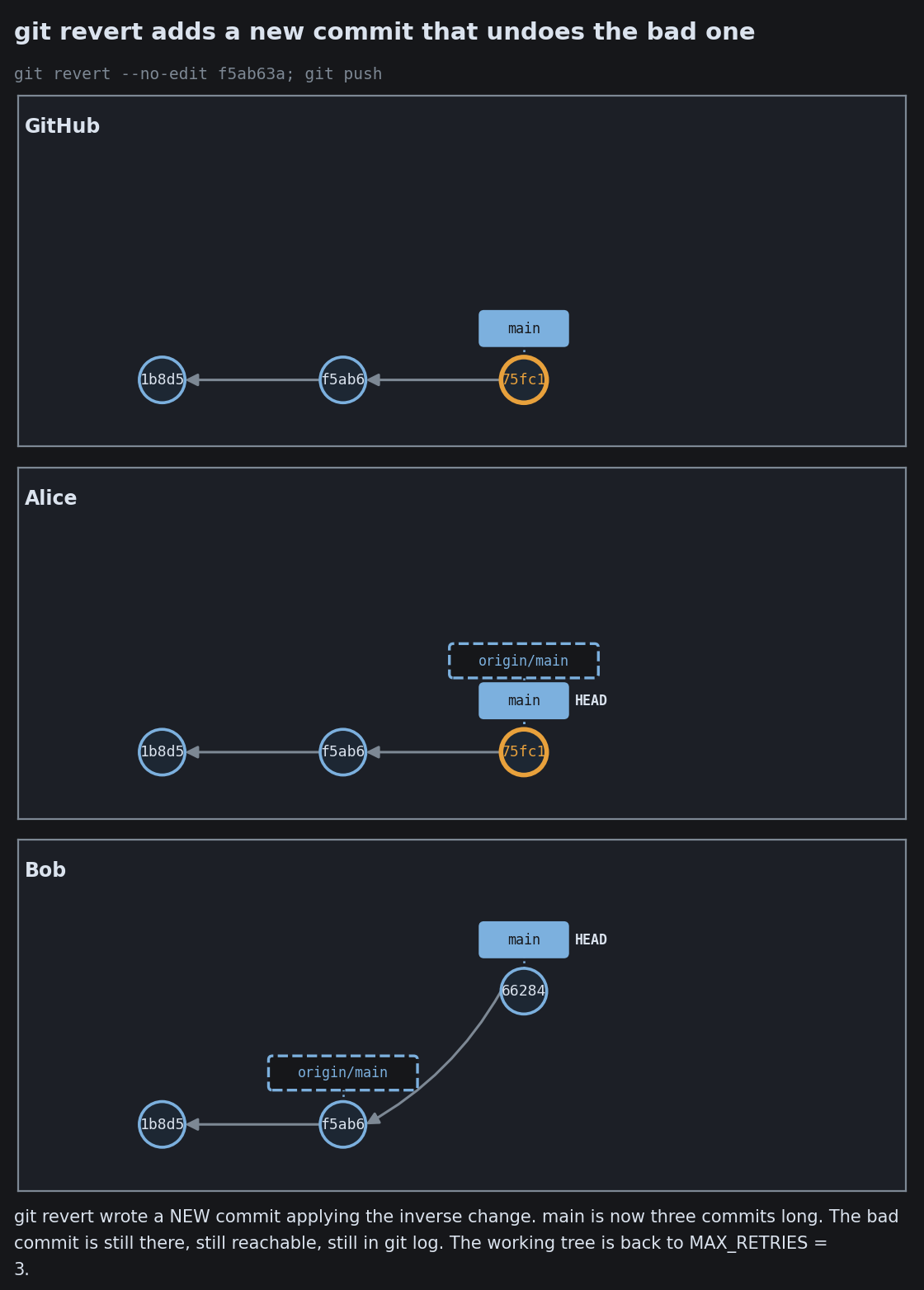
Hotfixes and Reverting on Shared Main
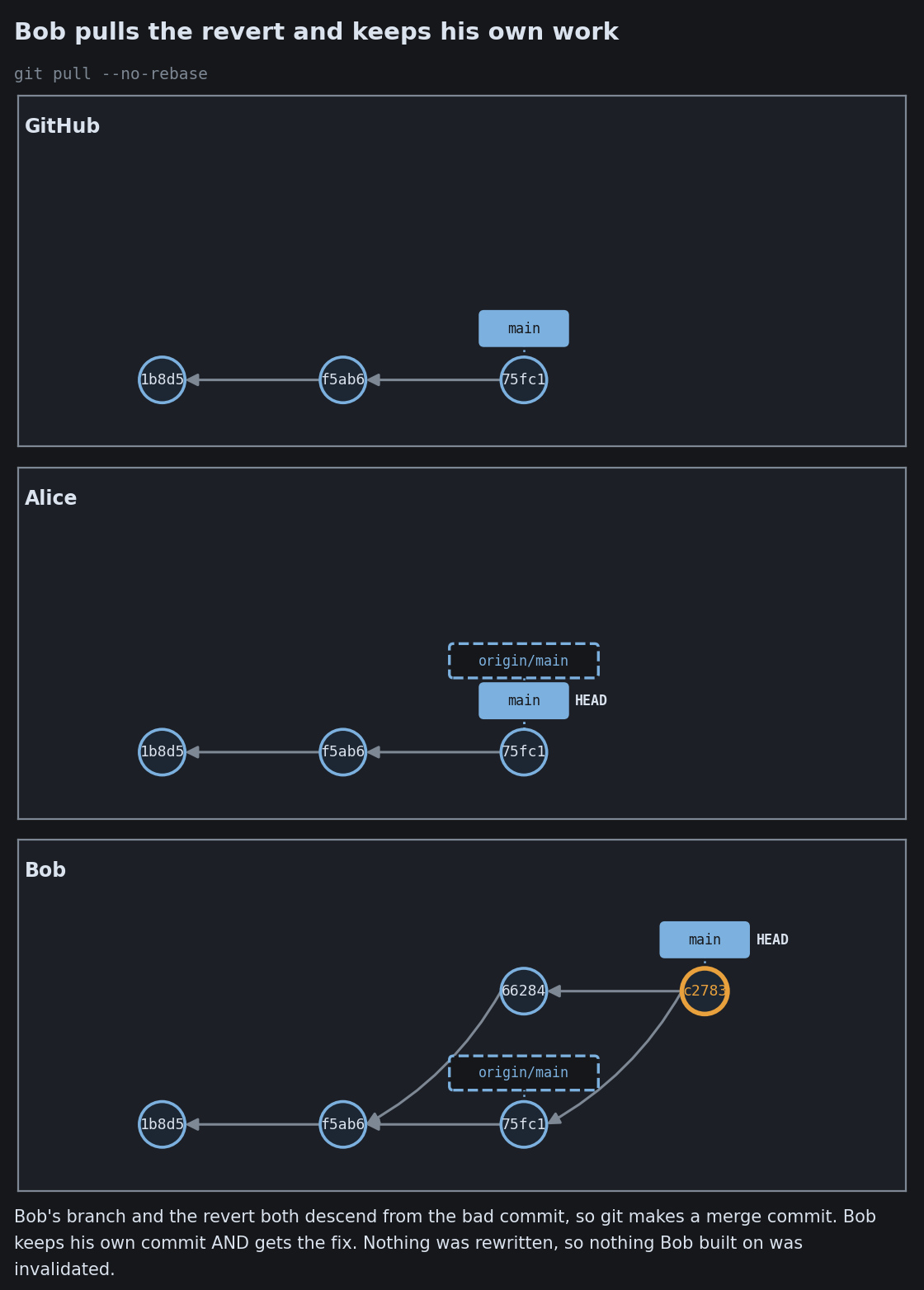
Hotfixes and Reverting on Shared Main
Hotfixes and Reverting on Shared Main

When many people, and many agents, share a repo

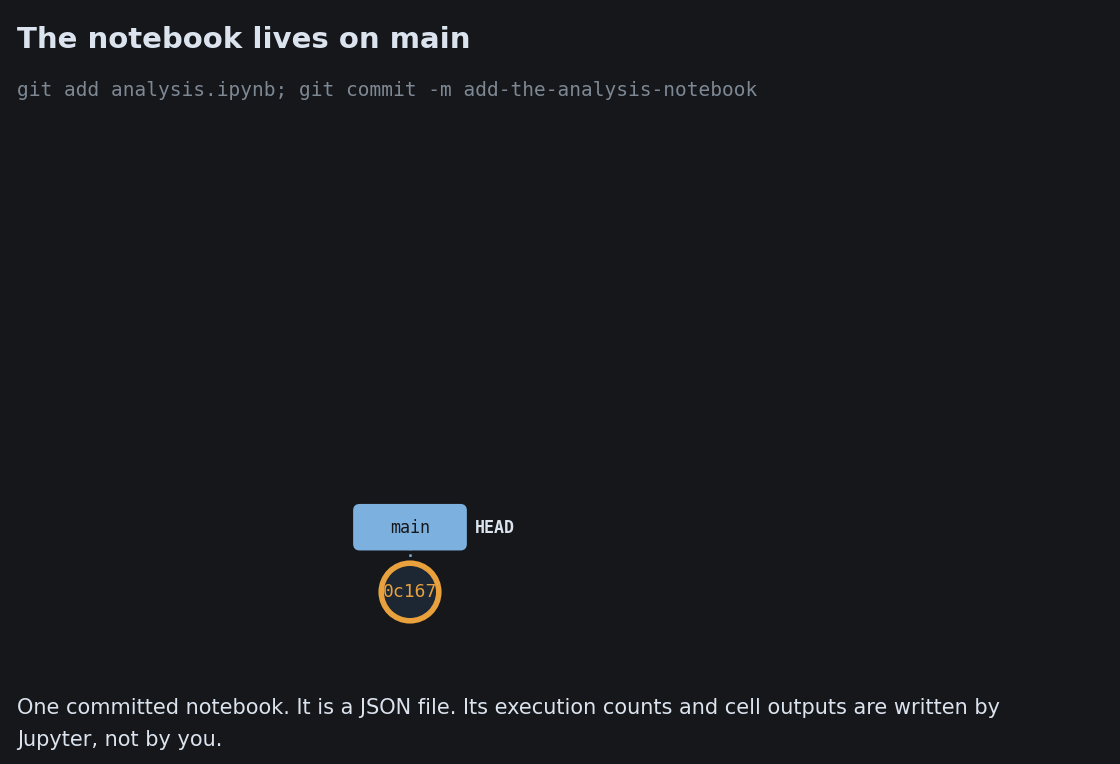
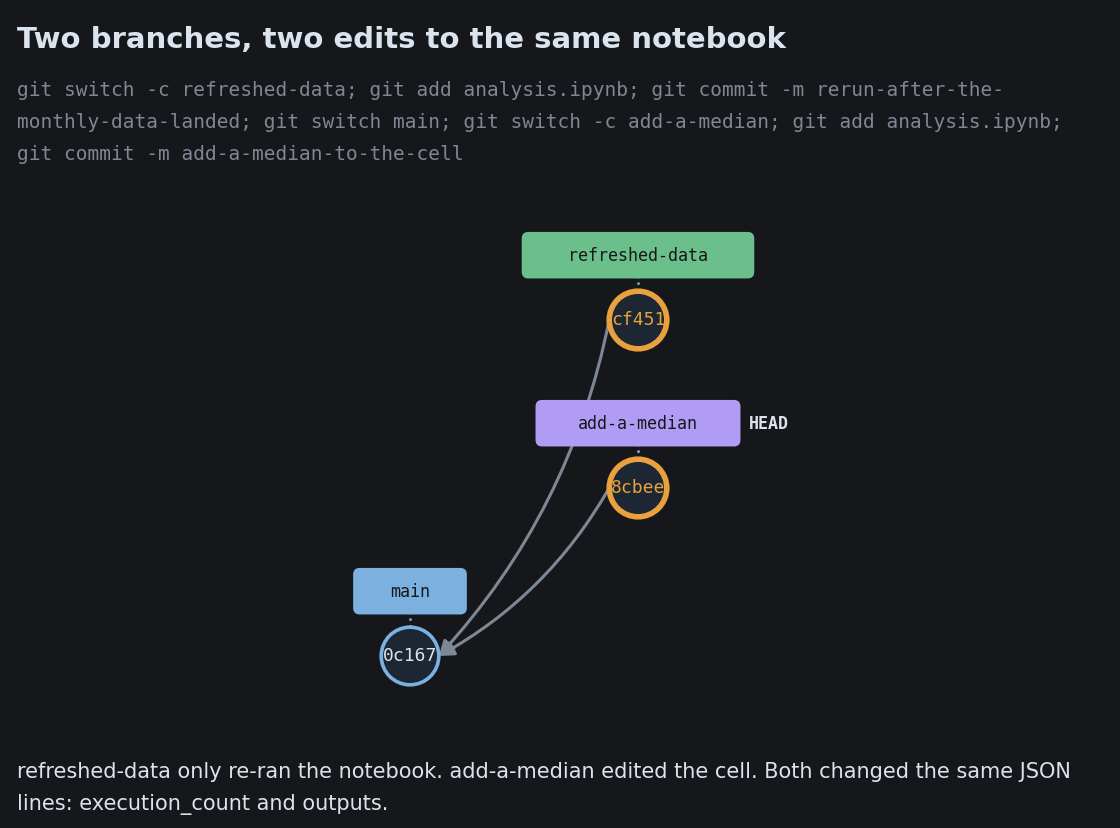
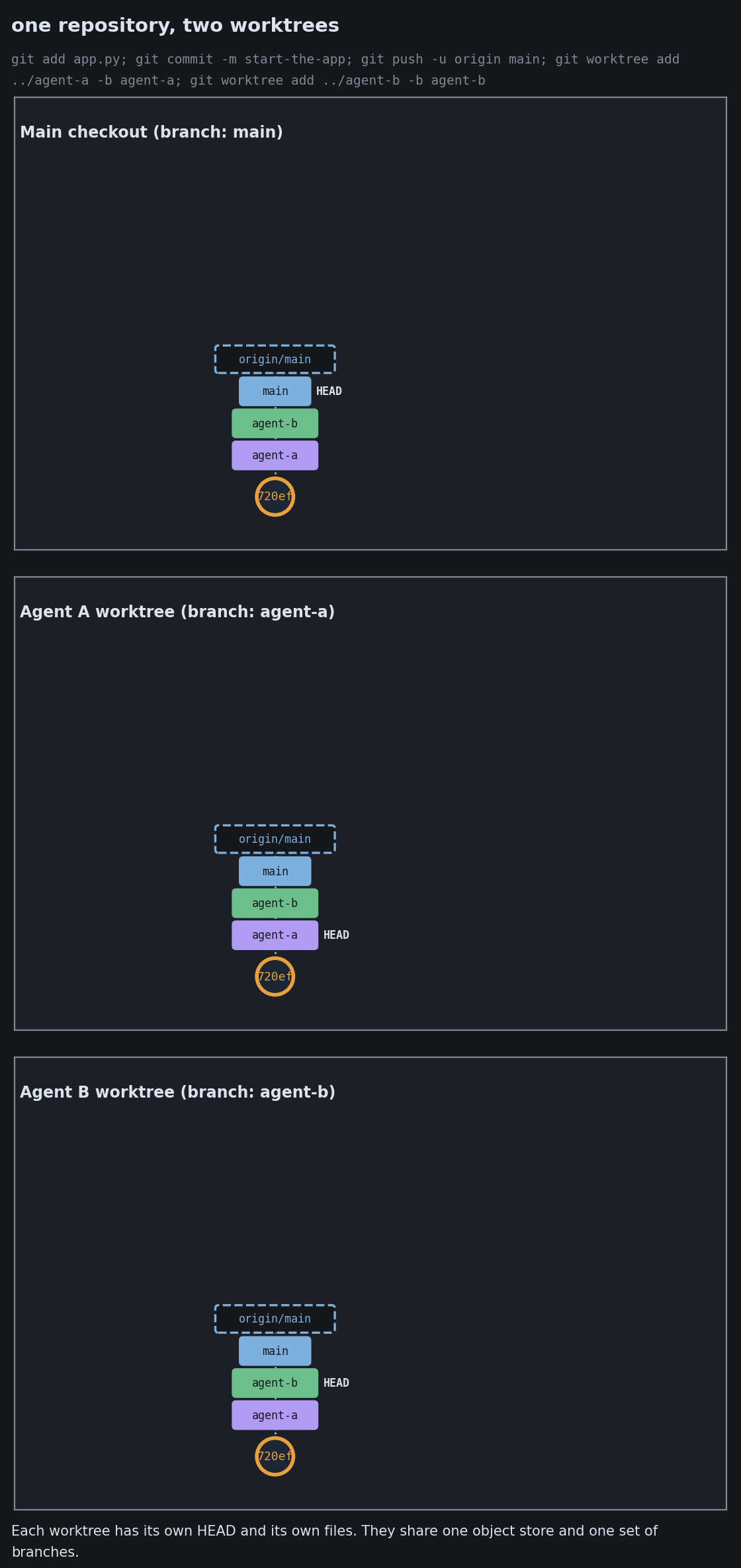
Notebooks and large data files fight git’s line-by-line model. Parallel work, by people or by coding agents, needs its own hygiene: worktrees for isolation, and care with a shared checkout.

Notebooks, Data, and Big Binaries

Notebooks, Data, and Big Binaries
Notebooks, Data, and Big Binaries
Notebooks, Data, and Big Binaries

Worktrees for Parallel Agents
Worktrees for Parallel Agents
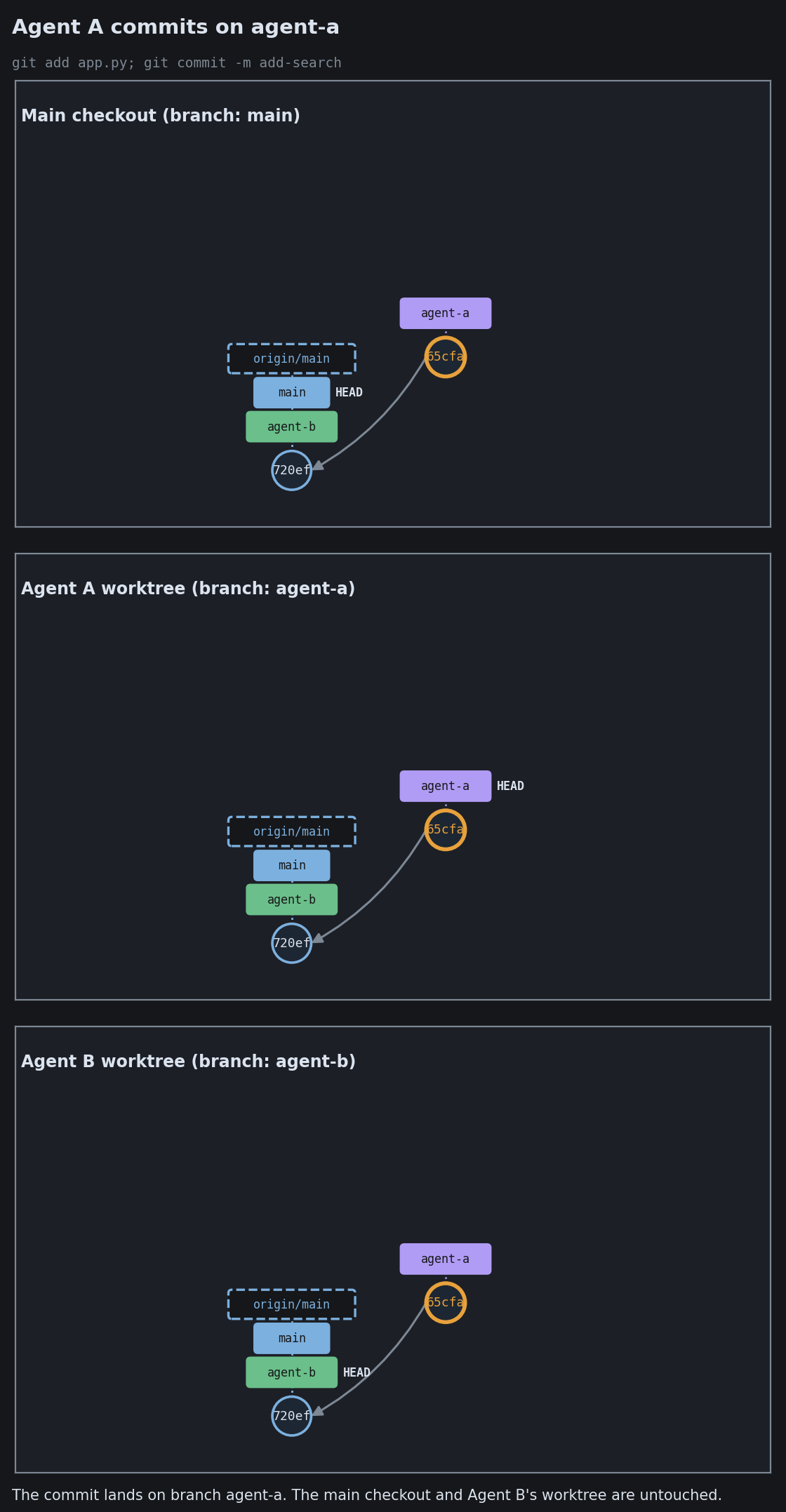
Worktrees for Parallel Agents
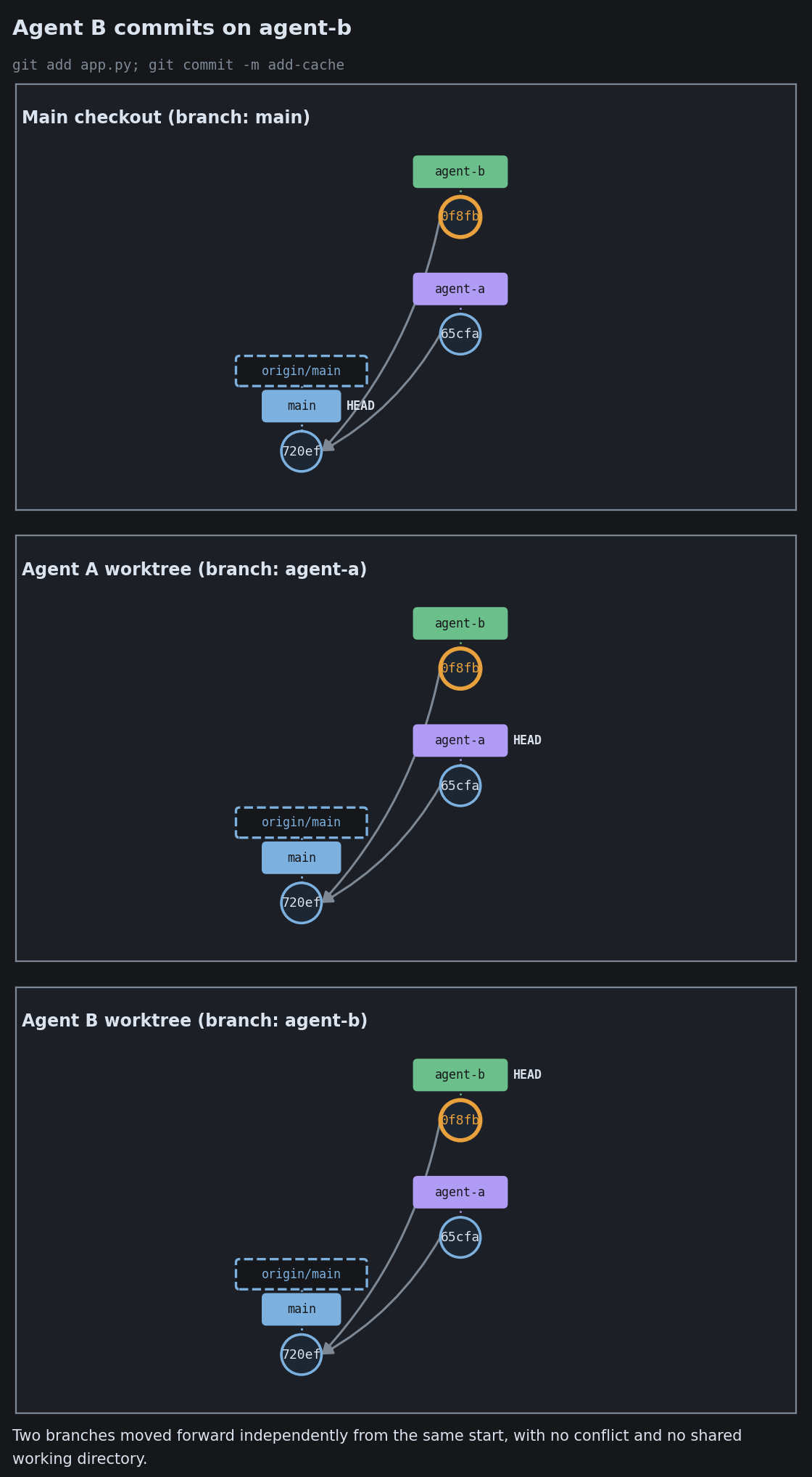
Worktrees for Parallel Agents

The Shared Checkout Hazard
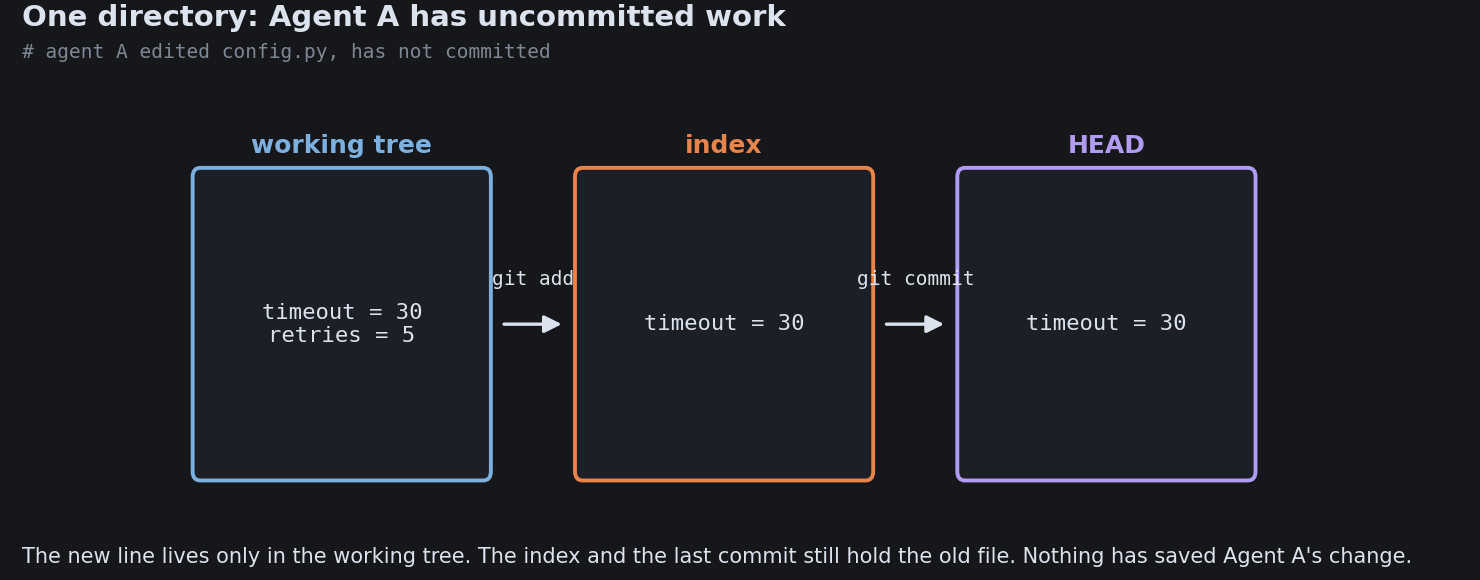
The Shared Checkout Hazard
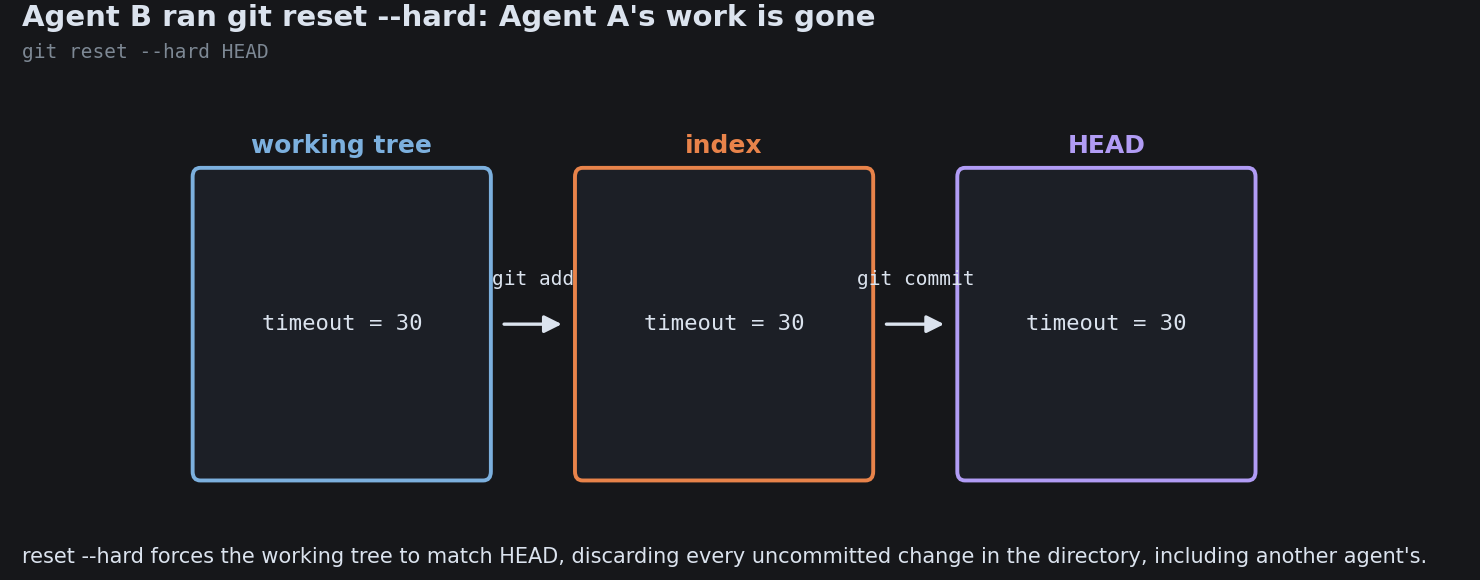
The Shared Checkout Hazard
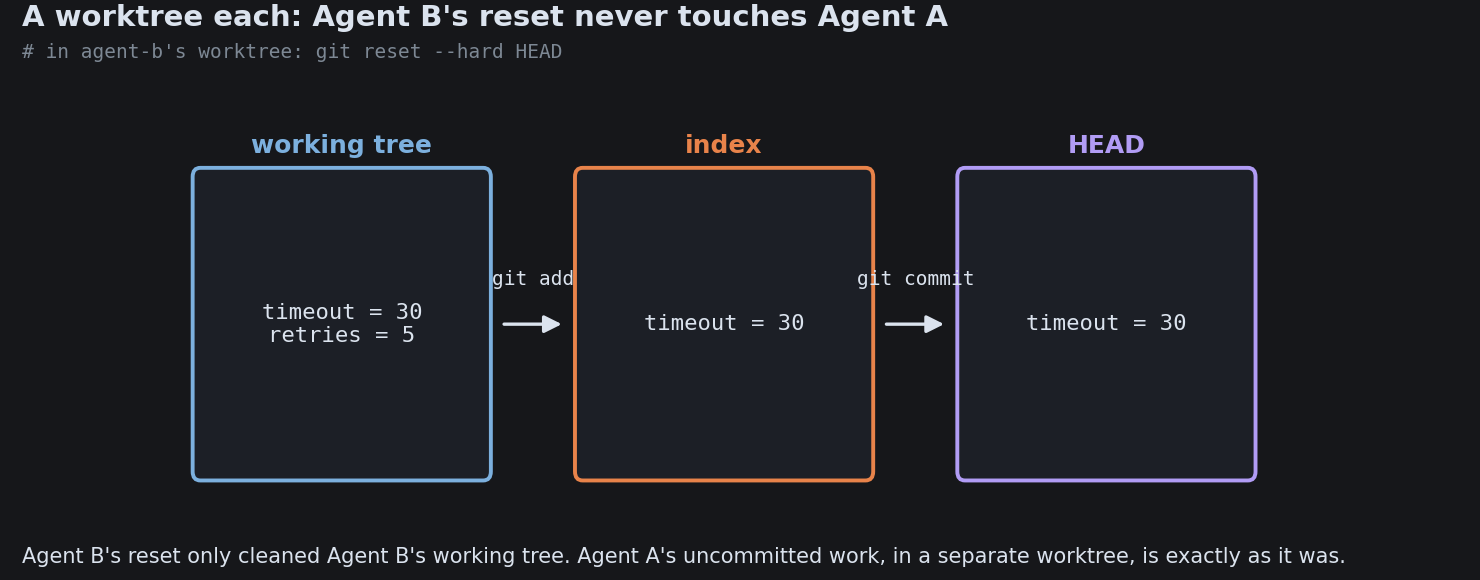
The Shared Checkout Hazard

Agent Commit and Review Hygiene
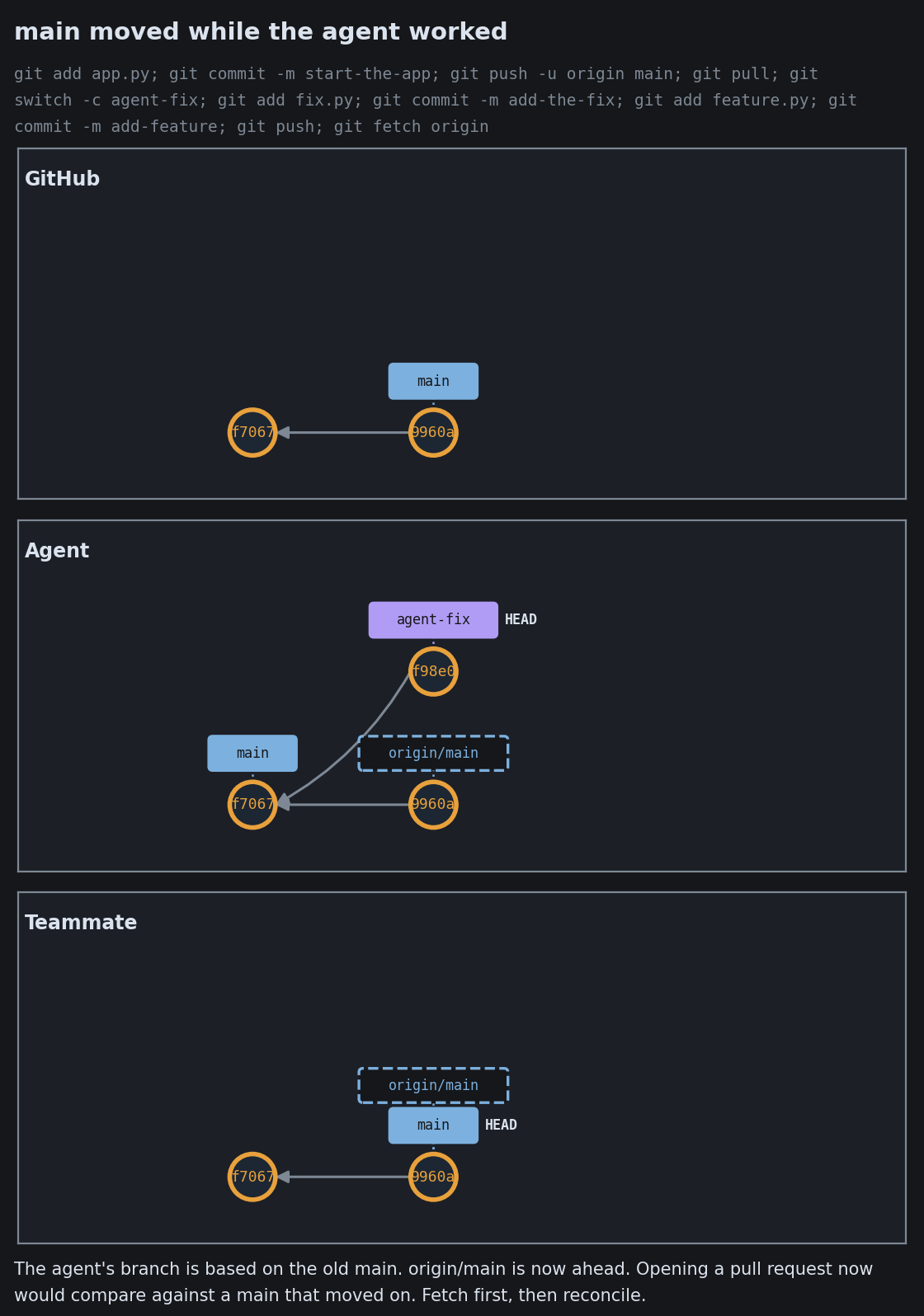
Agent Commit and Review Hygiene
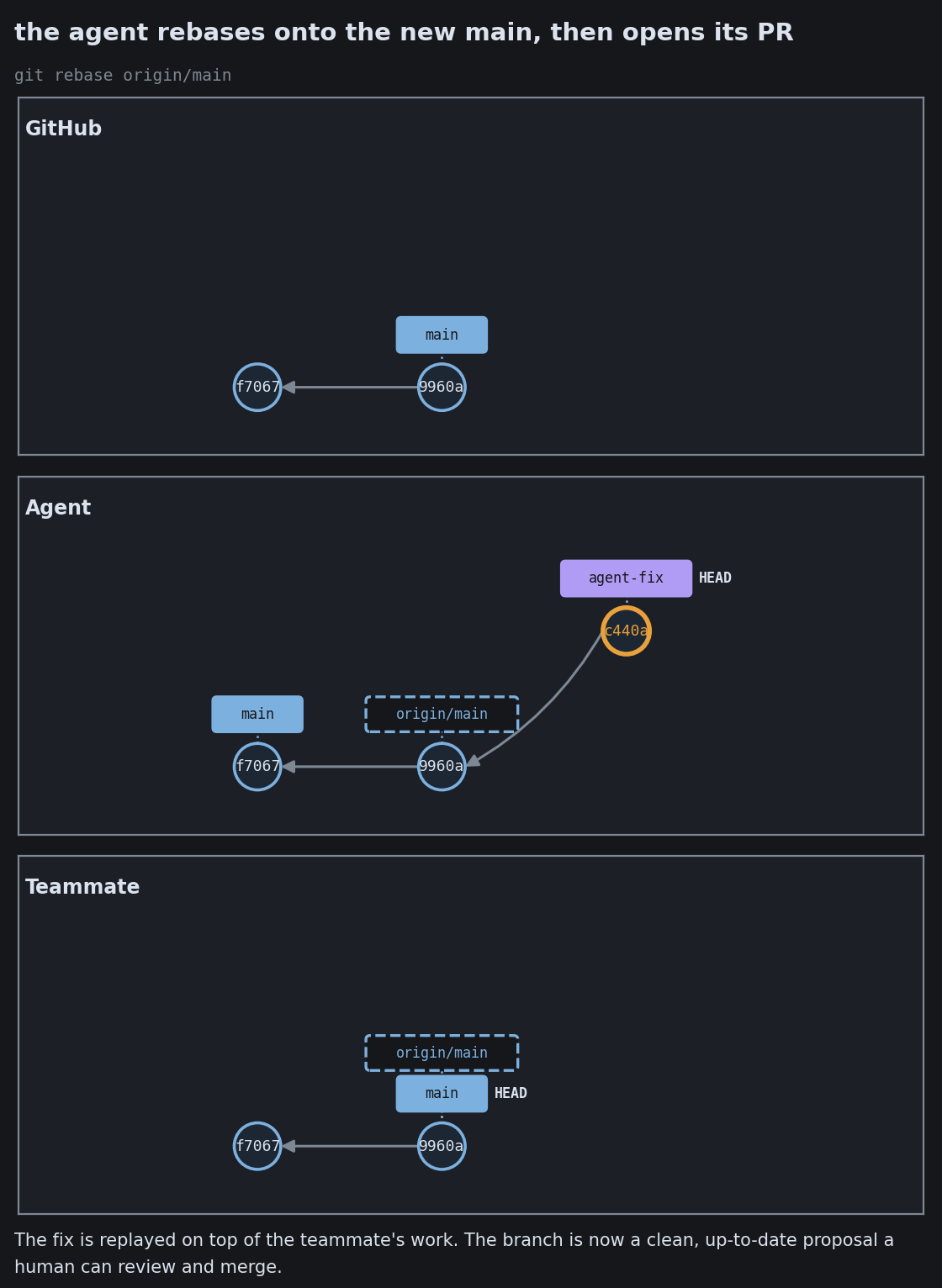
Agent Commit and Review Hygiene

The words you will actually hear

THE CORE
commit a recorded snapshot, with a message and a parent
hash the fingerprint that identifies a commit
staging area the changes marked for the next commit
clone a full local copy, history and all
remote another copy you sync with
push / pull send commits up / bring commits down
BRANCHING
branch a movable pointer, a line of work
main the line treated as the source of truth
merge join two lines, recording a merge commit
rebase replay commits for a linear history
merge conflict same lines changed two ways, a human decides
pull request a proposal to merge, where review happens

The whole idea, in one line

A chain of snapshots,

each pointing at its parent.

Everything else, branches, merges, rebases, remotes, is bookkeeping on top of that.

Go deeper

Built from the version-control notes in a software-engineering-basics collection.